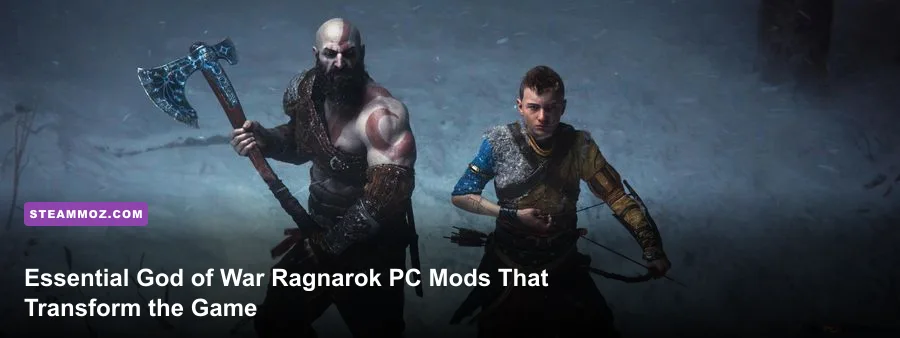
Modding God of War Ragnarök on PC fixes the port's most frustrating pain points within minutes: eliminating artificial 6GB VRAM locks, widening the claustrophobic field of view, and finally silencing Atreus before he spoils another puzzle solution. While Jetpack Interactive delivered a strong technical foundation, the vanilla PC release inherits restrictive console quirks that hold back mouse-and-keyboard setups and high-end ultrawide rigs. By stacking targeted community fixes from the Nexus Mods Ragnarök Hub, you can dial in frame pacing, clean up the heavy color grading across the Nine Realms, and reclaim total control over Kratos' camera perspective.
The Essential God of War Ragnarök Mod Tier List
Not all mods published for the Nine Realms deserve a spot in your install directory. Some introduce shader micro-stutters, while others break camera scripting during heavy runic attacks. We spent dozens of hours stress-testing community files through Svartalfheim's mines and Vanaheim's dense jungles to rank the absolute best tweaks by stability, performance impact, and quality-of-life value.
| Tier | Mod Name | Primary Benefit | Performance Impact | Installation Location |
|---|---|---|---|---|
| S-Tier | VRAM Requirement Bypass | Bypasses 6GB GPU block on 4GB cards | Zero impact (Unlocks playable boots) | Game Root Directory (/exec) |
| S-Tier | Flawless Widescreen FOV Plugin | Expands FOV from 70° up to 105° | 1–3% FPS loss at wide angles | Standalone Tool / Memory Hook |
| S-Tier | Companion Puzzle Delay (Shut Up Atreus) | Pushes puzzle hint timers from 5s to 180s+ | Zero impact | Extracted /exec/patch data |
| A-Tier | PureDark DLSS 3 & Frame Gen Tweaks | Stabilizes frame pacing and latency spikes | 5–10% FPS gain on RTX cards | Game Root Directory |
| A-Tier | Cinematic Norse Reshade | Removes green/grey tint, deepens contrast | 2–4 FPS drop depending on shaders | Main Game Folder (dxgi.dll) |
| B-Tier | Immersive Minimalist HUD | Dynamically hides compass and health bars | Zero impact | Root / UI script folder |
Our tier rankings prioritize game stability above all else. S-Tier picks solve architectural headaches that should have been native PC toggles, while A-Tier enhancements fine-tune frame generation and visual contrast without crashing your active save profile.

🎮 FORM
Looking to experience this game? Grab your digital key directly on our store for $14.99.
View on Steammoz Store →Performance and Fix Mods: Bypassing Hard Locks and Frame Drops

When Sony published the official system specs on the Steam Store Page, thousands of budget rig users found themselves locked out by an arbitrary 6GB VRAM threshold check. If you try launching the vanilla game on a GTX 1650, GTX 1060 3GB, or RTX 3050 4GB laptop chip, the executable terminates immediately with an error box. The VRAM Requirement Bypass mod patches the initialization memory check inside the game's executable, allowing cards with 4GB of physical VRAM to spin up the engine without issues.
Once past the gate, pair the bypass with custom texture streaming adjustments to avoid severe asset pop-in. Set Textures to Low or Medium and flip Texture Filtering to Anisotropic 4x. Similar to optimizing tough ports covered in our Elex PC crash fixes and FPS stabilization guide, controlling memory allocations prevents catastrophic desktop crashes during realm travel transitions.
For players using RTX 2000 and 3000 series hardware, official frame generation options are locked behind RTX 40-series silicon. Community DLSS-to-FSR frame generation replacement mods hook directly into the streamer pipeline, injecting AMD's hardware-agnostic Frame Gen into the DLSS slot. This brings smooth 90+ FPS performance to high-refresh 1440p displays without the severe input latency penalties seen in poorly tuned ports. If you've tinkered with visual overhead before, such as following the Far Cry 6 settings for maximum FPS, you know that stabilizing frame pacing beats chasing raw peak numbers every single time.
Camera and FOV Overhauls: Fixing the Over-the-Shoulder Blind Spots
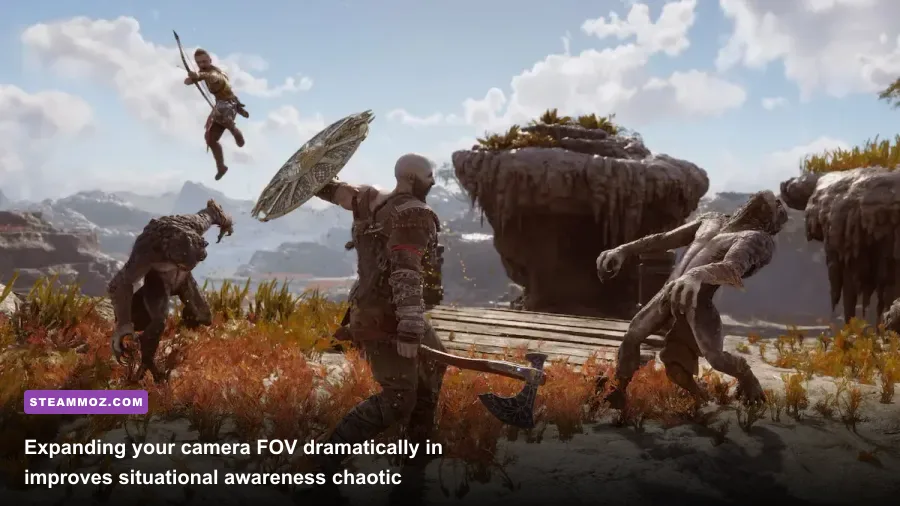
Console design heavily influences camera placement. The vanilla camera hugs Kratos' shoulder so tightly that off-screen enemies frequently flank you during Muspelheim combat trials. Worse, rapid horizontal mouse sweeps cause visual disorientation for players sitting two feet away from a desktop monitor.
The Flawless Widescreen FOV Mod solves this completely. By injecting an active memory offset, it expands your horizontal Field of View by +15% to +35% without warping character model proportions or breaking execution animations. Here is why making this adjustment alters combat flow:
- Telegraph Recognition: Light Elves in Alfheim love dashing outside your field of view for aerial dive attacks. A wider 95-degree FOV keeps both flankers on-screen so you can execute clean Leviathan Axe parries.
- Spatial Traversal: Scaling cliff faces and navigating Niflheim's icy crags feels significantly less claustrophobic on 21:9 and 32:9 displays.
- Mouse Smoothing Consistency: The mod decouples hard-coded gamepad smoothing from raw mouse input, removing the floaty, heavy sensation whenever Kratos pivots his torso.
If you run into occasional hitching or camera jerkiness when loading high-intensity arenas, verify your background processes and hardware polling rates. Similar to resolving input conflicts outlined in our EscapeVR crashing and low FPS guide, setting your gaming mouse polling rate to 1000Hz or lower ensures the mod's camera hook doesn't overload the main rendering thread.
Quality-of-Life Mods: Muting Companions and Cleaning the HUD
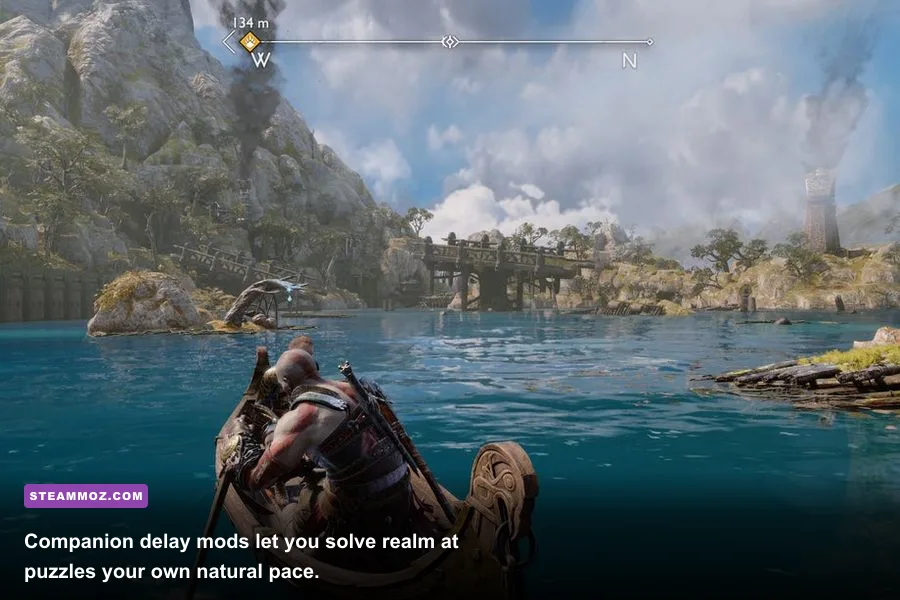
The most infamous design flaw in Ragnarök is companion backseat gaming. You step into a puzzle room in Svartalfheim, inspect an elevator mechanism for roughly four seconds, and Atreus immediately blurts: "Maybe you should bounce your axe off that twilight stone, Father!" It robs you of genuine discovery and turns environmental puzzles into follow-the-leader chores.
Enter Companion Puzzle Delay. This mod rewrites the internal audio trigger tables, allowing you to configure custom delay times before Atreus, Freya, or Mimir speak up. You can dial back their assistance to a comfortable three-minute delay, or silence puzzle hints entirely while keeping their crucial combat callouts—like shouting when an unblockable red-ring attack is coming from behind.
Pair this with the Dynamic Minimalist HUD mod. Ragnarök's default interface plasters floating compass markers, enemy health gauges, and control prompts across your monitor. The dynamic HUD overhaul fades the compass until you actively depress the aim button with the Leviathan Axe, and hides health meters during quiet exploration. The result is a clean, cinematic presentation that mimics the best scenes from modern prestige TV.
Visual Enhancements: Reshades That Elevate the Nine Realms
The PC port carries a noticeable cinematic color tint—heavy atmospheric haze and crushed black levels that make Alfheim look washed out in bright daylight. Using a targeted, lightweight Reshade preset completely transforms visual clarity without demanding substantial GPU compute overhead.
| Preset Name | Visual Tone Focus | Shader Pipeline | FPS Impact (1440p) | Best Suited Realm |
|---|---|---|---|---|
| Norse True-HDR | Neutral white balance, vivid particle lighting | Tonemap, Curves, Bloom | -2 to -3 FPS | Midgard & Svartalfheim |
| Clean Sharpness Plus | Eliminates temporal anti-aliasing blur | CAS (Contrast Adaptive Sharpness) | <1 FPS | All Nine Realms |
| Cinematic Gritty Realism | Desaturated palettes, cold shadow grading | LUT, FilmGrain, Vignette | -1 to -2 FPS | Niflheim & Helheim |
| Vibrant Fantasy Overhaul | Saturated foliage, high-dynamic contrast | Vibrance, Levels, MXAO | -5 to -7 FPS | Vanaheim & Alfheim |
If you're squeezing performance out of mid-tier hardware, avoid heavy screen-space ambient occlusion (MXAO) or screen-space reflections within your Reshade stack. For players balancing frame rate drops across low-spec setups, our breakdowns on tuning game settings for higher FPS offer helpful context: stick to lightweight LUT (Lookup Table) shaders and AMD's Contrast Adaptive Sharpening (CAS). You will gain crisp, razor-sharp fur textures on Kratos' Pauldron without sacrificing fluid combat timing.
Safe Installation Workflow and Save File Protection
Installing mods for Ragnarök is simple, but patching game files carelessly can corrupt manual save files or break upcoming official patches deployed by PlayStation PC LLC. Always consult the PCGamingWiki God of War Ragnarök directory before dropping raw DLL hooks into your game folders.
Follow this exact three-step installation protocol:
- Back Up Your Save Directory: Head to
%USERPROFILE%\Saved Games\God of War Ragnarök\and duplicate your numbered user ID folder to an external backup directory. If a scripted camera mod breaks a cutscene trigger, you can restore your progress instantly. - Verify Game Architecture: Most mods split into two categories: DLL injectors (like Reshade or DLSS mods) which sit alongside the main
GoWR.exein the root folder, and content archive mods that belong inside the/exec/subfolder. Never dump extracted.pakor data files directly into root. - Manage Launcher Overlays: Disable third-party injection software like RivaTuner Statistics Server or GeForce Experience overlays if you run Flawless Widescreen. Dual overlay hooks running simultaneously can induce micro-stuttering, a persistent issue we observed when writing our Everspace 2 crashing and stutter fixes guide.
Taking ten minutes to install these foundational mods completely revamps God of War Ragnarök on PC. You get an expansive field of view built for desktop gaming, razor-sharp visual clarity across every realm, silence from overeager companions during intricate puzzles, and rock-solid frame pacing that keeps your Blades of Chaos combos perfectly timed.