If you're playing Age of Empires on PC with vanilla settings, you are actively sabotaging your match awareness, your micro-control, and your macro economy. While modern remasters like Age of Empires II: Definitive Edition look gorgeous straight out of the box, default visual assets actively hide critical tactical data. Enormous forest canopies mask enemy Scout Cavalry sneaking through invisible treeline gaps; subtle idle villager chimes get drowned out during intense Feudal Age skirmishes; and clunky, opaque interface elements consume valuable screen real estate. Installing the right community mods doesn't just make the game look cleaner—it converts messy, ambiguous battlefield visuals into pinpoint competitive intel.
S-Tier Must-Haves: The Competitive Baseline Mods
There is a reason every ranked ladder grinder and tournament pro relies on an identical core suite of mods. These aren't vanity projects; they resolve fundamental visual bottlenecks built into the Genie Engine's isometric perspective. If you only install three mods today, make sure they come straight from this top bracket.
1. Small Trees (and Smooth Small Trees)
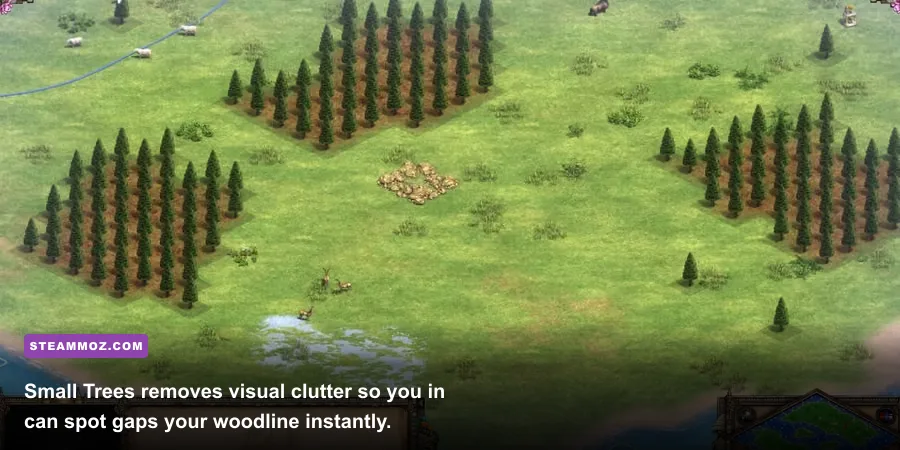
The standard oak, pine, and jungle trees in Age of Empires look atmospheric, but their visual footprint is massive compared to their true 1x1 tile collision box. A sprawling canopy routinely covers three tiles of empty terrain behind it, making it impossible to see whether your palisade wall cleanly connects to the woodline. You end up leaving open a deadly one-tile gap where three enemy scouts slip through and slaughter your berry gatherers.
Small Trees (created originally by modder Kievan and refined across dozens of community iterations like Anne_HK's Smooth Small Trees) shrinks the vertical sprite height of all forest vegetation by roughly 60%. The mechanical collision stays identical, but your visibility explodes. You can instantly spot a woodchopper wandering out of position, verify wall integrity at a glance, and spot siege units creeping through gaps. It is the single most essential mod across the entire franchise.
2. Idle Villager Pointer (Promi & Community Variants)
Idling economy kills RTS dreams faster than an early Castle Age knight rush. While the default game provides a tiny exclamation mark on the top resource ribbon, human reaction time falters when you're managing archer stutter-steps on the other side of the map. In a competitive match, letting three villagers stand idle for just 25 seconds wastes 75 resource-seconds—costing you the equivalent of a full extra villager production cycle.
The Idle Villager Pointer mod drops a bright, high-contrast, animated exclamation point or flashing beacon directly above any worker lacking an active task queue. You can catch them out of the corner of your eye without staring at your status bar. If a gold deposit empties or a sheep runs out under your Town Center, your screen immediately flags the slacking villagers so you can reassign them instantly.
3. Subconscious / Subtle Grid Alignment
Because Age of Empires calculates line of sight, projectile trajectories, and building foundations on a rigid tile matrix, judging exact tile edges on dynamic isometric grass textures is pure guesswork. While Definitive Edition introduced an official grid toggle, the default lines are often too thick and visually distracting, causing eye fatigue during two-hour treaty matches.
Subtle Grid mods tone the opacity of terrain lines down to a silky 12-18% alpha. You get precise visual feedback on where a 3x3 Barracks or a 4x4 Town Center fits between a gold patch and a cliff face without feeling like you're staring at an Excel spreadsheet. If you enjoy precision-heavy strategy games where resource territory and terrain layouts dictate victory, such as our tactical breakdown in the Empires of the Undergrowth fast leveling guide, mastering grid placement in Age of Empires will immediately sharpen your defensive planning.
🎮 FORM
Looking to experience this game? Grab your digital key directly on our store for $14.99.
View on Steammoz Store →A-Tier Visual Clarity and Micro Enhancements
Once you fix the core readability issues of trees, grids, and idle workers, your next priority is streamlining your decision loop. A-Tier mods give you high-density visual telemetry so you spend less time squinting at unit stat cards and more time issuing commands.
Anne_HK's Custom Resource Display & Better Tech Icons
The stock user interface spreads your attention all over your monitor. Anne_HK's suite of UI mods shifts high-priority economic metrics—current idle counts, villager allocation per resource (food, wood, gold, stone), and military headcounts—into clean, high-contrast font clusters. Instead of manually tallying whether you have enough lumberjacks to sustain constant archer production from two Archery Ranges (which demands roughly 7-8 on wood per range), the information sits cleanly in your peripheral vision.
Huge Number Monk Conversions & Monk Range Indicators
Monk micro in Castle and Imperial Age is terrifying. A single converted Knight or Cataphract turns the tide of a mid-game skirmish, but judging whether your Monk is within the standard 9-tile conversion radius is nearly impossible in the chaos of battle. Range indicator mods overlay a faint dotted perimeter around selected Monks and defensive siege units. You know instantly whether your Monk can trigger a conversion before an advancing cavalry unit closes the gap.
Transparent UI & Minimalist Bottom Panel
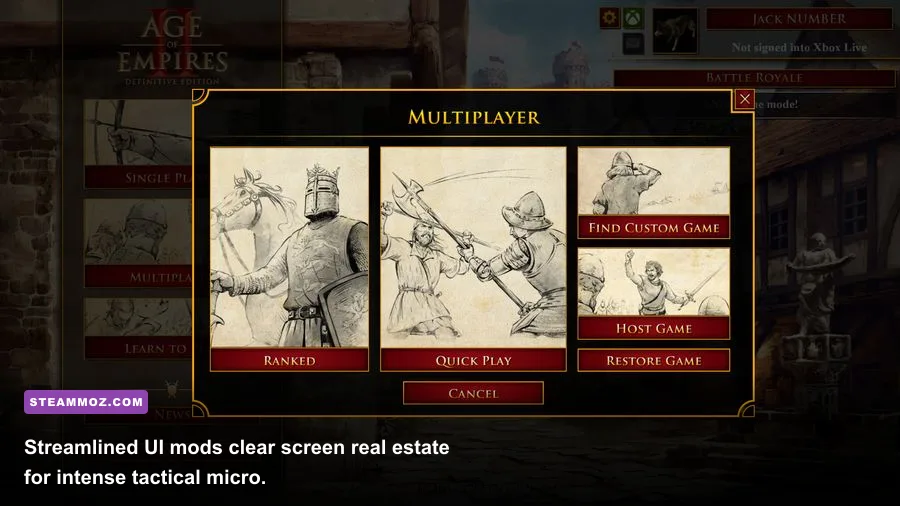
The default stone-carved command panel at the bottom of the screen looks historic, but it consumes almost 20% of your viewable viewport. Transparent and Minimalist UI mods strip away the ornamental stone borders, leaving floating, semi-translucent command boxes. This extra bottom-screen visibility is crucial when enemy raiding parties flank you from the south—a classic blind spot caused by the isometric camera angle.
Essential Mod Comparison and Tactical Breakdown
To help you structure your mod loadout without bloating your game files, here is how the top-tier community modifications stack up in terms of competitive utility and game engine impact:
| Mod Name | Tier Rating | Core Gameplay Benefit | System Overhead | Ranked Multiplayer Legal |
|---|---|---|---|---|
| Small Trees (Smooth Edition) | S-Tier | Exposes treeline wall holes; clears trebuchet target lines | Near Zero (Improves Draw Speed) | Yes (Universal standard) |
| Idle Villager Pointer | S-Tier | Eliminates economic downtime with high-vis beacons | Zero (Lightweight Sprite Replacement) | Yes (Fully Allowed) |
| Subconscious / 15% Terrain Grid | S-Tier | Guarantees gap-free walling along cliffs and forests | Zero (Shader/Texture Swap) | Yes (Fully Allowed) |
| Minimalist Transparent HUD | A-Tier | Reclaims ~18% screen space at lower camera margins | Zero (UI Layout Config) | Yes (Fully Allowed) |
| Monk & Siege Range Rings | A-Tier | Prevents mispositioned micro; optimizes conversion distance | Negligible | Yes (Visual Client Only) |
| Anne_HK Better Tech Icons | A-Tier | High-contrast icons identify researching techs faster | Zero (Icon Graphic Pack) | Yes (Fully Allowed) |
| 256x Tech Mod | B-Tier | Infinite scaling tech research for chaotic arcade custom games | High (Simulation Scripting Strain) | Custom lobbies only |
| Enhanced Blood / Crimson FX | B-Tier | Atmospheric battlefield carnage with lingering bodies | Low-to-Moderate (Particle Buffer) | Yes (Visual Only) |
B-Tier Custom Game Chaos and Full Conversions
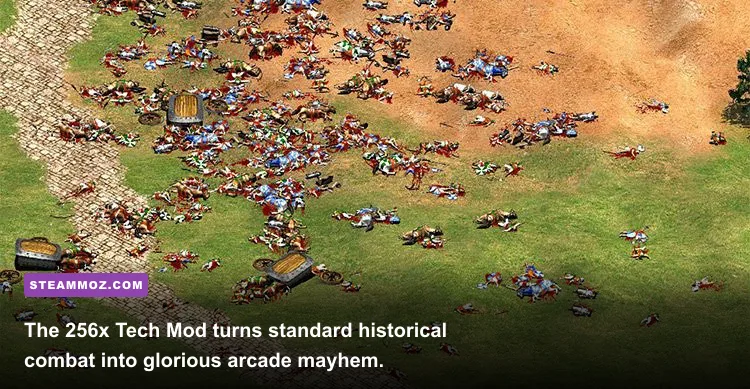
While the competitive community sticks to ruthless efficiency, Age of Empires has one of the wildest sandbox modding scenes on PC. When you're ready to take a break from strict 21-pop Feudal Age build orders, these overhaul mods offer unforgettable custom game madness.
The Legendary 256x Tech Mod
This mod completely removes the research cap on every single technology in the Blacksmith, University, and Castle. Researching Loom 256 times makes your starting villagers invulnerable tank units boasting thousands of hit points. Stacking Bloodlines and Husbandry transforms your Frank Paladins into supersonic guided missiles that cross huge maps in three seconds flat.
While totally banned in standard matchmaking, 256x Tech lobbies represent peak multiplayer hilarity. It completely upends the rock-paper-scissors counter dynamic. A player fielding 50 Halberdiers stacked with 40 infantry armor upgrades can walk through sustained Castle cannonades without taking a single point of scratch damage.
Total Conversions: Rome at War & Historical Realism
For players who prefer historical immersion, mods like Rome at War reconstruct the game into antiquity, replacing the standard Medieval civilizations with painstakingly modeled Roman legions, Gauls, Greeks, and Carthaginians. These aren't simple reskins; they introduce reworked tech trees, bespoke voice lines recorded in Latin and ancient dialects, and custom siege engines designed from archaeological blueprints.
CaptureAge: The Companion Tool You Need
While technically an external executable rather than a standard Steam Workshop drop-in, CaptureAge is an indispensable analytics tool developed in direct partnership with Microsoft and the official Age of Empires development team. CaptureAge hooks directly into your live client or replay files to project APM graphs, military value discrepancies, resource float tracking, and mini-map engagement heatmaps in real-time. If you want to analyze why your Castle Age push collapsed against an opponent's crossbow defense, CaptureAge diagnoses the exact moment your economic balance failed.
Performance Tuning, Engine Limits, and Mod Stability
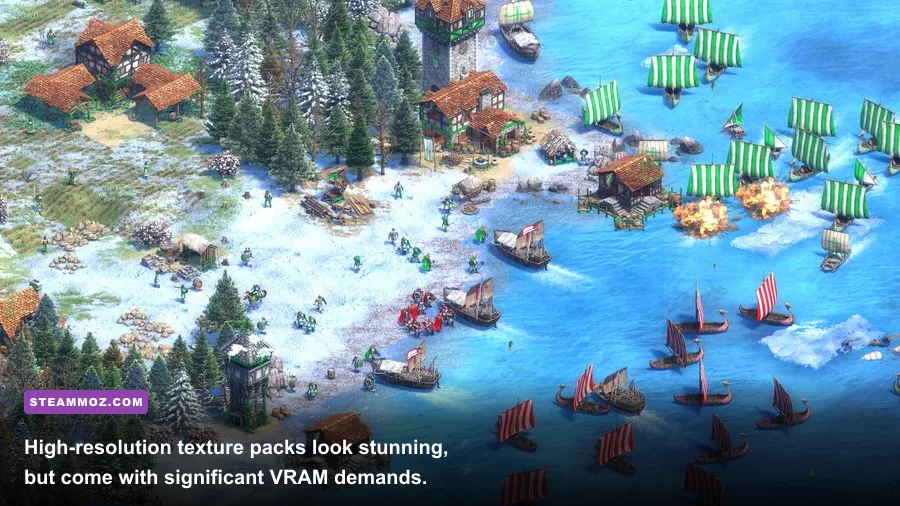
The modern Definitive Edition runs on a heavily modernized hybrid of the vintage 2D sprite engine and modern rendering pipelines. Because of this architectural mix, piling on unoptimized graphics mods can cause massive frame stutters, memory leaks, and multiplayer desync errors. Tuning your mod suite requires balancing visual clarity with technical overhead.
| Hardware Spec Profile | Target Resolution | Recommended Mod Loadout | Expected Framerate | Engine Optimization Advice |
|---|---|---|---|---|
| Budget / Laptop iGPU (Intel Iris / Vega 8) | 1080p (Native) | Small Trees, Subtle Grid, Minimalist UI | 50-60 FPS (Standard 1v1) | Disable Enhanced Graphics (UHD DLC); drop particle effects |
| Mid-Range Rig (GTX 1660 / RTX 3060) | 1080p / 1440p | Full Pro Suite + Enhanced Blood + Sound Packs | 120-144 FPS | Cap framerate to match monitor refresh; keep VRAM usage below 6GB |
| Enthusiast (RTX 4070 / RX 7800 XT+) | 1440p / 4K UHD | Full Pro Suite + Official UHD Pack + Realism Textures | 144+ FPS Locked | Enable UHD Graphics DLC; lock render scale to 100% |
If you experience sudden frame drops or hard game freezes while running custom visual modifications, the primary culprit is almost always texture memory saturation. The official Enhanced Graphics (UHD) DLC unpacks gigantic 4K sprite sheets into your VRAM. If your graphics card has less than 8GB of dedicated video memory, pairing the UHD pack with third-party terrain mods will cause frame-rate chugging during 200-pop team fights.
If your system runs into unexpected hardware crashes or stubborn frame-pacing problems, checking your base configuration against troubleshooting steps like our guide to fixing PC crashes and restoring FPS or our setup tweaks in Filament settings for higher FPS will help you isolate driver conflicts and memory bottlenecks.
Similarly, for players pushing high refresh rates across wider monitors, managing system resources like we detail in our Far Cry 6 PC settings guide and keeping memory leaks in check as explored in the Everspace 2 stability breakdown ensures your match won't stutter during critical engagements.
How to Install, Order, and Troubleshoot Age of Empires Mods
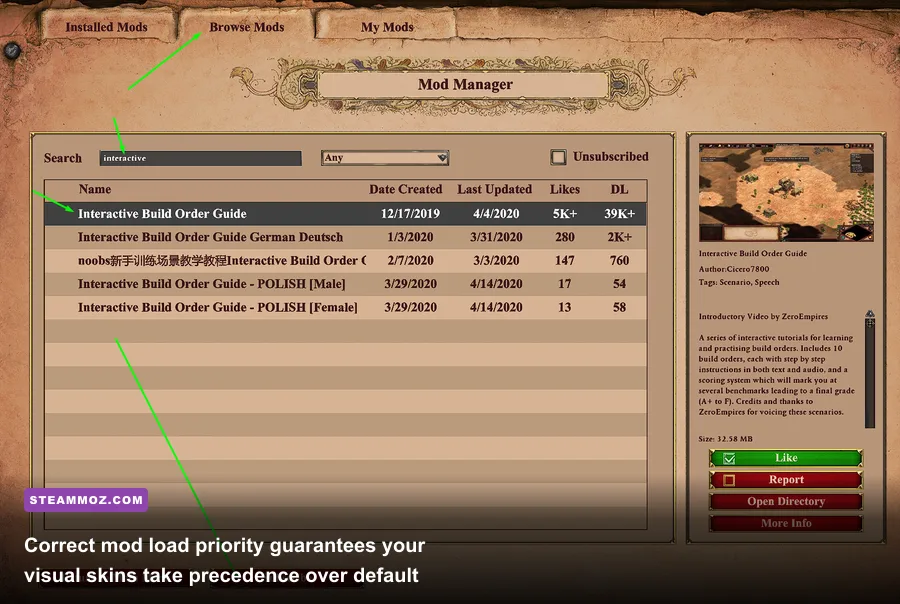
Gone are the days when modding Age of Empires required manually backing up `.dat` files and overwriting terrain archives in your installation directory. Modern PC releases make enabling and organizing community mods smooth, provided you respect load order hierarchy.
Step 1: Using the Built-In Mod Manager
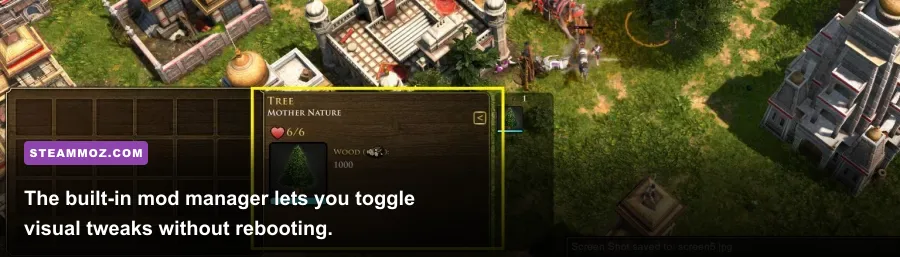
Launch Age of Empires II: Definitive Edition, navigate to the main menu, and click the Gear icon (Options) in the upper-right corner. Select Mods. From here, you have two tabs: Installed Mods and Get Mods. Simply enter the mod title (such as "Small Trees" or "Idle Villager Pointer") into the search bar, click Subscribe, and the game automatically downloads and compiles the files into your local directory.
Step 2: Managing Mod Load Order (Priority Matters)
The built-in mod loader reads assets from top to bottom. If you have two mods modifying the same sprite asset—for example, a mod that reskins Town Centers and a comprehensive terrain overhaul—the mod positioned highest in your active list takes execution priority. Always position UI overrides and critical competitive aids (like Small Trees and Subtle Grid) at the very top of your load priority to ensure third-party texture packs don't accidentally overwrite them.
Step 3: Handling Patch Day Mod Breaks
Whenever World's Edge drops a major game balance patch or seasonal DLC, the game client temporarily disables third-party mods to prevent desynchronization errors. If your beloved Small Trees mod disappears after an update, don't panic:
- Open the in-game Mod Manager menu.
- Look for mods with an amber or grey status indicator.
- Re-check the activation box next to each mod.
- Restart the game client to force the engine to rebuild its asset cache.
If an outdated UI mod causes your game to crash directly to the desktop during loading screens, navigate to your local directory located at %USERPROFILE%\Games\Age of Empires 2 DE\<YourSteamID>\mods\subscribed and delete the offending mod folder manually. This clean wipe resets your client safely without forcing a lengthy Steam file revalidation.
Equipping this curated suite of competitive visual mods levels the playing field instantly. You'll spend zero effort guessing where walls connect, zero seconds losing track of idle villagers, and maximum effort executing crisp build orders that overpower your opponents across every age.