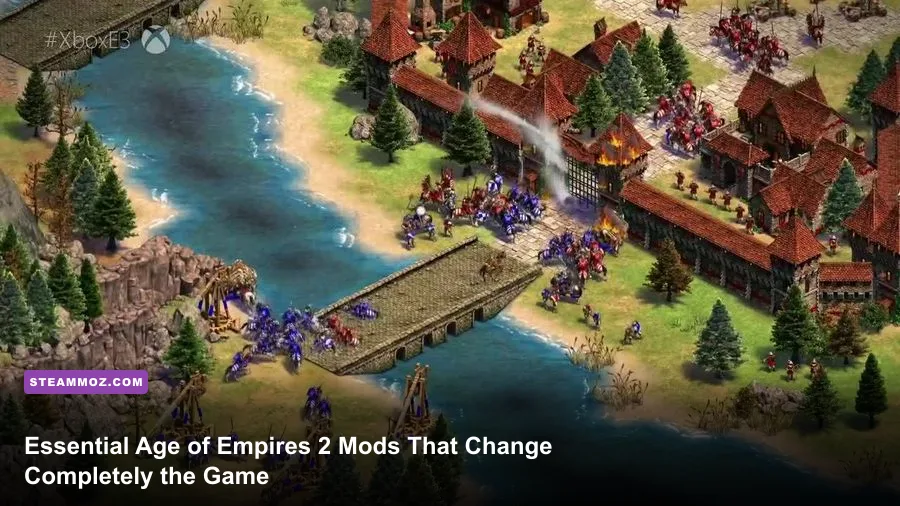
If you are playing Age of Empires II: Definitive Edition on purely vanilla settings, you are fighting an uphill battle against your own user interface. While the remaster by Forgotten Empires breathed stunning 4K life into Ensemble Studios' 1999 masterpiece, the stock graphics introduce heavy visual clutter that masks critical battlefield information. Installing the right mods immediately fixes line-of-sight obstructions, cuts down your economic idle time, highlights treacherous 1-tile holes in your palisades, and transforms competitive multiplayer from a chaotic guessing game into a razor-sharp tactical showdown.
Whether you want to climb the ranked ladder by tightening your Dark Age build orders or simply desire a grittier, historically authentic medieval sandbox, modding the game via the built-in Steam workshop system takes mere seconds. To save you the headache of sorting through thousands of outdated assets, we have categorized and battle-tested the most impactful mods available today. Here are the absolute must-have modifications to reinvent your conqueror journey.
The S-Tier Quality-of-Life Mods You Must Install First
Certain mods in the community carry such profound tactical utility that playing without them feels like wearing blinders. In competitive matches, split-second decisions dictate whether you survive an enemy Feudal Age Scout rush or watch your entire woodline crumble. These baseline mods strip away vanity graphics in favor of pristine competitive visibility.
Small Trees (and Its Variants)
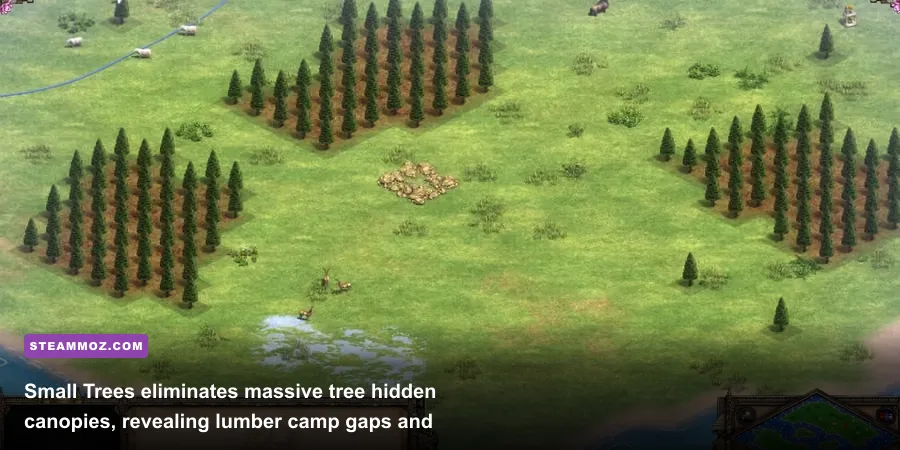
Vanilla trees in the Definitive Edition look gorgeous, but their sprawling, leafy canopies are a competitive nightmare. Massive oak and pine branches routinely obscure villagers gathering lumber, hide stealthy enemy scouts creeping along the edge of your base, and make it virtually impossible to spot single-tile holes in your perimeter. Small Trees scales foliage down to roughly 30% of its standard size without stripping away distinct regional biomes.
With Small Trees active, you can instantly see the exact tile footprint of every trunk. This makes placing your Lumber Camp at the mathematically ideal zero-tile gap effortless, prevents micro-pathing jams, and ensures your quick-walls snap seamlessly to the woodline without accidentally leaving a back door open for hostile Men-at-Arms.
Idle Villager Pointer
In Age of Empires II, idle villager time is the silent killer of ratings. A villager standing idle for just 25 seconds loses out on roughly 17 food—enough to delay your Feudal click or choke off continuous Scout Cavalry production. The default game provides a tiny exclamation indicator on the HUD, but in the heat of a dual-front Mangonel micro battle, your eyes rarely stay glued to the top corner of the screen.
The Idle Villager Pointer mod plants a bright, unmissable yellow exclamation mark directly above the head of any unit that ceases work. If a boar lure finishes and three gatherers stand around looking confused, or if an obscure gold miner exhausts a node halfway across the map, you will spot them instantly within your peripheral vision. Just like managing your resource workers efficiently in Empires of the Undergrowth, tight macro management here separates casual players from ladder titans.
Anne_HK - Selected Monk with Range Indicator
Monk micro can make or break Castle Age skirmishes. A single converted Knight can swing an engagement, but misjudging the 9-tile base conversion radius leaves your expensive 100-gold Monk vulnerable to a brutal charge. This mod projects a crisp, non-intrusive circular ring on the ground whenever a Monk is selected, clearly demarcating their conversion threshold. You immediately know if you need to stutter-step backward or if an overextended Cavalier is already walking straight into your holy trap.

🎮 FORM
Looking to experience this game? Grab your digital key directly on our store for $14.99.
View on Steammoz Store →Spatial Clarity and Building Grids: Perfecting Your Micro and Quick-Walling
Micro-positioning in real-time strategy games demands flawless spatial awareness. Missing a palisade connection by a single isometric tile can let a swarm of enemy Hussars bypass two castles and slaughter your entire trade economy. While the base game offers a built-in grid toggle, it is notoriously thick, rigid, and visually exhausting over multi-hour gaming sessions.
Zetnus Improved Grid
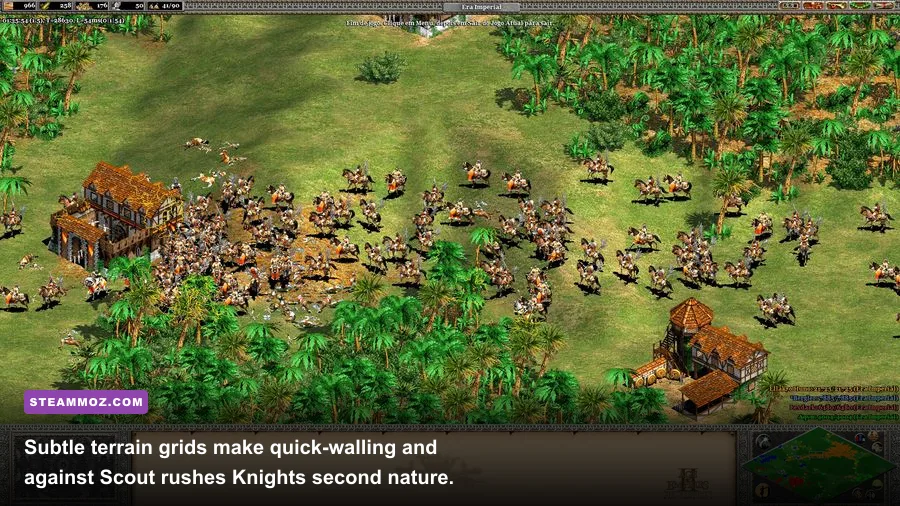
Created by legendary community map designer Zetnus, this mod provides clean, featherweight gridlines that blend seamlessly into terrain textures. Instead of the jarring checkerboard that ruins the natural beauty of the world, Zetnus Improved Grid uses subtle translucency that highlights tile corners without distracting from unit movements. It makes placing diagonal defensive walls foolproof and lets you measure Town Center firing radiuses (8 tiles stock) at a glance.
If you have struggled with frame drops or performance hitches when layering multiple visual overlays, pairing this lightweight grid with proper system tuning is critical. Applying targeted system adjustments, much like the framerate optimization tricks seen in our Filament Marmalade Edition settings, ensures that isometric asset overlays do not create background render lag during chaotic team fights.
| Mod Name | Category | Competitive Impact | Performance Overhead | Tier Ranking |
|---|---|---|---|---|
| Small Trees | Visual Clarity | Prevents lumber line gaps; exposes raids | None (Slightly improves FPS) | S-Tier (Mandatory) |
| Idle Villager Pointer | HUD / Economy | Drastically reduces idle macro downtime | Zero impact | S-Tier (Mandatory) |
| Zetnus Improved Grid | Spatial Overlay | Essential for quick-walling and spacing | Negligible | S-Tier (Mandatory) |
| Anne_HK Building Placement | Building Assist | Displays footprint clarity before laying foundation | Zero impact | A-Tier (Recommended) |
| Subtle Terrain / Smooth Dirt | Texture Replacement | Removes camouflaging visual noise from grass | Minor memory saving | A-Tier (Recommended) |
| Enhanced Blood | Visual Immersion | Cosmetic realism; persistent battlefield gore | Low to Moderate (GPU memory) | B-Tier (Situational) |
| Age of Chivalry: Hegemony | Total Conversion | Complete mechanical and historical overhaul | High (Custom assets & scripts) | A-Tier (Campaigns/Custom) |
Anne_HK - Building Placement Guide
Laying down large structures like a Castle (4x4 tiles) or a Market (4x4 tiles) while under heavy fire from enemy siege weapons is a frantic exercise. Standard placement outlines sometimes misrepresent whether adjacent trees or uneven elevations are obstructing the build zone. This mod renders high-contrast foundational borders the instant you cue a building, immediately displaying whether a structure will create an airtight chokepoint or leave an unintended passage open.
Smooth Terrain and Desaturated Textures
The standard Definitive Edition ground textures feature heavy contrast, mottled dirt patches, and deep shadows. While picturesque, this visual complexity makes identifying small wild animals like hidden sheep, camouflaged turkeys, or tiny boar silhouettes an unnecessary chore during early scouting runs. Smooth terrain mods flatten ground textures into neutral, matte tones. Resources and military units pop off the screen, drastically lowering ocular fatigue during long tournament grinds.
Audio and Interface Overhauls: Filtering Game-Critical Information

Visual clarity is only half the battle; real-time audio cues form the nervous system of an elite Age of Empires II player. Sound effects inform you of an unexpected conversion attempt, the distant crunch of a Mangonel shot, or the warning chimes of a wall section breaching before your camera can pan over.
Original Classic Sounds Mod
While the remastered audio tracks in Definitive Edition are technically cleaner, many veteran players find the modernized combat sounds overly subdued. The deep, visceral war-horn of an attack notification or the distinct crunch of the classic trebuchet firing sound from the 1999 original carry sharper audio profiles. The Original Classic Sounds mod restores those unmistakable, punchy alerts. You will instantly distinguish between an enemy Scout taking a potshot at a lumberjack and a full-scale Trebuchet barrage smashing into your gate.
Reliable sound staging is just as vital here as it is when tracking enemy auditory telegraphs in tight single-player shooters. Just as audio clarity aids survival in intense combat arenas like those analyzed in our Far Cry 3 Blood Dragon breakdown, having distinctive sound cues in AoE2 directly cuts down your split-second response times.
Bigger Mini-Map and High-Contrast Map Colors
The stock mini-map tucked into the lower right corner can be deceptively tough to read in sprawling 4v4 matches on giant maps like Black Forest or Amazon Tunnel. Enemy scout pings frequently get lost inside dense biomes, while similar player colors (such as deep blue and purple) blur together. Installing Bigger Mini-Map scales the radar interface up by roughly 25% without infringing on your primary viewport.
Combine this with High-Contrast Colors, which re-palettes all eight player slots into vibrant, hyper-distinctive neon shades (electric yellow, hot pink, vivid cyan, lime green). You will never again glance at your minimap and mistake a flank ally's retreating cavalry for an aggressive pocket enemy pushing through your base.
Total Conversions and Immersion: Rekindling the Medieval Sandbox
Not every mod needs to cater to hyper-sweaty ladder climbing. If you enjoy diving into custom single-player scenarios, roleplaying medieval dynasties, or just watching vast armies collide in blood-soaked field battles, community modders have crafted total conversion overhauls that rivals official DLCs available on the Steam Store.
Enhanced Blood
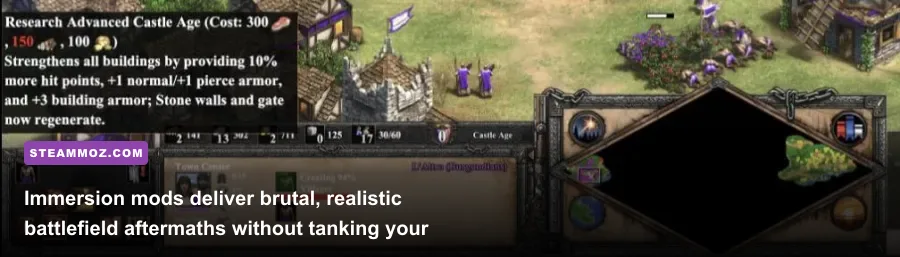
The vanilla game features very tame combat feedback: units crumple into neat poses and rapidly decay into clean skeletons. Enhanced Blood adds visceral, dark medieval carnage to every clash. Slain soldiers leave persistent blood pools, cavalry crashes leave splattered crimson trails, and combat zones look like genuine historic slaughterhouses by the time the Imperial Age rolls around. Crucially, the mod uses optimized lightweight sprites, meaning your GPU will not choke on draw calls during huge 200-pop post-Imperial meat grinders.
If you ever encounter unexpected stutters after loading heavy asset packs, ensure your system is running stable drivers and clean memory pools. You can follow diagnostic workflows similar to our guide on Elex PC fixes that stop crashes and rescue your FPS to isolate background memory leaks and maintain butter-smooth 60+ FPS performance.
Age of Chivalry: Hegemony
Easily one of the most ambitious total conversion projects in RTS history, Age of Chivalry: Hegemony completely transforms the game into an ultra-detailed simulator of Western European warfare between the 12th and 15th centuries. Standard civilizations like the Franks, Britons, and Teutons are completely replaced with historical duchies, counties, and realms—including Burgundy, Brittany, Flanders, the Kingdom of Scotland, Austria, and Genoa.
The mod features completely reworked tech trees, unique civic mechanics like Guild policies, specialized regional mercenaries, and unique castles for every faction. If the broad historical brushstrokes of vanilla AoE2 feel too generic, Hegemony delivers the granular medieval historical authenticity that rival strategy giants like Crusader Kings provide, but with direct, tactical RTS command.
| Configuration Factor | Competitive / QoL Setup | Immersive / Total Conversion Setup | Optimal Hardware Target |
|---|---|---|---|
| Primary Focus | Visual clarity, zero clutter, APM speed | Graphical fidelity, lore, deep mechanics | All configurations |
| Key Mods Used | Small Trees, Zetnus Grid, Idle Villager | Enhanced Blood, Hegemony, Custom Audio | Mid-to-High Tier Rig |
| Engine Overhead | Low to Positive (Better frame pacing) | Moderate to High (Asset replacement) | DirectX 11 compatible GPU |
| Multiplayer Ranked Safe? | 100% Fully Ranked Compatible | No (Custom lobbies & campaigns only) | N/A (Desync Protection) |
| RAM Utilization | ~4 GB to 6 GB System RAM | ~8 GB to 12 GB System RAM | 16 GB DDR4/DDR5 Dual Channel |
Esports-Grade Analytics: Mastering Macro with CaptureAge

No discussion of modern Age of Empires II modding is complete without highlighting CaptureAge. Officially integrated and supported by World's Edge and Microsoft, CaptureAge is a ground-breaking real-time data engine that hooks into your game client to provide professional esports-tier analytics, live match tracking, and comprehensive replay evaluations.
You can discover more about competitive standards and ongoing developer updates directly on the official Age of Empires website, but using the tool firsthand transforms how you analyze your own gameplay. Available through the CaptureAge official portal, this tool eliminates the mystery behind why you lost a match. During replay reviews, it generates live charts tracking:
- Active Villager Allocation: Exact percentages of your population currently mining, chopping, farming, or constructing.
- Idle Military & TC Timers: Precise breakdowns down to the tenth of a second detailing when your production buildings sat dormant.
- Total Floating Resources: Immediate visual warnings showing when you banked 2,000 unspent wood while desperately needing siege units.
- True Military Value: Real-time army valuation showing whether taking that Castle Age engagement against massed Crossbowmen was statistically viable.
For players dedicated to breaking through the 1200+ ELO barrier on the Liquipedia Age of Empires community leaderboards, CaptureAge is not merely a mod; it is an indispensable coaching suite. If you find low-level performance hitches or stuttering impacting your replay rendering, checking optimization techniques similar to the troubleshooting in our low FPS and crashing fix guide will help keep high-data overlays responsive.
How to Manage Mod Order and Prevent Patch Desyncs
The modding pipeline in Age of Empires II: Definitive Edition is remarkably streamlined through the in-game Mod Manager, but routine game patches can occasionally cause compatibility hiccups. Follow these ground rules to keep your load order rock solid:
- Prioritize UI Mods Over Data Mods: Visual asset mods (like Small Trees and Zetnus Grid) are purely client-side and will almost never desync a ranked multiplayer lobby. Keep them checked active at all times.
- Verify Mod Priorities: If you use multiple texture replacement packs, the higher priority mod in the menu list takes absolute precedence. Place specific unit highlights above broad terrain overhauls.
- Unsubscribe After Major DLC Drops: Whenever Microsoft rolls out a major balance update or civilizational DLC expansion, total conversions and custom campaign mods will often fail to initialize until authors update them. If your game crashes at the loading screen post-patch, disable data mods first before touching your core graphics drivers.
By curating a streamlined suite of tactical mods, you strip away decades of legacy visual clutter and elevate Age of Empires II into the premier, highly responsive competitive RTS experience it was always meant to be. Load up your client, activate your grids, scale down those trees, and prepare to conquer the ranked ladder with unprecedented mechanical precision.