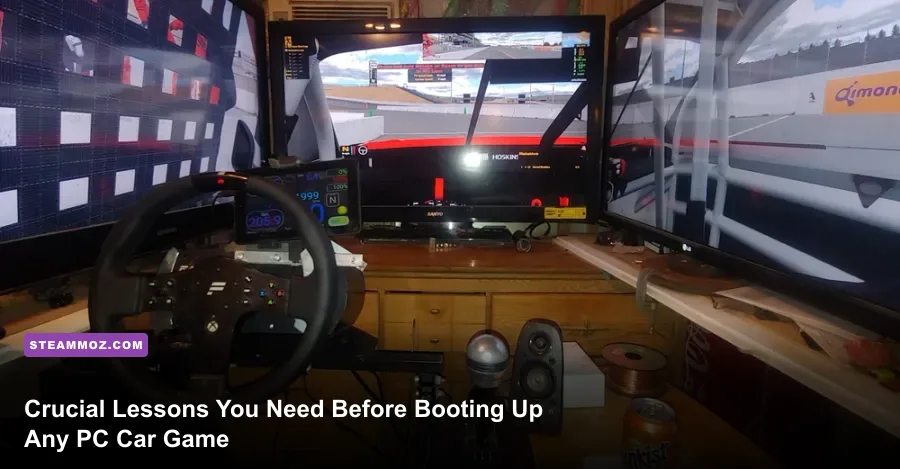
Jumping into PC car games without preparation is a guaranteed recipe for spinning out on Turn 1, burning through front tires in three laps, and wondering why your car feels like an uncontrollable bar of soap on ice. Unlike pick-up-and-play console arcade racers, PC car gaming spans an intense spectrum from sim-cades like Forza Horizon 5 to hardcore physics sandboxes like BeamNG.drive and dedicated esports platforms like iRacing and Assetto Corsa. To actually drive fast and keep your vehicle pointed forward, you need to understand input linearity, mathematical field of view, force feedback clipping, and the realities of chassis weight transfer before ever touching the throttle.
1. Hardware Input Realities: Gamepads, Wheels, and the Load-Cell Trap
You do not need a three-thousand-dollar aluminum extrusion cockpit to enjoy driving games on PC, but you must understand how your input method interacts with game physics. If you are starting on an Xbox or PlayStation gamepad, your biggest hurdle isn't precision—it's steering speed smoothing. Games like Assetto Corsa or Automobilista 2 translate an analog stick flick into a modeled steering rack turning in real time. If you jam the left stick fully to the left, you overload the front tires instantly, causing severe scrub understeer. To fix this, head straight into your controller settings and dial in a steering speed sensitivity of roughly 60% to 75%, paired with a slight steering gamma curve (typically between 2.2 and 2.6). This dampens twitchy micro-inputs around the deadzone while preserving full lock when maneuvering hairpin bends.
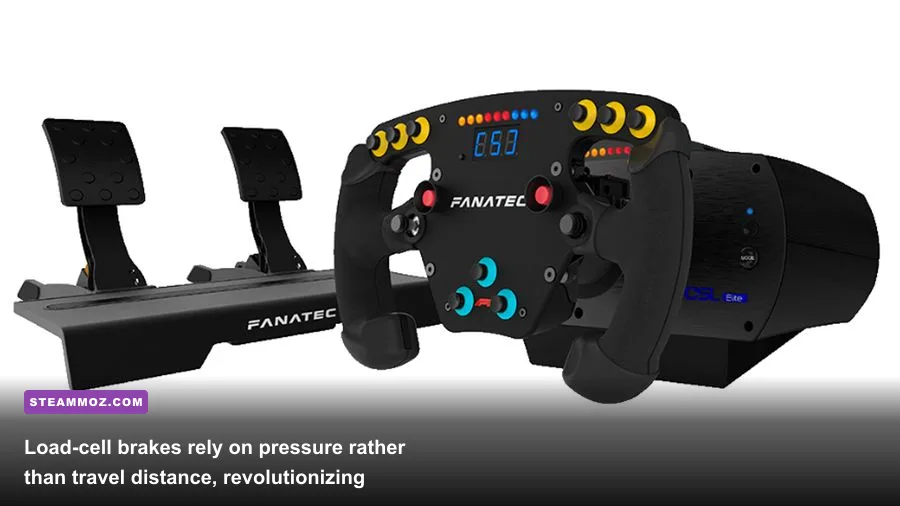
If you're moving toward a dedicated wheel, avoid confusing torque output with driving skill. Entry-level gear-driven wheels like the Logitech G29 or G923 produce around 2.1 to 2.3 Newton-meters (Nm) of torque, while entry direct-drive (DD) wheelbases like the Moza R5 or Fanatec CSL DD offer between 5 and 8 Nm directly to the shaft without belt slop. Direct drive delivers the rotational acceleration required to catch sudden oversteer slides before the car snaps around on you.
However, the single biggest hardware upgrade that drops your lap times isn't the steering wheel: it's your brake pedal. Entry-level pedals use potentiometers, measuring how far the pedal moves in millimeters. Real race cars and high-end hardware use load cells, which measure clamping force in kilograms. Human muscle memory naturally remembers physical pressure, not geometric travel distance. Upgrading to a load-cell pedal lets you consistently hit 80% brake threshold lap after lap without locking up, completely transforming your trail braking consistency.
2. The Mathematical Field of View (FOV) Rule
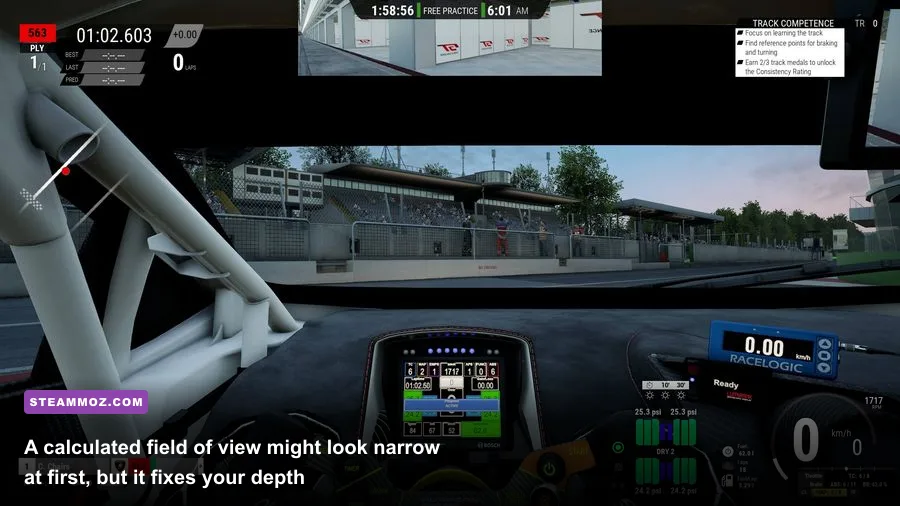
Most beginners make the critical mistake of leaving their camera view at whatever default wide-angle setting the game ships with. While an expansive 85-degree horizontal field of view looks thrilling and makes the sense of speed feel blisteringly fast, it warps your spatial awareness. Extreme wide-angle views push braking boards into the distance, distort corner apex angles, and trick your brain into misjudging your actual speed relative to the track limits.
PC car games let you calculate a mathematically correct 1:1 field of view based on three variables: the diagonal size of your monitor, the screen aspect ratio (16:9, 21:9, or 32:9), and the exact physical distance between your eyes and the display panel. If you run a single 27-inch 16:9 monitor resting 26 inches away from your face, your mathematically correct vertical FOV in titles like Assetto Corsa Competizione is roughly 28 to 31 degrees.
When you first apply a mathematically correct FOV, your initial reaction will be pure frustration. The camera will feel zoomed in, you won't see your side-view mirrors, and the car will seem like it's moving much slower. Give yourself twenty laps to adjust. Once your brain recalibrates to accurate geometric scaling, corner apexes suddenly appear where your eyes expect them, braking markers stop surprising you, and you can naturally judge the exact moment your tires exceed their slip threshold.
3. Force Feedback Tuning: Escaping the Clipping Trap
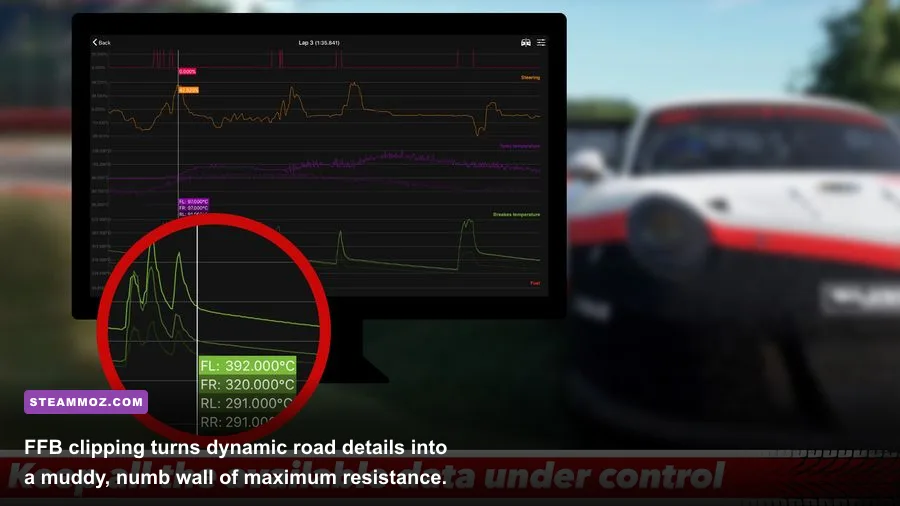
More force feedback does not mean better force feedback. When novice players install their first wheel, their first instinct is to crank the in-game gain to 100% because they want the steering wheel to feel heavy and resistant like a street car without power steering. Doing this immediately pushes your motor into severe signal clipping, obliterating the very detail you need to stay fast.
Clipping happens when the game's physics engine attempts to send a force signal that exceeds your wheelbase's maximum mechanical motor capacity. For instance, if your wheelbase maxes out at 5 Nm, and an aggressive curb strike calls for 7 Nm of resistance, the motor flatlines at 100% power. While clipped, the wheel feels rock-solid, but all subtle variations—such as tire scrub vibration, curbs, and weight unloading from the rear axle—vanish into a flat wall of dead resistance. To combat this, enable your sim's in-game telemetry or pedal/FFB app. If the force feedback bar flashes red during hard compression corners, reduce your overall gain setting by 10% to 15% until the peaks tap just below maximum without sustaining a solid red block.
| Hardware Category | Typical Force / Sensor | Primary Strength | Crucial Calibration Step |
|---|---|---|---|
| Standard Gamepad | Potentiometer Thumbsticks | Accessibility & Rapid Lock Transitions | Set steering gamma to 2.4; apply 15% speed-sensitive steering |
| Gear/Belt Wheel (Logitech/Thrustmaster) | 2.0 Nm – 4.0 Nm Helical / Belt | Cost-to-Performance Entry Point | Lower master gain to prevent motor saturation & severe overheating |
| Direct Drive (Moza, Fanatec, Simucube) | 5.0 Nm – 20+ Nm Direct Output | Instant Slew Rate & Slide Recovery | Tune dampening and friction in software to eliminate oscillation |
| Load-Cell Pedal Kit | 60 kg – 100 kg Load Cell Strain Gauge | Flawless Muscle Memory Threshold Braking | Calibrate maximum input to 80% physical leg exertion |
4. Frame Pacing and Input Latency: Responsiveness Over Polish

Car games demand faster sensory reaction loops than almost any other genre. At 150 miles per hour, your car travels 220 feet per second. A momentary frame drop or input lag delay of 40 milliseconds means you miss your braking point by nine full feet, easily pushing you off the tarmac into the gravel trap. If you've been optimizing your system following guides like our settings for max FPS breakdown, you know that raw average frames mean nothing if your 1% low frame rates stutter.
First, abandon standard double-buffered V-Sync. Traditional V-Sync eliminates screen tearing by holding rendered frames in a queue, but it injects massive input latency that makes steering corrections feel floaty and detached. Instead, run your monitor via DisplayPort, enable G-Sync or FreeSync, and cap your in-game framerate 3 FPS below your monitor's maximum refresh rate (for example, lock to 141 FPS on a 144Hz panel). If you suffer from sudden performance dips on older machines, review our FPS rescue techniques and check if your hardware meets baseline standards similar to our PC hardware spec checks.
Mirror rendering and real-time reflections are notoriously expensive in PC racing engines. Games like Assetto Corsa Competizione recalculate the entire scene twice to draw your rear-view and side-view mirrors. By dropping mirror resolution from 'Epic' to 'Mid' and reducing mirror refresh rates from 'Every Frame' to 'Every 2nd Frame', you recover up to 18% in GPU frametimes without losing sight of overtaking rivals behind you. If micro-stutters persist, our guide on troubleshooting low FPS and stuttering offers solid advice on cache cleanup and background process management.
| Graphics Setting | Recommended Value | Performance / Latency Impact | Tactical Reason |
|---|---|---|---|
| V-Sync | Disabled (Use G-Sync / FreeSync) | Saves 15ms – 35ms Input Latency | Directly eliminates delayed steering and sluggish countersteer response |
| Framerate Cap | Monitor Hz minus 3 FPS | Smooths 1% Low Frametimes | Keeps GPU usage under 97%, eliminating sudden rendering latency spikes |
| Mirror Resolution & Refresh | Medium / Half Rate | Recovers 12% – 18% Base FPS | Cuts redundant geometry passes on dual camera viewports |
| Shadow Quality | High (Avoid Ultra/Cinematic) | Recovers 8% – 10% Base FPS | Soft directional shadow calculations cause CPU bottlenecks on dense grids |
| Motion Blur | Off (0%) | Negligible FPS / Huge Clarity Gain | Preserves sharp edge visibility for track limit lines and brake boards |
For players running lightweight or mobile setups, check out our optimization notes in the higher FPS tuning walkthrough to see how lowering volumetric fog and particle density protects mid-pack framerates when thirty cars kick up spray in wet track conditions.
5. Weight Transfer, Slip Angle, and Electronic Assists
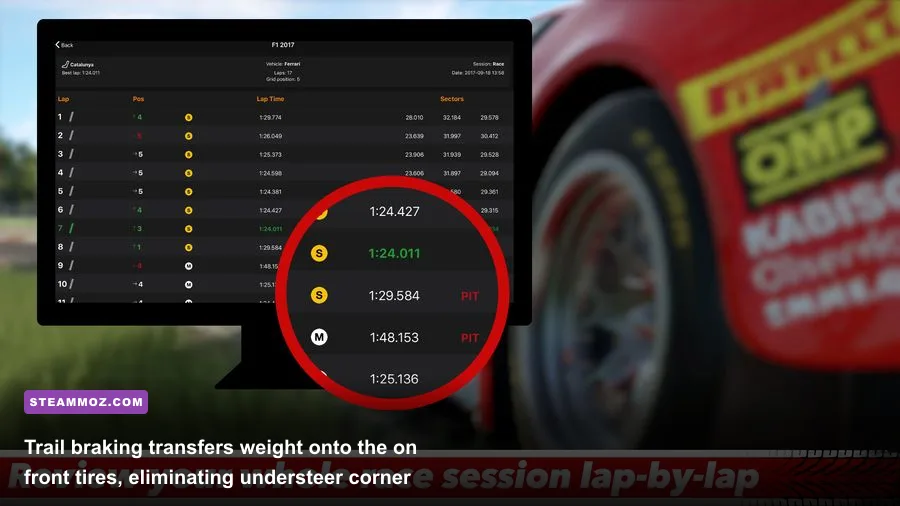
Cars don't rotate because you turn the steering wheel; they rotate because weight shifts across the four contact patches of your tires. When you stomp on the brakes, the nose pitches down, compressing the front springs and planting the front tires deep into the tarmac. This dramatically expands your front grip. If you instantly snap off the brake pedal while flinging the wheel into a turn, the front suspension springs unload, the front tires lose their bite, and the car pushes hopelessly off track. This is basic weight transfer, and mastering it requires learning trail braking.
Trail braking is the deliberate art of braking at 100% threshold in a straight line, then smoothly bleeding pressure off the pedal (down to 50%, 20%, and 5%) as you turn toward the apex. By trailing the brake pedal all the way into the center of the corner, you keep the front suspension compressed, keeping maximum steering grip exactly when you need the car to rotate. Check the official hardware manuals over at Fanatec or iRacing's driving school resources to study how professional telemetry traces map brake release against steering lock.
Another common mistake among PC racing newcomers is disabling all electronic assists right away out of misplaced pride. While turning off Traction Control (TC) and Anti-lock Brakes (ABS) makes sense when driving a classic 1960s touring car or an open-wheel formula car, it makes zero sense in modern GT3 or GT4 machinery. Real-world GT3 cars are physically designed and aerodynamically balanced to run with multi-stage Bosch Motorsport ABS and Traction Control enabled. If you shut off ABS entirely in a modern Porsche 911 GT3 R or Ferrari 296 GT3 in Assetto Corsa Competizione, you will flat-spot your Pirelli tires within two heavy stops. Leave ABS between settings 2 and 4, dial TC to match track temperature, and focus your energy on learning smooth steering inputs and steady pedal discipline.
Take your time calibrating your hardware, resist the urge to drive wide-angle cockpit cameras, keep your force feedback free of clipping, and respect the vehicle's balance. Once those fundamentals click into place, the lap times will take care of themselves.