
The best Construction Simulator 2015 starting build around the Liebherr 150 EC-B is a compact site-work fleet: buy or unlock the tower crane after you have dependable transport, concrete handling and earthmoving covered, then use it on short, repeatable building contracts instead of hauling it between distant jobs. Start with the MAN TGS for materials, pair it with a Liebherr A 918 excavator or equivalent early earthmover, add a concrete mixer or pump for foundation work, and treat the 150 EC-B as your precision machine for pallets, formwork and upper-floor materials.
This approach works because the Liebherr 150 EC-B is powerful but not flexible. It is a stationary tower crane, not a vehicle you can casually drive from one contract to the next. Its value appears when a job has repeated lifting tasks inside one tight radius. If you rush straight to it, you can own an impressive machine while wasting time on setup, transport and awkward load positioning. If you build the surrounding fleet first, every crane minute supports a complete construction loop.
For official ownership and version details, check the Construction Simulator 2015 Steam page and the official Construction Simulator website. The game has received platform and edition differences over its lifespan, so vehicle availability and controls can vary slightly.
The beginner build at a glance
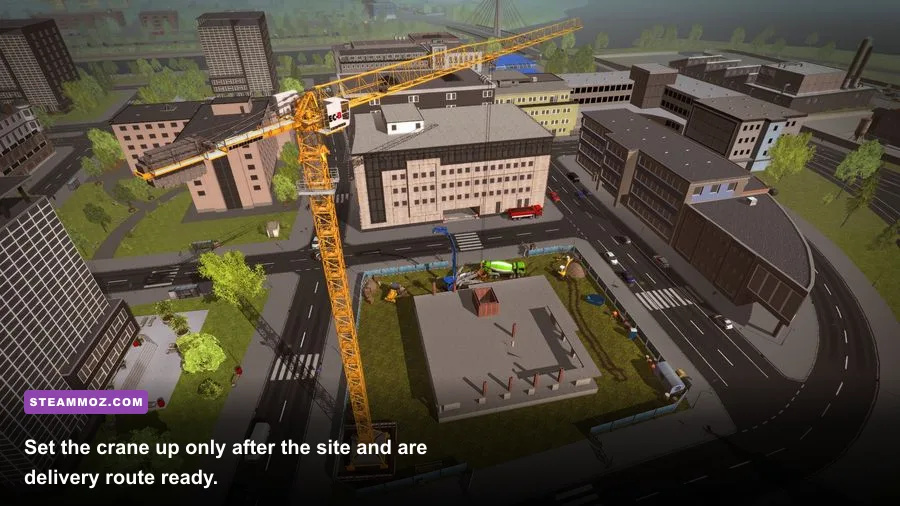
Your first objective is not to own every machine. It is to remove the three bottlenecks that make crane contracts painful: getting material to the site, preparing a stable work area and keeping the next task ready while the crane is operating. The starter fleet below does exactly that without burying your early cash in specialist equipment.
| Fleet Slot | Recommended Starter Choice | Why It Matters | Priority |
|---|---|---|---|
| Transport | MAN TGS with suitable trailer | Moves pallets, components and site equipment | S-Tier |
| Earthmoving | Liebherr A 918 or available wheeled excavator | Handles trenches, soil and basic site preparation | S-Tier |
| Concrete | Concrete mixer | Keeps foundation and slab tasks moving | A-Tier |
| Precision lifting | Liebherr 150 EC-B | Repeated lifts over a fixed construction area | A-Tier |
| Heavy support | Mobile crane, rented when required | Covers occasional heavy lifts without draining cash | B-Tier |
The MAN TGS earns its place before the tower crane because nearly every construction chain has a delivery step. A crane that has no materials is just expensive scenery. The excavator comes next because ground preparation often unlocks the more profitable structural stages. Concrete equipment rounds out the loop, letting you complete foundations instead of stopping after excavation.
Do not buy a mobile crane and the 150 EC-B at the same time unless the contract specifically demands both. Renting or temporarily using a mission-provided machine is usually the healthier early-game decision. This is the same principle behind our starter-build advice for Dungeons 3: establish a reliable core before spending on flashy specialists.
🎮 Construction Simulator 2015: Liebherr 150 EC-B
Looking to experience this game? Grab your digital key directly on our store for $1.19.
View on Steammoz Store →How to unlock and position the Liebherr 150 EC-B
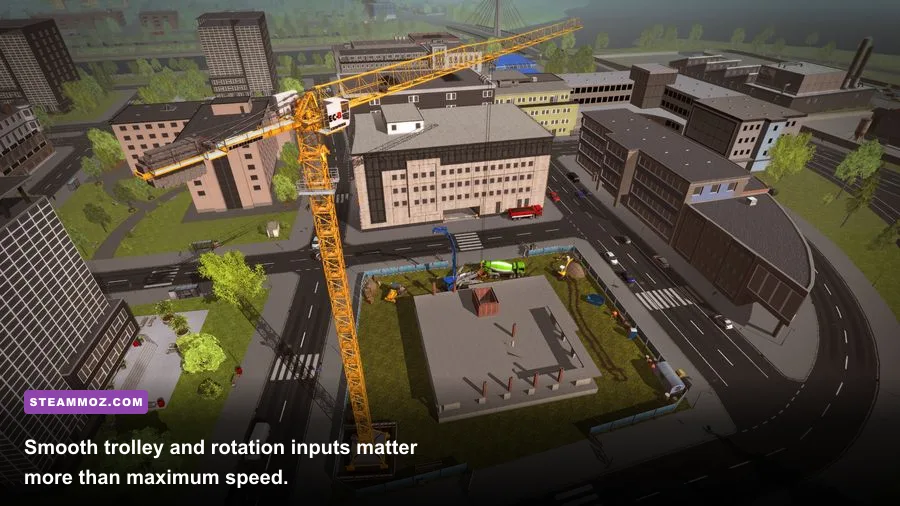
The exact purchase or unlock timing depends on your career progress, edition and active mission chain, but the practical rule is consistent: wait until a contract gives the 150 EC-B enough consecutive work to justify setup. A tower crane pays off on a building site with multiple floors, repeated pallet transfers or long sequences of structural placement. It is a poor first purchase for a tiny excavation, a short road repair or a job where the lift objective appears once.
Step 1: Read the contract before accepting it
Look for tasks that mention construction materials, prefabricated components, roof elements, formwork or repeated placement at elevation. Check the map distance as well. A nearby job with several crane objectives is better than a larger contract that forces you to tow equipment across the entire map between every stage.
Step 2: Prepare access before assembly
Drive the MAN TGS to the site first and inspect the entrance. The crane needs a workable setup area, while delivery trucks need room to turn and unload. Avoid placing the 150 EC-B directly in the only approach lane. Leave an unloading pocket between the road and the building footprint so pallets can be staged without blocking the crane base or mission trigger.
Step 3: Assemble where the boom can cover the job
Place the crane so its working radius reaches the material staging area and the building’s active placement points. The most common beginner mistake is optimizing for the first lift and ignoring the roof or far wall. A slightly less convenient base position that covers the full structure saves far more time than a perfect opening pickup.
Step 4: Stage loads before operating
Deliver several required materials first if the contract allows it. You want the crane operator to spend time lifting, not waiting for a truck animation or driving back to the depot. Keep loads separated by task: foundation supplies in one area, wall or floor components in another. That simple layout cuts down on camera searching and accidental grabs.
Before accepting a major crane contract, it is worth checking your computer’s headroom too. Our guide to fixing stutters and crashes in a construction-management game covers the sort of background troubleshooting that prevents long jobs from being ruined by a late-session crash.
The 150 EC-B operating technique that saves time

The Liebherr 150 EC-B rewards controlled inputs. Beginners often swing the load quickly, then fight the momentum with a second correction. That creates wide arcs, slow settling and collisions with scaffolding or the building shell. The faster method is a three-part movement: raise clear, rotate in a controlled line, then use the trolley for final positioning.
Use a clean lift sequence
- Hook and raise: Lift vertically until the load clears the truck bed, stack or nearby obstruction. Do not rotate while the load is still brushing the source pile.
- Rotate: Turn toward the destination with moderate input. Watch the load, not just the hook, because the suspended object can lag behind the crane’s direction change.
- Trolley: Move the load inward or outward for the final approach. Small trolley adjustments are easier to correct than a large rotation near a wall.
- Lower slowly: Begin lowering only when the load is aligned above the placement zone. If the objective uses a precise trigger, hovering just above it and making a final tiny correction is safer than dropping from height.
Use the external camera when judging clearance and the operator view when making the final placement. Camera sensitivity is personal, but lowering it slightly can make keyboard or controller inputs less twitchy. Keep rotation and trolley inputs separate whenever possible. Pressing both aggressively creates diagonal movement that looks dramatic but is difficult to stop.
| Crane Task | Best Input Order | Common Failure | Correction |
|---|---|---|---|
| Pick up a pallet | Hook, vertical lift, pause | Rotating into the truck | Clear the load before swinging |
| Move across the site | Rotate, then trolley | Oversteering the load | Use short inputs and brake early |
| Place wall or floor parts | Align, lower, micro-correct | Dropping beside the trigger | Lower in stages while watching the marker |
| Return for another load | Raise, rotate, trolley outward | Scraping the building shell | Take a wider return path |
The game is forgiving enough that you do not need simulation-grade pendulum theory, but it does punish impatience. Think of the crane as a positioning tool, not a forklift. If a load is awkwardly placed, park it in a safe staging location and reset your approach instead of trying to force it through a narrow gap.
Build the job around the crane, not after it
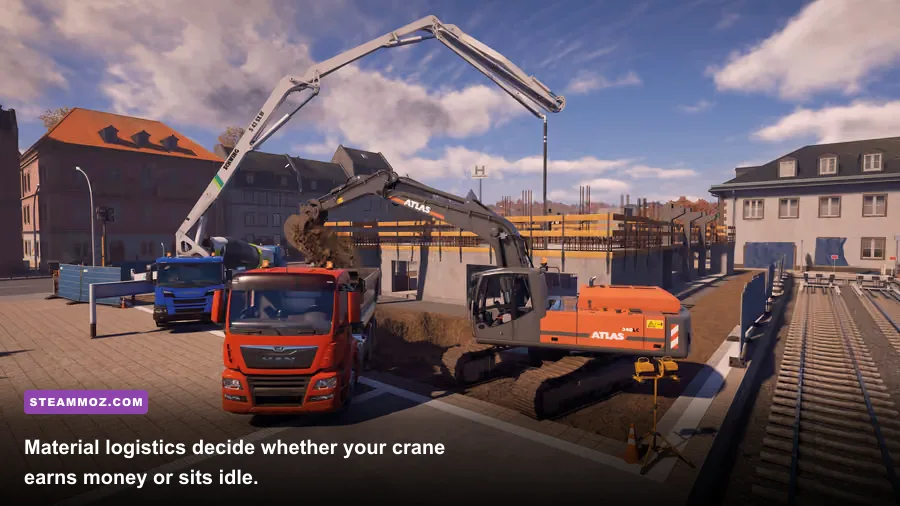
A profitable 150 EC-B contract is really a production line. The best order is usually site preparation, delivery staging, foundation work, structural lifting and finishing logistics. You can alter the sequence when mission objectives demand it, but keeping the next material nearby prevents the crane from becoming a stop-start machine.
Phase one: ground and foundation preparation
Use the excavator to complete digging and leveling objectives first. Watch the mission checklist rather than assuming every patch of dirt needs work; unnecessary passes consume time and can leave you searching for the actual trigger. Once the foundation stage opens, bring concrete equipment close enough to work without blocking truck access.
Phase two: delivery staging
Use the MAN TGS to create a clean supply lane. Put loads in the order the contract requests them, with high-priority structural pieces closest to the crane’s useful pickup side. Do not stack materials so tightly that the hook cannot approach vertically. A few meters of empty space is worth more than one extra pallet in the first delivery.
Phase three: structural lifts
This is where the 150 EC-B earns its keep. Run a rhythm of pickup, transport, placement and return. If a mission allows multiple items to be handled from the same source area, finish that group before moving the truck. Grouping lifts reduces rotation and trolley travel, which is where most of the wasted time hides.
Phase four: finishing and cleanup
Keep the truck available for late deliveries. Many beginners spend all their early cash on crane setup, then discover that a finishing objective still requires a material run. Reserve enough money for fuel, transport and a rental machine if the final task unexpectedly calls for one. Completing the contract cleanly is more valuable than shaving a few minutes off the middle section.
For comparison, the strongest lesson from our efficient progression guide is to protect your cash flow. In Construction Simulator 2015, completed job chains matter more than owning a maximum-size fleet immediately.
What to buy, rent and postpone
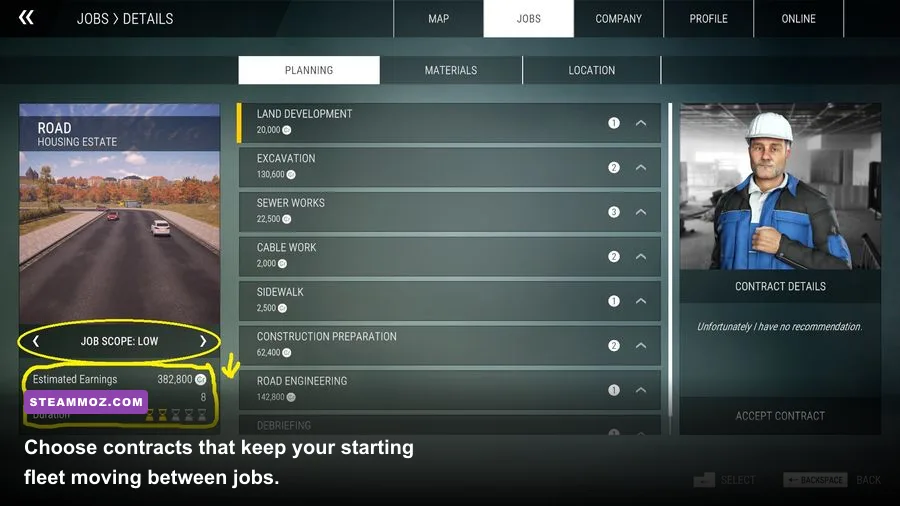
Your first upgrade should improve uptime, not spectacle. If the 150 EC-B is already available, buy the transport and earthmoving foundation around it. If it is still locked, keep building cash through contracts that use equipment you already have. Buying a machine before its matching work appears ties up money and can make every later job feel slower.
| Purchase Decision | Recommendation | Reason | When to Act |
|---|---|---|---|
| MAN TGS and trailer | Buy early | Supports nearly every material chain | As soon as affordable |
| Excavator | Buy early or next | Unlocks ground and foundation work | Before larger building jobs |
| Concrete mixer | Buy when contracts repeat | Improves foundation turnaround | After transport is stable |
| Liebherr 150 EC-B | Buy for multi-stage sites | Stationary setup needs repeated work | When a suitable contract is ready |
| Large mobile crane | Rent first | Specialist use does not justify early cost | Only for required heavy lifts |
Postpone duplicate trucks, niche attachments and the largest crane you can access. A second transport vehicle becomes useful when two active sites overlap, not because the showroom makes it look efficient. Likewise, the 150 EC-B should not replace a mobile crane for jobs that require quick relocation. The machines overlap in lifting ability, but their economic roles are different.
Beginner mistakes that wreck a crane contract
Setting up too close to the building: You may cover the first wall perfectly but lose reach on the far side or roof. Plan for the whole footprint before assembly.
Blocking the delivery lane: The crane base, truck and material stack need separate zones. If the truck cannot reverse or the hook cannot descend, the problem is site layout, not crane speed.
Moving before the objective registers: Hold the load in the placement area for a moment and watch the checklist. Driving away immediately can leave a partially completed task and force another trip.
Using maximum movement constantly: Fast rotation looks efficient but creates correction work. Smooth inputs win because they reduce collisions and failed placements.
Spending every credit: Keep a reserve for an unexpected delivery, rental or fuel trip. A completed contract with modest speed beats an abandoned job after an avoidable cash shortage.
Ignoring controls and camera options: Check the key bindings before a long contract. If the default crane controls feel awkward, rebind rotation, trolley and hoist to inputs you can operate without looking down. Also adjust camera sensitivity before the load is hanging over an expensive building section.
If your PC struggles with older simulation titles, our sharp-graphics, high-FPS settings guide offers a useful starting point for balancing image quality and smooth camera movement. Stable frame pacing matters here: a hitch during final placement is far more annoying than a slightly lower shadow setting.
The best first-career routine
Run this loop for your first serious construction jobs: accept a nearby contract with several connected stages, drive the transport vehicle to inspect access, complete excavation, deliver foundation materials, assemble the Liebherr 150 EC-B only when the lift stage is ready, then keep the truck nearby for finishing supplies. After payment, review which machine actually spent time working. That tells you what to upgrade next far better than the vehicle price list does.
If the crane spent most of the contract idle, do not buy another crane. Improve staging and choose a denser job. If the truck made repeated long trips, invest in transport capacity or better route planning. If excavation delayed everything, upgrade the earthmoving side. The 150 EC-B is the centerpiece of this build, but it should never be the only machine carrying the business.
For more PC-focused troubleshooting and performance planning, Steamoz’s hardware headroom guide explains how to think about CPU, GPU and frame-time limits. Construction Simulator 2015 is older, yet a smooth camera still makes crane work dramatically easier.
The winning beginner setup is simple: MAN TGS for logistics, a capable excavator for preparation, concrete support for foundations and the Liebherr 150 EC-B for repeated precision lifts. Set the tower crane once, stage materials intelligently and operate it with small, deliberate corrections. Do that, and the 150 EC-B stops being an intimidating expensive machine and becomes the most reliable way to turn a compact building site into steady career progress.