Hunt: Showdown 1896 - Reap What You Sow system requirements are more demanding than the original 2019 release: you need at least a Core i5-8400 or Ryzen 5 2600, 12 GB of RAM, and a GTX 1650 Super or Radeon RX 5500 XT. For a steadier 60-fps experience at 1080p, aim for a Core i7-8700 or Ryzen 5 3600 paired with an RTX 2060 Super or Radeon RX 6600 XT, plus 12 GB of RAM and 75 GB of storage.
That official baseline matters because Hunt: Showdown 1896 is not a lightweight competitive shooter. Its CryEngine-powered maps combine thick foliage, volumetric lighting, destructible cover, shadow-heavy compounds, AI enemies, and long-distance visibility. The Reap What You Sow content does not magically lower that workload. If your PC sits close to the minimum, the game can launch and remain playable, but consistent frame delivery is the real test.
Before upgrading anything, check the current official Steam listing. Requirements can change alongside engine updates, and laptop hardware often performs below its desktop equivalent because of power limits and thermal throttling.

Hunt: Showdown 1896 minimum and recommended specs
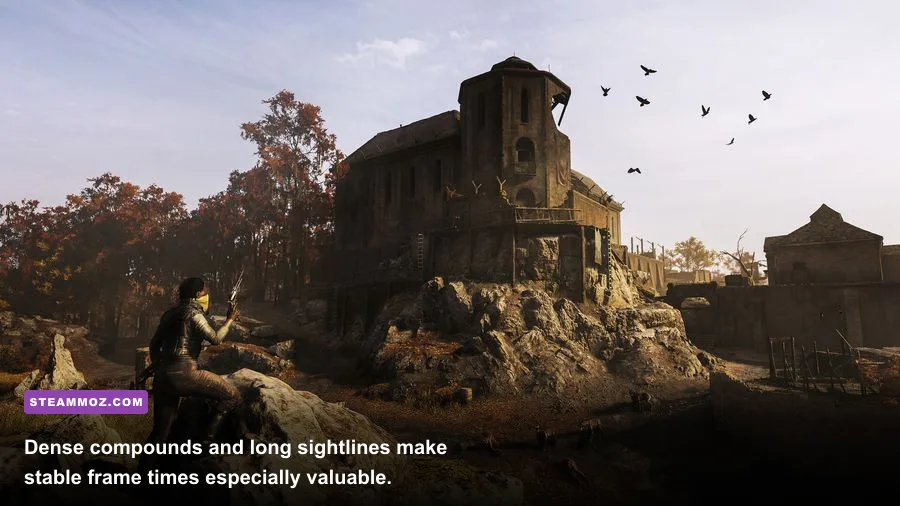
The minimum specification is best understood as a floor, not a promise of high settings. Crytek lists Windows 10 version 1909 or newer in 64-bit form, a DirectX 12-compatible system, 12 GB of memory, and a 75 GB installation. The GTX 1650 Super and RX 5500 XT are the important GPU targets; older cards such as a GTX 1060 may still be seen in real-world setups, but they aren't the cleanest match for the current official baseline.
The recommended tier moves to CPUs with stronger single-thread performance and GPUs designed to handle modern 1080p effects. The Core i7-8700 and Ryzen 5 3600 are not cutting-edge processors today, yet they provide a much healthier margin when several hunters, AI creatures, fire effects, and audio-driven world events collide in one compound.
| Component | Minimum | Recommended | Why it matters |
|---|---|---|---|
| Operating system | Windows 10 64-bit, version 1909 or newer | Windows 10/11 64-bit, fully updated | Required driver and DirectX 12 support |
| Processor | Intel Core i5-8400 or AMD Ryzen 5 2600 | Intel Core i7-8700 or AMD Ryzen 5 3600 | Reduces stutter during AI, physics, and PvP encounters |
| Memory | 12 GB RAM | 12 GB RAM | Helps prevent background-task and map-streaming pressure |
| Graphics card | GTX 1650 Super or Radeon RX 5500 XT | RTX 2060 Super or Radeon RX 6600 XT | Controls resolution, shadows, foliage, and volumetric effects |
| DirectX | Version 12 | Version 12 | Modern rendering path required by the current game |
| Storage | 75 GB available | 75 GB available, preferably SSD | Faster loading and fewer streaming hiccups |
There is no official requirement for 16 GB of RAM, but that doesn't mean 12 GB is ideal for every machine. Windows, Discord, browser tabs, recording software, and an overlay can consume several gigabytes before a match begins. A clean 12 GB system can work; a 16 GB or 32 GB PC gives Hunt more breathing room and usually makes troubleshooting easier.
Likewise, an SSD isn't a listed requirement, but installing Hunt on one is a practical upgrade. The game streams large environments and texture data while you move between compounds. A mechanical hard drive can turn ordinary traversal into visible hitching, especially when the rest of the system is already near the minimum.

🎮 Hunt: Showdown 1896 - Reap What You Sow
Looking to experience this game? Grab your digital key directly on our store for $4.99.
View on Steammoz Store →What performance should you expect at 1080p?
At 1080p, the recommended GPU class is the sensible target for competitive play. A locked 60 fps is far more valuable here than a beautiful but unstable image. Hunt's gunfights are decided by tiny timing windows: a missed Mosin-Nagant shot, a delayed reload, or a stutter as an enemy crosses a doorway can end a bounty run immediately.
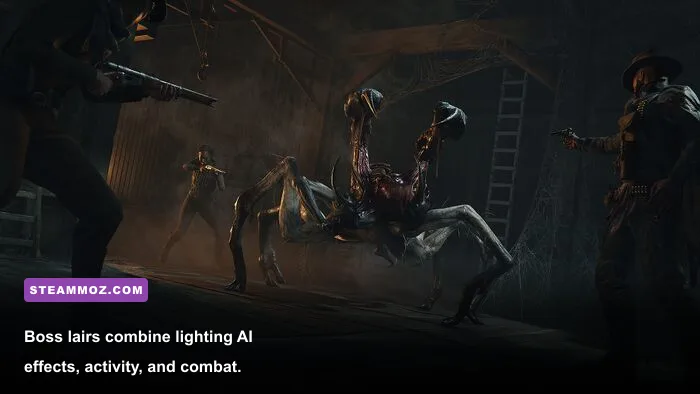
Don't treat the advertised GPU tier as a guarantee of a particular frame rate. Performance varies by map, weather, resolution scale, driver version, and CPU overhead. Quiet travel through open ground is usually easier than a multi-team fight around compounds such as Lawson Station, Stillwater Bend, or Fort Carmick. Boss lairs are also unusually demanding because fire, darkness, particle effects, AI movement, and close-range visibility all stack together.
| Hardware position | Starting profile | Practical target | Main compromise |
|---|---|---|---|
| Minimum-class PC | 1080p, Low, reduced resolution scale | Stable 30-60 fps depending on scene | Soft image and reduced foliage/shadow quality |
| Recommended-class PC | 1080p, Medium-High mix | Near-60 fps gameplay with fewer dips | Some heavy effects should remain reduced |
| Modern mid-range PC | 1080p or 1440p, High mix | High-refresh play where the map allows it | Compound fights can still cause frame-time spikes |
| High-end PC | 1440p, High, carefully tuned shadows | Strong visual quality with competitive clarity | Maximum volumetrics and shadows remain expensive |
The CPU matters more than many players expect. A fast graphics card cannot fully rescue a processor that struggles to feed the game during a three-team fight. Monitor frame time rather than average fps: a counter showing 90 fps can still feel rough if frequent 1% lows drag the image down during rotations or ambushes.
If you are comparing this workload with other PC games, Steamoz's guides to Gearshifters PC specs and smoother FPS settings offer the same useful rule: prioritize stable frame times over maximum presets.
Best graphics settings for a fair fight
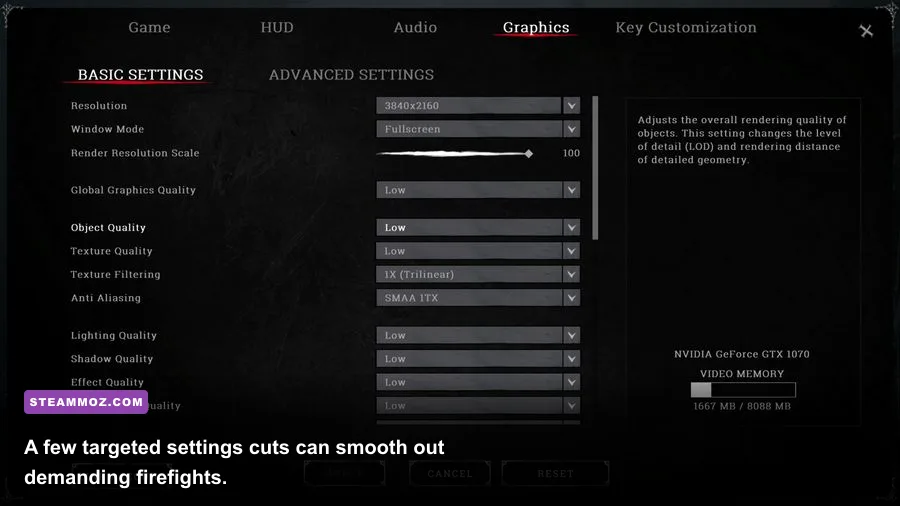
Start with the recommended preset, then tune the expensive options one at a time. The goal isn't to make the bayou look flat. Hunt depends on visual clues such as movement behind foliage, muzzle flashes in dark interiors, and silhouettes crossing bright windows. Over-cutting image quality can hurt your ability to read a fight.
| Setting | Recommended value | FPS impact | Visual and gameplay note |
|---|---|---|---|
| Resolution | Native 1080p or 1440p | Very high | Lower only when the GPU is clearly the bottleneck |
| Texture quality | High if VRAM allows | Low to medium | Improves surfaces without the biggest frame-time hit |
| Object quality | Medium or High | Medium | Helps preserve compound and prop detail |
| Lighting quality | Medium | High | Dark interiors and fire effects can become expensive |
| Shadow quality | Low or Medium | High | One of the first settings to reduce on older GPUs |
| Effects quality | Medium | Medium to high | Controls smoke, fire, and combat clutter |
| Post-processing | Low or Medium | Low to medium | Reduces cinematic softness and keeps targets clearer |
| Anti-aliasing | Use the lowest clean option | Medium | Test foliage shimmer before lowering further |
| Resolution scale | 100 percent first | Very high | Lower in small steps rather than jumping to a blurry image |
On a minimum-class GPU, lower shadows and lighting before destroying texture quality. Textures mostly affect VRAM capacity, while shadows and lighting can punish the GPU every time the scene contains layered geometry. If your image is still soft, restore resolution scale before raising decorative settings.
Use exclusive fullscreen if it behaves correctly on your system, disable unnecessary overlays, and close browser tabs before launching. Keep GPU drivers current, but don't assume a new driver fixes every hitch. Shader compilation, background downloads, and thermal limits can all look like a graphics problem.
For troubleshooting, Steamoz's guide to Hunt: Showdown 1896 crash fixes is useful when the issue is instability rather than raw performance. The same discipline applies here: change one variable, test the same type of scene, and record your 1% lows.
How to tell whether your PC really passes
Don't validate Hunt in the training area alone. Training is useful for checking mouse feel and basic frame rate, but it doesn't reproduce a live match with multiple hunters, crows, horses, concertina wire, burning compounds, and boss AI. Test a full bounty run, preferably across an indoor compound and an outdoor rotation.
A practical stress-test routine
- Install the game on an SSD with at least 75 GB free, then update Windows and your GPU driver.
- Launch at native resolution with the recommended preset and record average fps plus 1% lows.
- Enter a match and move through a dense compound such as Lawson Station or Fort Carmick.
- Trigger environmental AI where practical, then observe frame pacing during a fight or boss encounter.
- Lower shadows, lighting, and effects individually if the GPU is saturated; lower resolution scale only after those changes.
- Repeat the test after ten minutes to catch heat-related clock drops on laptops and compact desktops.
Performance problems also have different signatures. A GPU pinned near 99 percent suggests resolution, lighting, shadows, or effects are the pressure point. A CPU thread maxing out while GPU usage falls usually points toward processor limits, background tasks, or heavy scene simulation. Sudden hitching while turning into a new area can indicate storage or shader-streaming trouble rather than insufficient average GPU power.
Players using laptops should check that Hunt runs on the dedicated GPU, not integrated graphics. Plug the machine into wall power, select a performance power profile, and watch temperatures. A laptop RTX 2060 can perform very differently from a desktop RTX 2060 when its power limit is restricted.
Finally, remember that a high-refresh monitor raises the standard. A PC that feels excellent at a locked 60 fps may not hold 120 fps through every compound fight. For Hunt, consistent 60 fps with clean visibility is a better target than chasing a fluctuating 144 fps profile that collapses when the action gets serious.
Is the Reap What You Sow update worth an upgrade?
If your system is below the official minimum, upgrade the graphics card first when GPU usage is consistently maxed out. If the GPU has headroom but frame time spikes during live encounters, a newer CPU and faster memory platform may deliver the bigger improvement. Moving from a hard drive to an SSD is the low-cost fix for loading and streaming behavior, while 16 GB of RAM is a sensible quality-of-life upgrade for a machine that currently has 12 GB.
The cleanest target is still the recommended specification: a Core i7-8700 or Ryzen 5 3600, RTX 2060 Super or RX 6600 XT, 12 GB RAM, DirectX 12, and 75 GB of storage. That won't guarantee perfect performance at every resolution, but it gives Hunt: Showdown 1896 enough room to deliver its real strength: tense, readable firefights where the danger comes from another hunter—not from your PC freezing at the worst possible moment.
For more Hunt coverage, check Steamoz's Arcane Archaeologist tier list. And if you're benchmarking several games before an upgrade, the First Strike Classic PC specs guide gives you another useful comparison point.