First Strike: Classic is exceptionally easy to run on modern PCs. The Steam-listed minimum target is a Windows 7-era dual-core processor, 2 GB of RAM, a graphics card with 512 MB of video memory, and roughly 1 GB of free storage. For a smoother experience, aim for a 2.5 GHz quad-core CPU, 4 GB of RAM, and a 1 GB graphics card. Any reasonably recent integrated GPU should handle the game comfortably; your bigger concerns are compatibility, resolution scaling, and whether the older build behaves properly on your operating system.
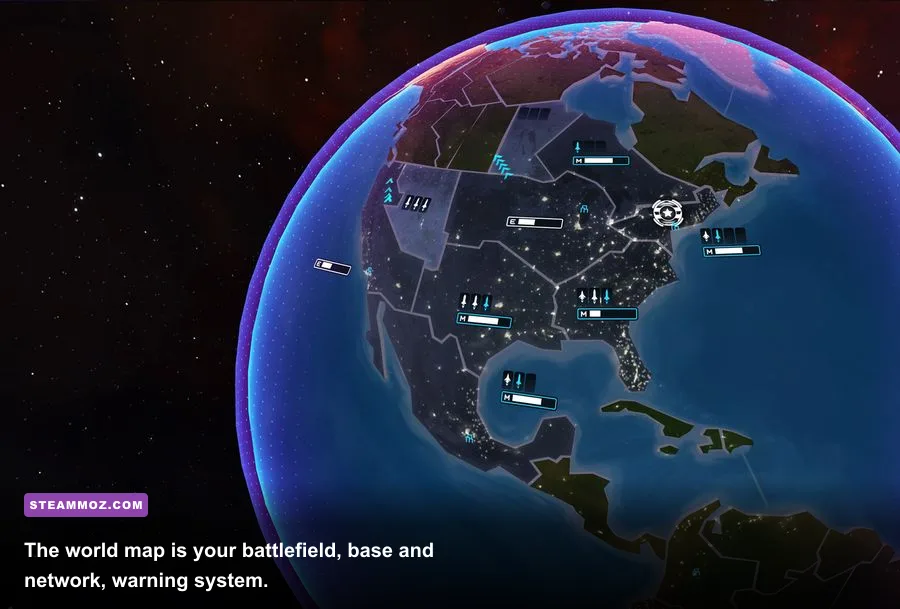
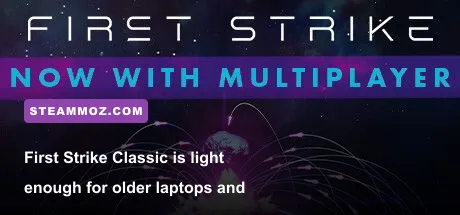
That low hardware bar fits the game perfectly. First Strike: Classic is a compact real-time nuclear strategy game from Blindflug Studios, not a modern 3D battlefield packed with cinematic effects. You control a nuclear power, expand across a stylized globe, build and upgrade launch facilities, and decide whether restraint is smarter than pressing the red button. The map can become frantic, but the rendering workload remains tiny compared with contemporary strategy releases.
First Strike Classic minimum and recommended requirements
The table below separates the published baseline from a practical modern recommendation. The minimum specification is enough to launch and play, while the recommended target gives Windows more breathing room when several territories, menus, and animated events are active at once.
| Component | Minimum PC specs | Recommended PC specs | What it means today |
|---|---|---|---|
| Operating system | Windows 7 | Windows 10 or newer | Windows 11 is normally the practical target, but older games can need compatibility tweaks. |
| Processor | 2 GHz dual-core CPU | 2.5 GHz quad-core CPU | Almost any Intel Core or AMD Ryzen desktop chip exceeds this. |
| Memory | 2 GB RAM | 4 GB RAM | 4 GB is sensible because the operating system also needs memory. |
| Graphics | 512 MB video memory | 1 GB video memory | Modern integrated graphics should be more than sufficient. |
| DirectX or graphics API | DirectX-compatible graphics hardware | Updated driver and DirectX support | Driver compatibility matters more than raw GPU power. |
| Storage | About 1 GB available | About 1 GB available | Leave extra room for Steam files, cloud saves, and updates. |
| Internet | Required for Steam activation and online services | Broadband connection recommended | Offline play may work after installation, but Steam authentication can still matter. |
Steam’s current store listing is the final authority for the exact platform wording, so check the official First Strike Steam page before buying on an unusual setup. Store metadata for older games can change, and the Classic edition has also appeared alongside later versions and platform releases.
Can a laptop or integrated graphics run First Strike Classic?
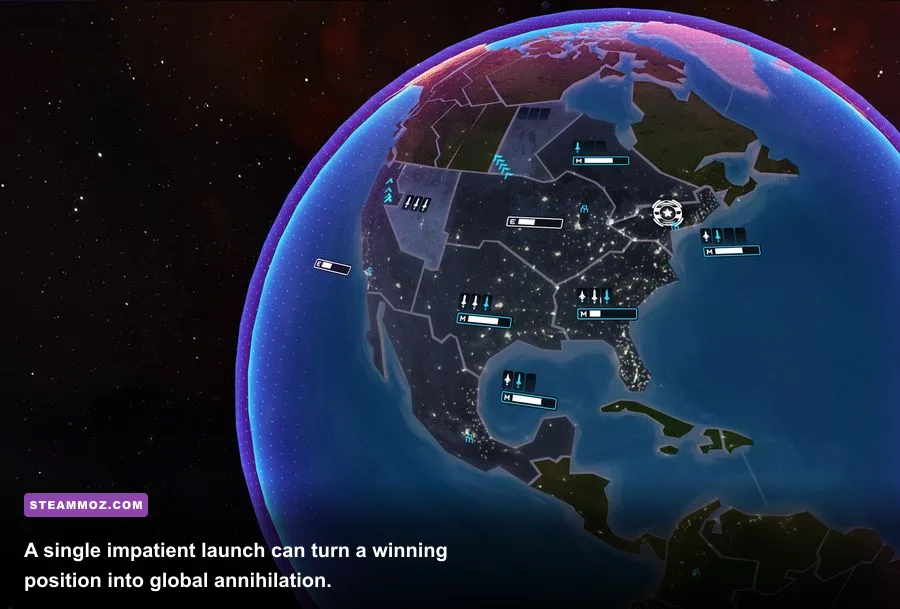
Yes. A laptop with Intel HD Graphics, Intel UHD Graphics, AMD Radeon integrated graphics, or a basic NVIDIA mobile GPU should clear the graphics requirement by a wide margin. The game’s camera is a strategic globe view rather than a close-up 3D environment, and the visual effects are deliberately clean: territory colors, missile icons, explosions, alerts, and interface panels do most of the work.
Even a low-power Chromebook-style Windows device can look attractive on paper, but don’t confuse low GPU demand with universal compatibility. First Strike: Classic was designed around older desktop operating systems. A current machine may be fast enough while still producing a black screen, incorrect scaling, or a crash during launch because of an old display mode or driver interaction.
For context, this is the sort of lightweight PC experience covered in our PC crash and low-FPS troubleshooting guide: performance is rarely the only variable. If the game refuses to start, investigate compatibility and display settings before assuming your graphics card is too weak.

🎮 First Strike: Classic
Looking to experience this game? Grab your digital key directly on our store for $2.99.
View on Steammoz Store →What hardware do you actually need for smooth gameplay?
The recommended specification looks ancient by current standards, but it still gives useful guidance. A four-thread or four-core processor helps keep background Windows activity from interfering with the game, while 4 GB of RAM prevents the operating system from constantly paging data to storage. You don’t need a dedicated gaming PC, an SSD, or a powerful modern GPU.
| PC type | Expected result | Best use case | Potential issue |
|---|---|---|---|
| Modern desktop with integrated graphics | Comfortable play at native resolution | Best value for a basic strategy setup | Rare compatibility problems, not performance problems |
| Older dual-core office PC | Playable if drivers and OS cooperate | 720p or 1080p strategic sessions | Background processes may cause stutter or slow transitions |
| Modern gaming laptop | Runs effortlessly | High-resolution portable play | Use the dedicated GPU only if the integrated mode has display issues |
| Very old laptop with 2 GB RAM | Borderline but potentially playable | Short campaigns and low multitasking | Windows itself may consume most available memory |
| Virtual machine | Usually workable with 2D acceleration | Testing older software | Input, fullscreen, and DirectX compatibility can be awkward |
For modern systems, the sweet spot is simple: a four-core Intel Core i3 or AMD Ryzen 3, 8 GB of RAM, and any integrated GPU released in the last decade. That is already overkill for the simulation’s visual demands, but it gives you a stable baseline while Steam, a browser, voice chat, and recording software are open.
An SSD won’t increase the game’s frame rate in any meaningful way. It can make startup and map loading feel snappier, though the difference will be small because the installation is tiny. If you’re choosing between a faster drive and more RAM for an old computer, memory is the more useful upgrade until you reach at least 4 GB, and 8 GB is preferable on a modern Windows installation.
Does First Strike Classic need a dedicated graphics card?
No. The listed 512 MB minimum and 1 GB recommended graphics memory should not be read as a demand for a discrete gaming GPU today. Those figures reflect the hardware assumptions of the period, when integrated graphics were less consistent and video-memory labels were used more casually. Current integrated graphics generally deliver far more shader and memory bandwidth than this game needs.
The only time a dedicated card becomes relevant is troubleshooting. If the game displays a blank window or broken colors on an integrated GPU, force Steam and the executable to use the NVIDIA or AMD card, update the driver, and test windowed mode. That is a compatibility workaround, not a performance upgrade you need for normal play.
First Strike Classic gameplay systems that affect performance
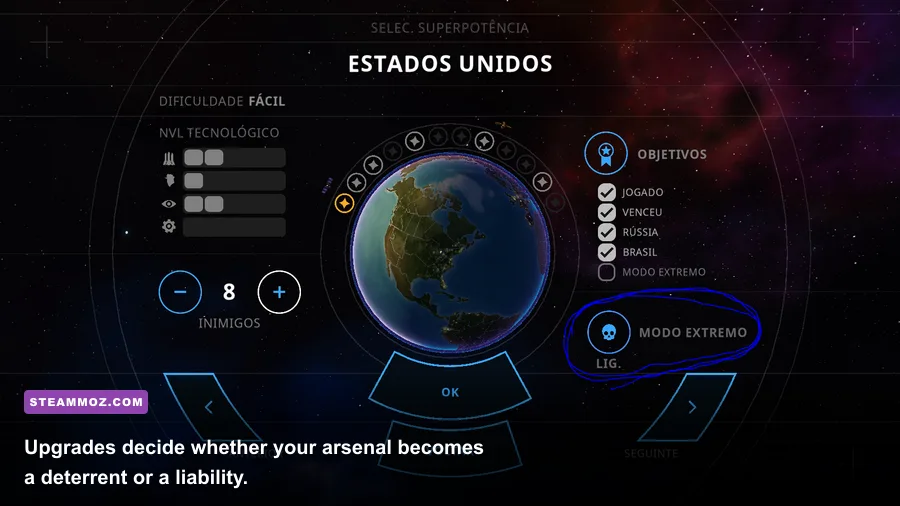
First Strike: Classic is light to render, but its strategic simulation still has several moving parts. You begin with a nuclear power and a limited network of territories. Expansion gives you access to new bases and resources, but every additional location also increases the number of threats you must watch. Missile silos, aircraft, radar information, territory upgrades, and enemy launches all compete for your attention on the world map.
The core loop is deliberately readable. You select a territory, inspect its available actions, improve infrastructure, and decide whether to expand or prepare for retaliation. Nuclear weapons aren’t just a damage button. They’re deterrence, a response to enemy aggression, and a way to remove a dangerous rival before it becomes too entrenched. The catch is that launching exposes your intentions and can trigger a chain reaction involving every remaining faction.
| System | Strategic purpose | Performance impact | Player advice |
|---|---|---|---|
| Territory expansion | Increases reach, production, and options | Negligible on modern hardware | Expand for position, not simply because an empty territory is available. |
| Missile facilities | Provides offensive and retaliatory capability | Negligible rendering cost | Protect the network and avoid committing every weapon at once. |
| Radar and visibility | Reveals threats and incoming actions | Very low | Information is often more valuable than an extra attack upgrade. |
| Upgrades | Improves the effectiveness of your strategic network | Very low | Invest before the map reaches crisis speed, not after launch warnings begin. |
| Global retaliation | Creates the game’s escalation loop | Low, though events can feel busy | Keep a reserve so one enemy strike doesn’t end your run. |
This is why the game can feel tense despite its modest PC requirements. Your computer isn’t struggling to draw a huge army; you’re struggling to process risk. A territory that looks safe can become a launch platform. A successful first strike may remove one threat while making every other faction suspicious. The best players treat the map as a network of warning times and fallback options rather than a simple conquest grid.
Blindflug Studios describes the project and its wider catalog on the developer’s official website. If you enjoy strategy games where the interface creates pressure without burying you in menus, you may also like our coverage of Industry Empire, another slower-burn management experience where planning matters more than reflexes.
Best graphics settings for older and modern PCs
First Strike: Classic doesn’t offer the sprawling graphics menus found in a current AAA game. That’s good news: there are fewer knobs to tune, and almost every modern PC should run the default presentation smoothly. Still, choosing the right display mode can solve common issues such as stretched UI elements, flickering, or a game window that appears too small on a high-DPI monitor.
| Setting or adjustment | Recommended value | FPS or stability impact | Visual note |
|---|---|---|---|
| Display mode | Windowed first for troubleshooting; fullscreen when stable | Low performance impact | Windowed mode is easier to recover if resolution scaling breaks. |
| Resolution | Native monitor resolution, or 1920×1080 | Low on modern GPUs | 1080p is a strong compromise on older laptops. |
| Windows display scaling | 100% if menus look clipped | No FPS impact | High-DPI scaling can make older interfaces appear oversized. |
| V-Sync | Enable if you see tearing | May cap output to monitor refresh | Useful for a stable image; unnecessary if tearing isn’t visible. |
| Background apps | Close browsers and recording tools on 2 GB systems | Can improve consistency | More important than lowering visual quality. |
| Compatibility mode | Test Windows 7 or Windows 8 mode only if needed | May fix launch problems | Don’t enable it automatically on a working installation. |
If you’re seeing low frame rates, first check whether the issue is actually a frame-rate issue. Slow animation during a busy strategic moment can be simulation pacing, a background process, or a display synchronization problem. Use the Steam overlay’s performance counter, then test with the overlay disabled. Lowering resolution may help an ancient machine, but it won’t repair a missing runtime or a broken fullscreen mode.
On a laptop, set the Windows power profile to Best Performance while plugged in. Some aggressive battery modes downclock the CPU and make menu transitions feel sluggish even though the GPU load is tiny. Also disable unnecessary overlays from recording software, Discord, or GPU utilities if the title crashes during startup. These overlays hook into rendering in ways older games never anticipated.
Our guide to locking FPS in older PC games covers similar stability habits. The principle is the same here: aim for consistent frame pacing, not a huge number that the game cannot meaningfully use.
Windows 10 and Windows 11 compatibility tips
The biggest uncertainty with First Strike: Classic isn’t whether your hardware is powerful enough. It’s whether an older PC release likes your current Windows configuration. Start with a clean Steam installation and let Steam verify the files before changing anything. Right-click the game in your library, open Properties, choose Installed Files, and run Verify integrity of game files.
What to do if the game won’t launch
Try these fixes in order:
- Restart Steam completely. Exit it from the system tray, reopen it, and launch the game without another overlay running.
- Verify the installation. Missing or damaged files are easy to repair and should be ruled out first.
- Test windowed mode. A modern monitor’s aspect ratio or scaling can expose fullscreen problems that don’t appear in a window.
- Update your graphics driver. Use the official Intel, AMD, or NVIDIA driver rather than relying on an unusually old Windows Update package.
- Try compatibility settings. Use the game executable’s Properties menu and test an older Windows compatibility mode only after simpler fixes fail.
- Disable fullscreen optimization. This can help if the title flickers, minimizes, or changes resolution incorrectly.
- Check antivirus quarantine. Older executables can be flagged incorrectly; restore files only when you trust the Steam installation.
Don’t download random DLL files from third-party sites. That advice is especially important for small older games because a missing runtime error can tempt players into grabbing an unsafe replacement. Use Steam’s repair process, Windows’ built-in compatibility tools, and the developer’s support channels instead. The official Steam community and store page are the sensible places to check for current reports.
High-DPI monitors deserve special attention. If the globe looks soft or the interface is clipped, set the game’s compatibility properties to override high-DPI scaling and let the application handle it. The exact option name can differ between Windows builds, but it is found under the executable’s Compatibility tab. Test one change at a time so you know which setting actually helped.
Is Linux, Steam Deck, or macOS supported?
Check the current Steam compatibility icons rather than assuming that a lightweight game works everywhere. A game can be easy to render and still have an old Windows-only executable. On Steam Deck or Linux, Proton may provide a path to play, but community compatibility is not the same as native developer support. Expect to test fullscreen, controller input, text scaling, and suspend/resume behavior.
Steam Deck users should start at the default resolution and use a conservative frame-rate cap if the interface feels uneven. Because First Strike: Classic is not graphically demanding, battery life should be reasonable, but compatibility and controls are the real questions. If the game’s store page does not promise a verified experience, treat it as a tinkering project rather than a guaranteed plug-and-play purchase.
Is First Strike Classic worth playing on a low-end PC?
Absolutely—provided you like strategy built around escalation, uncertainty, and consequences rather than unit micromanagement. First Strike: Classic is a strong fit for an older PC because its minimum and recommended requirements are genuinely modest, its sessions are compact, and its visual style remains readable at 1080p. You won’t need a gaming laptop, a discrete graphics card, or a large hard drive.
The deeper appeal is how quickly the game turns simple actions into political danger. Expansion increases your options but also paints a bigger target. A launch can solve an immediate threat while creating a wider war. Radar and territory management give you information, yet information only matters if you can act before the warning window closes. That tension is the whole point, and it works without expensive spectacle.
For the smoothest experience, use at least a modern dual-core or quad-core processor, 4 GB of RAM, current graphics drivers, and around 1 GB of free storage. On Windows 10 or 11, start in windowed mode if fullscreen behaves strangely, verify the Steam files, and avoid unnecessary overlays. If your PC can run a web browser, it can probably run First Strike: Classic; the final hurdle is making its older presentation cooperate with modern Windows.
Players looking for more compact, demanding games should also browse our Katana ZERO coverage and Lethal League Blaze unlock guide. Neither plays like First Strike, but both show why a small installation and modest hardware requirements can still support a sharp, memorable PC experience.
Bottom line: First Strike: Classic has a minimum target of roughly a 2 GHz dual-core CPU, 2 GB RAM, 512 MB graphics memory, and 1 GB storage. The practical recommended target is a 2.5 GHz quad-core CPU, 4 GB RAM, 1 GB graphics memory, and current Windows. Modern integrated graphics easily clear the bar. Your strategy—not your GPU—will decide whether the world survives.