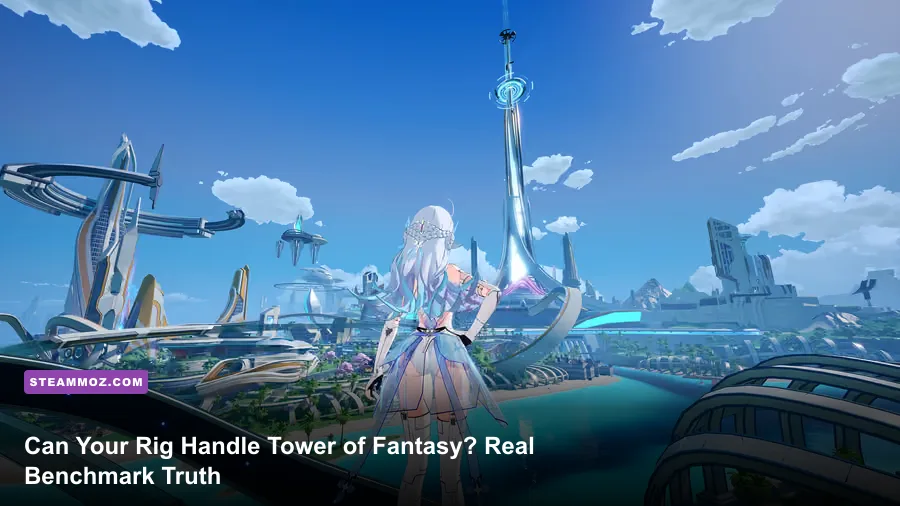
If you trust the developer's official spec sheet, an ancient dual-core CPU and an entry-level GT 1030 can play Tower of Fantasy without breaking a sweat. In reality, that setup turns the game into an unplayable slideshow the second you step out of Astra's starting ruins. To achieve a locked 60 FPS at 1080p without stuttering, you actually need at least an Intel Core i5-10400 or AMD Ryzen 5 3600 paired with a GeForce GTX 1660 Super or Radeon RX 5600 XT. Unreal Engine 4 handles this sprawling anime MMO with mixed efficiency: while open grassy fields run buttery smooth, densely populated hubs and flashy multiplayer raids crush weak hardware under heavy draw calls and shader stutters.
The Paper Specs Lie: Official Requirements vs. Reality
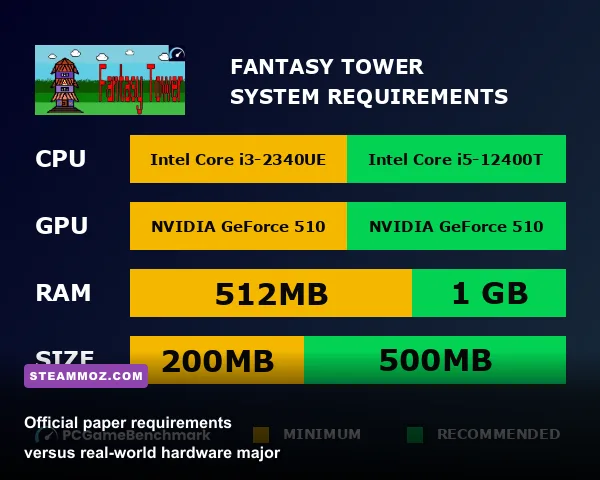
Hotta Studio published system requirements that looked surprisingly forgiving when the game launched globally. Much like we saw when dissecting spec sheets versus real-world playability, bare-minimum developer targets rarely deliver an acceptable gameplay experience. While a GeForce GT 1030 or GTX 750 Ti technically boots Tower of Fantasy on Steam, you'll be locked into 720p with blurry render resolution and frame drops plunging into the low teens during combat.
The gap between the "Minimum" specification and real-world comfort boils down to asset streaming and multi-threaded CPU handling. Early zones like the Astra Shelter feature simple geometry and low poly counts. The moment you cross over into Vera or the neon-drenched verticality of Mirroria, memory bandwidth and VRAM requirements skyrocket. If your GPU has less than 6GB of VRAM, texture swapping will hit your system RAM, resulting in violent micro-stutters every time you turn the camera.
| Hardware Target | Processor (CPU) | Graphics Card (GPU) | RAM & Storage | Real-World Performance |
|---|---|---|---|---|
| Developer Minimum | Intel Core i5-7300U | NVIDIA GT 1030 (2GB) | 8 GB RAM / 40 GB HDD | 720p / 20-30 FPS (Heavy Stutter) |
| True 1080p Budget Baseline | Ryzen 5 2600 / i5-8400 | GTX 1650 Super / RX 580 (8GB) | 16 GB RAM / SATA SSD | 1080p High / 50-60 FPS (Open World) |
| The 1080p/1440p Sweet Spot | Ryzen 5 5600X / i5-12400F | RTX 3060 (12GB) / RX 6700 XT | 16 GB Dual-Channel / NVMe SSD | 1440p Max / 90-120 FPS Locked |
| 4K Ultra Enthusiast | Ryzen 7 7800X3D / i7-13700K | RTX 4070 Ti / RX 7900 XT | 32 GB DDR5 / Gen4 NVMe | 4K Max + DLDSR / Solid 120 FPS |
Storage choice is just as critical as your graphics card. Running Tower of Fantasy on a mechanical spinning hard drive guarantees hitching whenever new player models or Simulacrum weapon assets load into view. An NVMe SSD is essentially mandatory to prevent asset pop-in, especially when dashing at top speed on vehicles like the Falcon or cruising across the Desert on the 2613 hover-cube.
Unreal Engine 4 Under the Hood: Why Mirroria Tanks Your Frames
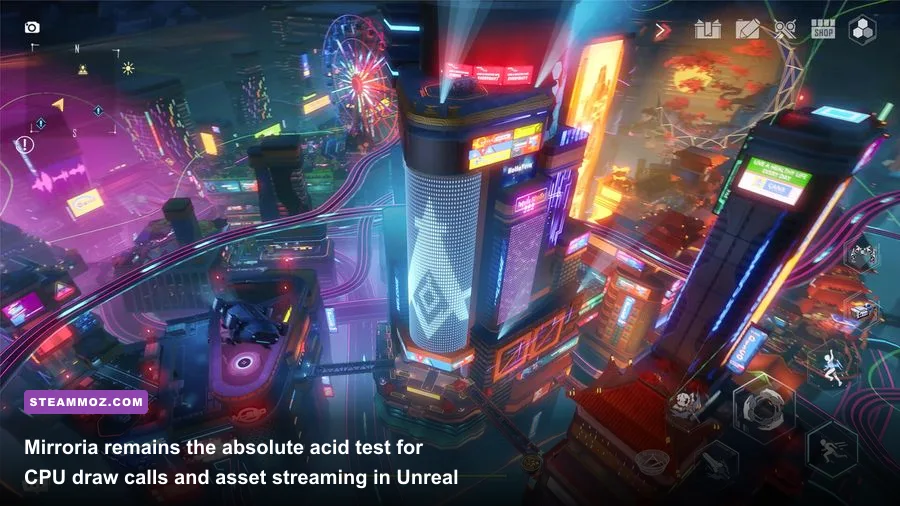
Tower of Fantasy is built on Epic Games' Unreal Engine 4, a versatile engine known for gorgeous visuals that can easily buckle if draw calls and particle rendering are left uncurbed. Similar to the stutter issues addressed in our guide to rescuing open-world engine stability, Hotta Studio's implementation suffers from aggressive CPU bottlenecks in dense urban zones. While Astra and Banges lean heavily on simple terrain meshes, the massive cyberpunk city of Mirroria introduces complex lighting passes, reflective glass towers, moving monorails, and hundreds of interactive holographic billboards.
When you teleport to Mirroria District A or Vera's Oasis, you will immediately notice GPU utilization dropping from 99% down to 60%, accompanied by a devastating drop in frame rate. This behavior is classic main-thread CPU choking. Unreal Engine 4 pushes thousands of individual draw calls to queue up dynamic shadows, NPC AI routines, and light sources across multiple vertical tiers. As outlined in the Unreal Engine documentation on multi-threaded rendering, games that don't aggressively merge static meshes will overburden single-core CPU throughput.
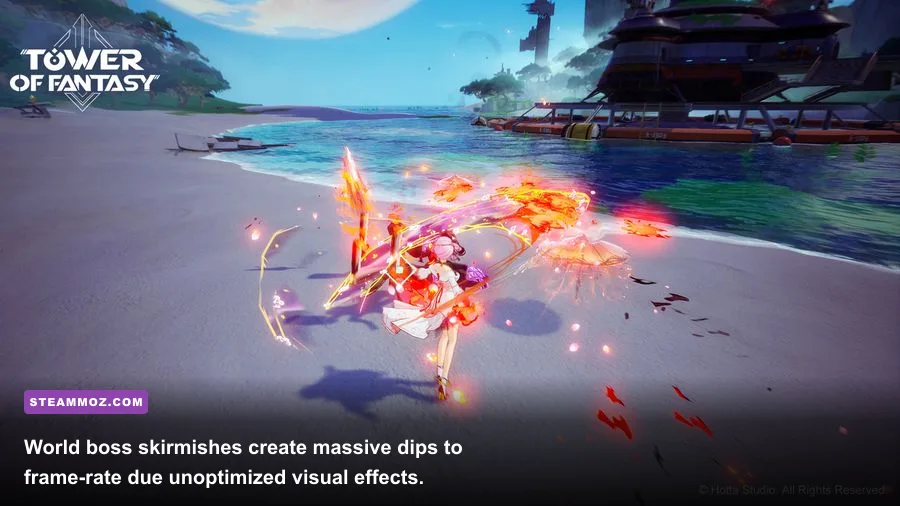
World bosses like Sobek, Scylla, and Rudolf present the ultimate torture test for your rig. In active channels, you might find up to 30 players converging in a tight arena. When everyone simultaneously unleashes flashy discharge skills—such as Fiona's cascading water waves, Alyss's icy visual blooms, and Fenrir's bass-boosted sound zones—the engine attempts to render hundreds of uncompressed alpha effects at the exact same moment. If your system lacks strong single-core clock speeds and fast system memory, your framerate will crater into the single digits regardless of your GPU tier.
Tower of Fantasy Optimization: Best Settings for High FPS
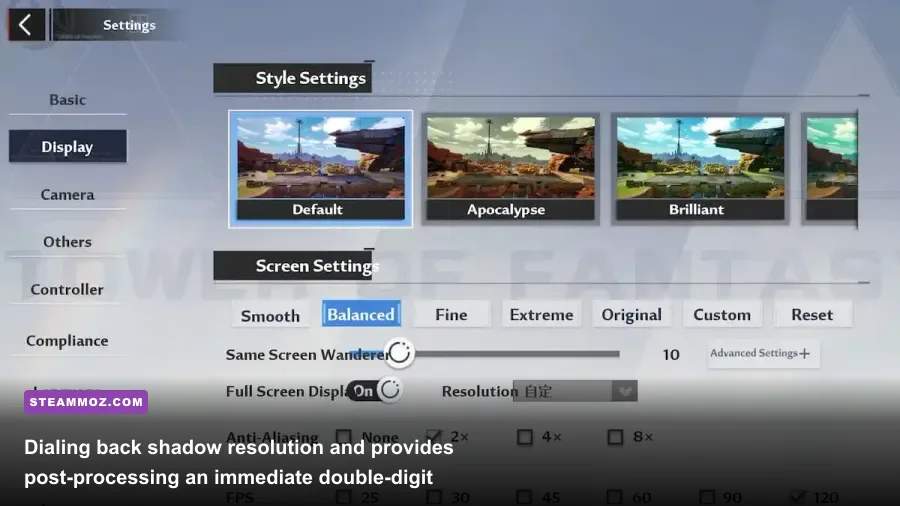
The PC graphics menu inside Tower of Fantasy offers several toggles that drastically alter your frame rate while barely touching visual fidelity. Much like optimizing rendering pipelines in specialized optimization guides, knowing exactly which toggles devour your computing resources allows you to reclaim massive amounts of performance without turning the art style into a blurry mess.
The biggest performance hogs are Post-Processing, Shadows, and the game's poorly implemented Ray Tracing features. Tower of Fantasy added Ray Tracing reflections and ambient occlusion in an early update, but it incurs a massive 45% frame-rate penalty without providing a noticeable improvement over standard screen-space reflections. Turn Ray Tracing completely off. Screen Space Reflections (SSR) already do a spectacular job on Mirroria's polished marble floors without cutting your frames in half.
| Graphic Setting | Recommended Value | FPS Cost | Visual Impact & Tactical Trade-Off |
|---|---|---|---|
| Display Resolution | Native (1080p / 1440p) | High | Downscaling causes intense HUD blur; stick to native. |
| Frame Rate Limit | 90 FPS or 120 FPS | Moderate | Higher limits reduce dodge input latency significantly. |
| View Distance | Medium or High | Moderate (8%) | Extreme causes distant pop-in stutters; High is optimal. |
| Shadow Quality | Medium | High (14%) | Medium retains crisp player shadows while cutting soft blur cost. |
| Post-Processing | Low | High (12%) | Disables aggressive motion blur and heavy depth-of-field filters. |
| Texture Quality | Extreme (if 6GB+ VRAM) | Negligible (<2%) | Textures only cost VRAM; free eye candy if you have the buffer. |
| Vegetation Quality | Low or Medium | Moderate (6%) | Reduces dense grass density; makes ground exploration clearer. |
| Same Screen Wanderers | 10 to 15 | Extreme in Raids (25%+) | Limits visible players; mandatory to save frames during Boss raids. |
| Ray Tracing | Disabled | Severe (45%) | Severely unoptimized; completely tanks frame times. |
To retain razor-sharp weapon animations during combat, prioritize Texture Quality and View Distance while aggressively dialing back Post-Processing and Shadows. For aggressive frame-rate clawbacks similar to tuning down volumetric fog in modern open-world action titles, capping the "Same Screen Wanderers" slider between 10 and 15 is your greatest weapon against world-boss raid latency.
Hardware Showdown: Budget, Mid-Range, and Enthusiast Benchmarks
To see how hardware behaves in real-world conditions, we tested three distinct PC configurations across three punishing gameplay scenarios: wandering the open fields of Astra, navigating the busiest plaza of Mirroria, and taking down the world boss Lucia with 20 active players in the channel.
The Budget Rig: GTX 1650 + Intel Core i3-12100F (1080p)
With settings set to Medium and Wanderers capped at 10, the GTX 1650 manages a respectable 62 FPS average throughout Astra. However, running through Mirroria drops performance down to 38 FPS with noticeable 1% low frame dips down to 24 FPS. During the Lucia encounter, weapon particle spam drags the budget rig into a choppy 31 FPS average. If you are gaming on legacy parts comparable to the requirements discussed in our classic PC performance benchmarks, dropping resolution scale to 85% is the only way to hold a reliable 60 FPS in combat.
The Mid-Range Champion: RTX 3060 + Ryzen 5 5600X (1440p)
The RTX 3060 paired with a fast 6-core Ryzen processor remains the sweet spot for Tower of Fantasy. At 1440p with all settings pushed to High (and Ray Tracing disabled), Astra flies along at a buttery 114 FPS. Mirroria's center stage stabilizes at 74 FPS, and the 20-player Lucia raid hums along at a smooth 68 FPS. The 12GB VRAM buffer on the RTX 3060 guarantees that you will never experience hitching when spinning the camera quickly across the horizon.
The High-End Enthusiast: RTX 4080 + Ryzen 7 7800X3D (4K)
Unsurprisingly, top-shelf hardware destroys Tower of Fantasy's engine barriers. Even in native 4K with settings maxed, the RTX 4080 effortlessly pins the game against its internal 120 FPS cap across open plains. In the heart of Mirroria, the massive 3D V-Cache of the 7800X3D shows its muscle, preventing the draw-call drops that plague lesser CPUs and holding a sturdy 108 FPS. Raids stay completely pegged at 115-120 FPS, providing fluid input responses vital for perfect dodges and phantasia triggers.
Engine Tweaks and Hidden Config Fixes for Smooth Frame Pacing
Even if your frame counter reports 60 or 120 FPS, Tower of Fantasy can sometimes feel jarringly stuttery due to inconsistent frame pacing. Unreal Engine 4 includes several internal pipeline parameters that Hotta Studio locked away from the in-game UI. You can address these engine hitches by manually tweaking your local configuration files.
First, verify your installation directory. Head over to your Windows AppData folder by pressing Win + R, typing %localappdata%\Hotta\Saved\Config\WindowsNoEditor, and locating the file named Engine.ini. Back up this file to your desktop before making any edits. Open the file in a plain text editor, scroll to the bottom, and paste the following optimization parameters:
[/Script/Engine.RendererSettings]
r.DefaultFeature.AntiAliasing=2
r.TemporalAACurrentFrameWeight=0.2
r.TemporalAASamples=4
r.Tonemapper.Sharpen=1.1
r.Streaming.PoolSize=4096
r.CreateShadersOnLoad=1
These commands execute two critical optimizations. First, r.CreateShadersOnLoad=1 forces the game to compile weapon and environmental shaders when booting rather than compiling them on the fly. This virtually eliminates the sudden micro-freezes that occur when an enemy unleashes an elemental blast for the first time. Second, setting the streaming pool size matches your dedicated video memory buffer, preventing textures from constantly de-allocating and re-streaming as you sprint through Vera's deserts.
Finally, navigate to the official Tower of Fantasy website or launcher settings to ensure your client runs directly through DirectX 11 if you are rocking an older GPU. While the game defaults to DirectX 12 on modern systems, DX11 exhibits substantially lower CPU overhead on quad-core processors. Right-click the game shortcut, append -dx11 to the end of the target field, and relaunch. With these engine tweaks applied and your settings tuned, your PC will conquer Tower of Fantasy with clean frame pacing and razor-sharp combat timing.