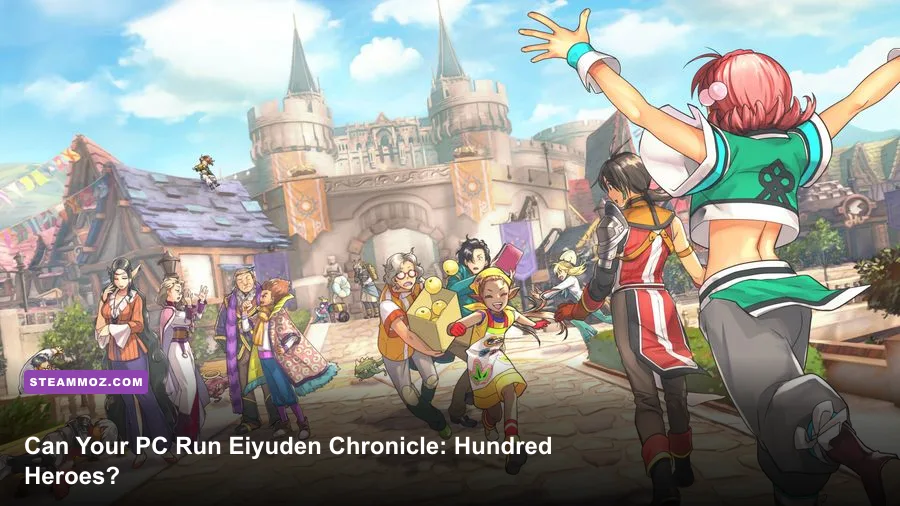
If you want to play Eiyuden Chronicle: Hundred Heroes on PC, the short version is reassuring: the official minimum target is an Intel Core i5-4460 or AMD Ryzen 3 1200, 8GB of RAM, and a GeForce GTX 970 or Radeon RX 470. The recommended tier rises to an Intel Core i7-8700 or Ryzen 7 2700, 16GB of RAM, and a GeForce GTX 1660 Ti or Radeon RX 590. You’ll also need a 64-bit Windows 10 system, DirectX 12 support, and roughly 40GB of storage.
Those numbers look more demanding than the game’s gorgeous HD-2D presentation might suggest, but there’s a reason for that. Eiyuden Chronicle isn’t a tiny sprite-only RPG. Its animated 2D heroes stand inside 3D towns, battlefields, dungeons, and headquarters spaces, with camera movement, lighting, particle effects, and large party encounters all running together. Here’s what the listed requirements mean in practice, where the real bottlenecks are, and which settings matter most when performance gets rough.
Eiyuden Chronicle PC requirements at a glance
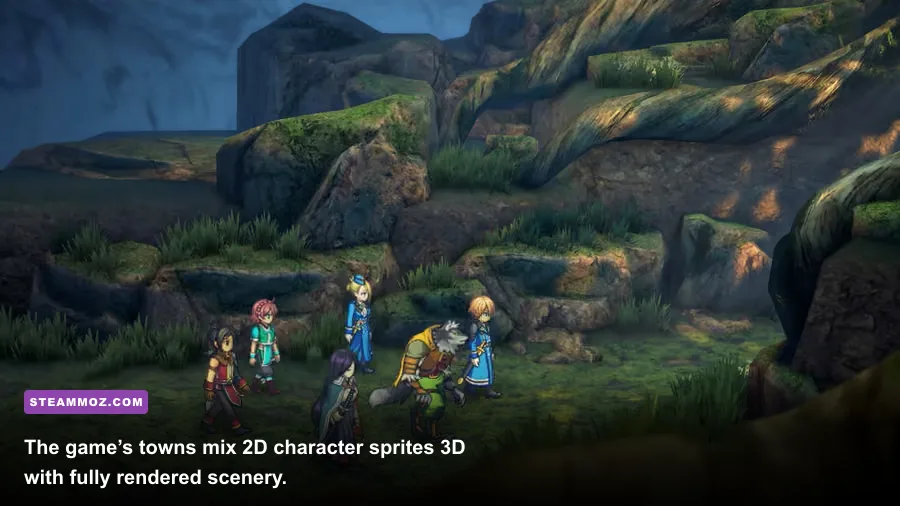
The table below uses the published PC specifications associated with the Steam version. The minimum tier is designed to get the game running, while the recommended tier gives your system considerably more breathing room during crowded battles and heavily decorated areas.
| Component | Minimum | Recommended | What it means |
|---|---|---|---|
| Operating system | 64-bit Windows 10 | 64-bit Windows 10 | A 64-bit installation is required; older 32-bit Windows versions are not suitable. |
| Processor | Intel Core i5-4460 or AMD Ryzen 3 1200 | Intel Core i7-8700 or AMD Ryzen 7 2700 | The recommended CPUs provide more headroom for battles, loading, and background processes. |
| Memory | 8GB RAM | 16GB RAM | 8GB can work, but 16GB is the safer choice for modern Windows multitasking. |
| Graphics card | NVIDIA GeForce GTX 970 or AMD Radeon RX 470 | NVIDIA GeForce GTX 1660 Ti or AMD Radeon RX 590 | The GPU handles the 3D environments, effects, resolution, and presentation layers. |
| DirectX | Version 12 | Version 12 | Your graphics driver and operating system must support the DirectX 12 feature set. |
| Storage | 40GB available space | 40GB available space | Keep additional free space available for patches and smoother drive operation. |
The biggest thing to notice is the graphics-card jump. The GTX 970 and RX 470 are older cards, but they remain substantially more capable than integrated graphics found in many office laptops. If your machine relies on Intel UHD Graphics, an older Radeon integrated GPU, or a low-power laptop chip, don’t assume that the game’s pixel-art characters guarantee playable performance.
For a useful second opinion, compare this specification pattern with our breakdown of Human Fall Flat PC requirements. Visual style and hardware demand don’t always move together. The rendering workload behind the scene matters far more than whether a game looks retro in screenshots.

🎮 Eiyuden Chronicle: Hundred Heroes
Looking to experience this game? Grab your digital key directly on our store for $14.99.
View on Steammoz Store →What the minimum PC specs really deliver

A PC that lands close to the minimum should be able to launch and play Eiyuden Chronicle, but “meets minimum” should not be confused with “guaranteed locked 60 frames per second.” The GTX 970 and RX 470 are the important reference points. They were capable 1080p cards in their day, yet many examples are now approaching a decade old, and laptop equivalents can be dramatically slower than their desktop namesakes.
At 1080p, start with the medium preset rather than immediately copying a high-end configuration. The game’s most visible performance pressure tends to arrive when 3D scenery, transparency effects, lighting, and several animated combat elements share the screen. Standard town movement may feel perfectly smooth, then a major battle or elaborate headquarters scene can expose a weaker CPU or GPU.
The i5-4460 and Ryzen 3 1200 are four-core processors. They’re adequate for the game itself, but Windows updates, browser tabs, recording software, RGB utilities, and overlays can consume the headroom that an older CPU has left. Close unnecessary launchers before playing, especially if you have only 8GB of system memory. Stutter that looks like a graphics problem can actually be caused by memory pressure or background CPU activity.
There’s also an important laptop warning. A mobile GTX 970M, GTX 1650 Max-Q, or similarly named part isn’t automatically equal to a desktop GTX 970. Check the exact GPU model in Windows Task Manager or the NVIDIA App, then compare its real specifications rather than relying on the family name.
If your computer is just below the listed minimum, the sensible experiment is 900p or 720p resolution, a medium-to-low quality mix, and a frame-rate cap. Lowering resolution reduces GPU load; it won’t rescue a CPU that is already struggling with simulation or frame pacing. If the game is smooth in empty areas but hitches whenever effects and characters pile up, reduce effects and shadows before destroying texture quality.
Recommended specs for smoother 1080p play
The recommended i7-8700 and Ryzen 7 2700 are a much more comfortable match for a modern gaming setup. Both offer significantly more multithreaded capacity than the minimum CPUs, which helps when the game is sharing time with Windows, voice chat, capture tools, or a browser. The extra cores don’t magically turn every scene into a high-refresh showcase, but they reduce the chance that the processor becomes the limiting factor.
The GTX 1660 Ti and RX 590 are also a better fit for 1080p high settings. They provide a healthy step above the minimum GPUs without being exotic hardware. If you own a newer mainstream card such as an RTX 2060, RTX 3060, RX 6600, or anything in that performance neighborhood, the game should have plenty of graphics horsepower at 1080p. The remaining variables are driver quality, frame pacing, resolution, and the game’s own settings menu.
Sixteen gigabytes of RAM is the recommendation worth taking seriously. Eiyuden Chronicle itself may not consume all of it, but modern Windows installations, Steam, Discord, browser tabs, and security software can quickly eat into an 8GB budget. When RAM fills, the system leans on the page file, and that can create hitching even when the average frame rate appears acceptable.
An SSD isn’t listed as a mandatory requirement, but it’s a smart upgrade if your PC still uses a mechanical hard drive. An SSD won’t raise your average FPS in the same way a faster GPU will. It can, however, make loading transitions feel less sluggish and reduce the pain of streaming data from a slow disk. Leave more than the bare 40GB requirement free, too; a drive with almost no free capacity is a poor place to install a sizeable RPG.
The official Steam page for Eiyuden Chronicle: Hundred Heroes is the best place to verify the current listing before buying. Store requirements can change presentation over time, and patches may alter how the game behaves on specific hardware.
Graphics settings that matter most
Don’t treat every graphics option as equally important. Resolution and rendering quality usually have the largest effect on GPU load, while shadows, effects, and post-processing can influence both frame rate and consistency. The right approach is to change one group at a time and test the same type of scene: a busy town, a battle with several characters, and a decorated headquarters area.
| Setting or adjustment | Recommended starting value | Performance impact | Visual trade-off |
|---|---|---|---|
| Resolution | 1920x1080 on recommended hardware; 1600x900 on borderline hardware | Very high | Lower resolutions are softer but provide the fastest GPU relief. |
| Overall quality | High for GTX 1660 Ti/RX 590-class cards; Medium for GTX 970/RX 470 | High | Changes several visual systems at once, so it’s a useful first test. |
| Shadows | Medium | Medium to high | Lower settings reduce depth and contact definition in 3D areas. |
| Effects and particles | Medium on minimum-tier PCs | Medium | Can reduce visual intensity during magic attacks and crowded encounters. |
| Anti-aliasing | Use the default or a moderate option | Low to medium | Lowering it may produce jagged edges around 3D objects. |
| Frame-rate cap | Match your display, or use a stable 30/60 FPS target | Improves consistency | A stable cap often feels better than an unstable maximum. |
| Resolution scaling | 100% first; reduce only after other changes | High | Lower values can make the whole image noticeably blurry. |
Textures are usually the setting to preserve when possible. Lowering them can make environmental surfaces look muddy without producing the same payoff as reducing shadows or resolution. That said, texture quality also consumes video memory, so a card with limited VRAM may benefit from a lower texture option if you see sudden hitching when entering new locations.
Use a frame-rate cap instead of chasing a number your PC can’t sustain. A machine fluctuating between 45 and 60 FPS can feel less stable than one holding a clean 30 or 45 FPS, depending on your monitor and input expectations. This is a turn-based RPG, not a competitive shooter, so consistent frame pacing matters more than bragging rights. Our guide to smooth 60 FPS settings in Hakuoki: Kyoto Winds covers the same practical principle: stability beats a wildly fluctuating peak.
CPU, GPU, RAM, and storage bottlenecks
Finding the actual bottleneck is easier if you watch usage while playing. If the GPU sits near 95–100 percent and lowering resolution produces a clear frame-rate improvement, the graphics card is the limiting part. If GPU usage remains low while one or more CPU cores are saturated, lowering resolution won’t do much; close background applications, reduce CPU-heavy effects if available, or accept a lower frame-rate target.
RAM pressure has a different signature. Check whether memory usage approaches the full 8GB while the game is running. If it does, close Chrome, Discord streams, launchers, and recording software before dropping visual settings. Upgrading from 8GB to 16GB can improve smoothness far more than replacing a single graphics setting.
Driver maintenance is worth doing before blaming the game. Install a current driver for your NVIDIA or AMD card, reboot after the installation, and avoid testing with a dozen overlays active. Steam Overlay, Discord Overlay, GeForce Experience features, Radeon recording tools, and third-party monitoring programs can occasionally conflict or add frametime spikes. Don’t disable everything permanently; just isolate the problem.
Verify the installation through Steam if you encounter missing assets, crashes, or strange visual behavior. Also make sure the game is using the dedicated GPU on a laptop. Windows can occasionally assign a demanding game to integrated graphics, producing a disastrous frame rate while the discrete GPU appears almost idle. Set the application to high performance in Windows Graphics settings and connect the laptop to power.
For broader troubleshooting habits, our guides on crashes and low FPS fixes and Hunt: Showdown PC fixes are useful references. The exact menus differ, but the diagnostic order remains solid: drivers, background software, thermals, files, then settings.
Will integrated graphics or a handheld run it?
Integrated graphics are the biggest question mark. The official minimum GPU target is a GTX 970 or RX 470, not a basic Intel UHD or older Radeon integrated solution. Newer integrated GPUs, especially those with fast dual-channel memory, may launch the game and produce acceptable results at reduced resolution, but that is an experiment rather than a configuration the published minimum guarantees.
Handheld PCs are a more promising case because devices such as the Steam Deck, ROG Ally, and Lenovo Legion Go use relatively modern integrated graphics with configurable power limits. Expect to tune resolution, quality, and frame-rate targets rather than simply selecting High. A 720p or 800p target, medium settings, and a stable 30 FPS profile can be more realistic than aiming for a constantly locked 60 FPS.
On handheld hardware, battery mode matters. Performance can fall sharply when the device switches to a lower wattage profile, and shader compilation or background updates can create temporary stutter. Keep the device plugged in during your first test, install the latest system updates, and use the platform’s performance overlay to check whether the GPU or CPU is maxing out.
There’s no shame in choosing a console version if your PC is far below the requirement. Eiyuden Chronicle’s appeal is its character-driven campaign, strategic battles, and enormous recruitable cast—not ultra-wide textures or ray-traced lighting. If you do meet the minimum, however, the PC version remains approachable with sensible compromises.
Best PC profile by hardware tier
Use these profiles as practical starting points, not rigid promises. Different drivers, laptop cooling systems, monitor resolutions, and background programs can change the result. Test in a populated town and during a full party battle before deciding that a preset is perfect.
| Hardware tier | Resolution target | Quality profile | Frame-rate strategy |
|---|---|---|---|
| Below minimum | 720p or lower | Low, with effects and shadows reduced first | Target a stable 30 FPS; investigate integrated-GPU limitations. |
| Minimum tier: i5-4460/Ryzen 3 1200 plus GTX 970/RX 470 | 900p to 1080p | Medium; preserve textures if VRAM allows | Use 30 or 60 FPS depending on demanding scenes. |
| Recommended tier: i7-8700/Ryzen 7 2700 plus GTX 1660 Ti/RX 590 | 1080p | High, lowering shadows or effects if needed | A 60 FPS target is the sensible starting point. |
| Modern mid-range gaming PC | 1080p to 1440p | High or maximum available settings | Use a display-matched cap and monitor frame pacing. |
| Modern high-end PC | 1440p or higher | High with increased resolution | Raise resolution first; don’t expect every scene to scale perfectly. |
Ultimately, the official recommended specification is a comfortable 1080p target, while the minimum specification is a playable entry point that may need compromise. The title’s HD-2D style is wonderfully efficient in some scenes, but its 3D environments, effects, and large-scale presentation still demand a real gaming GPU. If your PC has 16GB of RAM, a GTX 1660 Ti-class card or better, and a modern six-core processor, you’re in a strong position. If you’re closer to the minimum, start at 1080p medium, cap the frame rate, and lower shadows and effects before sacrificing everything else.
For official updates, patches, and platform information, keep an eye on the Rabbit and Bear Studios website and the publisher’s official Eiyuden Chronicle site. And if you’re comparing other RPG setups, Steamoz’s graphics settings performance guide offers another useful reminder: optimize for stable frame times, not just the highest number in an FPS counter.