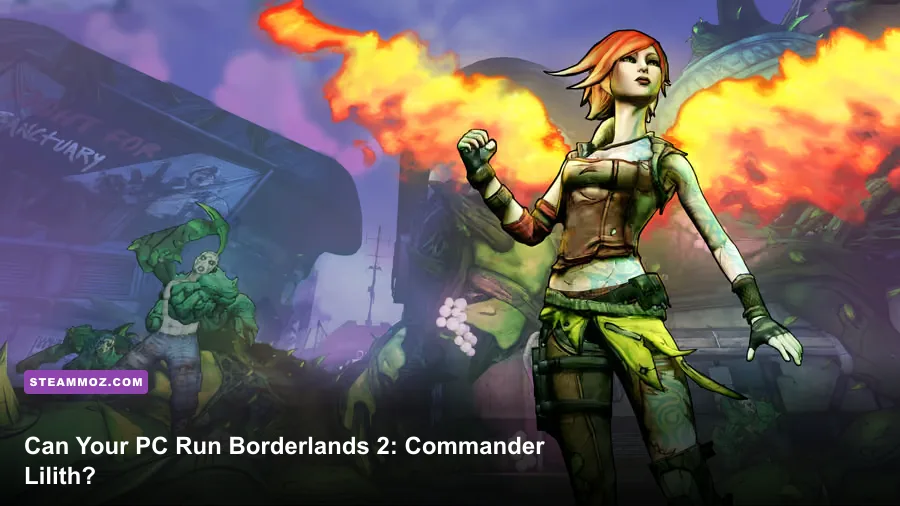
Borderlands 2: Commander Lilith and the Fight for Sanctuary is unusually easy to run by modern PC standards, but the official recommended GPU is far more demanding than the minimum. You need a 2.4 GHz dual-core CPU, 2 GB of RAM, and a GeForce GTX 560 or Radeon HD 5850 at minimum; the recommended target moves to a 2.3 GHz quad-core processor, 2 GB of RAM, and a GTX 780 or Radeon R9 290X. The expansion also requires around 13 GB of storage and a 64-bit Windows installation.
Those specifications tell only half the story. The DLC uses the same Unreal Engine 3 foundation as Borderlands 2, so older gaming PCs can handle it comfortably at 1080p. However, PhysX effects, crowded firefights in areas such as The Backburner, and the game's streaming-heavy open zones can expose weak CPUs, slow hard drives, and badly configured laptops. Below, you'll find the official requirements, what those parts mean in practice, realistic performance expectations, and the graphics settings worth changing first.
If you're comparing this expansion with other older PC releases, Steamoz's breakdown of Katamari Damacy Reroll PC specs is useful context. Commander Lilith is also much more forgiving than many modern Unreal Engine games, but its top-end PhysX profile still deserves attention.
🎮 Get Borderlands 2: Commander Lilith & the Fight for Sanctuary
Ready to dive in? Grab your copy today for just $4.94.
Check OfferOfficial Borderlands 2 Commander Lilith PC requirements
The table below reflects the PC requirements published for Borderlands 2 and the Commander Lilith expansion. The processor figures are easy to misread: the minimum is a dual-core 2.4 GHz chip, while the recommended listing calls for a quad-core 2.3 GHz processor. Clock speed alone doesn't make the recommended CPU slower. The extra cores matter when the game is processing enemy AI, physics objects, particle effects, and background asset streaming at the same time.
| Component | Minimum | Recommended | What it means today |
|---|---|---|---|
| Operating system | Windows 7 64-bit | Windows 7 64-bit | Windows 10 and Windows 11 64-bit are generally the practical targets |
| Processor | 2.4 GHz dual-core | 2.3 GHz quad-core | Any recent desktop or laptop CPU is comfortably faster |
| Memory | 2 GB RAM | 2 GB RAM | 8 GB is a sensible modern system baseline |
| Graphics card | NVIDIA GeForce GTX 560 or ATI Radeon HD 5850 | NVIDIA GeForce GTX 780 or AMD Radeon R9 290X | Modern integrated graphics may work, but dedicated graphics are safer |
| Storage | 13 GB available | 13 GB available | Leave extra space for patches, saves, and the base game |
There is an important ownership detail here. Commander Lilith is an expansion, not a standalone game. You need Borderlands 2 installed, and your real storage requirement can be considerably higher than 13 GB once the base game, DLC packs, updates, and user files are included. Check the official Steam listing before buying, especially if you're using a Steam Deck, family library, or a machine with a small SSD.
Why the graphics-card gap looks so large
The GTX 560 and Radeon HD 5850 are old DirectX 11-era cards. They represent the floor for running the game's cel-shaded environments, not a promise of perfect performance at every setting. The GTX 780 and R9 290X recommendation was aimed at players who wanted high settings, higher resolutions, and more headroom for PhysX.
That recommended GPU is overkill for a basic 1080p 60 FPS setup today. A GTX 1050, GTX 1650, RX 570, or newer equivalent should be more than adequate for conventional rendering. Even so, raw GPU power doesn't solve every hitch. The game can pause briefly while loading new sections, and a mechanical hard drive may make those transitions feel much rougher than an SSD.

🎮 Borderlands 2: Commander Lilith & the Fight for Sanctuary
Looking to experience this game? Grab your digital key directly on our store for $4.94.
View on Steammoz Store →What performance should you expect on a modern PC?
On a current mid-range gaming PC, Commander Lilith should run at 1080p and 60 FPS with most settings maxed. A 1440p system with a GTX 1660, RTX 2060, RX 5600 XT, or better should also have no trouble maintaining a high frame rate using the game's standard renderer. The real variable is PhysX, particularly when explosions, corrosive clouds, debris, and multiple enemies overlap in one fight.
Don't treat the old recommended requirement as a 4K guarantee. It was written for the hardware landscape of its release period, and it doesn't describe frame-time consistency, modern display refresh rates, or ultrawide resolutions. If you're aiming for 120 Hz or 144 Hz, you'll benefit more from a newer CPU and a clean settings profile than from blindly turning every effect to maximum.
| PC profile | Resolution | Practical target | Likely limitation |
|---|---|---|---|
| Minimum-era PC | 720p to 900p | 30 to 60 FPS on low or medium | GPU power, old CPU overhead, and streaming pauses |
| Entry-level modern laptop | 1080p | 45 to 60 FPS on medium | Integrated graphics memory and thermal throttling |
| Modern budget gaming PC | 1080p | 60 to 120 FPS on high | CPU frame-time spikes in busy encounters |
| Mid-range gaming PC | 1440p | 60 to 144 FPS on high | PhysX and high refresh-rate consistency |
| High-end modern PC | 1440p to 4K | Well above 60 FPS with tuning | Engine behavior and display scaling rather than raw power |
CPU performance matters more than the minimum suggests
The four-player co-op design is the clue. Borderlands 2 isn't just drawing a gun and a level; it's tracking enemy behaviors, elemental status effects, loot drops, shield regeneration, projectiles, vehicles, and physics interactions. A dual-core chip that technically meets the requirement can still produce uneven frame times when four Vault Hunters fill a room with bullets and explosions.
That doesn't mean you need a premium processor. A modern four-core CPU is enough for a strong 60 FPS experience, while six cores provide comfortable overhead for Discord, recording software, browser tabs, and background tasks. If the GPU usage is low but the frame rate dips during combat, lowering texture quality won't help much. Reduce PhysX, close background programs, and check whether the CPU is hitting a thermal or power limit.
Best graphics settings for stable FPS
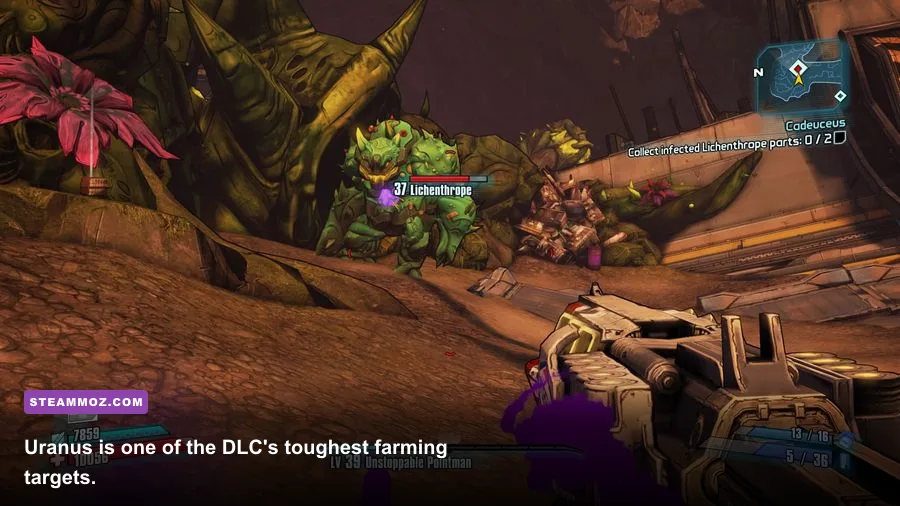
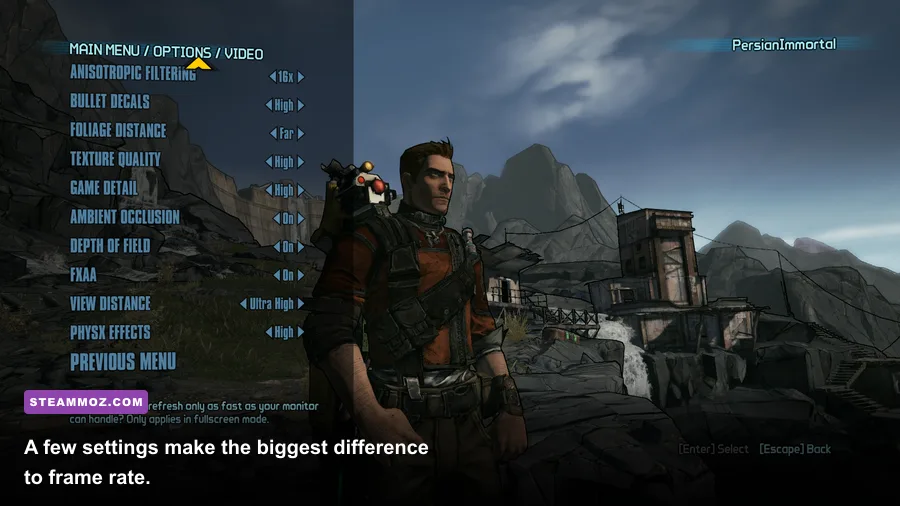
Borderlands 2's menu gives you plenty of options, but not all of them deserve equal attention. Texture quality mostly depends on video memory and has a modest effect on frame rate. PhysX is the setting that can turn a smooth firefight into a stuttering mess on older NVIDIA and AMD hardware. Start with PhysX on Low or Off, then raise it only after confirming that busy battles remain smooth.
| Setting | Recommended value | FPS impact | Visual trade-off |
|---|---|---|---|
| Resolution | Native display resolution | Very high | Lowering it helps immediately but makes the image softer |
| Overall quality | High on modern hardware | Medium | Medium is a good fallback for older laptops |
| Texture quality | High if VRAM allows | Low to medium | Lower settings make weapons and surfaces look muddy |
| View distance | High | Medium | Lower values can make distant objects pop into view |
| Anisotropic filtering | 8x or 16x | Low | Keeps road and floor textures sharp at angles |
| Anti-aliasing | FXAA or the available default | Low to medium | Reduces jagged edges with a small softness cost |
| Ambient occlusion | On for mid-range PCs | Medium | Adds contact shadows around geometry |
| PhysX effects | Low or Off for weak GPUs | High in combat | Fewer particles, cloth effects, and debris simulations |
| V-Sync | Off with VRR; On if tearing is severe | Variable | Can add latency or cap frame rate |
Three settings profiles worth using
For minimum-spec machines: use 1280x720 or 1600x900, medium textures, low view distance, FXAA, ambient occlusion off, and PhysX off. Cap the frame rate to 60 if your system can hold it, or use a stable 30 FPS cap rather than allowing constant swings between 28 and 60. A consistent frame time feels much better during aiming and vehicle sections.
For a modern 1080p PC: use native resolution, high textures, high view distance, 8x anisotropic filtering, FXAA, ambient occlusion on, and PhysX low. This profile preserves the distinctive comic-book shading while avoiding most unnecessary performance loss. If you have an RTX-class GPU or a newer Radeon, try PhysX medium, but test it in a crowded fight rather than an empty hallway.
For 1440p or high-refresh play: start at high quality, then turn PhysX off if frame pacing becomes uneven. Borderlands 2's gunplay benefits from a stable frame rate, especially when using fast-firing weapons such as the Sand Hawk or a high-fire-rate Vladof rifle. The visual gain from maximum PhysX is rarely worth sacrificing responsiveness.
For more troubleshooting ideas, compare your symptoms with Steamoz's guide to crashes and low FPS fixes. The games use different engines, but the basics still apply: update the GPU driver, verify files, disable unnecessary overlays, and test a clean launch.
Storage, operating system, and laptop checks
The 13 GB requirement is manageable, but installing to an SSD remains one of the best quality-of-life upgrades. Commander Lilith adds the Backburner hub, new missions, new enemy encounters, and expanded loot tables. Asset streaming between areas can feel sluggish on a heavily fragmented hard drive, particularly when the operating system is also competing for disk access.
Windows 7 64-bit is the listed operating system, not the version you should necessarily install today. Windows 10 and Windows 11 64-bit are the sensible choices for a supported modern desktop. Keep the game updated through Steam, and avoid compatibility modes unless you are specifically fixing a launch problem. Compatibility settings can sometimes introduce odd behavior with overlays, resolution scaling, or controller detection.
Laptop buyers should pay attention to the GPU name. Intel UHD, Iris Xe, and AMD integrated graphics can sometimes run older Unreal Engine 3 games, but performance varies sharply with memory configuration and laptop power limits. Dual-channel RAM is especially helpful for integrated graphics because the GPU borrows system memory. If your laptop has both integrated and dedicated graphics, force Borderlands 2 to use the high-performance GPU in Windows Graphics settings.
| Check | Why it matters | Recommended action |
|---|---|---|
| Free disk space | The DLC depends on the base game and may need patch space | Keep at least 20 GB free beyond the installed files |
| Drive type | Streaming and area transitions are smoother on solid-state storage | Install on an SSD when possible |
| RAM configuration | Integrated GPUs lose performance with single-channel memory | Use dual-channel RAM and close heavy background apps |
| Power mode | Battery profiles can heavily restrict laptop CPU and GPU clocks | Play plugged in with Windows set to Best Performance |
| GPU selection | Laptops may launch the game on the weaker integrated GPU | Assign the dedicated GPU in Windows Graphics settings |
If you're planning a larger library on a compact drive, the storage advice in Steamoz's Kingdom Come: Deliverance PC specs guide is also relevant. Commander Lilith is small by current standards, but modern games quickly consume free space around it.
What the expansion adds and why performance can dip
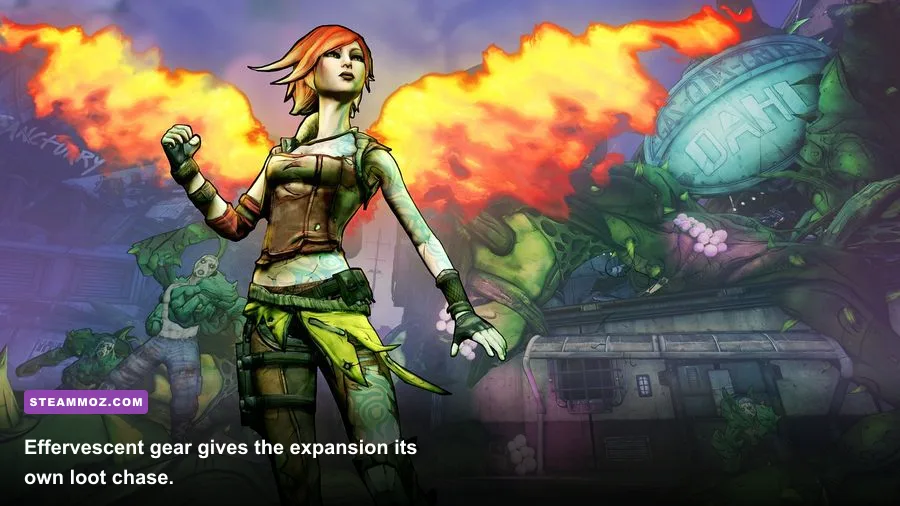
Commander Lilith takes place after Borderlands 2 and follows Lilith, the Crimson Raiders, and the fight to reclaim Sanctuary. The campaign introduces The Backburner as a new base, the Dahl Abandon, the Burrows, and other areas built around the expansion's escalating conflict. It also raises the level cap from 72 to 80, adds the Overpower Level 10 challenge, and introduces the rare Effervescent rarity tier.
The higher-level progression is relevant to PC performance because enemies and combat encounters become more effect-heavy. A returning Vault Hunter may bring a familiar build, but the expansion expects you to engage with stronger gear and more punishing enemy combinations. The new Uranus boss, for example, is a popular loot target because it can drop valuable gear, but the arena can become visually noisy with rockets, elemental effects, and multiple targets.
Don't confuse a frame-rate dip with a weak graphics card automatically. In a boss fight, watch GPU utilization and frame-time behavior. If GPU use sits near 99 percent, lower resolution, ambient occlusion, or PhysX. If GPU use drops while the frame rate falls, the CPU, engine thread, driver overhead, or background software is more likely responsible. Borderlands 2 is old enough that modern high-end hardware can run into engine quirks rather than traditional hardware limits.
Gear and build effects on demanding fights
Weapon choice can change how busy the screen becomes. A fast-firing weapon such as the Sand Hawk creates more projectiles and elemental effects than a slower Jakobs rifle. Maya's Phaselock can group enemies for explosive damage, while Salvador's Gunzerking encourages sustained fire from two weapons. Those combinations are fun, but they also create the kind of combat load that exposes poor frame pacing.
For build planning, start with your character's established strengths rather than chasing raw damage. Maya's Cataclysm tree amplifies elemental effects, Axton's Guerrilla and Survival trees make the Sabre Turret more reliable, and Zero's Critical Ascensi0n-style sniper play rewards precision rather than particle-heavy spray. The exact build doesn't change the official requirements, but it changes what your PC must render during the busiest moments.
Players who enjoy optimizing gear can also browse Steamoz's weapon tier list coverage for a different perspective on balancing power and practicality. In Commander Lilith, a weapon that kills faster can sometimes reduce the length of a demanding encounter more effectively than a small graphics downgrade.
How to decide if your PC is ready
Use the minimum requirements as a launch threshold, not a performance promise. If your PC has a modern four-core processor, 8 GB of RAM, an SSD, and a GTX 1050, GTX 1650, RX 570, or newer graphics card, it should be a strong 1080p machine for this expansion. At 1440p, a GTX 1660 Super, RTX 2060, RX 5600 XT, or comparable GPU gives you a comfortable starting point.
Before buying, confirm that your copy of Borderlands 2 is installed, you have more than the advertised 13 GB free, and your laptop is using its dedicated GPU. After installation, begin with the high preset, disable or reduce PhysX, and test a busy area rather than judging performance inside Sanctuary. If the game is smooth there, your ordinary missions should feel even better.
For official ownership and compatibility details, consult the Borderlands official website and 2K support resources. If you want more general beginner build advice, Steamoz's starting-build guide offers useful principles for prioritizing survivability and reliable damage.
Bottom line: Commander Lilith is one of the easiest modern-era loot shooters to run on PC. The official minimum hardware is ancient, and practically any recent gaming laptop or desktop can exceed it. The smart target is a stable 1080p 60 FPS profile with high textures, an SSD installation, and PhysX set conservatively. Meet those conditions and the return to Sanctuary should be limited by your loot luck, not your frame rate.