
Kingdom Come: Deliverance Royal Edition needs an older gaming PC by today’s standards, but its open-world CryEngine simulation still rewards extra CPU power, 16GB of RAM, and an SSD. The official minimum is an Intel Core i5-2500K or AMD FX-8320, 8GB of memory, and a GeForce GTX 660 or Radeon HD 7870. The recommended target is an i7-3770 or FX-8350, 16GB RAM, and a GTX 780 or Radeon R9 290. You’ll also need roughly 70GB of storage and a 64-bit Windows installation.
Those figures apply to the Royal Edition because it is the original game bundled with its major expansions, not a remastered build. That distinction matters. From the Ashes, The Amorous Adventures of Bold Sir Hans Capon, Band of Bastards, A Woman’s Lot, and the Treasures of the Past content don’t radically raise the listed GPU requirement. They do add more locations, NPC activity, quests, and streaming work, so a machine that only scrapes the minimum can still feel rough in Rattay, Sasau, or Pribyslavitz.

🎮 Get Kingdom Come: Deliverance Royal Edition
Ready to dive in? Grab your copy today for just $7.99.
Check OfferKingdom Come Deliverance Royal Edition system requirements
The table below reflects the published PC requirements for Kingdom Come: Deliverance on Steam. Treat the minimum tier as a boot-and-play baseline rather than a promise of locked 60fps. The game’s large outdoor spaces, dense towns, real-time lighting, and NPC simulation can produce frame-time spikes even when average performance looks acceptable.
| Component | Minimum | Recommended | What it means in practice |
|---|---|---|---|
| Operating system | Windows 7 64-bit or newer | Windows 10/11 64-bit | Use a current 64-bit Windows version for driver and security support. |
| Processor | Intel Core i5-2500K 3.3GHz or AMD FX-8320 | Intel Core i7-3770 3.4GHz or AMD FX-8350 | CPU speed and frame-time consistency matter heavily in towns and battles. |
| Memory | 8GB RAM | 16GB RAM | 16GB reduces hitching while the world streams assets and background apps run. |
| Graphics card | GeForce GTX 660 or Radeon HD 7870 | GeForce GTX 780 or Radeon R9 290 | The recommended tier is better suited to 1080p with higher detail. |
| Storage | 70GB available | 70GB available, preferably SSD | An SSD won’t raise average fps much, but it can shorten loading and reduce streaming stalls. |
The GTX 660 and HD 7870 are both old 2GB-class cards, and that tiny video-memory budget is the first warning sign for modern systems. If you’re using an integrated GPU, a laptop GTX 1050, or a similarly entry-level graphics chip, expect substantial compromises. The game may launch, but high-resolution textures, long draw distance, and volumetric effects will quickly expose the hardware ceiling.
For a second opinion on how demanding older CryEngine games can be, our guide to Hunt: Showdown 1896 PC requirements offers a useful comparison. The two games are built around different workloads, but both punish weak CPUs and slow storage more than a simple spec sheet suggests.
🎮 Kingdom Come: Deliverance Royal Edition
Looking to experience this game? Grab your digital key directly on our store for $7.99.
View on Steammoz Store →Can your PC run the Royal Edition?

If your hardware sits near the recommended specification, 1080p is the sensible target. A desktop with a Core i7-3770-class processor, 16GB RAM, and a GTX 780-class GPU should handle a mixture of high and medium settings, though it won’t deliver a perfectly flat 60fps everywhere. Expect the countryside to feel smoother than large settlements, where NPC routines and shadows pile on extra CPU and GPU work.
Modern equivalents are easier to judge by class than by model number. A Ryzen 5 3600, Core i5-10400, GTX 1660, RX 580, RTX 2060, or RX 6600 all give you a more comfortable platform than the original recommended parts. The exact result depends on resolution and presets, but these newer systems benefit from better memory bandwidth, improved driver support, and much stronger frame-time behavior.
There’s one trap in comparing old and new GPUs: raw naming doesn’t tell the whole story. A card with 4GB or 6GB of VRAM is far more comfortable than the minimum-era 2GB boards, especially if you push texture quality and object distance. The Royal Edition itself doesn’t demand a modern ray-tracing card. It wants a stable rasterization GPU with enough VRAM and a processor that can keep the simulation moving.
Before buying, check the PC version listed on the official Kingdom Come: Deliverance website, then compare your exact CPU and GPU against current benchmarks. Don’t rely on a single “can I run it?” result. Minimum-spec tools often ignore whether you want 30fps at 1080p or 60fps at 1440p.
Best graphics settings for stable 1080p performance

Kingdom Come: Deliverance looks gorgeous because it spends aggressively on foliage, shadows, lighting, and object detail. The smartest approach isn’t simply dragging every slider to Low. Several settings deliver a big frame-rate gain with a relatively small visual penalty, while others mainly affect distant scenery and can stay higher on a capable GPU.
| Setting | Recommended value | FPS impact | Visual trade-off |
|---|---|---|---|
| Overall preset | High, then tune manually | Medium | Useful starting point, but the preset can waste performance on shadows and particles. |
| Object quality | Medium or High | High | Lowering it reduces distant geometry and helps busy areas. |
| Shader quality | Medium | Medium to high | Often one of the best cuts for older GPUs with modest image-quality loss. |
| Shadow quality | Medium | High | High shadows look richer, but the performance cost is noticeable in towns. |
| Texture quality | High if VRAM allows | Low to medium | Keep it high on 4GB-plus cards; lower it if you see texture pop-in or hitching. |
| Vegetation detail | Medium | Medium | Lower foliage density helps forests and open fields without wrecking the scene. |
| Water detail | Medium | Low to medium | Mostly matters around rivers and ponds. |
| Motion blur | Off | Small | Sharper camera movement and a cleaner combat view. |
| Object distance | Medium | High on CPU-limited systems | Reducing it can improve town frame times more than lowering textures. |
For minimum-spec hardware, start at 1600x900 or 1280x720, use Low-to-Medium settings, and cap the frame rate at 30fps if 60fps constantly fluctuates. A stable 30 feels dramatically better than a swing between 22 and 48fps during sword fights. If your monitor supports adaptive sync, enable FreeSync or G-Sync and cap a few frames below the display’s maximum refresh rate.
At the recommended tier, try 1920x1080, High textures, Medium shadows, Medium shaders, and Medium object distance. That profile keeps the game’s distinctive foliage and architecture intact while trimming the settings most likely to cause spikes. If you’re targeting 1440p, reduce shadows and object distance before sacrificing texture quality.
Why CPU and RAM matter so much

The Royal Edition isn’t just a pretty walking simulator. Henry moves through a living map where guards patrol, merchants trade, villagers follow routines, quests change the state of locations, and combat can involve several actors at once. That workload explains why a faster CPU can improve perceived smoothness even when your graphics card is technically above the recommended level.
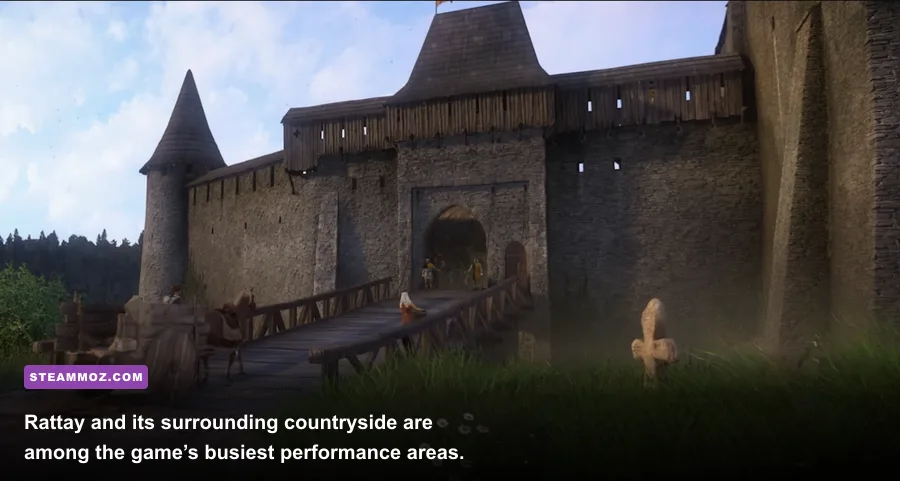
The biggest distinction is average fps versus frame time. A benchmark might report 50fps, but a poorly paced sequence can still feel jerky if individual frames arrive unevenly. Those moments often appear when entering Rattay, riding toward a populated settlement, loading a quest area, or triggering a multi-enemy encounter. Lowering object distance and shadow quality helps the GPU, but an old four-thread processor may remain the limiting factor.
Eight gigabytes of RAM is enough to satisfy the listed minimum, yet 16GB is the practical target. With only 8GB, Windows, Steam, a browser, voice chat, and the game can compete for memory. That pressure encourages paging, which is exactly what you don’t want during open-world streaming. Close unnecessary applications, leave a healthy amount of free space on the system drive, and avoid running the game from a mechanical hard drive if an SSD is available.
Dual-channel memory also matters. Two matched RAM modules generally provide better bandwidth than one module of the same total capacity. It won’t transform a weak GPU, but it can improve minimums and reduce the ugly little pauses that make riding through the countryside feel less fluid.
If another demanding title is also stuttering on your machine, Steamoz’s Just Cause 4 Reloaded low-fps fixes and Aliens: Fireteam Elite PC troubleshooting guide cover the same useful fundamentals: clean drivers, sensible overlays, thermal checks, and verifying installed files.
Royal Edition content and performance impact
The Royal Edition bundles the base campaign with five major content additions, but it doesn’t turn the game into a technically separate sequel. Your system is still rendering the same Bohemian world, using the same core graphics options and engine behavior. The expansions mainly influence performance indirectly by adding more playtime in locations where the engine already works hard.
| Royal Edition content | What it adds | Performance consideration |
|---|---|---|
| From the Ashes | Pribyslavitz settlement management and rebuilding | Busy settlement scenes can increase CPU and streaming pressure. |
| The Amorous Adventures of Bold Sir Hans Capon | Story quests focused on Hans Capon | Mostly comparable to the base game; towns remain the heavier areas. |
| Band of Bastards | Combat-focused mercenary storyline | Multi-character encounters can expose weak frame times. |
| A Woman’s Lot | Theresa and Johanka story content | Uses familiar environments and doesn’t require a new GPU tier. |
| Treasures of the Past | Additional treasure maps and equipment | No meaningful requirements increase by itself. |
From the Ashes deserves the most attention because Pribyslavitz adds a settlement that evolves as you invest in buildings and services. It’s not a separate benchmark mode, but the additional activity makes CPU behavior more noticeable. You can read more about the game’s official content and updates through Deep Silver’s official game page.
Best PC profiles for minimum and recommended hardware
There isn’t one perfect preset for every machine, so use these profiles as practical starting points. The goal is consistent frame delivery during combat and travel, not a screenshot-perfect view that collapses whenever Henry enters a crowded market.
Minimum-spec profile
Choose 1280x720 or 1600x900, Low textures, Low shaders, Low shadows, Medium water, Low vegetation, and Low-to-Medium object distance. Turn motion blur off and cap the game at 30fps. If the GPU has only 2GB of VRAM, textures should be the first setting you lower when hitching appears. Don’t chase 60fps by making the image so soft that reading signs and spotting enemies becomes harder.
Recommended-spec profile
At 1080p, use High textures, Medium shadows, Medium shaders, Medium vegetation, High water, and Medium object distance. This is the sweet spot for a GTX 780/R9 290-class machine. Keep an eye on GPU usage: if it sits near 99 percent, lower resolution or shaders; if it drops while the frame rate tanks in town, the CPU or streaming workload is probably responsible.
Modern mid-range profile
With a Ryzen 5 3600 or newer and a GTX 1660, RTX 2060, RX 5600 XT, or better, 1080p High is realistic. Raise object distance and vegetation only after checking town performance. At 1440p, use High textures with Medium shadows and shaders. Ultra settings are rarely worth the cost unless you have plenty of GPU headroom, because the game’s most memorable visual details already survive at High.
Finally, keep expectations tied to the game’s age. The Royal Edition remains a demanding, unusually ambitious RPG built around dense simulation rather than esports-style responsiveness. Patch the game through Steam, update your graphics driver, install it on an SSD, and test performance in Rattay instead of staring at an empty field. If your PC handles that town, a forest ride, and a multi-enemy fight without ugly frame-time spikes, it’s ready for Henry’s long road from blacksmith’s son to reluctant hero.
For more practical PC advice, Steamoz’s PC RPG tips archive is worth browsing before you start tweaking blindly. The short version remains clear: 8GB RAM and the GTX 660-class GPU can launch Kingdom Come: Deliverance Royal Edition, but 16GB, an SSD, and a modern six-core processor are what make the adventure feel properly smooth.