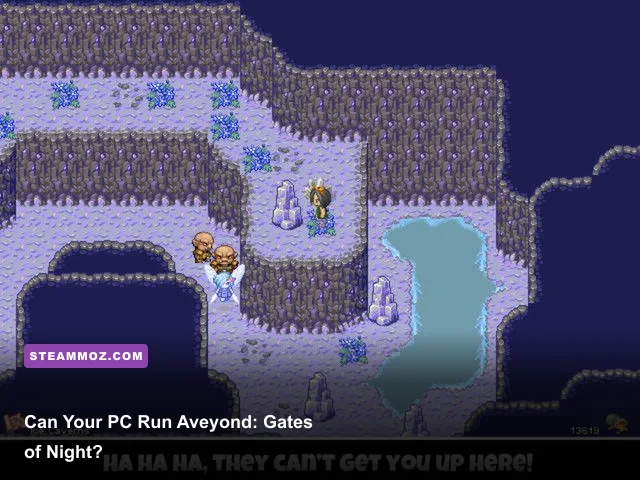
Aveyond: Gates of Night has exceptionally light PC requirements. The Windows version needs only a 1 GHz processor, 512 MB of RAM, a DirectX 9-compatible graphics device, and roughly 100 MB of available storage. There is no meaningful modern GPU requirement, and most desktops, office laptops, mini PCs, and handheld computers released in the last decade should run this 2D RPG comfortably.
The important catch is that the official listing does not present a separate, hardware-heavy recommended specification. Its published minimum is effectively the practical baseline for the game. That means your biggest concerns are Windows compatibility, display scaling, controller or keyboard preferences, and whether the Steam build behaves properly on your particular older system—not raw graphics power.
Aveyond: Gates of Night system requirements at a glance
Note: Hardware requirements can vary slightly between storefront listings and legacy versions. Always check the current official Steam listing before buying. The table below reflects the low published baseline associated with the Windows release.
| Component | Minimum PC specs | Recommended PC specs | Practical verdict |
|---|---|---|---|
| Operating system | Windows XP, Vista, or 7-era Windows support | Windows 10 or Windows 11 with compatibility fixes if needed | Modern Windows PCs are powerful enough; legacy software support matters more |
| Processor | 1 GHz CPU | Any modern dual-core processor | Almost no current CPU will be challenged |
| Memory | 512 MB RAM | 2 GB RAM or more | The game itself uses very little memory |
| Graphics | DirectX 9-compatible graphics hardware | Integrated Intel, AMD, or Apple-compatible graphics through a supported Windows setup | Dedicated gaming GPU is unnecessary |
| DirectX | DirectX 9 | Current DirectX runtime plus legacy components where required | Missing legacy runtime files are a more realistic problem than GPU speed |
| Storage | About 100 MB available space | At least 500 MB free for installation, saves, and headroom | Install size is tiny by today’s standards |
| Display | 800×600-class resolution | Any supported desktop resolution with integer or proportional scaling | Expect a small retro game window or softened fullscreen image |
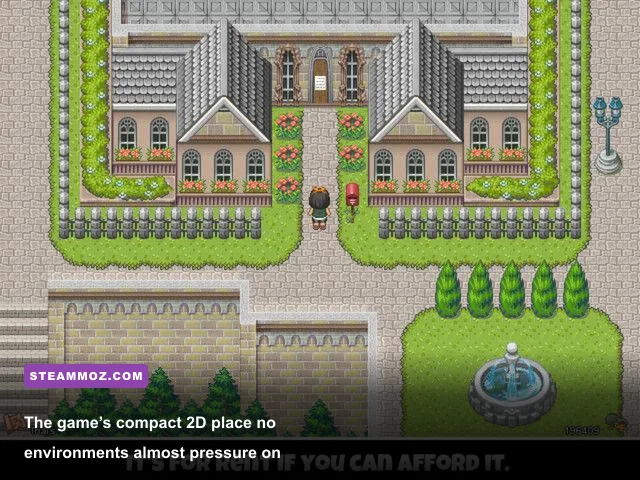
Those numbers look almost comically small beside modern games, but they make sense. Gates of Night is a classic-style, sprite-driven role-playing game rather than a 3D open-world production. Its environments, character art, menus, effects, and battles are built around a lightweight 2D presentation. Your GPU is not streaming huge textures, calculating complex lighting, or rendering thousands of animated objects.
The 100 MB storage figure also deserves context. You should leave more free space than the exact requirement suggests, especially if the game is installed through Steam. The extra room covers the installer, Steam files, save data, cloud synchronization, and temporary update files. You do not need a second drive or an SSD for performance, though an SSD can make launching and loading feel nearly instant.

🎮 Aveyond: Gates of Night
Looking to experience this game? Grab your digital key directly on our store for $1.99.
View on Steammoz Store →What the minimum requirements really mean in 2026
The word “minimum” can be misleading here. A 1 GHz processor and 512 MB of RAM describe hardware that is now several generations obsolete. Almost every working Windows 10 or Windows 11 computer exceeds that baseline by a huge margin. An inexpensive office laptop with an Intel Celeron, Pentium Silver, Ryzen 3, or integrated graphics should have enough power for full-speed play.
In practical terms, the minimum specification is not asking whether your PC can render the game. It is asking whether your PC can run the older software environment reliably. That distinction is crucial. A modern graphics card may be thousands of times faster than the game needs, yet you can still encounter a launch problem caused by a missing runtime library, unusual DPI scaling, or a fullscreen mode that does not agree with your monitor.
Processor and memory
The CPU requirement is so low that background applications will usually matter more than Gates of Night itself. You can keep a browser, music player, chat client, or game launcher open without creating a meaningful performance bottleneck. The same applies to memory. Although 512 MB is the listed baseline, a modern Windows installation needs far more RAM for itself. A machine with 4 GB can run the game, but 8 GB is a much healthier total system configuration for Windows and everyday multitasking.
Do not spend money upgrading a processor or adding memory solely for this title. If your computer already launches ordinary 2D games, it likely has more than enough headroom. The only time RAM becomes worth investigating is when the entire operating system is freezing, swapping heavily, or closing applications—not because the RPG is demanding too much.
Graphics hardware
A DirectX 9-compatible adapter is the meaningful graphics requirement. That includes old discrete cards and a wide range of integrated graphics. Modern Intel UHD, Iris Xe, AMD Radeon integrated graphics, and entry-level laptop GPUs are all vastly beyond what the game needs from a rendering perspective.
You also should not interpret “DirectX 9” as meaning that your PC must literally be running an old version of DirectX. Windows 10 and Windows 11 include newer DirectX components, but some older games still depend on legacy files that are not installed by default. If the game opens and immediately closes, displays a missing DLL error, or produces a blank window, installing Microsoft’s official DirectX End-User Runtime is a sensible first troubleshooting step.
Will Aveyond: Gates of Night run on a low-end laptop?

Yes, almost certainly—provided the laptop can run the game’s Windows version. This is a particularly safe choice for a machine with integrated graphics, a low-power processor, or limited storage. The game’s sprite-based presentation does not need dedicated VRAM, hardware ray tracing, a gaming CPU, or a modern shader architecture.
| PC type | Expected result | Likely limitation | What to do |
|---|---|---|---|
| Recent gaming desktop | Runs effortlessly | Potentially awkward image scaling | Use windowed mode or configure fullscreen scaling in the GPU control panel |
| Modern office laptop | Runs comfortably | Integrated display scaling and legacy compatibility | Try compatibility mode if fullscreen or startup fails |
| Older Windows laptop | Should run if the OS and drivers cooperate | Old drivers, battery-saving throttling, small display | Play while plugged in and use a stable windowed resolution |
| Mini PC or office desktop | Usually excellent | Occasional controller-detection quirks | Use keyboard input or map a controller through Steam Input |
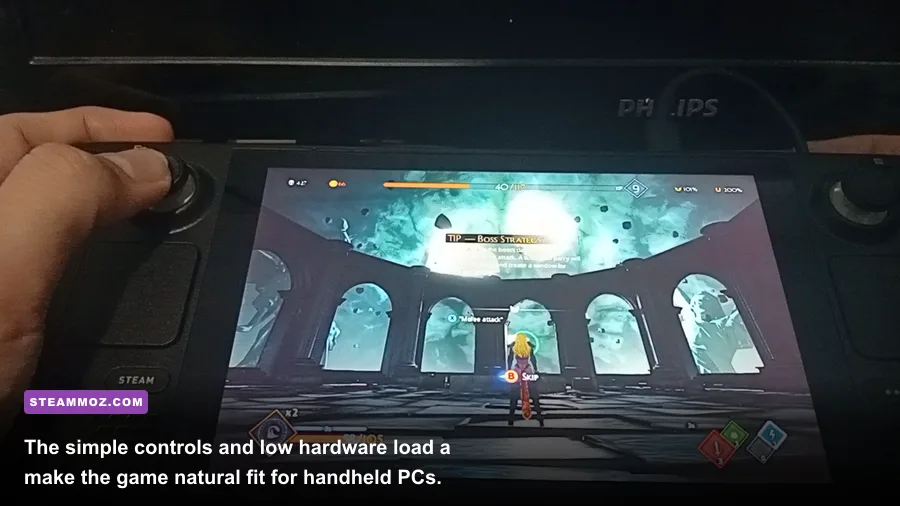
| Steam Deck or handheld PC | Very low hardware demand | Compatibility layer and tiny text at native scaling | Test the current build and adjust screen scaling for readability |
| Mac or Linux computer | Not guaranteed by the Windows specification | Official support and compatibility-layer behavior | Check the current store listing and community reports before purchasing |
Battery life should also be excellent compared with a modern 3D RPG. The game does not need a discrete GPU running at high clocks, so an integrated-graphics laptop should draw relatively little power. Still, old software can occasionally behave oddly with aggressive laptop power profiles. If the game slows down, stutters, or fails to maintain its intended timing, switch Windows to a balanced or high-performance profile while plugged in.
For a tiny screen, resolution is the bigger concern. Classic RPG interfaces often use compact text, small menu icons, and a fixed low-resolution layout. A 13-inch 1080p laptop may display the game in a small centered window or stretch it across the screen. Neither outcome means your hardware is failing. It is simply the visual language of an older game meeting a modern panel.
Recommended settings for smooth, readable play
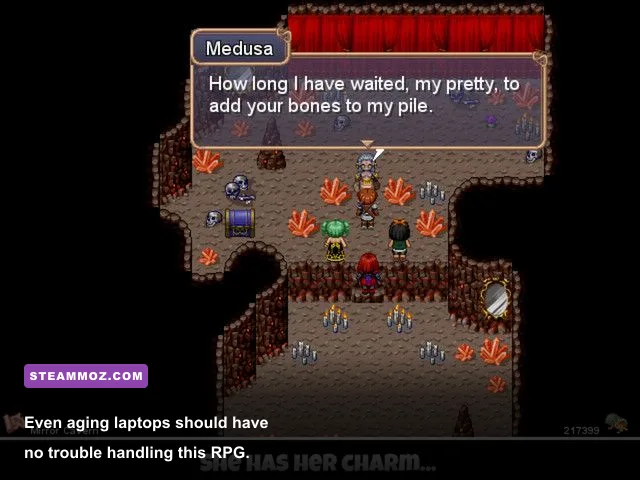
There is no modern graphics menu to tune in the way you would adjust Cyberpunk 2077 or Everspace 2. You are not balancing shadows, volumetric fog, texture quality, and reflections. Instead, the best setup is about preserving clean pixel art, avoiding awkward scaling, and making sure the game receives predictable keyboard or controller input.
| Setting or option | Recommended value | Performance impact | Visual or usability note |
|---|---|---|---|
| Resolution | Native game resolution or a clean integer multiple | Negligible | Integer scaling keeps sprites sharper than arbitrary stretching |
| Display mode | Windowed first; fullscreen only if scaling looks correct | Negligible | Windowed mode is often easier to manage on modern monitors |
| Windows DPI scaling | Test application override if the window is blurry or oversized | None | Right-click the executable and inspect Compatibility settings |
| GPU scaling | Preserve aspect ratio or integer scaling | None | Prevents a 4:3 presentation from being stretched unnaturally |
| Frame-rate tools | Leave external frame limiters disabled initially | None | Old games can react badly to forced timing changes |
| V-Sync | Use the game’s default behavior first | Very low | Only force it if visible tearing bothers you |
| Steam Input | Enable only when using a controller | None | Keyboard and mouse may remain the simplest option |
| Windows compatibility mode | Try Windows 7 or XP compatibility only after a normal launch fails | None | Compatibility mode can solve issues but may introduce new ones |
The safest order is simple: launch normally, confirm the game reaches the title screen, then adjust one thing at a time. Do not begin by forcing an old compatibility profile, an unusual resolution, and a third-party wrapper simultaneously. If something breaks, you will have no idea which change caused it.
For a blurry presentation, begin with Windows display scaling and your GPU’s scaling mode. Modern panels frequently enlarge a low-resolution image using a soft filter. If your graphics driver offers “integer scaling,” test it. If not, a smaller window with sharp edges may look better than stretched fullscreen. This is a visual preference rather than a performance fix, because even the weakest compatible GPU can render the game at high speed.
Common launch problems and practical fixes
Older RPG software can be easy to run once configured, but its first launch may expose compatibility problems that have nothing to do with system power. Start with the official game page and the developer’s available support material. The Amaranth Games website is the appropriate place to look for developer information, while the game’s Steam Community discussions can reveal version-specific workarounds.
The game does not start
First, verify the installation through Steam and restart the launcher. Then try running the game from its installed folder as administrator only if permissions appear to be involved. If Windows reports a missing DirectX file, use Microsoft’s official legacy runtime package rather than downloading an individual DLL from a random website. Standalone DLL download sites are a common source of malware and mismatched files.
Security software can also quarantine old executables because their signatures are unfamiliar. Check your antivirus history, but do not blindly disable protection. Add an exception only when you have confirmed the file came from the legitimate storefront and the alert is a false positive.
The image is black, stretched, or too small
Try windowed mode before changing driver settings. If fullscreen produces a black screen, press Alt+Enter once, wait a moment, and see whether the game returns to a window. On high-DPI displays, right-click the executable, open Properties, choose Compatibility, and test the high-DPI scaling override. Different Windows builds label that control slightly differently, so the goal is to make the application—not Windows—handle its scaling.
Preserve the original aspect ratio whenever possible. Stretching a classic 4:3 image to a 16:9 panel makes circles look wide and characters appear distorted. Black bars are not a defect; they are usually the cleaner option.
Input, audio, and save issues
If a controller is not detected, connect it before launching the game and test Steam Input. A wired controller can be more reliable than Bluetooth on older software. If the game ignores input after you switch windows, click back into the game and avoid leaving multiple overlays active.
For save problems, confirm that Windows Security or third-party antivirus is not blocking the game from writing to its user folder. Cloud synchronization can occasionally create conflicts when you play on two machines. Keep a manual backup of your save files before changing compatibility settings or reinstalling. That small precaution is worth it for a story-focused RPG where losing progress is far more painful than losing a few frames per second.
How the PC experience compares with other classic RPGs
Gates of Night is best understood as a low-demand adventure RPG, not a game that needs a carefully tuned gaming rig. Its combat, exploration, puzzles, and character-driven story are the real reasons to play. Hardware discussions should therefore focus on reliability and comfort rather than chasing a higher frame rate that the art style does not visibly need.
| Player concern | What matters for Gates of Night | What does not matter much | Best recommendation |
|---|---|---|---|
| Frame rate | Stable timing and a clean launch | High-end GPU horsepower | Use default settings before forcing an FPS cap |
| Loading times | Storage health and installation integrity | NVMe versus SATA speed | Any functioning SSD or hard drive is sufficient |
| Image quality | Aspect ratio and scaling behavior | Ray tracing, anisotropic filtering, HDR | Prefer sharp integer scaling or a crisp window |
| Portability | Battery profile, text size, input mapping | Dedicated graphics memory | Use a handheld’s performance profile and test readability |
| Stability | Legacy runtime files and permissions | Overclocking or extra cooling | Keep drivers current and change compatibility options carefully |
If you are shopping specifically for this game, do not buy a new gaming PC on its behalf. Even the cheapest currently supported Windows machine should exceed the listed CPU, memory, graphics, and storage requirements. A refurbished office laptop is more than enough, and a modern integrated GPU is not merely acceptable—it has enormous unused capacity.
That advice is different from what you might need for a demanding RPG. If you have been comparing this title with newer games, Steamoz’s guides to Edna & Harvey: Harvey’s New Eyes PC requirements and Far Cry 2 PC specifications show how much more varied older PC requirements can be. Aveyond: Gates of Night sits at the exceptionally lightweight end of that spectrum.
The final verdict on Aveyond: Gates of Night PC specs
There is no serious hardware barrier here. The minimum target is a 1 GHz processor, 512 MB of RAM, DirectX 9-compatible graphics, and around 100 MB of storage. For a practical modern recommendation, use any Windows 10 or Windows 11 computer with 4–8 GB of system memory, integrated graphics, and at least 500 MB of free space. That setup gives you plenty of room for the operating system and removes the only real concern: legacy software compatibility.
The smarter buying checklist is short. Confirm that your operating system can run the current Windows release, make sure the installation has enough free space, keep a save backup, and be ready to test windowed mode if fullscreen scaling looks strange. You do not need a dedicated graphics card, a high-refresh gaming monitor, a powerful processor, or an expensive SSD.
In other words, if your PC can handle everyday Windows tasks and lightweight 2D games, it can almost certainly handle Aveyond: Gates of Night. Spend your attention on whether you enjoy its retro presentation and story-led adventure—not on whether your graphics card is powerful enough. It is.
For more low-spec PC advice, browse Steamoz guides such as ELEX PC crash fixes and Everspace 2 performance troubleshooting. Those games need actual optimization work; Gates of Night mostly needs a compatible launch and comfortable scaling.