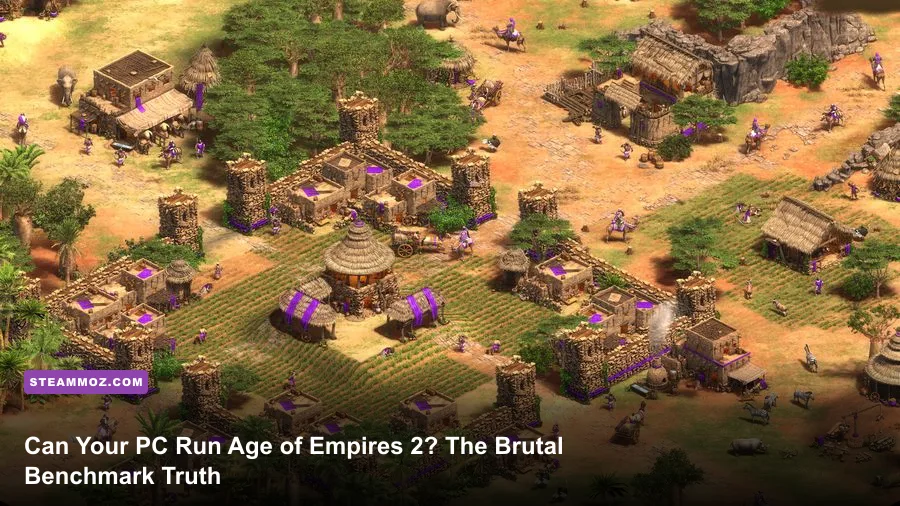
Yes, virtually any budget PC or laptop built in the last eight years can boot up Age of Empires II: Definitive Edition, but that does not mean your rig can actually play it smoothly. There is a massive gulf between loading into an early Dark Age skirmish against a single passive AI and surviving an eight-player, 200-population Post-Imperial team fight on Black Forest without turning your screen into a 12-frame-per-second slideshow. More importantly, the game enforces a ruthless gatekeeper: an integrated Ranked Benchmark Test where failing to hit a baseline score of 1000 locks you out of competitive matchmaking entirely.
Microsoft’s published minimum hardware requirements paint a deceptive picture of a game that can happily run on ancient office hand-me-downs. In truth, modern Definitive Edition updates, revamped particle effects, layered audio channels, and massive simulations running on legacy single-core architecture make the title surprisingly heavy. If you want to know whether your machine can truly handle competitive play or why your high-end gaming laptop hitches when trade carts start rolling, here is the unfiltered benchmark truth.
The 1000-Point Hurdle: What It Really Takes to Run AoE2
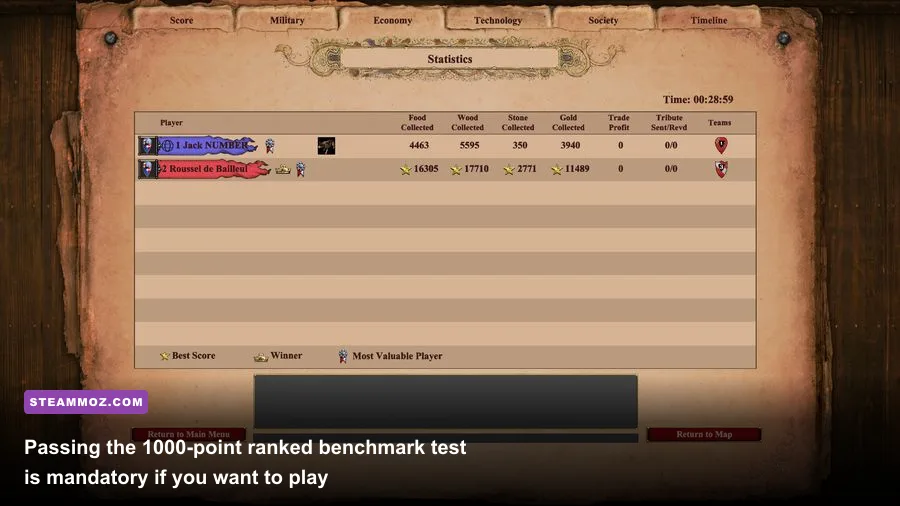
Developer Forgotten Empires introduced the in-game Ranked Benchmark Test to solve a community-breaking issue: multiplayer synchronization lag. AoE2 uses a deterministic lockstep engine. In simple terms, this means every player's game client must calculate every single villager movement, projectile arc, and farm queue at the exact same simulation tick. If a single player in an eight-player lobby drops frames or stalls their CPU, the game slows down or freezes for every other participant. To protect the multiplayer ladder on the Official Age of Empires Portal, the game forces you to stress-test your system.
When you click "Run Benchmark," the engine boots an automated, high-speed replay featuring sweeping camera pans across dense bases, dozens of colliding cavalry units, siege projectiles colliding with stone walls, and thousands of overlapping sprites. Your final score directly correlates with your system’s lowest 1% frame times and average simulation speed throughout the run. Scoring under 1000 is an immediate hard lock: the game literally revokes your ability to queue for Ranked 1v1 and Team Games.
Scoring between 1000 and 1050 is technically a pass, but it offers zero headroom. In those lower bands, your machine is barely keeping its head above water during scripted mid-game engagements. Once real human opponents begin walling off maps, spamming hundreds of halberdiers, and cutting tree lines with Onagers, your frame rate will dip below the 30 FPS threshold, causing noticeable input delays. For reliable competitive performance where split-second Archer micro and quick-walling actually register, you want a verified benchmark score of 1150 or higher.
Passing this benchmark requires balancing raw CPU instruction speed, clean memory allocation, and adequate GPU pixel-fill rates. Just as we analyze when checking if Fatal Fury City of the Wolves PC specs match high-stakes fighting game frame data, competitive RTS titles do not tolerate frame drops that disrupt muscle memory.
Official System Specs vs. Reality: Why Microsoft’s Minimums Lie
Looking at the official spec sheet on digital storefronts, you would think AoE2: DE could run on an obsolete potato from 2008. Microsoft lists an Intel Core 2 Duo and an ancient Nvidia GT 420 as sufficient hardware. That might let the executable window open on your desktop, but the moment you advance beyond Feudal Age, the simulation buckles under its own weight.
The real issue boils down to system memory and background engine overhead. On modern 64-bit operating systems like Windows 10 and Windows 11, the operating system itself consumes anywhere from 3.5 GB to 4.5 GB of RAM idle. If you attempt to run the game with Microsoft’s officially cited "4 GB Minimum RAM," your PC will instantly spill over into your Windows virtual memory pagefile. This causes horrific micro-stuttering, texture pop-in, and inevitable game crashes during critical battle phases.
| Hardware Component | Official Minimum (Barely Boots) | Official Recommended (Single-Player 60 FPS) | The Real-World Pro Tier (Ranked 4v4 100+ FPS) |
|---|---|---|---|
| Operating System | Windows 10 64-bit | Windows 10/11 64-bit | Windows 10/11 64-bit (Debloated) |
| Processor (CPU) | Intel Core 2 Duo / AMD Athlon 64x2 | Intel Core i5 2.4 GHz / AMD Ryzen 3 | Intel Core i5-12400 / AMD Ryzen 5 5600X or better |
| System RAM | 4 GB (Guaranteed memory paging stalls) | 8 GB Dual-Channel DDR4 | 16 GB to 32 GB DDR4/DDR5 (High Clock Speed) |
| Graphics Card (GPU) | Nvidia GeForce GT 420 / Intel HD 4000 | Nvidia GTX 650 / AMD Radeon HD 5850 | Nvidia GTX 1660 Super / RTX 3060 / AMD RX 6600 |
| Dedicated VRAM | 1 GB Shared | 2 GB Dedicated VRAM | 6 GB to 8 GB+ (Crucial for Zoom & UHD) |
| Drive Storage | 30 GB Mechanical HDD | 30 GB Solid-State Drive (SSD) | 50 GB+ NVMe M.2 SSD (Fast Asset Streaming) |
| Ranked Benchmark Score | Sub-850 (Fails multiplayer check) | 1000 - 1050 (Barely passes, stutters late) | 1180 - 1280+ (Flawless frame pacing) |
Older games had modest baseline hardware requirements, as detailed in our retro breakdown of Far Cry 2 PC specs, but Definitive Edition rewires the classic RTS experience with modern lighting pipelines and high-resolution unit animations. Installing the game on a spinning mechanical hard drive (HDD) rather than a solid-state drive (SSD) leads to painful load screens and mid-match hitching whenever new assets or audio cues are loaded dynamically. If you run into unexplained application crashes while queuing for games, standard memory troubleshooting from our guide on PC fixes that stop crashes and rescue FPS highlights why keeping adequate RAM headroom is the foundation of competitive gaming stability.
Single-Core Bottlenecks and the 4v4 Late-Game Performance Cliff
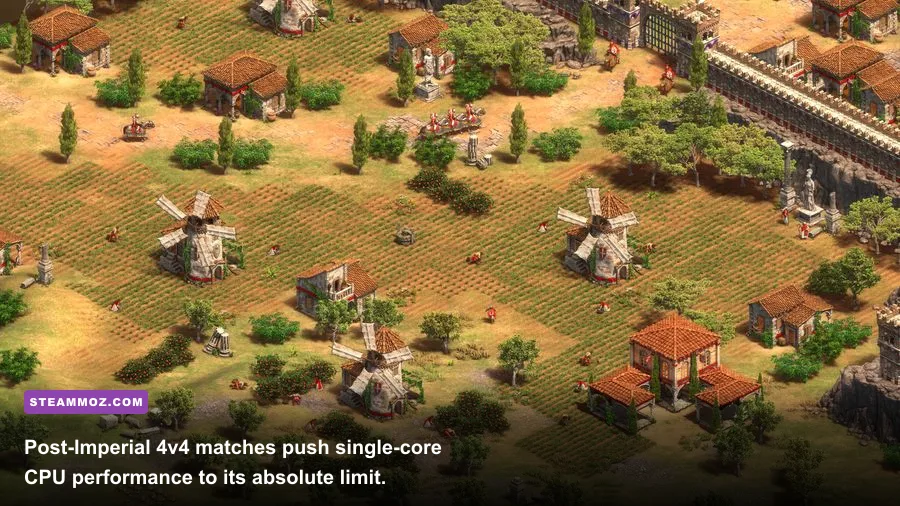
The biggest technical trap gamers fall into with Age of Empires 2: DE involves CPU core counts. Many players build a powerhouse machine with a 16-core, 32-thread processor and wonder why their system stutters when an Imperial Age slugfest kicks off. The culprit is the underlying DNA of the Genie Engine.
While developer Forgotten Empires modernized rendering, audio mixing, and networking, the core game simulation remains fundamentally tied to single-threaded logic. The deterministic simulation runs on one primary CPU worker thread. That single thread is responsible for calculating every unit command, line-of-sight checks, building construction percentages, and—most punishing of all—pathfinding.
In a typical 1v1 match on Arabia, you and your opponent control around 200 to 300 total units combined. The pathfinding matrix easily handles this load. However, in an 8-player 4v4 team game where every player hits their 200-population cap, the simulation must calculate real-time navigational vectors for up to 1,600 units simultaneously. When 80 Paladins slam into a choke point defended by Halberdiers, Monks, Trebuchets, and a massive line of trade carts navigating tight alleys, the CPU single-thread workload skyrockets.
Because the simulation cannot divide these collision calculations across all 16 cores of a modern processor, that single primary thread maxes out at 100% capacity. When that happens, your GPU sits underutilized at 30% power while your frame rate collapses from 144 FPS down into the low 40s or 30s. If you follow modern tournament coverage on the Liquipedia Age of Empires II Wiki, you will notice top esports players deliberately avoid massive unit congestion when streaming because even top-of-the-line enthusiast rigs drop frames in 4v4 endgames.
To maximize your AoE2 performance, single-core IPC (Instructions Per Clock) and L3 cache size matter far more than total core counts. Processors with massive 3D V-Cache architecture, such as the AMD Ryzen 7 7800X3D or Ryzen 7 5700X3D, run circles around high-core-count enterprise CPUs because the game engine can store massive simulation lookup tables directly in the fast on-die cache without having to access system RAM constantly.
The Enhanced Graphics Pack: Glorious 4K or VRAM Trap?
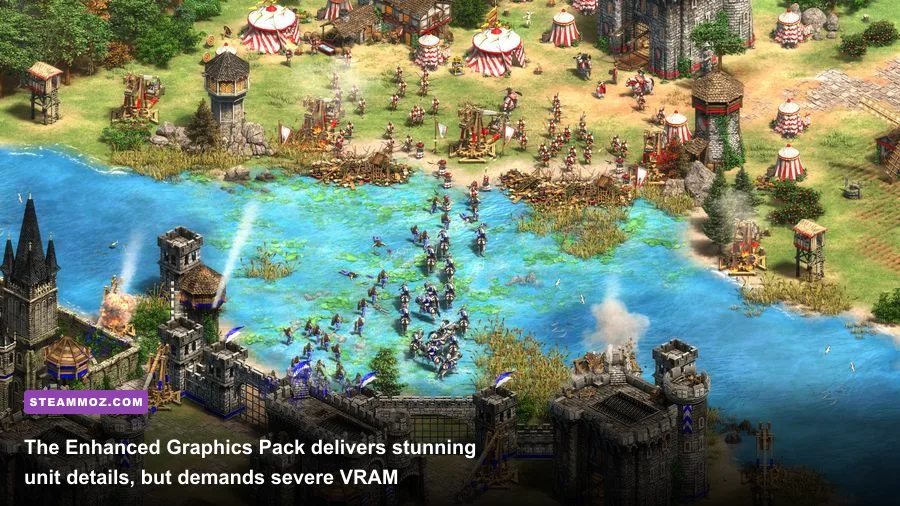
One of the biggest visual selling points on Steam is the optional, free "Enhanced Graphics Pack" (UHD). It promises razor-sharp building textures, individually visible chainmail links on your Man-at-Arms units, and jaw-dropping zoom capabilities at 1440p and 4K display resolutions. However, installing this DLC is the single fastest way to murder your system's performance if your GPU is not prepared.
AoE2 does not use true 3D character models like modern strategy titles; it uses high-density pre-rendered 2.5D sprite sheets. For every unit in the game, the engine stores high-resolution sprites for 32 different rotation angles across idle, walking, attacking, and dying states. When you turn on the Enhanced Graphics Pack, you are asking the game engine to hold tens of thousands of uncompressed high-resolution sprite frames in video memory.
If your graphics card features less than 6 GB of dedicated VRAM, enabling the Enhanced Graphics Pack will instantly throttle your system. The moment you zoom out to survey your empire, the GPU runs out of VRAM space and begins paging assets over the PCIe bus from system RAM. The result? Violent stutter spikes, freezes during camera pans, and broken texture loading screens where castles appear as black silhouettes.
Unless you are playing at a native 4K display resolution on a display larger than 27 inches, you should leave the Enhanced Graphics Pack uninstalled. The standard graphical assets are already beautifully detailed, load twice as fast, save over 30 GB of storage space, and allow mid-tier GPUs like the GTX 1660, RTX 3050, or integrated AMD Radeon 780M graphics to run at silky-smooth frame rates without risking a benchmark disqualification.
Competitive Performance Tuning: Optimization Settings That Save Your Ranked Matches
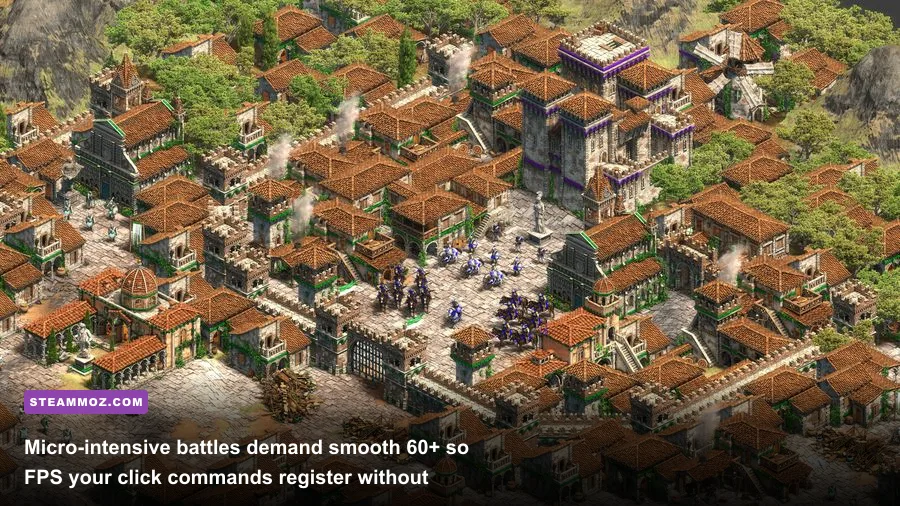
If you are struggling to cross the 1000-point benchmark threshold or your frame rates collapse whenever trebuchet volleys shatter your castles, you do not necessarily need to buy new hardware. Aggressively tweaking specific in-game settings yields massive performance recoveries without destroying visual clarity. Much like adjusting options when searching for settings for higher FPS in visual puzzle titles, strategic prioritization is key.
| In-Game Setting | Recommended Value | FPS / Frame Pacing Impact | Gameplay & Visual Verdict |
|---|---|---|---|
| Enhanced Graphics (UHD) | Disabled | +25% to +40% FPS | Essential to turn off unless you have 8GB+ VRAM on a native 4K monitor. |
| Animated Fog | Disabled | +8% to +12% FPS | High CPU/GPU shader draw. Disabling cleans up the fog of war visibility. |
| 3D Water Reflections | Disabled / Low | +10% to +15% on Water Maps | Massive frame drain on Baltic, Islands, and Nomad. Turn off for zero combat distraction. |
| Particles Quality | Low | +15% FPS in Sieges | Reduces fire, smoke, and rubble physics when castles crumble under siege fire. |
| Bloom Effect | Disabled | +3% to +5% FPS | Eliminates blinding light glares off snow maps and desert biomes. |
| Antialiasing | FXAA or Disabled | +5% to +7% FPS | High antialiasing blurs sprite edges. Keeping it low maintains crisp unit outlines. |
| V-Sync | Disabled (Use FreeSync/G-Sync) | Reduces Input Latency | In-engine V-Sync adds brutal input lag. Disable it and cap frames in driver software. |
External Tweaks for Maximum Simulation Stability
Beyond the graphics menu, a few external tweaks guarantee you will never drop frames when managing a complex economy, especially if you love managing swarm mechanics like those found in an Empires of the Undergrowth fast leveling guide:
- Set Windows Pagefile to a Fixed Size on your Fastest NVMe Drive: If you are rocking 8 GB or 16 GB of RAM, prevent memory crashes by setting your Windows virtual memory pagefile to an initial and maximum size of 8192 MB on your fastest SSD. This prevents Windows from resizing the file during live matches.
- Disable Hardware Acceleration in Discord and Web Browsers: If you run voice chat with your 4v4 team or watch Twitch streams on a second monitor, turn off hardware acceleration in those apps. They cannibalize your GPU's video decoding engines, causing periodic micro-stutters during ranked benchmark sweeps.
- Add an Exclusion in Windows Defender: Age of Empires 2 writes replay files, telemetry logs, and asset caches in real time inside your user directory. Real-time antivirus scanners often scan these temporary files instantly, choking single-core CPU throughput. Adding your Steam AoE2 directory to your antivirus exclusion list provides immediate micro-stutter relief.
The Final Verdict
Can your PC run Age of Empires 2? If you own a modern quad-core CPU, at least 8 GB (preferably 16 GB) of dual-channel RAM, an entry-level dedicated graphics card, and an SSD, the answer is a resounding yes. You will cruise past the 1000-point Ranked Benchmark Test and hold a reliable 60+ FPS throughout standard skirmishes.
However, if you are attempting to run the game on an aging dual-core office laptop with integrated graphics and 4 GB of RAM, you will get walled at the gates of competitive play. Ditch the Enhanced Graphics Pack, set your particle effects to Low, install the game on fast solid-state storage, and your PC will stay responsive and lethal right down to the final Post-Imperial skirmish.