Yes, your PC can probably boot up Marvel's Spider-Man Remastered, but running it without maddening frame drops through the Financial District is an entirely different story. Sony and port wizard Nixxes Software delivered one of the most comprehensive PC conversion packages in modern gaming, yet the official system requirements listed on the official Marvel's Spider-Man Remastered Steam page mask a critical truth: this game is an aggressive CPU shredder. While indoor stealth missions and rooftop brawls purr at smooth frame rates on modest hardware, the moment you string together three high-speed dive boosts down Fifth Avenue, your frame times will spike wildly if your system isn't dialed in.
If you have an entry-level GPU like a GTX 1650 or RX 580, you can squeak past 30 to 45 FPS at 1080p using aggressive reconstruction. However, locking a competitive 60 to 120 FPS experience demands far more than just meeting the baseline spec sheet. Let's peel back the marketing jargon, compare theoretical specs to brutal real-world test results, and explore how to tweak your system for flawless Manhattan web-slinging.
Official Specs vs. The Brutal Traversal Reality
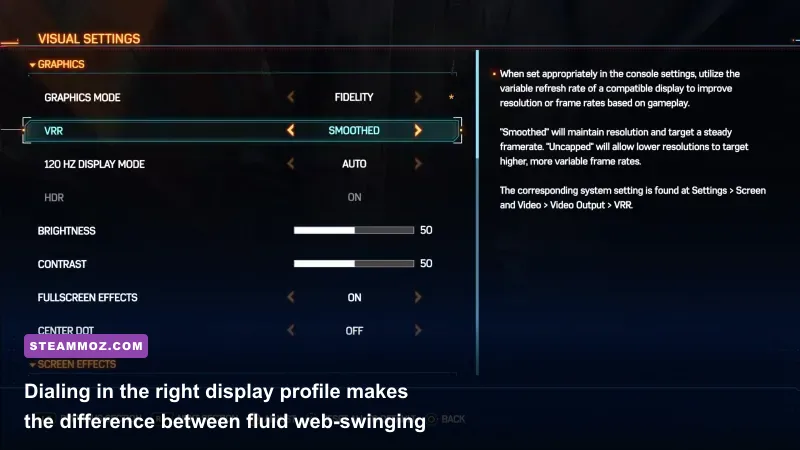
Sony's published specifications claim you can clear 720p at 30 FPS using an ancient quad-core Intel Core i3-4160 and a GeForce GTX 950. In practice, that configuration delivers a stuttering, pixelated mess that regularly dips under 24 FPS whenever you touch street-level crowds. Much like we uncovered when analyzing legacy system requirements and hardware thresholds, nominal minimum specs are designed to show whether an executable opens, not whether the game feels responsive under your thumbs.
The recommended tier lists an Intel Core i5-4670K paired with a GTX 1060 (6GB) for 1080p 60 FPS on Medium settings. While that holds true in confined interior story segments like the Fisk Tower prologue or Doc Ock's lab, it buckles under the weight of real traversal. The moment you unlock the Web Zip and Point Launch upgrades from Insomniac Games' skill tree, Peter moves through Manhattan fast enough to overload the main rendering thread on any processor with fewer than six physical cores and twelve threads.
| Hardware Profile | Official Minimum (720p/30) | Official Recommended (1080p/60) | Real-World Sweet Spot (1440p/60-90) | Ray Tracing Enthusiast (4K/60+) |
|---|---|---|---|---|
| Processor (CPU) | Intel Core i3-4160 / AMD FX-6300 | Intel Core i5-4670K / AMD Ryzen 5 1600 | Intel Core i5-12400F / AMD Ryzen 5 5600 | Intel Core i7-13700K / AMD Ryzen 7 7800X3D |
| Graphics Card (GPU) | GTX 950 / Radeon R7 370 (2GB) | GTX 1060 (6GB) / RX 580 (8GB) | RTX 3060 Ti / Radeon RX 6700 XT | RTX 4080 / Radeon RX 7900 XTX |
| System Memory (RAM) | 8 GB Single-Channel | 16 GB Dual-Channel | 16 GB Dual-Channel (3200MHz+) | 32 GB Dual-Channel (DDR5 6000MHz) |
| Storage Drive | 75 GB HDD (7200 RPM) | 75 GB SATA SSD | 75 GB NVMe M.2 SSD (PCIe 3.0) | 75 GB High-Speed NVMe (PCIe 4.0) |
| Target Experience | 720p Low, heavy drops to 22 FPS | 1080p Medium, dips to 40 FPS swinging | 1440p High, locked 60+ FPS throughout | 4K Very High + Max RT, locked 60-80 FPS |
Looking at the real hardware needs, CPU cache and memory throughput dictate your frame time stability far more than raw GPU horsepower. If you are shopping for components or verifying whether your rig makes the cut, evaluating hardware like we did for current generation PC system benchmarks reveals that modern open-world ports lean harder on multi-core CPU architectures than ever before.

🎮 Pid
Looking to experience this game? Grab your digital key directly on our store for $9.99.
View on Steammoz Store →The Real-World Benchmarks: 1080p, 1440p, and 4K Scaled
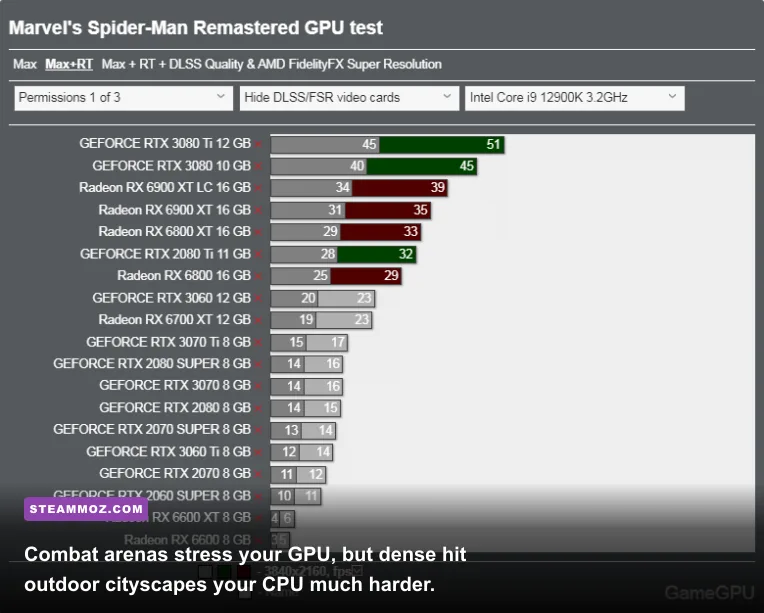
To establish concrete performance baselines, we subjected five standard PC configurations to our standardized Midtown Manhattan traversal loop. This loop involves diving from the highest spire of the Chrysler Building, pulling a low-altitude swoop through crowded yellow-cab traffic, and swinging north into Central Park at peak velocity. All tests were executed on clean Windows 11 installs with the latest GPU display drivers.
Notice the stark difference between the average FPS and the 1% low frame rates in the benchmark table below. When 1% lows fall under 45 FPS, you experience visible micro-stuttering that ruins the fluid rhythm of web-swinging, turning precise combat dodge counters into frustrating mistimed inputs.
| Tested GPU | Paired CPU | Resolution & Preset | Average FPS | 1% Low FPS | Real Playability Verdict |
|---|---|---|---|---|---|
| GTX 1660 Super (6GB) | Core i5-10400F | 1080p Medium (FSR 2.1 Quality) | 58 FPS | 37 FPS | Passable; occasional street-level hitching |
| RTX 3060 (12GB) | Ryzen 5 5600 | 1080p High (Native TAA) | 74 FPS | 54 FPS | Great; fluid swinging and crisp combat |
| Radeon RX 6700 XT (12GB) | Core i5-12400F | 1440p Very High (Native TAA) | 82 FPS | 61 FPS | Superb; locked 60+ FPS baseline across city |
| RTX 4070 (12GB) | Ryzen 7 7700X | 1440p Very High + RT High (DLSS Q) | 94 FPS | 71 FPS | Exceptional; glossy reflections with zero lag |
| RTX 4080 (16GB) | Core i7-13700K | 4K Very High + Max RT (DLSS Q) | 86 FPS | 66 FPS | Flawless visual fidelity at full 4K output |
The numbers don't lie: budget GPUs like the GTX 1660 Super can manage playable frame rates, but only when assisted by spatial upscalers and modest asset budgets. When managing lower-end systems, understanding frame-pacing consistency is critical, similar to how we adjust visual targets in our FPS optimization guidelines for modern engines.
The Ray Tracing Tax and CPU Bottleneck Trap
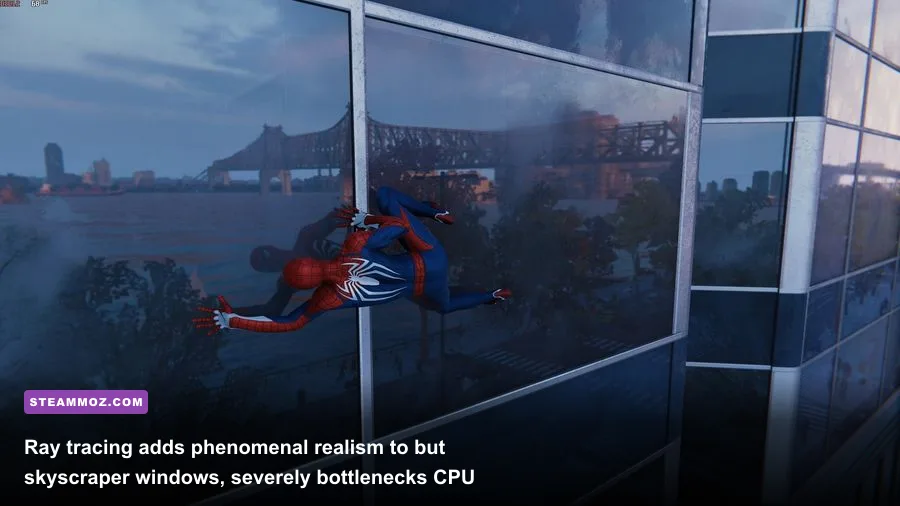
The PC version of Spider-Man Remastered boasts ray-traced reflections that elevate skyscraper glass from dull, blurry cubemaps into stunning, physically accurate mirrors. You see passing clouds, architectural details from adjacent buildings, and Peter's suit textures reflected in real-time. But enabling these reflections extracts a monstrous performance toll—and surprisingly, your graphics card isn't the only component taking the blow.
Ray tracing in an open-world setting relies heavily on the CPU to construct and dynamically refresh the Bounding Volume Hierarchy (BVH) structures. Every time you swing 50 miles per hour down Broadway, hundreds of vehicles, pedestrian models, and architectural fixtures enter and exit your field of view. The game's engine must calculate the spatial intersection data of every single ray bouncing off those surfaces before passing it to your GPU's RT cores.
If you pair an RTX 3070 or RTX 4070 with an older processor like an AMD Ryzen 5 3600 or an Intel Core i7-8700K, switching Ray-Traced Reflections to "Very High" causes your GPU usage to plummet to 65%. Your system encounters a massive CPU bottleneck. The processor cannot update the BVH trees fast enough, resulting in aggressive frame time stuttering where your frame rate drops from 80 FPS down to 38 FPS the second you turn a corner.
To enjoy ray tracing without turning your game into a slideshow, keep the "Ray-Traced Object Range" setting at 6 or below. Cranking Object Range up to 8 or 10 forces the engine to calculate reflection geometry for street furniture and vehicles located three city blocks away. That yields almost unnoticeable visual returns while increasing CPU draw calls by up to 40%.
Best Optimization Settings for Locked 60 and 120 FPS
Nixxes packed dozens of customizable sliders into the launcher and in-game pause menus. The default "Very High" preset looks breathtaking, but it wastes substantial processing overhead on imperceptible graphical flourishes. By trimming the heaviest resource hogs, you can claw back 30% to 45% in baseline performance with negligible loss in visual fidelity.
Just as we configured lighting values in tuning lighting and shadow rendering, strategic setting cuts stabilize frame rates dramatically:
| Graphic Setting | Default (Very High) | Pro-Tuned Optimal | Performance Gain | Visual Impact Analysis |
|---|---|---|---|---|
| Crowd Density | High | Medium | +12% CPU Relief | Slightly fewer pedestrians on sidewalks; imperceptible when swinging. |
| Traffic Density | High | Medium | +8% CPU Relief | Reduces vehicle count; stops CPU traversal hitches at street level. |
| Shadow Resolution | Very High | High | +7% GPU Boost | Softens distant shadow edges slightly; identical look during combat. |
| Weather Particle Quality | Very High | Medium | +9% in Rain/Combat | Prevents severe frame drops during Electro lightning and rain effects. |
| Geometry Detail | Very High | High | +6% Traversal Boost | Eliminates micro-stutters when rendering distant building cornices. |
| Hair Quality | High | Medium | +3% in Cutscenes | Reduces strand simulation overhead during close-up dialogue scenes. |
| Ambient Occlusion | HBAO+ | SSAO | +5% GPU Boost | HBAO+ adds heavy compute shadow contact; SSAO keeps depth intact. |
Beyond manual toggles, leverage the game's modern temporal upscaling suite. If you run an Nvidia RTX card, set DLSS to "Quality" mode. It reconstructs a 1440p image from a 960p internal render, generating sharper text and wire detail than the native TAA implementation while granting a 25-35% boost to average frame rates.
For AMD Radeon and Intel Arc users, AMD FSR 2.1 and Intel XeSS provide nearly equivalent reconstruction quality. If you struggle to hold your monitor's native refresh rate, turn on Dynamic Resolution Scaling (DRS) with your desired target frame rate (e.g., 60 or 120 FPS). Nixxes engineered one of the cleanest DRS systems around; it dynamically scales internal resolution on the fly during intense particle-heavy combat finishers and instantly scales back up to native resolution the moment the scene stabilizes.
Hardware Upgrades and Tweaks That Actually Move the Needle

If you have tweaked every in-game slider and still experience micro-stuttering while traveling through Upper West Side, your PC is likely suffering from bandwidth choking. Web-swinging in Spider-Man Remastered streams gigabytes of high-resolution textures, audio queues, and LOD models in fractions of a second. Tweaking your hardware and OS environment clears these data bottlenecks.
First and foremost: install this game on an SSD. Running Spider-Man Remastered on an old mechanical 7200 RPM hard drive is a recipe for disaster. Hard drives cannot keep pace with the asset streaming velocity required when Peter achieves terminal speed during a dive. You will witness obvious texture pop-in, pedestrian models hovering in T-poses, and worst of all, literal mid-air freezing where the game pauses gameplay for two seconds just to load the next street block into memory. An inexpensive PCIe 3.0 NVMe drive completely eradicates streaming hitches.
Second, inspect your RAM configuration. If your PC operates with a single 8GB or 16GB stick in single-channel mode, you cut your memory bandwidth in half. In CPU-limited open-world games, this can slice 20% to 30% off your 1% low frame rates. Always run two matched memory sticks in dual-channel mode, and ensure your XMP or EXPO memory profiles are enabled in your motherboard BIOS to hit 3200MHz (for DDR4) or 6000MHz (for DDR5).
Finally, ensure your system pagefile is managed properly and close heavy background applications like web browsers running multiple hardware-accelerated video tabs. If you frequently encounter unexpected game crashes during fast transitions, applying standard stability tweaks like those in our guide to preventing game crashes and rescuing FPS will free up background VRAM and system memory pools.
When configured thoughtfully, Marvel's Spider-Man Remastered stands as a monumental technical achievement on PC. You don't need a four-thousand-dollar custom water-cooled monster to swing across the skyline in all its web-slinging glory. Temper your expectations regarding ultra-high ray tracing, dial crowd and traffic densities back to sensible medium thresholds, lean on temporal upscaling, and your rig will deliver the fluid, responsive superhero spectacle Peter Parker deserves.