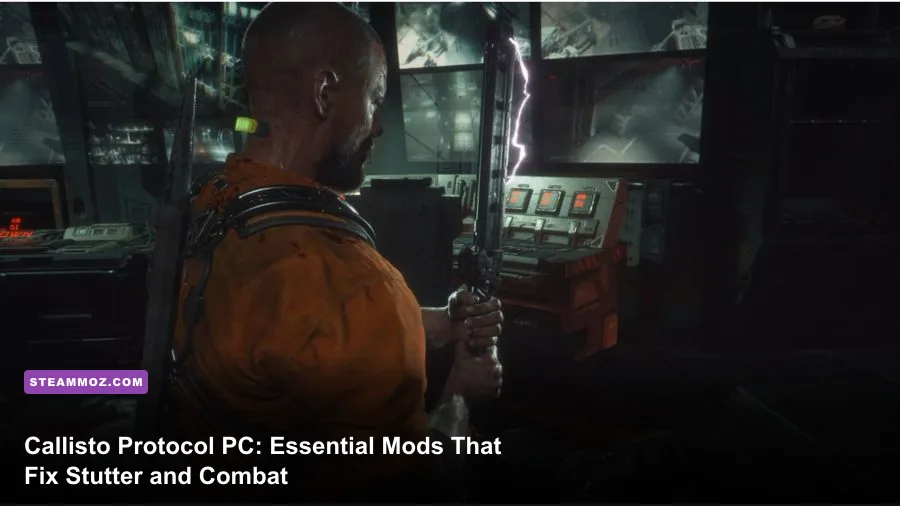
If you jumped into The Callisto Protocol on PC expecting the spiritual successor to Dead Space, you likely ran headfirst into shader compilation stutters, an overly tight camera that made multi-enemy encounters infuriating, and spongy combat balance. While developer Striking Distance Studios rolled out official patches to resolve the catastrophic day-one hitching, the vanilla game still leaves substantial performance and mechanical headroom on the table. The vibrant modding community stepped in to overhaul the journey through Black Iron Prison, transforming an uneven visual showcase into a fluid, terrifying, and deeply satisfying sci-fi survival horror experience.
To get the absolute best out of your playthrough, you don't need a bloated suite of fifty disparate plugins. You only need a targeted handful: custom Unreal Engine 4 configuration overhauls that permanently stabilize frame pacing, camera injection tools that widen Jacob's suffocating field of view, cinematic ReShades that ditch washed-out midtones for crushing blacks, and balance modifications that streamline inventory management and kinetic combat. Here is the definitive breakdown of the best essential mods for The Callisto Protocol on PC and how each one completely reshapes your survival odds.
Cleaning Up Black Iron: Performance & Engine Tweaks

Even after multiple post-launch patches, The Callisto Protocol remains infamous for erratic frame delivery, particularly when transitioning between subterranean sectors or triggering sudden Biophage spawns. Much of this instability stems from how Unreal Engine 4 handles streaming assets, aggressive post-processing overhead, and DirectX 12 pipeline caching. If you've spent time tweaking other stubborn titles—similar to sorting out ELEX PC fixes that rescue your FPS—you know that digging into underlying engine parameters yields far better results than merely dropping in-game settings from Ultra to High.
The foremost modding step is deploying custom Engine.ini commands alongside the community-favorite Callisto Stutter Fix & Engine Optimizer. This modification adjusts the texture streaming pool size, forces asynchronous shader creation, and disables unnecessary developer telemetry logging that silently spikes CPU thread utilization. By enforcing aggressive asset pre-caching, the game stops dumping and reloading environmental meshes whenever you pivot your camera in narrow ventilation corridors.
| Engine Parameter / Setting | Recommended Custom Value | Performance Impact | Visual / Stability Trade-Off |
|---|---|---|---|
| r.CreateShadersOnLoad | 1 | Zero FPS drop; eliminates micro-hitches | Increases initial boot loading time by 3–5 seconds |
| r.Streaming.PoolSize | VRAM-dependent (4096 to 8192) | +4 to +8 FPS in dense multi-room zones | Stops low-resolution texture pop-in during sprint sequences |
| r.MotionBlurQuality | 0 | +2 to +3 FPS during melee swings | Removes smeary camera motion; clarifies dodge cues |
| r.DepthOfFieldQuality | 0 | +3 to +5 FPS when aiming down sights | Sharpens peripheral vision; removes cinematic blur during gunplay |
| r.VolumetricFog.GridPixelSize | 8 (Up from default 4) | +6 to +10 FPS in steam-filled corridors | Negligible softening of light shaft edges in heavy atmospheric fog |
Another major game-changer in this category is the DLSSTweaks / FSR 2 Update Mod. The vanilla executable ships with older implementation libraries that introduce noticeable ghosting around Jacob's Stun Baton swing trails and the tentacles sprouting from mutating Biophages. Upgrading the underlying DLSS library via DLL replacement allows you to force Preset C or Preset F, virtually eliminating shimmering along grated metal walkways and fine mesh fences. Much like our walkthrough for tuning PC settings for maximum FPS, dialing in these engine-level levers provides a completely smooth 60 or 120 FPS target without turning the graphical fidelity into mush.

🎮 FORM
Looking to experience this game? Grab your digital key directly on our store for $14.99.
View on Steammoz Store →Expanding Jacob's Vision: Ultrawide and Custom FOV Mods

Director Glen Schofield designed The Callisto Protocol to feel claustrophobic, locking the camera exceptionally close over Jacob Lee's right shoulder. In theory, this ramps up dread; in practice, it means Jacob's broad prison jumpsuit takes up almost 40% of your screen estate. When two fast-moving Biophages flank you in a boiler room, the camera makes it impossible to see incoming attacks, turning combat into a frantic guessing game of wild analog stick dodges.
The essential solution here is using the Flawless Widescreen plugin or the Universal Unreal Engine Unlocker (UUU) created by Otis_Inf. These tools allow players to modify Jacob's native field of view (FOV) from the locked default (roughly 70 degrees vertical) up to a much more ergonomic 85 or 95 degrees. Opening the lens transforms the combat flow. You retain the terrifying, tactile weight of melee combat, but you can finally read visual cues from enemies lunging on your periphery.
Crucially, widening your FOV with these community tools preserves the diegetic C.O.R.E. health implant on the back of Jacob's neck and the ammo readouts on your Hand Cannon and Riot Shotgun. Lesser hacks often displace UI coordinates, but dedicated scripts dynamically anchor the camera offset so aiming down sights remains crisp and centered. If you have ever felt physically disoriented or motion-sick when navigating tight horror interiors—a common issue addressed in guides like our low FPS and disorientation fixes for EscapeVR—widening Callisto's FOV is the single most important quality-of-life upgrade you can install.
Brutal Realism: Visual Reshades and Lighting Overhauls
Visually, The Callisto Protocol is one of the most technologically advanced titles built on Unreal Engine 4, but its default color grade leans heavily into an olive-green, milky cast that lifts shadow levels. While this keeps dark areas visible on poorly calibrated monitors, it neuters the horror atmosphere. Black Iron Prison is meant to be a desolate, derelict penal colony adrift on Jupiter's dead moon; the shadows should feel suffocating, threatening, and impenetrable without your weapon-mounted tactical lights.
Community post-processing presets hosted on Nexus Mods, such as True Black Iron Horror ReShade and Cinematic Realism HDR, completely fix this aesthetic misstep. These presets apply precise tonemapping shaders via ReShade that lower black floor levels, boost specular highlights off blood splatters and wet concrete, and strip away the muddy green wash in favor of cool, clinical industrial lighting.
Pairing a contrast-corrected ReShade with disabled post-process chromatic aberration gives the presentation a razor-sharp, photorealistic sheen. You aren't losing visual fidelity or tanking your hardware; because ReShade injects its passes post-rasterization, performance cost is practically unnoticeable—typically costing no more than 1 to 2 FPS. When paired with smart post-processing management—techniques we frequently highlight when balancing post-processing overhead in modern engines—your horror immersion spikes exponentially.
Rebalancing the Clunky Brawler: Combat and Quality of Life Mods
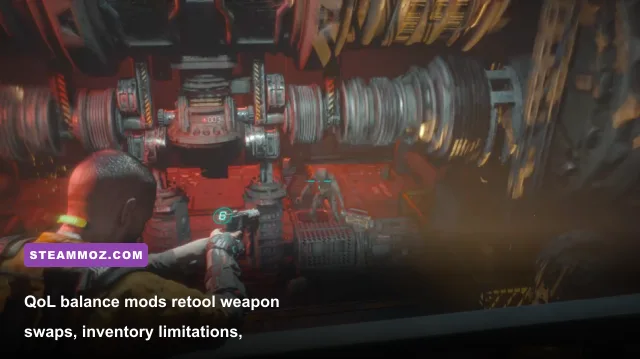
The combat loop in The Callisto Protocol divides players down the middle. Its alternating dodge mechanic—holding left or right without strict timing windows—feels great in 1v1 encounters but rapidly disintegrates into awkward lock-on animations when three or more Biophages swarm you. Compounding this frustration are sluggish weapon-swapping animations and an overly stingy inventory grid that forces you to leave valuable energy converters and health injectors behind.
Gameplay balance mods directly resolve these friction points by altering internal gameplay tables stored within the game's core PAK files. The Tactical Survival Combat Overhaul is a standout example. This mod accelerates weapon cycling speeds by roughly 35%, allowing Jacob to smoothly switch from a stun-baton combo directly into his Skunk Gun without getting smacked mid-animation. It also tweaks the GRP (Gravity Restraint Projector) energy consumption curves, letting you utilize telekinetic throws more strategically rather than burning out your battery on a single environmental toss.
| Mod Title | Category | Primary Functionality | Recommended For |
|---|---|---|---|
| Callisto Stutter & Shader Fix | Performance | Forces pipeline pre-caching and custom streaming pool sizes | All PC players experiencing hitching or frame spikes |
| Flawless Widescreen FOV Script | Camera / QoL | Expands horizontal & vertical FOV; unlocks ultrawide aspect ratios | Players suffering from motion sickness or off-screen ambush deaths |
| True Black Iron ReShade | Visual Overhaul | Restores true dynamic range, crushing blacks, and neutral white points | High-end IPS and OLED monitor owners seeking pure horror tone |
| Fast Weapon Swap & Inventory QoL | Gameplay Balance | Shortens holster animations; increases ammo stack limits slightly | Gamers who find the vanilla inventory and gun-swapping pace clunky |
| DLSSTweaks Custom Preset Injector | Graphic Fidelity | Forces newer DLSS algorithms to stop visual ghosting and haloing | NVIDIA RTX users playing at 1440p or 4K resolutions |
If boss encounters like the notorious Two-Head feel like bullet-sponge endurance tests rather than tense tactical showdowns, balance mods re-tune weak-point multipliers. In vanilla Callisto, pumping round after round of Hand Cannon ammo into an exposed neck stem can feel completely detached from Jacob's visceral kinetic arsenal. Mods rectify this by rewarding clean, precision aim with faster stagger animations and increased dismemberment chances, turning frustrating trial-and-error corridors into lethal skill-checks.
Step-by-Step Installation: How to Mod Callisto Protocol Without Breaking It
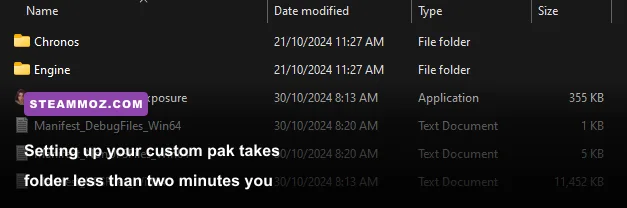
Modding The Callisto Protocol is refreshingly straightforward compared to titles requiring third-party script extenders. Because the game runs on Unreal Engine 4, most community tweaks are distributed either as raw .pak files or external memory injectors. Before touching any game files, verify your installation through Steam or the Epic Games Store to ensure a clean baseline, and always preserve your original save files found in %LOCALAPPDATA%\CallistoProtocol\Saved\SaveGames.
To install .pak mods (which cover textures, gameplay rebalances, and sound changes), follow this exact method:
- Navigate to your root installation folder (e.g.,
Steam\steamapps\common\The Callisto Protocol\TheCallistoProtocol\Content\Paks). - Inside the
Paksdirectory, right-click and create a brand-new folder named~mods(the tilde prefix is mandatory, as it instructs Unreal Engine to load these archives after vanilla assets). - Extract your downloaded mod archives (which end in
.pak,.ucas, or.utoc) directly into that~modsfolder. - Launch the game. Your mods will automatically inject into runtime memory.
For configuration file modifications that target frame stability, head over to %LOCALAPPDATA%\CallistoProtocol\Saved\Config\WindowsNoEditor. Open Engine.ini with a clean text editor like Notepad++, scroll to the very bottom, paste your optimized rendering parameters, and save the document. To prevent the game's internal setup script from resetting your values on launch, right-click Engine.ini, select Properties, check the Read-only box, and apply the change. If you run into any stability hitches or boot crashes, simply uncheck the box and delete the custom lines—a troubleshooting approach familiar to anyone dealing with preventing game crashes by isolating configuration files.
For camera adjustments using Flawless Widescreen, download the tool from its official repository, open the application, search for The Callisto Protocol plugin within the left-hand sidebar, and toggle the FOV injection slider while the game is running. The tool automatically detects Jacob's memory offsets, widening your peripheral view in real-time without modifying any protected game executables. Since developer Striking Distance Studios relies on Denuvo Anti-Tamper for the main binary, avoid using memory injectors that attempt to modify the main .exe directly, as doing so will trigger launch failures or flag anti-cheat exceptions.
With Black Iron Prison stabilized, its camera opened up, and its clunky combat edges filed down, The Callisto Protocol transforms into the gripping, visceral sci-fi horror ride it always had the potential to be. Install these essential mods, extinguish your room lights, put on your best gaming headset, and experience Jacob's brutal fight for survival the way it was truly meant to be played.