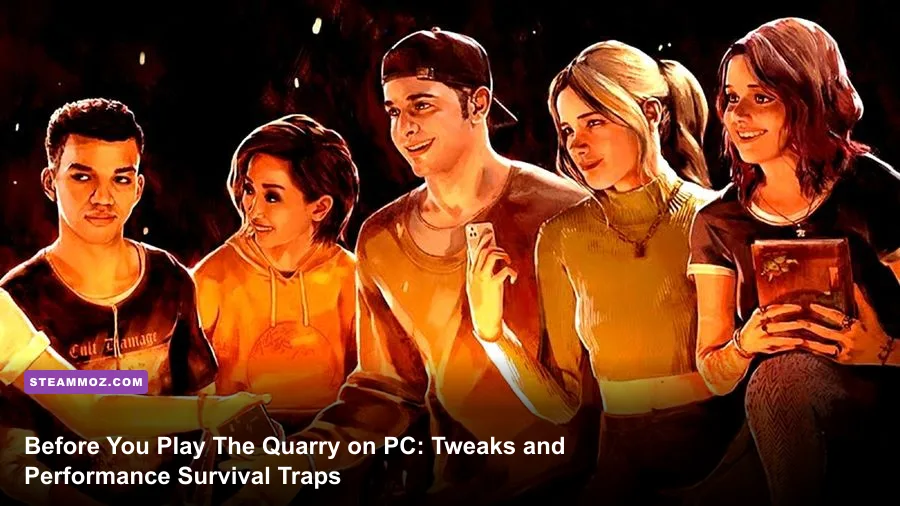
Supermassive Games designed The Quarry as a lavish interactive slasher movie, but jumping into the PC version without preparation will lead to stuttering frame rates, botched quick-time events, and tragic, avoidable counselor deaths. The game does not play like a conventional third-person survival horror title; it relies on rigid cinematic framing, an aggressive autosave system, and deceptive choice mechanics where hesitation is often your best move. If you want to keep all nine counselors alive while pushing crisp 60 FPS visuals at 1440p or 4K, you must configure your display settings, bypass third-party launcher baggage, and understand the secret rules governing character fates long before nightfall hits Hackett's Quarry.

Kill the 2K Launcher and Tweak PC Display Quirks
Before you even click "New Game," deal with the software bloat standing between your hardware and the game executable. By default, launching The Quarry on Steam boots up the proprietary 2K Launcher. This secondary program runs silently in the background, consuming CPU threads, interfering with borderless windowing hooks, and causing micro-stutters during camera transitions. Bypassing it takes less than thirty seconds and cleans up your frame pacing immediately.
To bypass the launcher, open your Steam Library, right-click The Quarry, select Properties, and locate the Launch Options box under the General tab. Input the exact direct path to the shipping executable wrapped in quotation marks, followed by %command%. The path typically looks like this:
"C:\Program Files (x86)\Steam\steamapps\common\The Quarry\TheQuarry.exe" %command%
Next, pay attention to the aspect ratio. Supermassive rendered the entire game in an anamorphic 2.39:1 widescreen format, meaning standard 16:9 monitors will have hardcoded black letterbox bars on the top and bottom. While this enhances the retro 80s creature-feature vibe, it also means rendering fewer pixels vertically than a native fullscreen display. If you plan to run ultrawide monitors (21:9 or 32:9), you'll notice awkward side pillars or cropped UI elements without community hex edits. For standard monitors, leave the letterboxing alone; forcing vertical stretch distorts character facial scans and breaks immersion. If you encounter abrupt desktop crashes on boot, consult our guide on ELEX PC fixes that stop crashes and rescue your FPS to understand how secondary overlay hooks trigger Unreal Engine crashes.
Finally, check your DirectX runtime. The Quarry boots by default using DirectX 12, which enables hardware-accelerated Ray Tracing. However, unless you are running a high-end RTX 3080 / RX 6800 XT or better, DX12 introduces shader compilation hitches whenever the camera cuts to a new angle. For rock-solid frame times on mid-range rigs, sticking to DX11 or disabling ray-traced shadows yields a dramatically smoother cinematic flow.

🎮 FORM
Looking to experience this game? Grab your digital key directly on our store for $14.99.
View on Steammoz Store →PC Graphics Optimization: Dialing In 60 FPS Without Sacrificing Mood
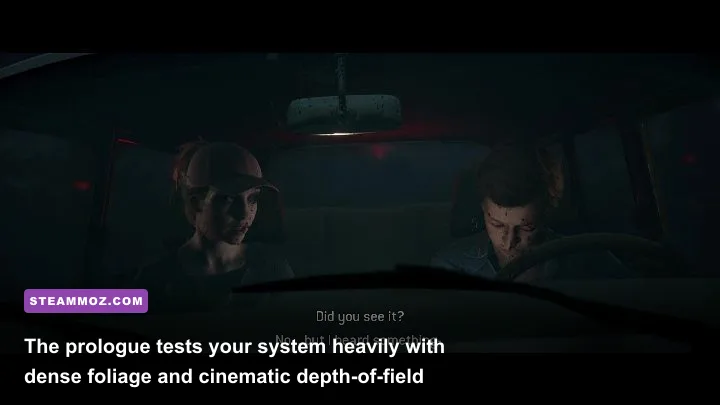
Horror thrives on darkness, atmospheric fog, and nuanced character lighting. Cranking every preset to Ultra will bring modern graphics cards to their knees due to heavy volumetric fog calculations in the dense forest chapters. Conversely, dropping settings to Low ruins the photorealistic skin shaders, leaving characters like Laura, Jacob, and Ryan looking like plastic mannequins. You need a targeted settings profile that maintains filmic realism while eliminating stutter.
Ray Tracing is the primary performance thief here. The game features Ray-Traced Ambient Occlusion and Ray-Traced Shadows. While RT Ambient Occlusion adds subtle depth under tables and inside the abandoned Hackett summer camp lodges, it slices overall frame rates by 35% to 45%. The standard screen-space ambient occlusion combined with Supermassive's hand-placed volumetric lighting looks phenomenal on its own and preserves your GPU headroom for internal upscaling. If you run into severe performance drains on older hardware, similar to issues highlighted in our Filament Marmalade Edition settings for higher FPS analysis, stripping away redundant trace passes is always the fastest fix.
| Graphics Setting | Recommended Value | FPS Impact | Visual & Tactical Rationale |
|---|---|---|---|
| Rendering API | DirectX 11 (or DX12 without RT) | High (Frame Pacing) | DX11 avoids heavy shader-compilation stutters during rapid cutscene camera shifts. |
| Ray Tracing (All) | Off | Very High (-40% FPS) | Standard rasterized lighting is pre-baked expertly; Ray Tracing causes unnecessary micro-stutter. |
| Volumetric Fog | Medium / High | Medium (-8% FPS) | Ultra pushes fog sample counts too high. High retains thick woodland ambiance without GPU drops. |
| Shadow Quality | High | Medium (-10% FPS) | Medium softens edges excessively; High provides sharp flashlight shadow casting. |
| Anti-Aliasing | TAA or DLSS / FSR (Quality) | Low to Positive | Temporal AA cleans up hair shimmer. DLSS Quality provides exceptional clarity and free frames. |
| Depth of Field | On | Low (-3% FPS) | Essential for the cinematic camera focus intended by the directors. |
| Motion Blur & Film Grain | Personal Preference (Off recommended) | Negligible | Turning these off clears up visual noise, making distant collectibles easier to spot. |
If you're targeting 4K or ultra-high refresh rates, enable Nvidia DLSS or AMD FSR 2.0 set strictly to Quality mode. Balanced or Performance profiles cause visible smearing across complex foliage, especially during fast camera pans when characters sprint through tree lines. You can verify technical requirements directly on The Quarry's official Steam page to ensure your setup meets baseline hardware targets.
Input Latency and Controls: Why You Should Ditch Mouse and Keyboard

Technically, The Quarry supports keyboard and mouse, but the implementation is fundamentally flawed for high-stakes reaction sequences. The PC control scheme binds QTEs (Quick Time Events) to WASD directional presses, mouse cursor directional swipes, and spacebar holds. Mouse swipes suffer from deadzone inconsistencies; if your mouse DPI is too high or your swipe angle deviates by just a few degrees, the game registers an input failure, spelling death for characters like Emma on the treehouse zip-line.
A standard Xbox or PlayStation gamepad utilizes tactile analog stick flicks and face buttons that correspond naturally to screen prompts. When an intense chase sequence fires off, flicking the left thumbstick to the left is instantaneous and unambiguous compared to moving a desktop mouse. Input timing latency is equally critical: ensure your display is set to Game Mode and V-Sync is managed through your GPU control panel with Low Latency Mode set to Ultra (Nvidia) or Anti-Lag enabled (AMD). Unexpected input hang-ups ruin precise timing just as easily as the hardware freezes detailed in our EscapeVR The Basement crashing and low FPS fixes walkthrough.
Take time to explore the Accessibility menu. Supermassive built generous customization options that allow you to tweak QTE speed, lengthen decision timers, or alter the "Don't Breathe" mechanics. If you dislike rapid-fire reflex checks and prefer treating the game as a pure narrative puzzle, you can switch QTE inputs from directional checks to single-button presses. However, for the intended tension, leaving timers at default while using a gamepad hits the sweet spot.
How Death and Choice Mechanics Actually Function Under the Hood

Unlike traditional adventure games where bad decisions set you back to a checkpoint, The Quarry features permanent consequences backed by immediate autosaves. The second a character suffers a lethal outcome—whether it's getting their throat torn out or falling from a crumbling walkway—the game writes directly to your save file in %LOCALAPPDATA%\TheQuarry\Saved\SaveGames. There is no manual saving, and pausing to quit after a death animation begins will not save the camper; the game commits the event the millisecond the failure state triggers.
Understanding the interplay between action, silence, and hesitation is the single most crucial gameplay skill. The game constantly tests you with timed "Interrupt" prompts. A white prompt will flash across the screen, urging you to press an action button to yell, shoot, shove, or jump. Do not treat every Interrupt as mandatory. In slasher horror, jumping the gun often causes catastrophe. Hesitating and letting the timer expire is frequently the superior tactical decision. For instance, shooting blindly into rustling bushes or calling out to a friend when a monster is stalking nearby will get innocent allies killed.
| Core Mechanic | Required Player Input | The Hidden Catch | Typical Lethal Outcome |
|---|---|---|---|
| Quick Time Event (QTE) | Flick stick in direction of arrow | Prompts appear suddenly during calm dialogue cuts. | Broken bones, dropped items, or fatal falls. |
| Don't Breathe | Hold button until red border clears | Releasing too early or running out of lung capacity fails. | Direct confrontation with monsters; instant death if unarmed. |
| Interrupt Prompts | Press action button before circle empties | Acting on impulse is often a trap; silence is a valid choice. | Accidental friendly fire or giving away a hidden hiding spot. |
| Combat / Aiming | Aim flashlight beam, pull trigger | Tight shot windows; shooting too early misses the target. | Counselor is mauled to death by aggressive beasts. |
| Path Chosen Updates | Divergent dialogue & inventory actions | A seemingly tiny choice in Chapter 2 dictates survival in Chapter 9. | Locked doors, missing weapons, or fatal misunderstandings. |
The "Death Rewind" system requires special mention. Included automatically with the Deluxe Edition or unlocked after beating the story once, Death Rewind grants you three lives per playthrough. When a counselor dies, the game pauses and offers to burn one life to undo the death. Beware of using this blindly. Because character survival can depend on a chain of events set into motion several chapters earlier (such as failing to grab a shotgun rotor arm or keeping a toy in Chapter 1), using Death Rewind in Chapter 9 might force you to rewind the game all the way back to Chapter 2, wiping out five hours of progression! If you want safety without risk, manually back up your save folder at the start of every chapter.
Tarot Cards, Evidence, and Exploration: Don't Miss Crucial Intel
Exploration in The Quarry is divided between free-roaming sequences and narrative cutscenes. When you are given direct control of a character, do not rush toward the obvious objective marker. The environment is littered with three distinct collectible types: Clues (which flesh out the history of the Hackett family and the circus fire), Evidence (which directly impacts the epilogue podcast and determines whether the counselors go to prison or walk free), and Tarot Cards.
Tarot Cards are the most mechanically significant items. Hidden throughout the environment, they do not appear with glowing sparkles until your character walks into a specific fixed-camera angle. When the camera angle suddenly shifts to an unusual, cinematic vantage point (such as looking down from high rafters or from beneath a floorboard), stop moving immediately and pan your character slightly. The camera will reveal a mystical card, which then gets logged into your inventory. For deeper developer insights into their cinematic framing, check the creative deep dives on Supermassive Games' official site.
Between chapters, you visit the mysterious fortune teller, Eliza. She will inspect the cards you gathered and offer to show you a vision of the future for one card per visit. Always choose the card that hints at dangerous encounters rather than abstract lore. These premonitions show you exact death traps—such as a character opening a trapdoor or stepping into a bear trap—giving you the foresight needed to make counter-intuitive survival choices later. Managing your exploratory rhythm is as vital here as balancing resource loops in games covered in our Everspace 2 Wrath of the Ancients guide.
Infection and Combat Mindsets: Rules the Game Won't Tell You
In standard horror games, getting bitten or infected is a failure state. In The Quarry, the werewolf curse operates under unique biological rules. If a counselor gets bitten by an infected creature, they slowly contract the pathogen, gaining heightened senses, accelerated healing, and supernatural resilience. Paradoxically, infection can actually prevent certain instant deaths. An infected character thrown from a high ledge or attacked with blunt force can survive lethal trauma that would turn an uninfected human into minced meat. Furthermore, killing the progenitor of a specific bloodline cures every infected host down the genealogical line. Do not restart your game in despair if Nick, Abigail, or Dylan gets bitten; roll with the story punches, as an infection might be the very shield that keeps them breathing until dawn.
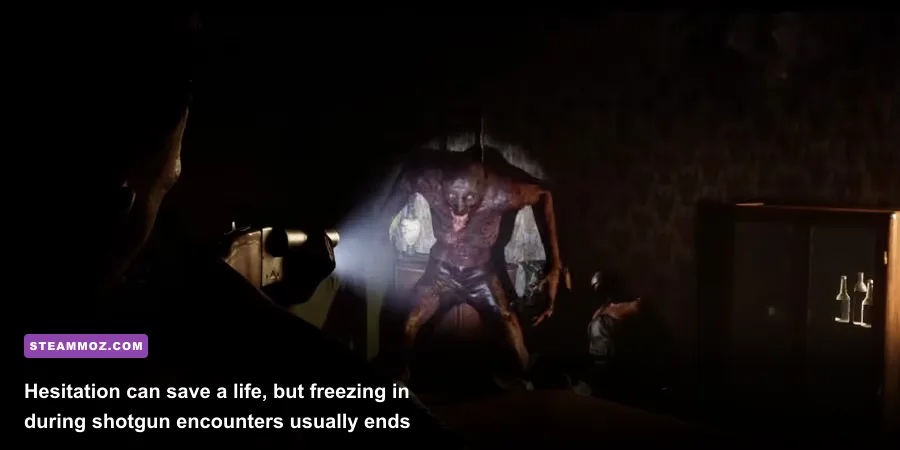
Combat sequences demand nerves of steel. Whenever a character raises a shotgun, the camera shifts behind their shoulder, and a flashlight beam acts as your targeting reticle. The game slows down time, tempting you to fire the instant the crosshair touches the creature's silhouette. Wait. The flashlight beam takes a moment to steady, and firing while the beast is at maximum range often fails to stagger it, resulting in your character being disarmed and slaughtered during the reload. Wait until the creature enters the center of your flashlight cone and lunges forward before pulling the trigger.
Weapon handling and situational awareness dictate your group's survival. Remember these absolute survival rules before starting your campaign:
- Always search for tools: If a prompt allows you to pocket small items like a silver compact, stuffed animal, or rotor arm, take them. Trivial trinkets are lifesavers in late-game sieges.
- Gun safety cuts both ways: Don't blast doors open blindly or fire at dark silhouettes until you confirm who or what is on the other side. Friendly fire is very real in Hackett's Quarry.
- Keep your friends close: Isolating characters rarely ends well. Choosing to group up or assist an injured camper during chase branches consistently delivers better collective survival odds than selfishly running away alone.
- Blood masks your presence: If you find vials of creature blood, use them. Covering a character in scent-masking fluids acts as an invisible shield during critical stalker sequences.
If you're fine-tuning other demanding titles alongside your horror playthrough, check our performance breakdowns like the Far Cry 6 GOTY Upgrade Pass settings for max FPS to keep your rig operating smoothly. For additional technical support regarding account linking and multiplayer connectivity, consult the official 2K Support portal. Armed with proper PC settings, a responsive controller, and a healthy suspicion of quick-trigger interrupts, you stand a fighting chance of guiding all nine counselors through the horrors of the night.