If you want to get the most out of Xbox Game Pass Ultimate on PC, treat it like a rotating game library rather than an endless download queue: install the Xbox app and Gaming Services correctly, use Cloud Gaming to audition large titles, claim Perks before they expire, link EA Play, and tune each game for your hardware instead of blindly chasing Ultra settings. Those five habits save storage, money, download time, and plenty of troubleshooting headaches.
Ultimate is especially good for players who jump between genres. You get the PC Game Pass catalog, day-one Xbox releases that support PC, EA Play on PC, multiplayer benefits where applicable, cloud streaming, and member Perks. The catch is that the catalog changes, some games use separate launchers, and “included” doesn't always mean “one-click install.” Here’s how to make the subscription work like a well-organized PC platform.
Set Up Game Pass Properly Before Installing Anything
Start with the official Game Pass page and confirm that your Microsoft account has Ultimate active. Then install the Xbox app from the Microsoft Store, sign in with that same account, and allow it to update fully. PC Game Pass games rely on Xbox Identity Provider and Gaming Services; if either package is broken, you can see missing install buttons, error code 0x80073D26, or games that launch and immediately close.
Fix the foundation first
Open the Microsoft Store, select Library, and update the Xbox app, Gaming Services, and Xbox Identity Provider. In Windows 11, go to Settings > Gaming > Xbox Game Bar and leave Game Bar enabled if you use party chat or quick captures. In Settings > System > Storage > Advanced storage settings > Where new content is saved, choose a fast NTFS-formatted SSD. Avoid installing modern Game Pass titles on an old external hard drive; the slower texture streaming can produce stutter even when average FPS looks fine.
| Task | Where to do it | Why it matters | Best practice |
|---|---|---|---|
| Update Xbox components | Microsoft Store Library | Prevents install and launch errors | Update before troubleshooting a game |
| Choose install drive | Xbox app Settings > Install options | Controls loading and free space | Use an internal NVMe or SATA SSD |
| Set download behavior | Windows Update and Xbox app settings | Stops background bandwidth spikes | Pause large downloads while playing online |
| Repair a broken app | Windows Settings > Apps > Installed apps | Rebuilds damaged app data | Try Repair before Reset or reinstalling |
Don't assume every title uses the same save system. Xbox Play Anywhere games generally synchronize saves through Xbox cloud saves, while some EA Play games open the EA app and use EA's own account services. Link your EA account before the first launch rather than after a 70GB download. If a Game Pass PC title refuses to start, Microsoft's official Windows game troubleshooting guide is a better first stop than randomly deleting folders.
Plan Your Downloads Like a Curator, Not a Collector
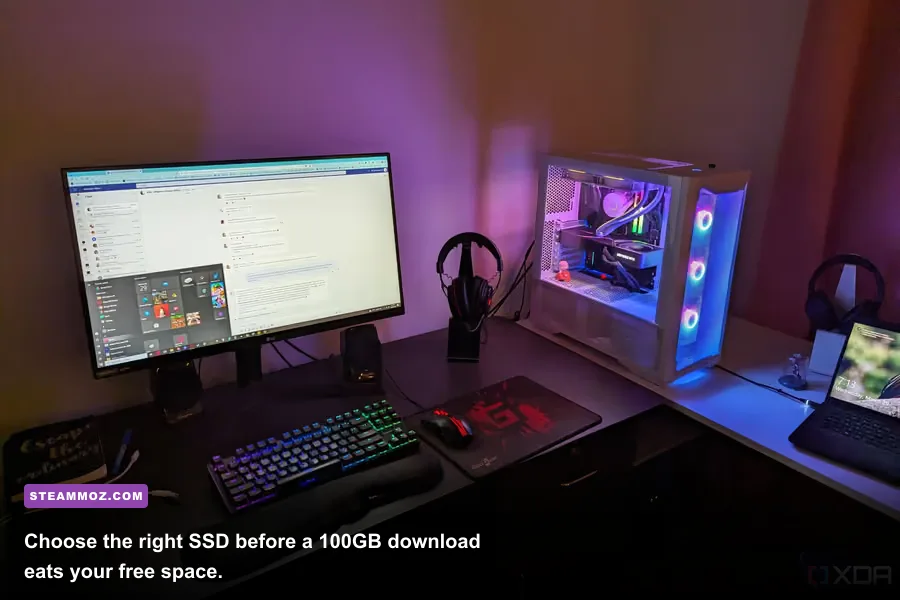
Game Pass creates a dangerous illusion of unlimited time. Your SSD doesn't have unlimited space, and neither does your attention. Use the Xbox app’s filters for PC, Optimized for PC, multiplayer, genre, and play-with-controller support. Install one “long game,” one short campaign, and one multiplayer fallback instead of six 100GB downloads competing for your evenings.
Use the 20-minute audition rule
For a huge download, launch it through Xbox Cloud Gaming first if the game has a cloud icon and your region supports it. Cloud saves and installed saves are not always instantaneous across every title, so don't treat streaming as a guaranteed benchmark. Use it to answer simpler questions: Does the combat feel right? Is the camera annoying? Will the opening hour hold your attention? If yes, install the PC version for better image quality and lower input latency.
Before uninstalling, check whether the game has a separate launcher or local save folder. Xbox Play Anywhere titles such as Forza Horizon 5 and Sea of Thieves are designed around Xbox account progression, but third-party games can behave differently. Screenshot settings and back up manual saves when a title allows it. You can also remove optional high-resolution texture packs in games that expose them; a crisp 1440p monitor doesn't need a 4K texture package if your GPU has only 8GB of VRAM.
| Library choice | Install strategy | Typical benefit | Watch out for |
|---|---|---|---|
| Competitive multiplayer | Install on fastest SSD | Lower loading and texture-streaming delays | Updates can be large and frequent |
| Short indie campaign | Install immediately | Quickly finishes and frees storage | Catalog removal can happen before you finish |
| Large open-world game | Cloud-test first | Avoids wasting 100GB or more | Streaming quality depends on latency |
| EA Play title | Link EA app before launch | Reduces account and entitlement friction | EA account restrictions can apply |
For storage-heavy games, keep at least 15 percent of the target SSD free. Windows and game patchers need working space, and a drive sitting at 99 percent capacity can turn a routine update into an error. If a title is crashing or installing incorrectly, our guide to PC crash fixes for ELEX covers the same useful principles: verify the platform components, inspect overlays, and separate a game problem from a Windows problem.
Build a Graphics Profile That Matches Your Hardware
Game Pass is not a graphics preset. A laptop RTX 4060, desktop RX 6700 XT, and integrated Radeon 780M should not run the same profile. Start at your monitor’s native resolution, set a frame-rate cap just below your display refresh rate, and then adjust the expensive settings: ray tracing, volumetric fog, shadows, reflections, and foliage density.
The practical order for higher FPS
Use the in-game benchmark when one exists, then play a busy scene for at least five minutes. Average FPS can look healthy while 1% lows collapse during traversal. On a 60Hz display, a locked 60 FPS often feels better than an unstable 85 FPS. For 120Hz or 144Hz screens, cap at 117 or 141 FPS if your VRR display behaves better with a small margin below refresh.
| Setting | Recommended starting value | FPS impact | Visual trade-off |
|---|---|---|---|
| Ray tracing | Off, then test selectively | Very high | Reflections and lighting lose accuracy |
| Volumetric fog/clouds | Medium | High | Atmosphere is softer at distance |
| Shadow quality | High on desktop, Medium on laptop | Medium to high | Contact shadows and distant detail change |
| Texture quality | High if VRAM allows | Low to medium | Keep high textures until VRAM stutters |
| Screen-space reflections | Medium | Medium | Wet surfaces and interiors look less precise |
| Upscaling | Quality mode | Positive | Small loss of fine detail, better frame rate |
| Motion blur | Off for clarity | Negligible | Cleaner camera movement and aiming |
DLSS is available on supported Nvidia GPUs, FSR works across a broader range of hardware, and XeSS can be excellent on Intel Arc cards. Use Quality before Balanced; aggressive upscaling can make foliage shimmer and distant enemies harder to read. Frame generation is useful for cinematic single-player games, but it doesn't remove the input latency of the base frame rate. For a shooter, stable native or Quality-mode rendering usually beats a giant generated-FPS number.
If a Game Pass PC release performs badly after an update, check whether shader compilation is still running, disable third-party overlays one at a time, and test borderless versus exclusive fullscreen. Our Far Cry 6 settings guide shows the right mindset: reduce heavy effects first, preserve textures where VRAM permits, and measure frame-time consistency rather than chasing a screenshot-friendly Ultra preset.
Exploit Cloud Gaming, EA Play, and Perks
Ultimate’s extra services are easy to ignore because they sit outside the main install button. That’s leaving value on the table. Cloud Gaming turns your browser into a demo machine, EA Play gives you a separate library of trials and older releases, and Perks can include cosmetics, consumables, subscriptions, and in-game bonuses.
Cloud Gaming is for decisions, not perfection
For a comfortable stream, connect your PC by Ethernet or use a strong 5GHz or Wi-Fi 6 connection. Latency matters more than raw download speed: a 300Mbps connection with interference can feel worse than a stable 50Mbps wired connection. Close video streams, pause Windows updates, and use a controller for games designed around analog input. Cloud Gaming is fantastic for turn-based RPGs, management games, and testing an opening hour; fast competitive shooters still deserve a local install.
Don't miss the EA Play handoff
Open the Xbox app’s EA Play section and complete the account linking flow. The EA app may need to be installed separately, and you should launch the game from the Xbox app at least once so the entitlement passes correctly. Avoid making multiple EA accounts with different emails; that can create a support mess when your Xbox profile is already attached to one.
| Ultimate feature | Best use | Where to access it | Common mistake |
|---|---|---|---|
| PC Game Pass catalog | Local installs and day-one PC releases | Xbox app for PC | Forgetting that catalog availability changes |
| Cloud Gaming | Testing games and playing on modest hardware | Xbox Cloud Gaming website | Expecting esports-level latency |
| EA Play | EA back catalog and timed trials | Xbox app plus EA app | Not linking the correct EA account |
| Game Pass Perks | Claiming cosmetics, DLC, and subscriptions | Xbox app or Game Pass website | Letting limited-time codes expire |
Check Perks once a week, claim anything useful, and read the redemption instructions before clicking. Some rewards require a separate account, some are console-focused, and some subscriptions automatically renew after a promotional period. Treat every code like a coupon with an expiration date, not a permanent entitlement.
Make Your Subscription Pay for Itself
The smartest Game Pass habit is finishing games before they leave. Watch the leaving soon section, prioritize campaigns you can realistically complete, and don't buy a title at full price just because it looks interesting. Ultimate members commonly receive a discount on games or add-ons before a title leaves the service, but the exact offer and catalog status can change. Check the Xbox store listing rather than relying on an old social-media post.
Use a simple monthly rotation
At the start of each month, choose one primary game, one co-op or multiplayer game, and one short wildcard. The primary game gets your large SSD install. The wildcard gets a Cloud Gaming audition first. This avoids the classic subscription trap of downloading 800GB and completing nothing.
For multiplayer, keep your account security tight. Enable two-step verification on your Microsoft account, use the Xbox app’s privacy controls, and don't share login details with friends for “family” access unless you fully understand Microsoft’s current terms. Cloud saves are convenient, but they aren't a substitute for backups when a game stores settings or screenshots locally.
Finally, remember that Game Pass is a platform with moving parts, not just a monthly folder of games. Catalog rights change, EA Play entitlements can route through another launcher, and Windows updates can affect Gaming Services. Bookmark the official Xbox Wire Game Pass updates, use the Xbox Support hub for account issues, and keep your setup lean. If you're exploring older PC releases, our guides to Far Cry 2 PC requirements and higher-FPS settings for Filament are useful reminders that smart configuration often matters more than expensive hardware.
Do those things consistently and Xbox Game Pass Ultimate stops feeling like an overwhelming buffet. You’ll spend less time repairing launchers, less money buying games you abandon, and more evenings actually playing the best releases in the catalog.