Vanilla Call of Duty: Modern Warfare on PC is a flawed classic when run straight out of the box today. Between defunct master server browsers, hardcoded 65-degree field-of-view limits, broken 250 FPS physics physics ticks, and washed-out post-processing from the late 2000s, running the default executable feels like fighting your own hardware. To genuinely transform your experience, you must install the community client patches (like CoD4x or H1-Mod), inject modern visual pipelines via customized ReShade RTGI presets, and deploy tactical overhauls like Promod or Star Wars: Galactic Warfare. Doing so stabilizes your frametimes, unlocks 120+ FOV, introduces functioning offline AI bots, and turns an aging military shooter into a razor-sharp tactical powerhouse.
Ranked: The Best Modern Warfare PC Mods Tier List
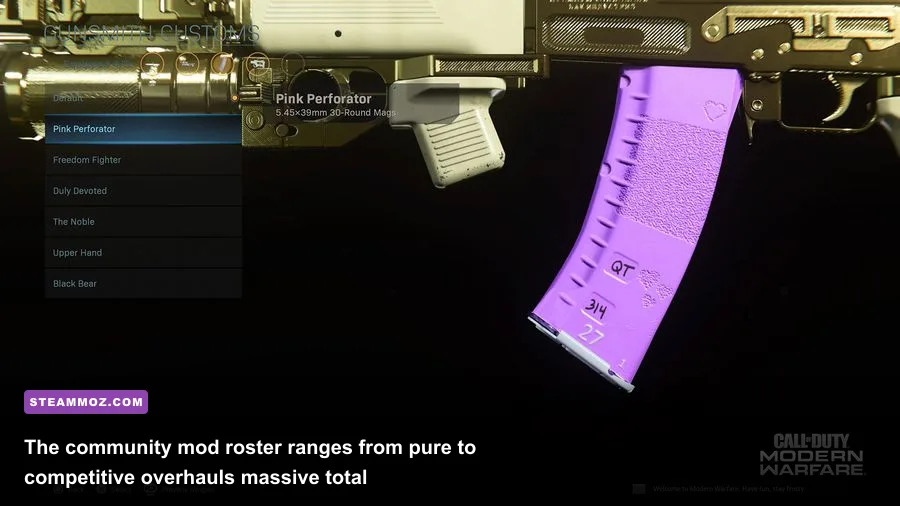
Not every mod uploaded over the past fifteen years deserves a spot on your solid-state drive. Some outdated script mods introduce memory leaks, corrupt localization files, or completely crash your DirectX runtime. We have tested, ranked, and categorized the most reliable and transformative mods currently active for the Modern Warfare engine ecosystem, separating mandatory engine backbones from optional total conversions.
| Mod / Project Name | Tier Rating | Primary Function | Installation Difficulty | FPS Impact |
|---|---|---|---|---|
| CoD4x Engine Client | S-Tier (Essential) | Master server fix, 250+ FPS physics patch, memory uncapper | Very Easy | +15% (Stabilizes frame pacing) |
| H1-Mod (MW Remastered) | S-Tier (Essential) | FOV uncapper, dedicated server browser, client restoration | Moderate | Zero (Native engine tweak) |
| Promod LIVE V2.11 | S-Tier (Competitive) | Pure weapon balancing, removed bob/glare, uniform hitboxes | Easy | +25% (Removes heavy visual clutter) |
| Star Wars: Galactic Warfare | A-Tier (Overhaul) | Complete Star Wars total conversion with custom models/audio | Moderate | -5% to -8% (High-density particles) |
| Bot Warfare / PeZBOT | A-Tier (Singleplayer) | Navmesh AI pathfinding for offline multiplayer bot battles | Easy | -10% CPU usage per 16 bots |
| Modern Tactical Audio & Animations | B-Tier (Immersion) | MW2019-style gun audio, weapon inspects, modern reload rigs | Moderate | Negligible |
| RTGI & Color Grading ReShade | B-Tier (Visual) | Simulated ray tracing ambient occlusion, tonemapping overhaul | Easy | -12% to -20% GPU load |
When selecting your setup, treat client frameworks like CoD4x as non-negotiable foundations. Installing cosmetic weapon swaps or sound modifications on top of an unpatched legacy engine leads to immediate memory boundary crashes, especially when loading into custom multiplayer maps. If you've ever dealt with technical hiccups in older ports, you know the pain—much like addressing unstable frame rates in our Elex PC fixes that stop crashes and rescue your FPS, resolving engine-level bottlenecks is always step one before loading graphical eye candy.

🎮 FORM
Looking to experience this game? Grab your digital key directly on our store for $14.99.
View on Steammoz Store →S-Tier Foundation: CoD4x and H1-Mod Client Upgrades
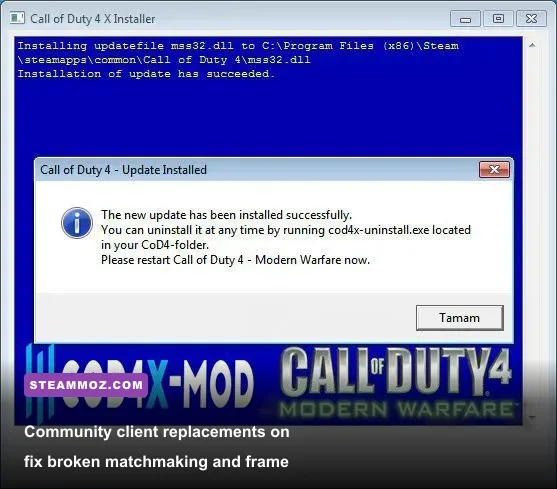
If you run vanilla Call of Duty 4: Modern Warfare through Steam or disk on Windows 10 or 11, the game will frequently freeze upon joining a lobby or fail to fetch active multiplayer servers altogether. This happens because the original Activision master servers were deprecated, leaving the in-game server browser dead in the water. Furthermore, the base IW 3.0 engine ties character jump heights, sprint inertia, and fall damage directly to frame rates. Running the game above 90 frames per second without an engine wrapper produces severe physics micro-stutters and mantling bugs.
The CoD4x Official Project completely replaces your game's underlying client executable. It introduces an independently hosted, actively maintained master server list that populates hundreds of low-latency European and North American dedicated servers. More importantly, CoD4x rewires the engine's memory management by lifting the restrictive com_hunkMegs limits from 128MB to over 1024MB. This single modification eradicates the notorious "Ran out of memory" error when loading dense custom maps like overgrown urban districts or sprawling coastal battlefields.
For players diving into Modern Warfare Remastered (2016), the equivalent lifesaver is H1-Mod. The vanilla Steam build of Remastered is crippled by intrusive matchmaking timeouts, zero dedicated community server tools, and restrictive input scaling. H1-Mod strips out the proprietary network bloat, unlocks an ultra-wide compatible field-of-view slider up to 120 degrees without fisheye distortion, and unlocks every single DLC weapon (like the MAC-10, Lynx, and XM-LAR) for immediate offline and private-match use without microtransactions. It turns a sunsetted, half-baked PC port into a fluid, responsive tactical shooter.
Total Conversions: Star Wars Galactic Warfare and Promod
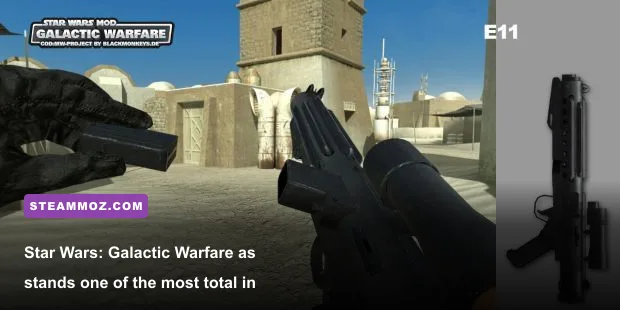
Once your engine foundation is locked down, you can experience the era where community total conversions truly redefined PC gaming. Standing tallest among them is Star Wars: Galactic Warfare, developed by the talented team at BlackMonkeys. Available via the ModDB Modern Warfare Hub, this mod isn't a cheap reskin—it is a meticulously engineered total conversion that rewires every firearm, sound effect, character model, and environmental asset.
Assault rifles like the M16A4 and AK-47 are replaced with the Imperial E-11 Blaster Rifle and Rebel DH-17. The developers completely altered the underlying ballistic projectile mechanics: instead of standard hitscan bullet raycasting, weapons fire customized laser tracers with slight flight times, requiring real target leading at medium-to-long distances across bespoke maps like Mos Eisley, Bespin Cloud City, and the interior corridors of an Imperial Star Destroyer. Thermal detonators replace standard frag grenades, and calling in an air support killstreak summons an overhead strafe run from Imperial TIE Fighters or Rebel Y-Wings.
On the opposite end of the spectrum sits Promod. Originally designed for competitive ESL and ClanBase leagues, Promod strips away every visual distraction and mechanical inconsistency from Modern Warfare's competitive ecosystem:
- Elimination of Visual Noise: Removes weapon sway, dust storms, sun glare (
r_drawsun 0), depth-of-field blurring, and violent explosive screen shake. - Sniper Mechanics Uniformity: Fixes the hit registration anomalies of the M40A3 and R700 sniper rifles, locking sniper scoping animations to an instantaneous, uniform center-screen zoom without random idle drift.
- Grenade Physics Normalization: Standardizes throwing trajectories across all frame rate configurations, allowing consistent smoke and flash grenade setups across defensive chokepoints on maps like Crash, Strike, and Backlot.
- Streamlined Weapon Classes: Restricts explosive spam by completely deleting the "Martyrdom", "Last Stand", and "Grenade Launcher (Noob Tube)" perks from loadout selections, forcing raw mechanical aim and map awareness to dictate every round.
Much like mastering optimal weapon tier lists in retro shooters—such as selecting top-performing loadouts in our breakdown of Far Cry 3: Blood Dragon weapons ranked from S to C—diving into Promod demands precision weapon handling, making the AK-47, Desert Eagle, and M40A3 feel more lethal and balanced than they ever were in standard public matches.
Tactical Skirmishes: PeZBOT and Modern Warfare Tactical Realism
Modern Warfare’s standard multiplayer requires other humans—which poses a real problem if you want to play niche custom maps at odd hours or prefer to practice offline without getting beamed across the map by two-decade veterans. This is where PeZBOT and the modernized Bot Warfare modifications become indispensable. Built using complex scripted waypoints that trace the navigational navmeshes of classic and custom maps, these mods populate empty servers with fully autonomous AI combatants.
Unlike basic bots seen in older shooters that simply walk in straight paths toward the nearest player coordinate, modern Bot Warfare scripts feature adaptive behaviors:
| Bot Difficulty Setting | Reaction Delay (ms) | Accuracy Multiplier | Combat Behaviors |
|---|---|---|---|
| Recruit | 750ms - 900ms | 0.35x | Walks in open lanes, delayed burst firing, rarely uses lethals |
| Regular | 400ms - 550ms | 0.65x | Crouch-slides to cover, deploys smoke grenades, mounts vantage points |
| Hardened | 200ms - 300ms | 0.85x | Pre-fires common angles, cooks frag grenades, coordinates pincer flanks |
| Veteran | 100ms - 150ms | 1.10x | Instant headshot snaps, dropshots on reaction, rotates heavily around objectives |
Pairing Bot Warfare with Tactical Weapon & Animation Overhauls from the Nexus Mods Call of Duty 4 Archive turns Modern Warfare into a predecessor to modern tactical titles like Escape from Tarkov or Modern Warfare (2019). These community packs import higher-polygon weapon chassis, realistic tactile audio recorded from real firing ranges, and modern first-person inspect animations. Firing an M4A1 Sopmod no longer yields a tinny, compressed audio chirp; instead, you get punchy acoustic kickback and mechanical slide reverberation that shakes your headset.
Curious about how classic hardware requirements compare when running heavily modded military shooters? Check out our breakdown of Far Cry 2 PC specs and system requirements to see how mid-2000s PC optimization continues to benefit modern low-spec and handheld gaming rigs.
Visual Transformations: ReShade RTGI and 144Hz Optimization
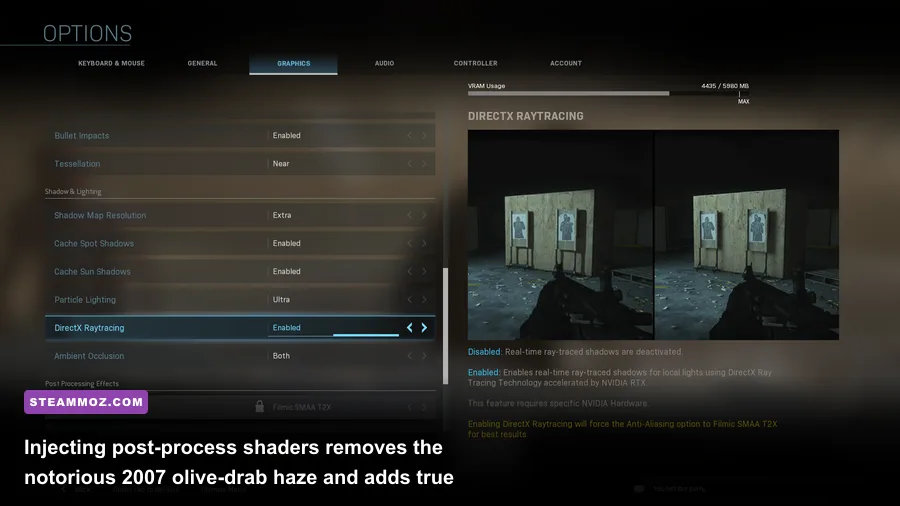
Released in 2007, the visual style of Modern Warfare leaned aggressively into the "brown-and-gray military shooter" aesthetic of its era. Contrast was harsh, shadows were flat, and the game applied a pervasive murky olive-green color tint across every single level. You don't need a total remaster to fix this—you can completely overhaul the lighting pipeline through the open-source post-processing injector from the Official ReShade Repository.
By injecting modern depth-buffer shaders, you can introduce true screen-space ambient occlusion (SSAO) and Pascal Gilcher's Ray Tracing Global Illumination (RTGI) shader into the game's DirectX pipeline. This allows light to bounce realistically off architectural surfaces in maps like Crossfire, casting soft, natural contact shadows under car chassis, window sills, and corrugated metal sheets that were originally flat and unshaded.
| Shader / Injection Setting | Recommended Preset | Visual Impact | Performance Penalty (1440p) |
|---|---|---|---|
| qUINT RTGI (Ray Traced GI) | Ray Length: 12, Rays: 4 | Realistic indirect light bounce & localized shadows | -12 to -18 FPS |
| qUINT MXAO | Sample Quality: High, Size: 1.0 | Deepens corner contact shadows without ray tracing overhead | -4 to -6 FPS |
| Tonemap / Color Grading | Def_Saturation: 1.15, Gamma: 0.95 | Strips the vintage murky green tint for natural sunlight tones | 0 FPS (Negligible) |
| Delc_Sharpen (CAS) | Sharpness: 0.45 | Restores crisp edge fidelity when using modern anti-aliasing | 0 FPS (Negligible) |
| Filmic Anamorphic Bloom | Threshold: 0.70, Intensity: 0.30 | Replaces blinding vanilla bloom with subtle lens flares | -2 FPS |
If you're balancing visual fidelity with ultra-high competitive frame rates, fine-tuning your graphics pipeline is identical to optimizing modern AAA titles; our guide on Far Cry 6 settings for maximum FPS highlights how selective post-processing tweaks save immense GPU overhead while preserving crystalline image clarity.
To lock in a tear-free, competitive experience on 144Hz or 240Hz monitors, do not rely on in-game V-Sync, which introduces heavy input latency. Instead, open your game console (using the tilde key ~) and configure these performance commands:
com_maxfps 250— Modern Warfare's physics engines operate cleanest at exact frame locks of 125 or 250 FPS, ensuring uniform jumping distance and zero engine micro-stutter.cl_maxpackets 100— Forces the game client to send upstream network packets at the maximum allowed rate, directly improving hit registration on high-tickrate servers.cg_fov 90(or105in CoD4x) — Expands your peripheral vision beyond the tunnel-vision 65-degree default, completely eliminating motion sickness on widescreen displays.r_multigpu 0— Explicitly disables legacy dual-card SLI logic that causes micro-stuttering on modern single-GPU setups.
Safe Installation Walkthrough and Crash Prevention
Installing modifications for Modern Warfare PC is straightforward once you understand how the engine prioritizes archive files. The game reads assets through packaged .iwd files located inside dedicated subfolders. Dropping mod files directly into your primary /main/ installation directory is the number one cause of game crashes, corrupt asset errors, and sudden multi-player authentication bans.
Follow this clean, battle-tested installation workflow to ensure zero conflicts:
- Install the Core Engine Patch: Download the latest CoD4x client package. Extract the contents into your root directory (typically found at
C:\Program Files (x86)\Steam\steamapps\common\Call of Duty 4). Runinstall.batwith administrator privileges to hook the updated dynamic-link libraries into your existing installation. - Create Isolated Mod Directories: In your root game folder, locate or create a folder titled
Mods. Every distinct mod must have its own separate subfolder (e.g.,Call of Duty 4/Mods/StarWars/orCall of Duty 4/Mods/PromodLIVE/). - Place Assets Inside Mod Folders: Move the downloaded
mod.csv,z_custom_assets.iwd, andmod.fffiles into that specific subfolder. Never dump these into the basemaindirectory. - Launch via Mod Selector: Start the game, navigate to the main menu, select Mods, choose your desired modification from the list, and hit Launch. The game engine will automatically restart itself, clearing its memory buffers and loading the mod without overwriting core vanilla campaign or multiplayer files.
A classic issue you may encounter on modern PCs is the notorious "Miles Sound System" initialization crash upon launching the game executable. This occurs because modern motherboards with Realtek high-definition audio drivers often disable the hardware "Stereo Mix" recording device by default. Modern Warfare's legacy audio engine looks for an active recording input when starting; if it finds none, it crashes instantly to desktop with a missing mss32.dll error.
To fix this in seconds: open your Windows Sound Control Panel, click the Recording tab, right-click any blank space, check Show Disabled Devices, locate Stereo Mix, right-click it, and select Enable. Alternatively, simply plugging any standard 3.5mm microphone or headset jack into your PC's audio port satisfies the legacy hardware handshake, letting you launch straight into heavily modded, ultra-smooth Modern Warfare action without another crash.