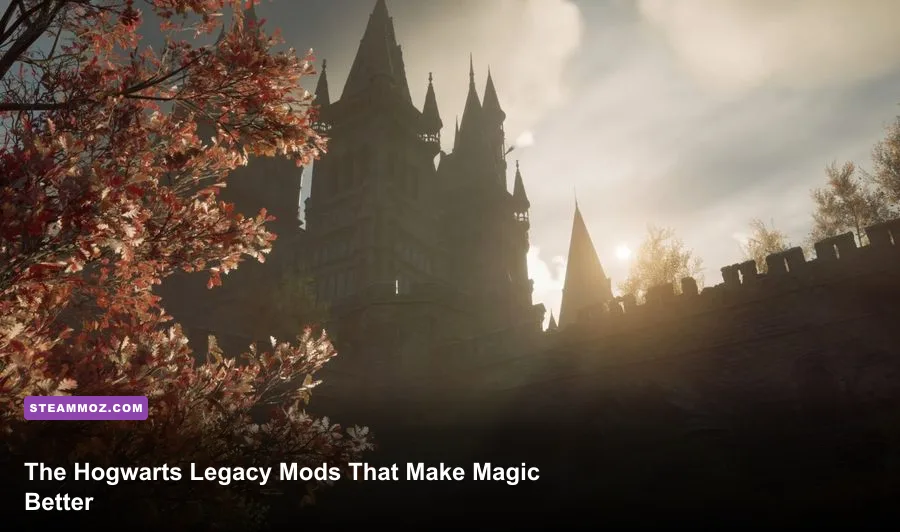
The best Hogwarts Legacy Steam mods are Ascendio II for traversal stutter, Hogwarts Legacy Enhanced for visual tuning, a reliable UI and quality-of-life package, and carefully chosen cosmetic or combat additions from Nexus Mods. Installed in that order, they smooth Hogsmeade, reduce menu friction, and make a second playthrough feel fresh without turning Hogwarts into an entirely different game.
This is a PC-first mod setup, not a random download pile. Hogwarts Legacy runs on Unreal Engine 4, uses shader compilation and aggressive world streaming, and stores a great deal of progression in local saves. A mod that looks harmless can still break after a patch or conflict with another pak file. Make a manual backup before changing anything, disable Steam Cloud temporarily while testing, and keep a clean, unmodded profile available.
For the official baseline, check the Hogwarts Legacy Steam page and the developer's official FAQ. If your problem is broader PC instability, our guides to crash fixes and FPS troubleshooting and low-FPS diagnosis cover the same fundamentals.

Build a Safe Modding Foundation First

Most Hogwarts Legacy mods are distributed as loose files or .pak archives. The usual destination is the game's ~mods folder inside Hogwarts Legacy\Phoenix\Content\Paks. If that folder does not exist, create it. A mod's readme always wins over a general rule: some projects require files in the game's root directory, while others use an external loader.
Start by opening Steam's Properties menu and using Installed Files to browse the installation. Then copy your save folder somewhere safe. On Windows, saves are normally found under %LOCALAPPDATA%\Hogwarts Legacy\Saved\SaveGames. Keep the original archive outside the game folder, because verifying files or uninstalling can remove files you meant to preserve.
Install one mod at a time. Launch the game, load a recent save, visit Hogwarts Castle, fly toward Hogsmeade, enter a shop, and cast a few spells. That five-minute route catches most broken assets and streaming conflicts. If the game crashes before the menu, remove the last mod from ~mods first; don't immediately reinstall the whole game.
| Mod Type | Typical Install Method | Main Risk | Best Testing Location |
|---|---|---|---|
| Performance config | Root folder or configuration file | Bad stutter or lighting values | Hogsmeade entrance |
| Pak replacement | ~mods folder | Asset conflict after patches | Room of Requirement |
| Blueprint or script mod | Mod loader or special folder | Launch failure | New test save |
| Cosmetic replacer | ~mods folder | Overwriting the same outfit slot | Gear menu and inventory |
Nexus Mods remains the practical hub for this game, but read the file requirements and comments before pressing download. “Optional” files are often not optional for a specific version. The Hogwarts Legacy Nexus Mods page is useful precisely because update dates, bug reports, and compatibility notes are visible in one place.

🎮 FORM
Looking to experience this game? Grab your digital key directly on our store for $14.99.
View on Steammoz Store →S-Tier Performance Mods for a Smoother Steam Deck
Ascendio II is the first download for a PC that suffers from traversal stutter, uneven frame pacing, or long pauses when entering dense areas. It is not a magic FPS button. Its value comes from tuning Unreal Engine's streaming and rendering behavior so the game spends less time hitching while it loads Hogwarts, Hogsmeade, and the surrounding Highlands.
Expect the biggest improvement in frame-time consistency, not a guaranteed jump from 45 to 90 frames per second. On a mid-range system, a smoother 45-60 FPS can feel much better than a nominally higher average with repeated one-second stalls. Ascendio II is especially worthwhile if you use an RTX 3060-class GPU, a six-core CPU, or a SATA SSD. It cannot compensate for insufficient VRAM, a nearly full drive, or outdated graphics drivers.
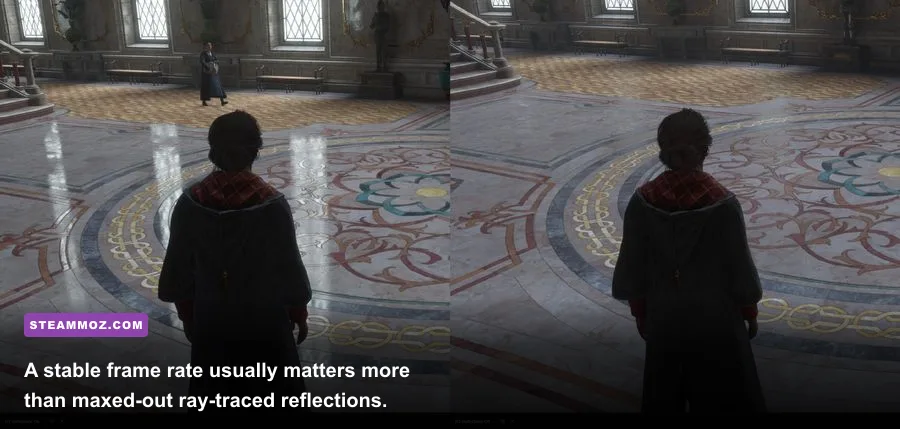
Pair it with a sensible configuration rather than blindly maxing every slider. Hogwarts Legacy's ray-traced reflections, shadows, and ambient occlusion are expensive and offer a modest improvement compared with their cost. Textures are the setting to preserve when your GPU has enough VRAM; lowering textures first can make castle walls and robes look strangely soft.
| Setting or Profile | Recommended Value | Typical FPS Impact | Visual Trade-Off |
|---|---|---|---|
| Textures | High with 8GB-plus VRAM; Medium below 8GB | Medium VRAM pressure | High keeps stone and fabric detail sharp |
| View Distance | High | Medium CPU impact | Preserves distant castle and terrain detail |
| Population Quality | Medium or High | Medium CPU impact | High improves crowds in Hogsmeade |
| Ray-Traced Reflections | Off for stable performance | High GPU impact | Less accurate water and window reflections |
| Ray-Traced Shadows | Off | High GPU impact | Small lighting improvement for a large cost |
| Upscaler | DLSS Quality or XeSS Quality | Large positive impact | Quality mode keeps spell edges cleaner |
| Motion Blur | Off | Negligible FPS change | Sharper camera movement and combat |
SmoothFrame, when compatible with your current game version, can help some systems with frame pacing, but frame-generation-style solutions need careful testing. Artificial frames don't fix input latency or CPU bottlenecks. If your real render rate is 30 FPS, generated frames can make camera movement look smoother while spell timing still feels sluggish.
Do not stack several “FPS boost” pak files that edit the same engine settings. Pick one configuration approach, clear shader caches only when troubleshooting, and give the game time to rebuild shaders after a driver change. For a broader performance comparison, our max-FPS settings guide explains the same resolution-versus-frame-time trade-off.
A-Tier Visual and Immersion Mods Worth Keeping
Hogwarts Legacy Enhanced is the strongest visual starting point for players who want a richer image without manually editing half a dozen engine variables. Depending on the current file version, its presets may adjust contrast, sharpening, color balance, fog, and post-processing. The best result is usually the restrained preset: Hogwarts already has dramatic art direction, and over-sharpening turns hair and foliage into noisy outlines.
Use it alongside the game's own HDR calibration rather than forcing extreme contrast. Black levels that are too low hide the blue glow of Revelio and the red warning indicators around enemy attacks. A good preset should make the Great Hall's warm light and the Forbidden Forest's cooler shadows more distinct, not simply make every scene darker.
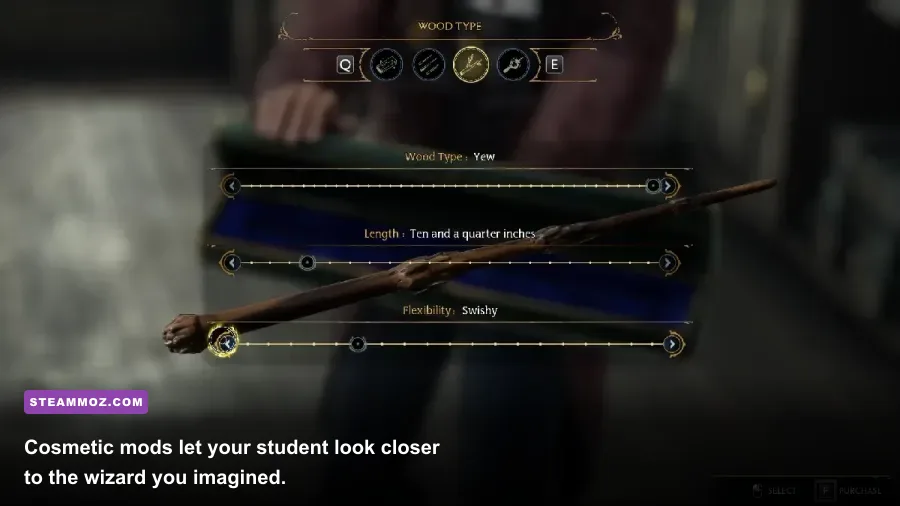
For screenshots and role-playing, cosmetic replacers are safer than gameplay edits. New robes, wand appearances, hair options, glasses, and character presets can make a second character feel personal. Check whether a download replaces a specific gear slot: two robe replacers usually cannot occupy the same asset without one overwriting the other. Keep a folder of disabled mods so you can swap themes without deleting everything.
One of the most useful immersion choices is a sensible field-of-view adjustment. A wider FOV reduces the boxed-in feeling while flying or exploring dungeons, but extreme values expose pop-in and make character models look smaller. Around 80-90 is a comfortable range for many 16:9 monitors; ultrawide players may need a different value and should test broom flight near the Quidditch pitch.
S-Tier Quality-of-Life Mods That Respect the Game
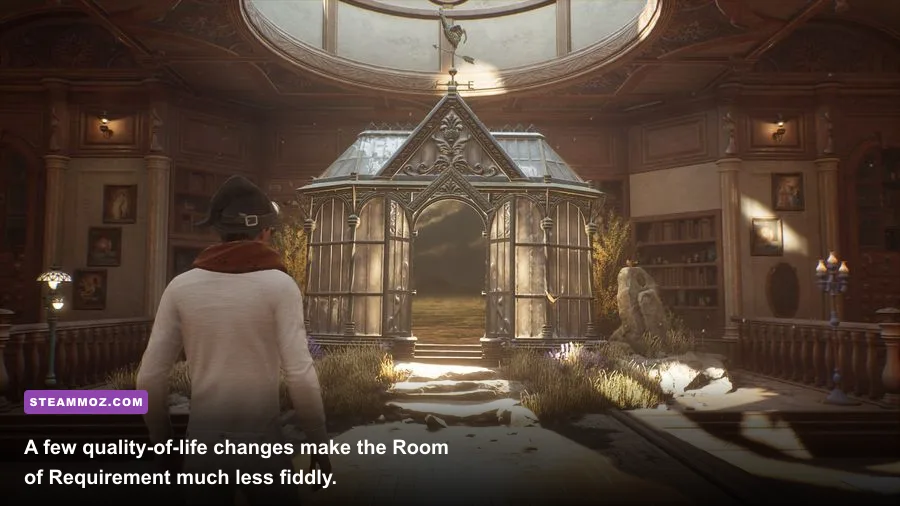
The vanilla game has plenty of friction after the story opens up. You collect gear constantly, return to the Room of Requirement to identify it, sell low-level pieces, and repeat the process while juggling limited inventory slots. A gear and inventory quality-of-life mod that expands slots or reduces unnecessary menu trips is one of the most valuable additions, particularly during treasure-heavy exploration.
That doesn't mean removing every progression gate. Hogwarts Legacy's gear system is built around item level, rarity, traits, and upgrades. The best compromise is more capacity and cleaner sorting while keeping the normal cost of upgrades, loom materials, and traits. You still need Moonstone for the Room of Requirement, Kneazle Fur or other beast materials for upgrades, and the right trait recipes from Collection Chests.
Talent point changes deserve more caution. The core trees include Spells, Dark Arts, Core, Stealth, and Room of Requirement. Basic Cast Mastery improves Basic Cast cooldown behavior, Spell Knowledge I grants an additional spell set, and Swift makes the dodge button perform a short teleport that is excellent against unblockable attacks. A mod that unlocks every talent at once can erase the game's most satisfying build decisions.
If you want convenience, choose a respec or talent-adjustment tool that preserves the normal one-point-per-level curve. At level 22, for example, you have enough points to specialize but not enough to take every powerful option. That limitation is why a Dark Arts build centered on Avada Kedavra, Crucio, and Imperio feels different from a control build using Glacius, Levioso, and Descendo.
| Quality-of-Life Choice | What It Improves | Keep Vanilla? | Why It Matters |
|---|---|---|---|
| Expanded gear slots | Inventory management | Yes | Less backtracking without changing item power |
| Auto-sell or better sorting | Vendor cleanup | Usually | Useful after Merlin Trials and enemy camps |
| Talent respec | Build experimentation | Yes | Lets you test Core and Dark Arts synergies |
| Instant beast collection | Room of Requirement chores | Prefer no | Can remove a major upgrade-material loop |
| Unlock-all progression | Story and exploration gates | No | Destroys pacing and puzzle rewards |
Companion and follower mods sit in the same category but need extra caution. A companion framework can be charming when you want Natty, Sebastian, or Poppy nearby after their quest lines, yet AI followers can interfere with stealth, enemy targeting, and scripted scenes. Treat these as optional role-playing toys, not essential installs.
Combat Mods, Compatibility, and the Setup I Recommend
Combat is already the game's strongest system, so the best combat mods add variety rather than raw damage. A spell-wheel or additional spell-set mod is useful because the default four-slot sets can feel cramped once you have unlocked transformation spells, control spells, curses, and utility tools. Keep the normal cooldowns and resource costs, or every encounter becomes a menu exercise instead of a duel.
A strong unmodded baseline makes testing easy. Open with Glacius, hit the frozen target with Diffindo, use Protego when the warning ring turns yellow, and dodge when it turns red. Against shielded enemies, match the spell color: purple control spells such as Levioso break purple shields, yellow control spells such as Glacius break yellow shields, and red damage spells such as Incendio break red shields. A mod should make this rotation more comfortable, not bypass it.
For a Dark Arts setup, Talent: Blood Curse spreads damage when a cursed target is hit, while Enduring Curse extends curse duration. Avada Kedavra Mastery can eliminate all cursed enemies after the killing curse lands, but it belongs late in progression and has a long cooldown. Mods that remove cooldowns or grant unlimited Ancient Magic erase the tactical payoff of building toward that moment.
Compatibility problems usually come from two mods changing the same asset, not from the number of mods alone. Two robe replacers can conflict; a lighting overhaul and a post-processing preset can fight each other; a script loader can fail after a game executable update. Keep a simple load-order notebook with the mod name, version, install date, and files changed. When an update arrives, remove questionable script mods first and test the game clean.
| Recommended Tier | Mod Category | Best For | My Verdict |
|---|---|---|---|
| S-Tier | Ascendio II | Traversal stutter and frame pacing | Install first if compatible |
| S-Tier | Inventory quality of life | Explorers and completionists | Huge time saver, low balance risk |
| A-Tier | Hogwarts Legacy Enhanced | Sharper, better-balanced visuals | Use a restrained preset |
| A-Tier | Spell-set expansion | Players who swap spells constantly | Keep cooldowns intact |
| B-Tier | Follower and companion systems | Role-playing screenshots | Fun, but prone to scene conflicts |
| B-Tier | Unlock and cheat packs | Testing or replay experiments | Not recommended for a first run |
My preferred Steam loadout is Ascendio II, a conservative visual preset, expanded gear capacity, a spell-set improvement, and one cosmetic theme. That combination fixes the PC version's rough edges while preserving the reasons to explore Merlin Trials, hunt Collection Chests, learn the Unforgivable Curses through Sebastian's quests, and revisit the castle after the credits.
Finally, remember that updates can invalidate a perfect setup overnight. Save your working mod archive, check each project's Posts tab before launching after a patch, and verify files only after moving custom files out of the install directory. If a modded save behaves strangely, load the clean backup rather than gambling on an autosave. For more guides built around practical experimentation, see our hidden rewards guide and efficient progression tips.