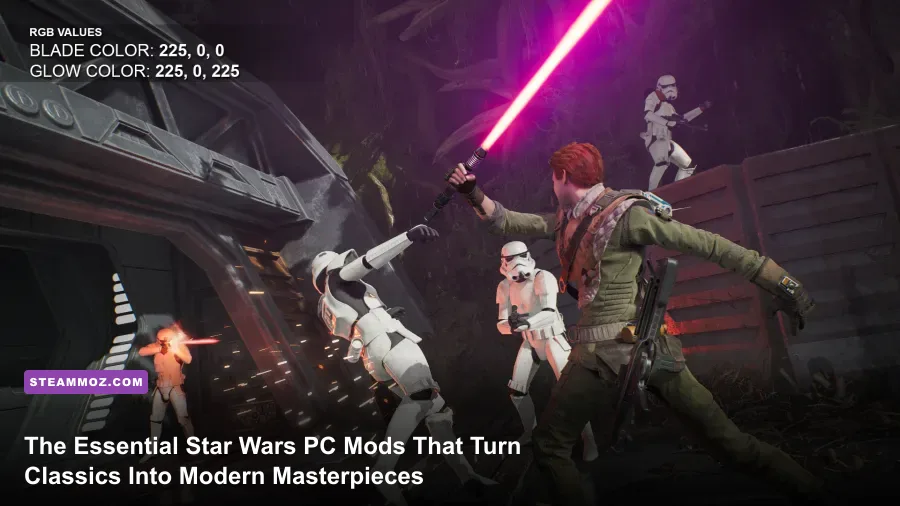
If you install classic Star Wars PC games straight out of Steam or GOG today, you're getting broken quests, locked 4:3 resolutions, crippled audio engines, and jarring physics bugs tied to modern refresh rates. The absolute baseline requirement for any modern playthrough is installing engine-restoration packages like The Sith Lords Restored Content Modification (TSLRCM) for KOTOR 2, the 64-bit community patches for Empire at War, and the Unofficial v1.3 Patch for Battlefront II (2005). Without these community overhauls, you are missing hundreds of hours of restored narrative content, tactical faction balances, and rock-solid 144FPS stability.
Modding Star Wars classics isn't just about cranking up texture resolutions to 4K; it's about repairing the unfinished ambitions of legendary developers like Obsidian Entertainment, Pandemic Studios, and Raven Software. Below, we break down the definitive, battle-tested modding stacks for each core title, detailing what to install, why it works, and the exact settings you need to lock down a flawless experience.
Knights of the Old Republic II: The Restored Content Mod (TSLRCM) and Visual Upgrades
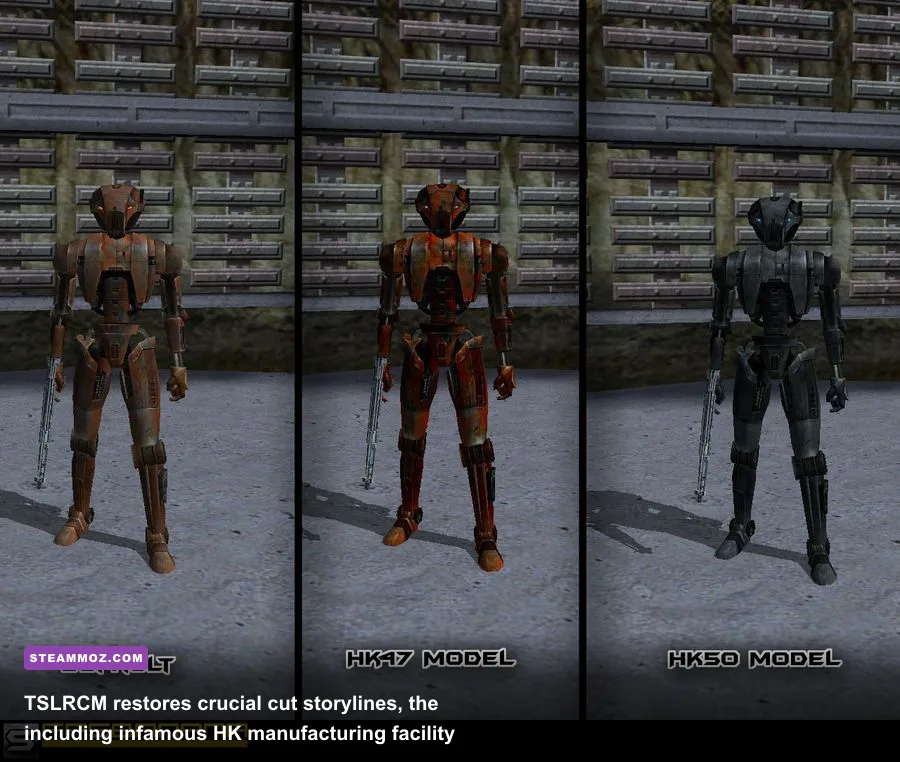
When Obsidian released Star Wars: Knights of the Old Republic II – The Sith Lords in late 2004, the publisher forced them to truncate the final act to hit the holiday shipping window. Whole planets were excised, companion arcs were left hanging mid-sentence, and the endgame on Malachor V felt like a ghost town. TSLRCM (The Sith Lords Restored Content Mod), maintained by lead modders Zbyl2 and Darth_Vicious, is not optional—it is the real, uncompromised vision of the game.
TSLRCM restores thousands of lines of fully voiced dialogue, complete cutscenes, and critical companion interactions. The most famous restoration is the HK Manufacturing Plant on Telos. In vanilla, your sociopathic assassin droid HK-47 simply wonders where the knock-off HK-50 units are coming from. With TSLRCM active, HK-47 tracks down their hidden sub-surface production facility, leading to one of the darkest, funniest, and most challenging combat gauntlets in the entire Odyssey Engine era.
Beyond TSLRCM, pair your installation with these essential stability and visual add-ons:
- KOTOR 2 Community Patch (K2CP): Cleans up pathfinding navmeshes, script triggers, and lighting anomalies left behind even after the restored content mod.
- HD Remastered UI: Replaces the low-res 800x600 user interface with crisp, vector-styled assets scaled natively for 1440p and 4K displays.
- Fire and Ice HD: Overhauls the muddy particle effects of plasma grenades, thermal detonators, and environmental cryo-hazards without tanking frame times.
Critical Engine Warning: The Odyssey Engine ties character movement directly to vertical sync. If you run the game on an uncapped 144Hz or 240Hz monitor, your player character will frequently freeze in place immediately after combat rounds end. You must lock your GPU driver settings to 60Hz or enable in-game VSync. If you run into stuttering or unexpected crashes during cutscenes, applying performance tweaks similar to our low FPS and engine crash fixes will keep the legacy rendering pipeline stable.

🎮 FORM
Looking to experience this game? Grab your digital key directly on our store for $14.99.
View on Steammoz Store →Star Wars: Empire at War – Total Conversion Overhauls That Outshine Modern RTS
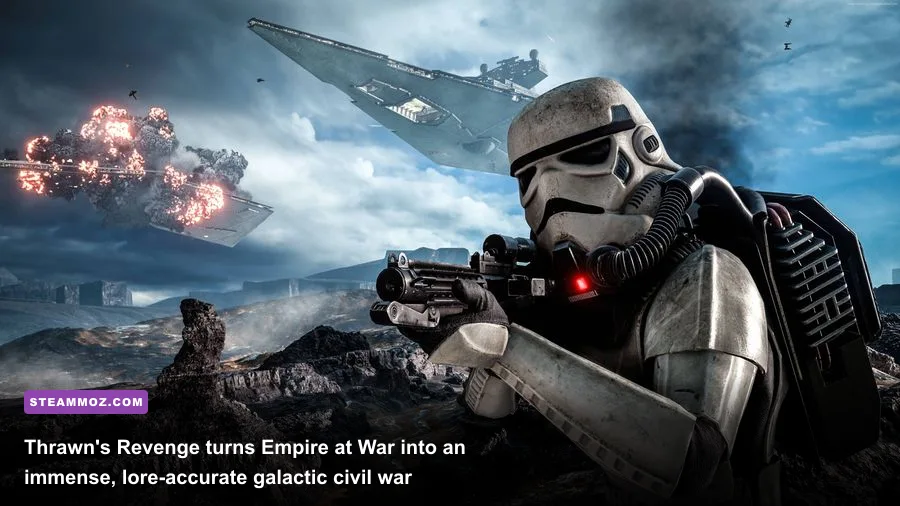
Petroglyph Games dropped a monumental surprise by updating Star Wars: Empire at War - Forces of Corruption with a native 64-bit executable. That single engine patch shattered the ancient 2GB system memory barrier, letting the modding scene unleash gargantuan space battles featuring hundreds of capital ships without triggering immediate Out of Memory (OOM) crashes. Today, Empire at War boasts the most robust grand strategy modding ecosystem in PC gaming.
The three titans of the modding community—Thrawn's Revenge, Awakening of the Rebellion (AotR), and Fall of the Republic—completely reinvent the game. Instead of standard skirmish maps, they introduce full-scale galactic political simulations with distinct historical eras, supply lines, and deep tactical fleet combat.
In Thrawn's Revenge (Imperial Civil War), you step into the chaotic power vacuum immediately following the Battle of Endor. The Empire has splintered into feuding warlord states: the Imperial Remnant, the Pentastar Alignment, the Eriadu Authority, and Zsinj's Empire. You aren't just spamming Star Destroyers; you must manage government legitimacy, sector influence, and unique fleet command rosters featuring custom hero units like Grand Admiral Thrawn, Admiral Daala, and Gilad Pellaeon.
| Mod Title | Primary Era | Tactical Complexity | Engine Stress (RAM/VRAM) | Key Differentiating Mechanic |
|---|---|---|---|---|
| Thrawn's Revenge | Post-Endor (Legends) | High | Medium-High (6GB+) | Warlord Legitimacy, Dynamic Era Progression |
| Awakening of the Rebellion (AotR) | Galactic Civil War | Hardcore / Punishing | High (8GB+) | Fighter Fuel, Hypervelocity Weapons, Logistics |
| Fall of the Republic | Clone Wars Era | High | Medium-High (6GB+) | Sector Defense Forces, Boarding Actions |
| Remake Mod (4.0) | Galactic Civil War | Moderate | Extreme (Requires 10GB+ VRAM) | Photo-realistic PBR Ship Models, Modern Shaders |
If you crave an unforgiving tactical challenge, Awakening of the Rebellion reworks planetary ground combat from the ground up. Artillery pieces have realistic minimum firing distances, anti-infantry repulsor tanks melt to well-positioned anti-armor missile squads, and orbital bombardments require dedicated fleet screening ships parked above the combat zone. Much like managing critical resources in character-driven games—which we explore in our guide on how to level fast and manage resource curves—mastering AotR demands strict economic discipline before you ever build your first fleet.
Star Wars: Battlefront II (2005) – The True Definitive Remaster Setup
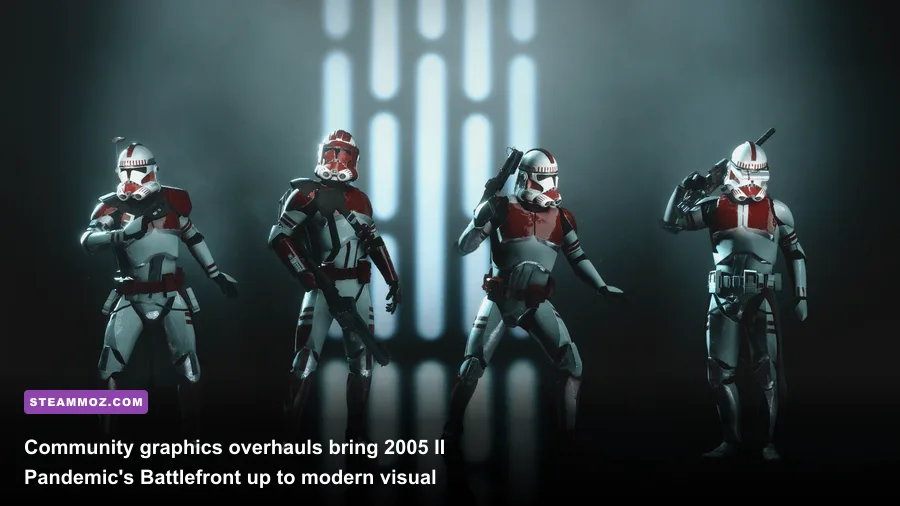
While official remastered releases have stumbled with server matchmaking issues and bloated file sizes, the PC modding scene perfected Pandemic Studios' 2005 classic years ago. Running the original Battlefront II on PC requires three core mods to unlock modern widescreen support, upgraded mesh rendering, and 64-player stability:
- The Unofficial v1.3 Patch (by Zerted): The cornerstone of all Battlefront II modding. It expands the game's internal memory limits, introduces a fully customizable heads-up display (HUD), unbinds hardcoded weapon limits, and allows map creators to build custom game modes like Galactic Conquest with new factions.
- Battlefront II Remastered Project (v2.2): An exhaustive visual overhaul that replaces vanilla 256x256 environmental textures with 2K and 4K assets, integrates modern post-processing lighting shaders, and swaps low-poly troop models for detailed assets inspired by modern cinema renders.
- Battlefront Evolved: An add-on package specifically targeted at infantry models. It replaces every class from the Republic, CIS, Rebel Alliance, and Galactic Empire with high-poly meshes, authentic weapon attachments, and cloth physics for capes and kamas.
For players who want an entirely new battlefield, the Star Wars Battlefront: Conversion Pack (v2.0) imports every single map from the original 2004 Star Wars: Battlefront (including Bespin Platforms, Rhen Var Harbor, and Kashyyyk Docks) directly into the 2005 engine, complete with native assault modes, vehicle dogfights, and Hero Assault support. If you experience micro-stuttering during massive 64-bot instant action clashes, take a look at our general approach to tuning display refresh rates and graphics settings to ensure smooth frame delivery on legacy directX wrappers.
Star Wars Jedi Knight: Jedi Academy – Modernizing Lightsaber Combat with Movie Battles II
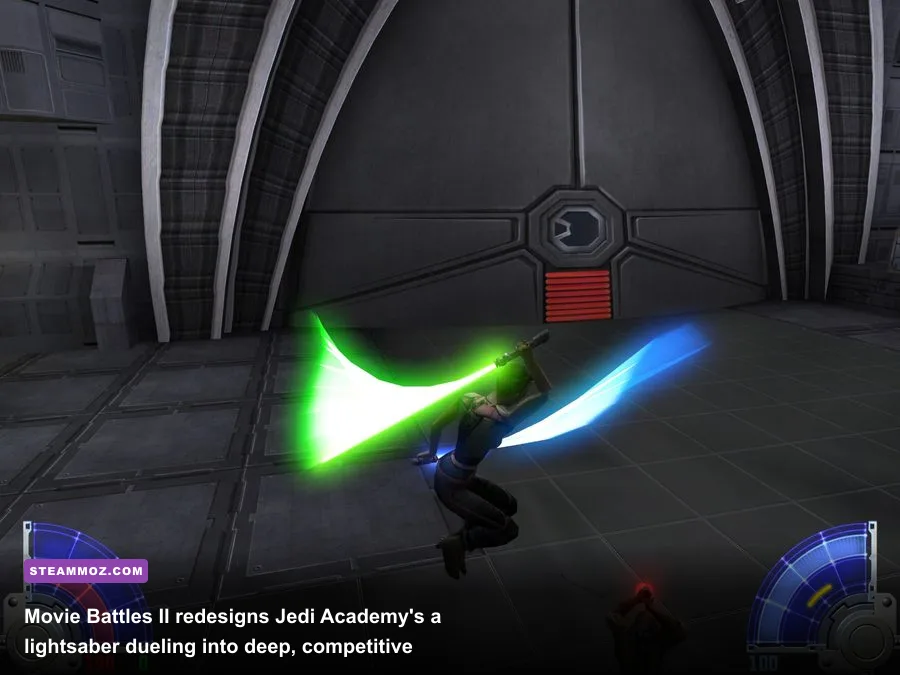
Raven Software's Jedi Knight: Jedi Academy (built on a heavily modified id Tech 3 engine) still boasts the finest real-time lightsaber combat system ever engineered. However, running the vanilla game today results in erratic mouse sensitivity on high-DPI sensors, broken sound spatialization on Windows 11, and server browser disconnects. The solution is two-fold: install OpenJK for the single-player campaign, and dive into Movie Battles II for multiplayer.
OpenJK is an open-source engine recreation that maintains 100% compatibility with vanilla assets while completely fixing audio memory leaks, eliminating widescreen letterboxing, supporting raw mouse input, and introducing native Linux and modern Windows compatibility. It runs butter-smooth at 240FPS without altering the underlying saber physics or force power progression.
If your sights are set on multiplayer, Movie Battles II (MBII) is one of the longest-running, most competitive mods in PC history. It throws out the floaty "spam-swinging" of the vanilla game and replaces it with a razor-sharp, asymmetric tactical system:
- Manual Directional Parries: Instead of passive, dice-roll blocking, you must actively aim your lightsaber directly at your opponent's blade during their swing trajectory to deflect blows.
- Force Point (FP) and Block Pool Management: Blocking blaster bolts and lightsaber strikes depletes your stamina bar. Once drained, a heavy overhead swing will disarm or instantly execute you.
- Tactical Class Synergy: Gunner classes (Mandalorians, Clone Troopers, Bounty Hunters, Wookiees) aren't cannon fodder. A skilled Mandalorian with wrist lasers, sonic grenades, and rocket propulsion can bait and shred an overconfident Sith Lord within seconds.
Much like dialing in high-performance hardware configurations to maintain an edge in shooters—as detailed in our guide on optimizing GPU overhead and framerate headroom—nailing your sensitivity, netcode interpolation rates (`cl_maxpackets 100`), and tick rates in OpenJK/MBII is the difference between clean parries and a severed limb.
Master Mod Tier List: The Definitive Star Wars PC Overhauls Ranked

Not every mod deserves a permanent spot on your NVMe drive. Some community projects are bloated with unstable scripts, broken sound banks, and severe performance leaks. We've battle-tested the most prominent Star Wars overhauls across dozens of hours, evaluating them on stability, lore authenticity, mechanical depth, and frame-rate optimization.
| Mod Name | Target Game | Tier Rating | Stability Score | Why It Belongs Here |
|---|---|---|---|---|
| TSLRCM (Restored Content) | KOTOR II | S-Tier (Essential) | 9.8 / 10 | Literally finishes an unfinished classic; non-negotiable for narrative coherence. |
| Thrawn's Revenge | Empire at War: FoC | S-Tier (Essential) | 9.2 / 10 | The ultimate post-Endor grand strategy sandbox; unrivaled polish and fleet diversity. |
| Movie Battles II | Jedi Academy | S-Tier (Essential) | 9.0 / 10 | The deepest, most punishing lightsaber combat mechanics ever created on PC. |
| Battlefront II Remastered (v2.2) | Battlefront II (2005) | A-Tier (Recommended) | 8.7 / 10 | Modernizes graphics and resolutions while preserving Pandemic's core physics. |
| Awakening of the Rebellion | Empire at War: FoC | A-Tier (Recommended) | 8.5 / 10 | Brilliant tactical combat, though ground skirmish difficulty can feel brutal for newcomers. |
| Republic Commando: FixPatch | Republic Commando | A-Tier (Recommended) | 9.5 / 10 | Restores broken bump mapping, missing dynamic shadows, and 4K widescreen UI scaling. |
| KOTOR 1 Brotherhood of Shadow | KOTOR 1 | B-Tier (Situational) | 7.8 / 10 | Incredible fan voice acting and expanded Revan lore, but suffers from major difficulty spikes. |
| Empire at War Remake 4.0 | Empire at War: FoC | B-Tier (Situational) | 6.5 / 10 | Jaw-dropping visuals, but heavy planetary combat cuts and severe hardware throttling. |
Crucial Installation Best Practices to Avoid Crash-to-Desktop (CTD)
Modding games engineered between 2003 and 2006 on modern 64-bit operating systems presents unique technical hurdles. Windows 10 and 11 handle legacy DirectX calls, multi-core CPU scheduling, and RAM allocations completely differently than Windows XP. If you want to prevent sudden crash-to-desktop errors and frame pacing drops, you need to apply these technical safeguards.
1. Apply the 4GB Patch (Large Address Aware)
Older 32-bit executables are hard-coded to utilize a maximum of 2GB of virtual address space. When you inject high-resolution 4K textures, sound packs, and expanded unit caps, the game will immediately crash the moment memory allocation approaches 2048MB. Download the universal 4GB Patch tool (by Daniel Pistelli) and patch the main `.exe` files for Star Wars: Republic Commando, Battlefront II, and KOTOR. This sets the Large Address Aware flag in the file header, doubling accessible virtual memory to 4GB and eliminating out-of-memory crash spikes.
2. Single-Core Affinity for Republic Commando and KOTOR
Both the Unreal Engine 2 build used in Republic Commando and the Odyssey Engine in KOTOR often choke on modern multi-core, hyper-threaded CPUs (like Intel's hybrid architecture or AMD Ryzen chips). If you experience persistent desktop freezes during level loading transitions, create a custom desktop shortcut or run a `.bat` launcher script that forces CPU affinity to a single core:
start /affinity 1 swkotor2.exeThis simple command directs the process to execute exclusively on Core 0, eliminating thread-synchronization race conditions that lock up legacy renderers. Addressing core-scheduling bottlenecks is a proven technique for solving system instability, as outlined in our technical breakdown of stopping PC crashes and rescuing erratic frame pacing.
3. Manual INI Configuration Tweaks
Steam and GOG versions frequently override resolution settings inside configuration text files upon startup. Before launching your modded setups, navigate directly to your game directories, open the core configuration files (`swkotor2.ini` or `battlefront.ini`), and manually establish your display profile:
- Set Native Aspect Ratio: Under `[Graphics Options]`, hard-code your native dimensions (e.g., `Width=2560`, `Height=1440`).
- Force Hardware Mouse: In KOTOR, ensure `HardwareMouse=1` to bypass software cursor lag.
- Disable Legacy Intro Movies: If games crash on launch before reaching the main menu, set `Disable Intro Movies=1`. Modern Windows display managers often choke on ancient 640x480 Bink Video codecs (`.bik`).
With these essential overhauls, engine patches, and config tweaks in place, your Star Wars PC collection will shed its technical dust and deliver the responsive, cinematic experiences these legendary studios originally envisioned.