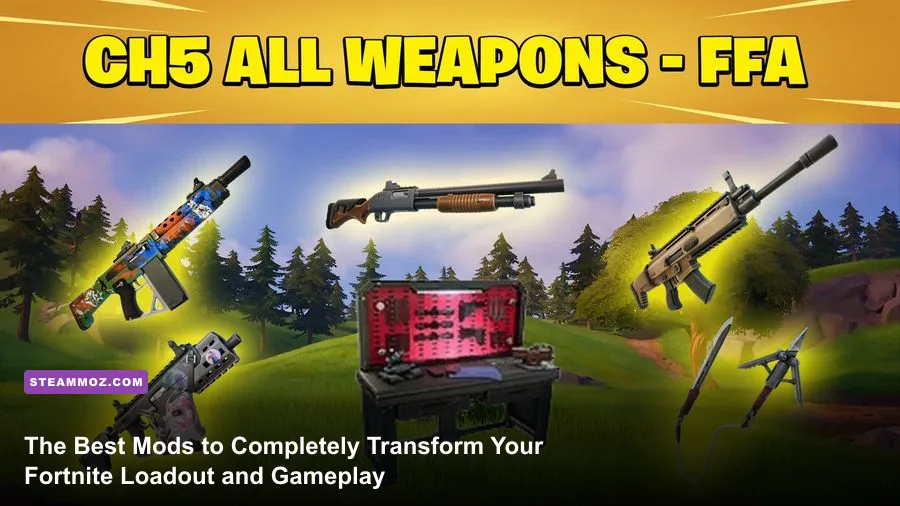
Modding in Fortnite represents the single biggest mechanical evolution the battle royale has seen since the introduction of Zero Build. If you want to transform erratic recoil into surgical beam weapons and fundamentally change your mechanical ceiling, mastering the game's official Mod Bench system and leveraging engine-level custom UEFN islands is non-negotiable. Walking into the endgame with stock, unmodded grey-tier floor loot is effectively signing your own elimination notice when competing against opponents armed with calibrated recoil dampeners, fast-draw angled grips, and extended magazines.
The Definitive Weapon Mod Tier List: Attachments That Win Duels
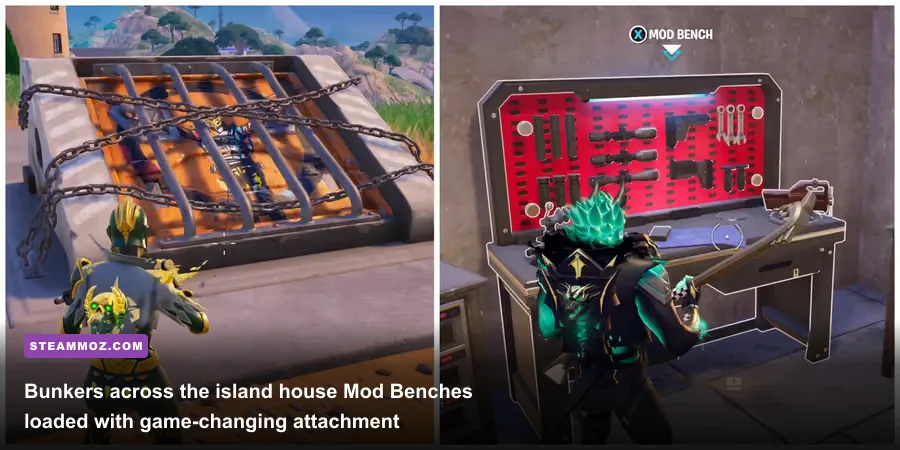
Not all attachments inside the Mod Bench are created equal. The difference between an Angled Foregrip and a Vertical Foregrip can mean the difference between winning a frantic box-fight or getting pumped before your crosshair even settles. Weapon mods in Fortnite alter fundamental weapon physics: they manipulate base spread, bullet velocity, visual muzzle obstruction, and frame data on Aim Down Sights (ADS) draw speeds. Much like curating weapons in gear-heavy shooters where loadouts define your survival—a dynamic we detailed when breaking down classic ranked weapon tiers—knowing which slot delivers the highest tactical return on your gold investment is essential.
Mod attachments split across four distinct slots: Optics, Magazine, Underbarrel, and Barrel. Each slot alters weapon handling uniquely, and stacking conflicting mods can actively cripple your weapon's intended engagement range. For instance, pairing a heavy 4x Thermal Scope with an uncompensated recoil barrel on a high-fire-rate rifle turns your reticle into an uncontrollable paint shaker after three rounds.
| Mod Attachment | Slot Category | Mechanical Stat Impact | Competitive Tier | Ideal Weapon Class |
|---|---|---|---|---|
| Red Eye Sight (1.15x) | Optic | Removes hip bloom, instant clear target acquisition | S-Tier | Assault Rifles, SMGs |
| Muzzle Brake | Barrel | -17% Vertical Recoil kick per shot | S-Tier | Assault Rifles, DMRs |
| Laser | Underbarrel | -20% Hipfire Spread cone radius | S-Tier | Shotguns, Pistols, SMGs |
| Speed Mag | Magazine | -25% to -30% Reload Time duration | S-Tier | All Weapons (Universal) |
| Angled Foregrip | Underbarrel | -15% ADS Transition Frame Time | A-Tier | Shotguns, Assault Rifles |
| Drum Gun Mag | Magazine | +25% to +35% Magazine Bullet Capacity | A-Tier | SMGs, Auto Shotguns |
| Suppressor | Barrel | Eliminates muzzle flash, hides audio radar ping >30m | B-Tier | Sniper Rifles, Stealth ARs |
| Thermal Scope (2.1x) | Optic | Heat-signature vision overlay through bushes/fog | B-Tier | DMRs, Heavy ARs |
Understanding these raw numbers changes how you evaluate ground loot. When you find a rare weapon with an optimal roll, you save hundreds of Gold Bars that would otherwise vanish at the Mod Bench. Ground loot variants drop with random mods based on rarity: Common has zero, Uncommon possesses one, Rare carries two, Epic sports three, and Legendary or Mythic weapons feature a fully loaded four-mod loadout. Learning to inspect dropped gear before burning gold is just good tactical discipline.

🎮 FORM
Looking to experience this game? Grab your digital key directly on our store for $14.99.
View on Steammoz Store →Weapon-Specific Build Combos: Eliminating Bloom and Kick

Slapping random attachments onto your guns at the Mod Bench without understanding synergy ruins gunplay. If you play tactical shooters, you know that stacking ergonomics and recoil management transforms weapon stability. The same logic applies directly here. Creating cohesive weapon setups tailored to specific engagement envelopes lets you dictate every engagement, similar to optimizing specialized kits in action-RPG loadout blueprints where each synergy reinforces your playstyle.
The Laser-Beam Assault Rifle Build
Modern Fortnite ARs suffer from severe progressive vertical kick and noticeable horizontal bloom reset delays. To turn an assault rifle into an absolute laser beam capable of beaming gliding opponents out of the sky, combine the Red Eye Sight (1.15x), Muzzle Brake, Vertical Foregrip, and Speed Mag. The Red Eye removes bloom entirely by granting true first-person reticle stability according to detailed mechanical breakdowns on the Fortnite Wiki. Stacking the Muzzle Brake (-17% vertical kick) with the Vertical Foregrip (-20% vertical kick) cuts aggregate muzzle jump by roughly 34%, letting you hold the trigger at 60 meters without dragging your mouse off the edge of your desk.
The Lethal Pump & Gatekeeper Shotgun Build
Shotguns make or break box fights. The golden rule for modding shotguns is simple: never equip high-magnification optics. Any optic past the Holo (1.3x) creates disorienting tunnel vision when jump-peeking around corners. The ultimate shotgun combination requires:
- Optic: Iron Sights or Red Eye (Iron sights offer the cleanest peripheral field of view).
- Magazine: Drum Mag (for semi-auto shotguns like the Gatekeeper, expanding the tiny 3-shell capacity to 5) or Speed Mag (for high-damage Pump variants).
- Underbarrel: Laser. The Laser underbarrel reduces hipfire spread by a flat 20%, concentrating your pellet cluster into a much tighter grid. This results in tighter damage groupings and reliable 100+ damage meat-shots even while sliding or jump-shooting.
- Barrel: Muzzle Brake or Suppressor. The Muzzle Brake ensures your crosshair snaps back to center instantly for rapid follow-up shots.
The Ghost Infiltrator SMG
Close-quarters spraying demands maximum mobility and zero downtime. For SMGs, prioritize the Laser underbarrel alongside the Suppressor and Drum Magazine. The Suppressor not only conceals your position from third-party opportunists by erasing directional gun icons from the visual sound effects wheel past 30 meters, but it also reduces distracting muzzle flash during nocturnal storm circles. The Drum Mag provides the raw pool of rounds needed to completely melt through both Overshield and health bars without pausing to reload.
Bunker Routes, Mod Bench Economy, and Gold Management
Having optimal mod blueprints in your head is useless if you don't have the Gold Bars or the physical Mod Bench access to assemble them. Following official balancing updates documented directly by Epic Games, Mod Benches are primarily locked behind two high-stakes environments: fortified boss vaults and mid-match underground bunkers.
Mod Benches inside bunkers become accessible when the third storm circle timer elapses. An unmissable siren echoes across the island, and the heavy metal blast doors slowly slide open, venting steam. These locations are intense hotspots where players clash for access to rare chest loot, weapon racks, and the coveted Mod Bench sitting at the back wall.
Mastering the Gold Economy
Every single attachment swap at a Mod Bench costs a flat 75 Gold Bars. Customizing an entire blank weapon from muzzle to stock drains 300 Gold Bars in seconds. If you cycle through multiple guns every match, your bank will dry up rapidly unless you actively manage your economy. Much like managing resources in deep economic loop games—such as finding and optimizing routes in space economy systems—you need reliable income loops to maintain your modding habits.
To keep your wallet healthy across competitive matches:
- Crack Cash Registers and Safes: Commercial POIs like gas stations, retail buildings, and bank vaults contain registers dropping 20 to 40 gold each, while heavy floor safes drop roughly 100 to 130 bars.
- Accept Bounties Early: Pick up Bounty Board contracts immediately upon landing. Even if a third-party squad eliminates your target, you still receive poached gold payouts.
- Loot Fallen Players' Mats and Purses: High-frag games naturally fund your benches, as eliminated players spill a percentage of their banked bars on death.
- Wipe Wasteland / Boss Minions: Named boss compounds yield massive caches of gold bars alongside specialized vault keycards.
Transformative UEFN Mods: Reshaping Fortnite Into Brand-New Games
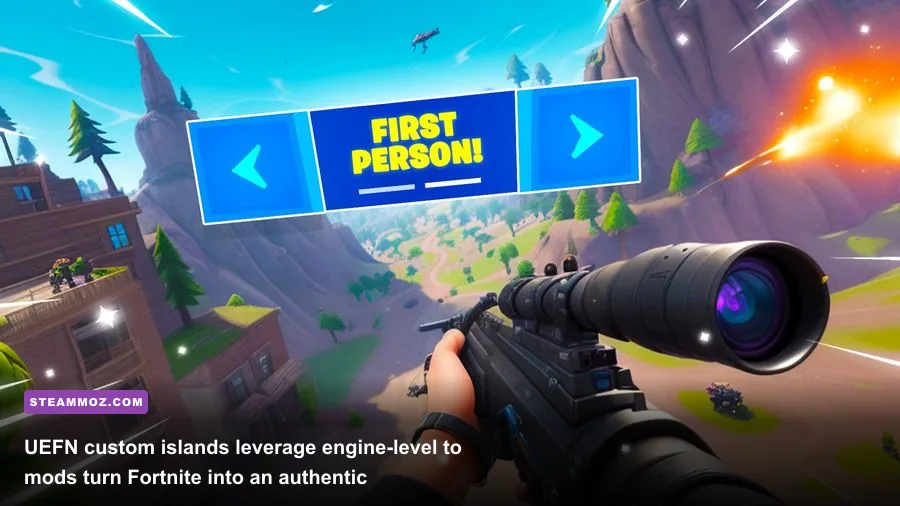
Beyond the in-match attachment benches lies the wild world of Unreal Editor for Fortnite (UEFN), colloquially known as Creative 2.0. UEFN allows community creators to code custom Verse logic, import proprietary assets, and modify low-level engine cameras. Through UEFN, community modders have transformed Fortnite's standard third-person battle royale mechanics into first-person tactical shooters, extraction survivals, and precision warm-up simulations.
By leveraging the tools detailed in the official Unreal Editor for Fortnite Documentation, developers have essentially created total conversion mods that live directly inside the Fortnite launcher without risking third-party file injection bans.
| UEFN Mod / Experience | Genre / Mod Category | Core Gameplay Transformation | Player Training Benefit |
|---|---|---|---|
| First-Person Tactical Gunfight | FPS Overhaul | Forces true ADS camera perspective with realistic weapon sway | Crosshair placement and pure twitch reaction speed |
| Raider464 Aim Training Facility | Mechanical Mod Simulator | Scripted bot AI movement profiles, reactive tracking scenarios | Isolates tracking, click-timing, and horizontal smoothness |
| Zone Wars & Realistics (1v1/2v2) | Competitive Mod Sandbox | Replicates endgame storm surge, randomized modded loadouts | Clutch decision-making, pressure handling, box fighting |
| Open-World Extraction Roguelite | Loot-and-Extract Conversion | Permadeath, custom inventory persistence, safe-zone banking | High-stakes positioning, tactical disengagement pacing |
Dedicating fifteen minutes inside a mechanical aim-training UEFN mod before queueing up for Ranked matches rewires your muscle memory. Because UEFN runs on native Unreal Engine 5 netcode, target hitboxes, weapon damage falloff profiles, and bullet travel times match Battle Royale tick for tick. Practicing target switches against dynamically strafing bots inside a curated aim trainer translates directly into hitting high-pressure shotgun pumps when contesting a bunker Mod Bench.
Client Tweaks and Engine-Level Settings for Maximum Responsiveness
Physical in-game attachments and custom practice maps form two legs of the stool; the third leg is tuning your PC client to ensure your inputs register with zero latency. Running ultra-high graphic presets with ray tracing might make the island look gorgeous, but frame drops and input lag will ruin your aim. Just as we emphasize when resolving hardware frame bottlenecks in our guides to tuning PC settings for maximum FPS and troubleshooting game engine crashes and frame stutters, optimizing Fortnite's rendering pipeline is mandatory for clean performance.
D3D12 vs. Performance Mode: The Competitive Reality
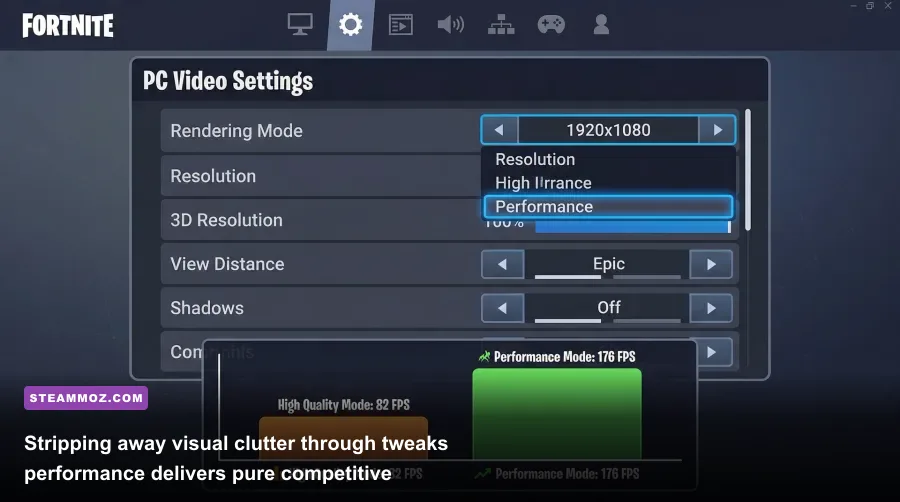
Fortnite offers three rendering APIs: DirectX 11, DirectX 12, and Performance (Lower Graphical Fidelity). While DirectX 12 utilizes Nanite Virtualized Geometry and Lumen Global Illumination for console-style visual fidelity, it introduces frame-time variance during intense build battles.
For the lowest system latency and highest sustained frame rates, switch to Performance Mode. This strips away dynamic shadow computation, disables distracting grass sway, and simplifies asset textures. More importantly, it cleans up player silhouettes, making targets visible across the map even inside the storm or through heavy particle effects.
Crucial In-Game Accessibility Mods: Visual Sound Effects
If you play with "Visualize Sound Effects" toggled off, you are playing at a severe tactical disadvantage. Located under Audio Settings, this feature projects a radial 360-degree holographic compass around your crosshair that visually illustrates footsteps, reloads, vehicle engines, healing ticks, and gunshots long before your ears can identify their direction.
This setting essentially acts as a built-in legal positional radar. If an enemy sneaks up beneath your wooden floorboard in a chaotic POI, their footstep indicators pulse on your screen, indicating their exact angle. It completely removes the ambiguity of directional audio in vertical structures.
Low Input Latency Checklist
- NVIDIA Reflex Low Latency: Set to On + Boost to keep your GPU clocks elevated and minimize input queue latency.
- Window Mode: Always run Fullscreen. Borderless Windowed forces the desktop window manager to buffer frames, introducing a subtle layer of input delay.
- View Distance: Set to Medium or Far. Player character models render at the same distance regardless of this setting, but environmental clutter drops out, giving you cleaner sightlines.
- Textures & Meshes: Set Meshes to Low on Performance Mode to obtain the cleanest build visibility through wood and brick walls.
Mastering Fortnite today is about working smarter. Calibrate your weapons at Mod Benches to delete recoil, warm up your mechanics inside dedicated UEFN training islands, and strip away graphic bloat for maximum frame rates. When you control your attachments, your environment, and your performance, claiming that Victory Royale becomes a calculated habit rather than luck.