
If Architect Life: Architect’s Home Office has you sketching floor plans long after you should have gone to bed, start with House Flipper 2 for realistic renovation, The Sims 4 for unrestricted home design, or Tiny Glade for pure creative building. They are the best games like Architect Life in 2026 because each one captures a different reason to enjoy architectural simulation: planning, decorating, restoring, managing space, or simply making a beautiful place.
There is no perfect one-to-one replacement. Architect Life is appealing because it connects a professional architect fantasy with practical decisions about rooms, circulation, materials, clients, and presentation. The games below split that formula into sharper specialties. Some are better at construction, some at furniture and interiors, and others at turning a building into a business. I’ve ranked them by how well they satisfy the same itch, not by how closely their menus happen to look.
S-Tier Architect Life alternatives
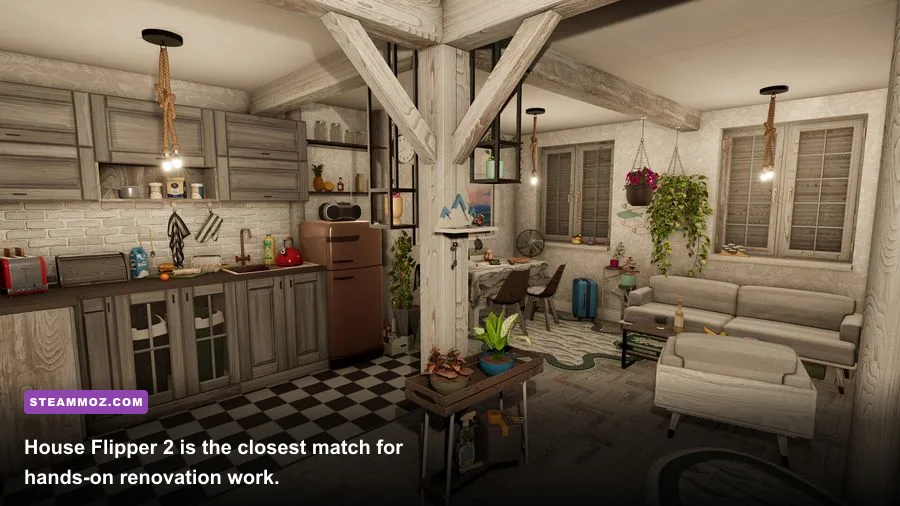
The S-Tier games are the ones I’d recommend without needing to know exactly what you enjoyed most about Architect Life. House Flipper 2 is the best all-rounder, The Sims 4 is the most flexible design sandbox, and Tiny Glade is the most instantly satisfying if you care more about visual creativity than budgets or client briefs.
| Game | Tier | Best For | Main Trade-Off |
|---|---|---|---|
| House Flipper 2 | S-Tier | Renovation, construction, decorating | Less architectural planning depth |
| The Sims 4 | S-Tier | Floor plans, interiors, lived-in homes | Many useful items are DLC-bound |
| Tiny Glade | S-Tier | Relaxed creative building | No career or economy layer |
| Project Highrise | A-Tier | Large-scale building management | Mostly top-down and abstract |
| House Designer: Fix & Flip | A-Tier | Simple renovation jobs | Smaller scope and rougher presentation |
That distinction matters. If you want to choose a roof pitch, place a staircase, and make a home feel architecturally coherent, The Sims 4 gives you the deepest toolkit. If you want to buy an ugly property, knock out walls, clean it, repaint it, and sell it, House Flipper 2 has the better moment-to-moment loop. Tiny Glade is different again: it removes the pressure to make a profitable or technically plausible building and lets you chase a pleasing silhouette.
For broader simulation recommendations, our guides to games like Citizen Sleeper and games like Iratus are useful reminders that the best alternative depends on the specific fantasy you want to preserve.
🎮 Architect Life - Architect's Home Office
Looking to experience this game? Grab your digital key directly on our store for $2.09.
View on Steammoz Store →House Flipper 2 is the closest overall match
House Flipper 2 on Steam is the obvious first recommendation, but calling it a simple cleaning game undersells it. Its campaign moves between property purchases, client jobs, demolition, construction, painting, flooring, furniture placement, and final presentation. That chain gives every room a before-and-after payoff that Architect Life fans tend to crave.
The most important difference is the feel of the tools. In House Flipper 2, demolition is physical and readable: you remove grime, break unwanted objects, clear rubble, and reshape interiors before rebuilding them. The Construction Mode expands that loop with walls, doors, windows, roofs, and structural pieces. You still aren’t running a professional architectural office with detailed engineering constraints, but you are making decisions at the scale where a house starts to feel like yours.
Why it works for Architect Life players
- It respects the renovation fantasy. A room is not finished when you place one attractive sofa. You have to deal with surfaces, debris, fixtures, lighting, and the visual relationship between adjacent spaces.
- The campaign teaches through jobs. Early contracts introduce cleaning, painting, furniture, and demolition before asking you to combine them in larger properties.
- Sandbox mode removes the checklist. Once you want to build rather than complete client objectives, you can experiment with open-ended projects and custom layouts.
Its weakness is architectural precision. The game is excellent at the tactile work of renovation, but it does not offer the same feeling as drafting a complete house around circulation, zoning, or a client’s changing brief. If you’re constantly thinking about the relationship between the kitchen, hallway, bedrooms, and garden, The Sims 4 may hold your attention longer.
My practical advice is to treat every House Flipper 2 property like a real design exercise. Pick a limited palette before buying furniture, keep one dominant material for each floor, and leave clear walking routes around dining tables and beds. A room can be full without feeling finished; negative space is what makes the final screenshot look intentional.
The Sims 4 has the strongest design sandbox
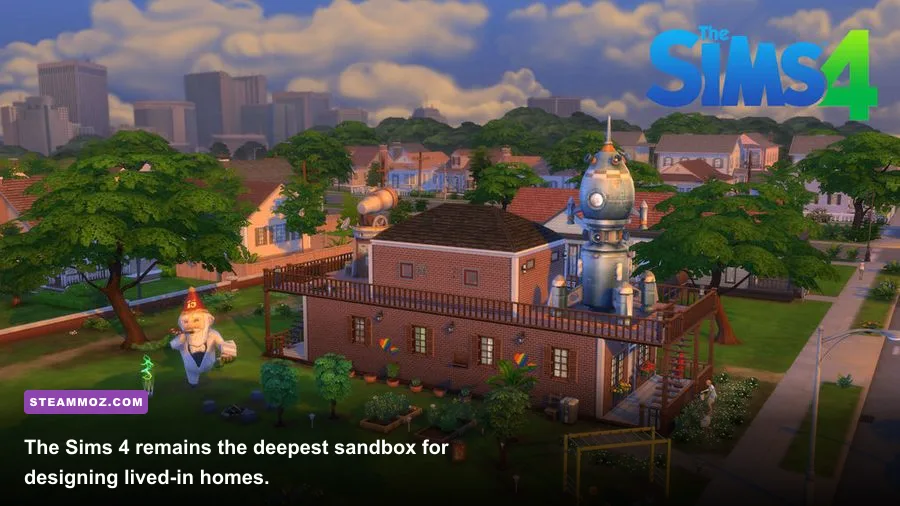
The Sims 4 is the best choice if your favorite part of Architect Life is the floor plan itself. Build Mode gives you room tools, wall manipulation, platforms, foundations, roofs, stairs, fences, windows, doors, landscaping, and an enormous catalog of objects. It also adds a crucial layer that most architecture games lack: people actually live in the spaces you create.
The free base game is enough to test the building system, and its basic room tools are remarkably forgiving. You can drag walls, place rooms as modules, move entire sections, and adjust roofs without restarting the project. The limitation is content. Expansions such as Discover University, City Living, Eco Lifestyle, and For Rent add useful architectural themes and systems, but purchasing the full catalog is expensive. Don’t confuse the size of the DLC library with a requirement to own it all.
How to build better homes in The Sims 4
Start with circulation rather than furniture. Place the front door, stairs, and major hallway first. Then divide the plan into public areas, private bedrooms, and service spaces. A compact 8-by-10-tile kitchen can work beautifully if the counters form a clean work triangle, while a huge room often feels empty because the furniture has no visual anchor.
Use the Alt key to move objects off the normal grid, the G key to toggle the grid, and the platform tools when you want split-level rooms without committing to a full second floor. The half-wall and foundation systems are especially useful for making a home feel designed instead of assembled from stock rooms. For roof work, use small overhangs and separate roof pieces rather than forcing one giant shape to cover the entire house.
The Sims 4 also wins for storytelling. A nursery next to a parent’s bedroom, a cramped starter home that expands over generations, or an elegant rental building with awkward shared spaces all give your architecture a reason to exist. That human context is the game’s secret weapon, even if you spend most of your time paused in Build Mode.
Tiny Glade is the purest creative escape
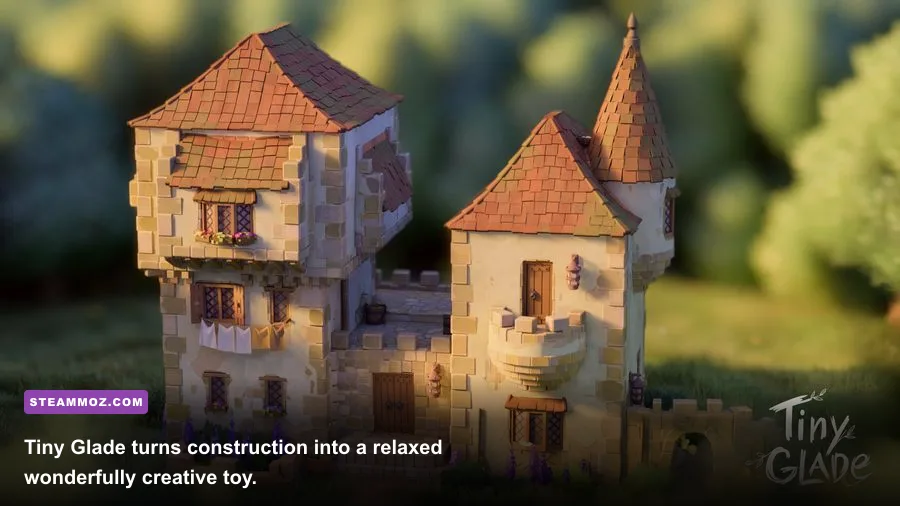
Tiny Glade is not a career simulator, a renovation game, or a realistic drafting application. It is a digital diorama where you draw paths, place buildings, adjust walls, and watch the game turn simple gestures into charming medieval architecture. That sounds modest on paper. In practice, it is one of the fastest ways to get from an empty plot to a screenshot worth keeping.
The procedural building system is the star. Drag out a wall and Tiny Glade automatically handles rooflines, arches, supports, windows, and small decorative variations. You can create a fortified gate, a riverside cottage, a ruined tower, or a tiny market square without managing dozens of technical parts. The result is stylized rather than realistic, but the rules are consistent enough that your buildings rarely look broken.
There is no money, client approval, staffing, or resource tree to interrupt the creative flow. That makes Tiny Glade a poor substitute if you need progression, but a perfect companion if Architect Life’s planning tools feel too demanding after a long day. The time-of-day controls, seasonal atmosphere, paths, fences, water, and ambient details are designed for composition. You build toward a scene, not a sales price.
Use it when you have a clear visual idea rather than a spreadsheet of requirements. Start with one landmark structure, add a path that leads the eye toward it, then build smaller pieces around the silhouette. The best Tiny Glade scenes have a focal point and a sense of approach. Placing every available object usually makes the diorama less convincing, not more.
A-Tier picks for management and structured play
If you want something more system-driven than Tiny Glade, two alternatives deserve attention. Project Highrise zooms out from individual homes to entire towers, while House Designer: Fix & Flip keeps the renovation formula accessible and compact.
Project Highrise
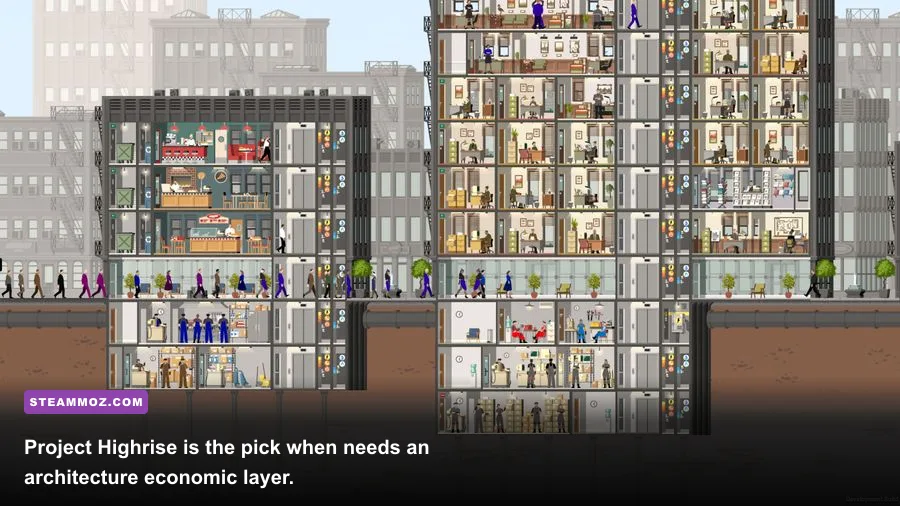
Project Highrise is about turning a vertical building into a functioning ecosystem. You place apartments, offices, shops, restaurants, elevators, utilities, and service areas, then watch tenants respond to rent, accessibility, prestige, noise, and convenience. Its architecture is viewed from the side, so it won’t replace Architect Life’s room-by-room perspective, but it adds the strategic layer that many home design games lack.
The key lesson is that every floor needs a job. Offices want reliable elevator access and services. Retail benefits from foot traffic. Residential tenants care about noise, amenities, and the quality of the surrounding tower. Build too many premium units before your infrastructure can support them and your attractive skyscraper becomes an expensive vertical traffic jam.
House Designer: Fix & Flip
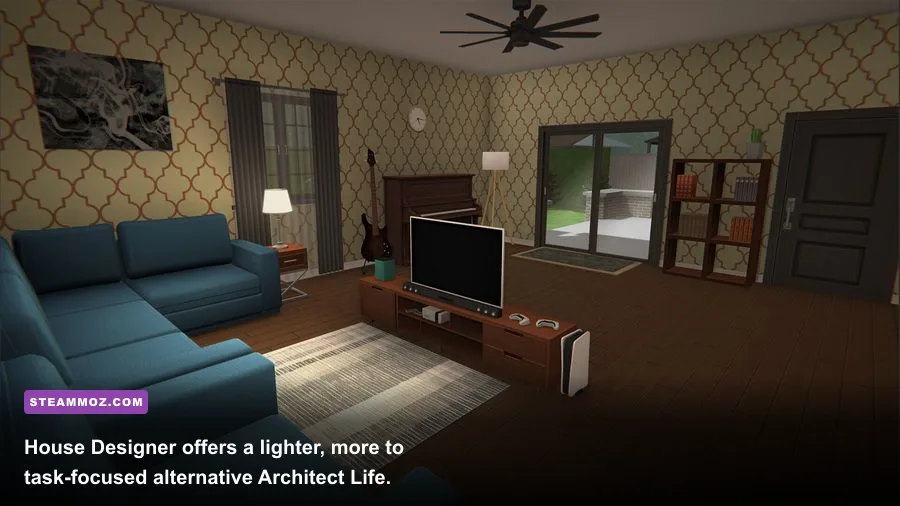
House Designer: Fix & Flip is a lighter option for players who want property jobs without the larger feature set of House Flipper 2. Its loop is familiar: acquire a property, clean and repair it, choose furniture and finishes, then improve its value. The presentation and interaction are less polished, but the lower complexity can be a virtue if you prefer quick projects over long renovations.
It’s best approached as a budget recommendation, not a technical rival. The game gives you enough freedom to experiment with room layouts and decor, but its building tools are not as satisfying when you want to make major structural changes. Still, it scratches the buy-fix-sell itch efficiently, especially on a modest PC.
| Game | Design Depth | Management Depth | Best Session Length |
|---|---|---|---|
| House Flipper 2 | High | Low to medium | 30 minutes to several hours |
| The Sims 4 | Very high | Medium | One hour or an entire weekend |
| Tiny Glade | Medium visually | None | 10 to 45 minutes |
| Project Highrise | Medium | Very high | 45 minutes to several hours |
| House Designer | Medium | Low | 20 to 60 minutes |
Which game should you play first?
Choose House Flipper 2 if you want the closest overall replacement for Architect Life. It delivers the strongest sequence of visible work: demolish, clean, repair, construct, decorate, and reveal. Choose The Sims 4 if your priority is exact room planning, roof design, landscaping, and homes with believable occupants. Choose Tiny Glade if you want to build attractive architecture without money, objectives, or failure states.
Project Highrise is the right answer for players who enjoy balancing systems more than arranging cushions. It asks harder questions about elevator capacity, tenant demand, operating costs, and vertical zoning. House Designer: Fix & Flip is the quick-and-cheerful option when you want renovation tasks without investing in a sprawling campaign.
| Your Priority | Best Pick | Why It Wins |
|---|---|---|
| Closest renovation loop | House Flipper 2 | Strong construction, cleanup, and decorating flow |
| Best floor-plan sandbox | The Sims 4 | Flexible rooms, roofs, platforms, and interiors |
| Most relaxing builder | Tiny Glade | Fast procedural construction with no pressure |
| Deepest management | Project Highrise | Tenant needs, utilities, elevators, and finances |
| Shortest renovation sessions | House Designer | Simple jobs with an easy-to-read progression loop |
Before buying, check the official pages for current system requirements, updates, and DLC. Architect Life’s Steam listing is the sensible starting point for comparing its current feature set with these alternatives. If performance is your concern, our Kujlevka settings guide and Baten Kaitos HD Remaster performance guide explain the same general rule: stable frame pacing matters more than blindly pushing every visual slider to maximum.
Best settings for smooth building sessions
Architecture games are usually less demanding than modern shooters, but large furnished houses, reflections, high-resolution shadows, and dense landscaping can still expose a weak GPU. The table below is a practical starting point for a 1080p PC with 16GB of RAM and a mid-range graphics card. Treat it as a tuning profile rather than a promise of a specific frame rate, since patches and hardware vary.
| Setting | Recommended Value | FPS Impact | Visual Note |
|---|---|---|---|
| Resolution | 1920x1080 | High if reduced | Keep native resolution before lowering quality |
| Texture Quality | High | Low to medium | Uses VRAM but preserves material detail |
| Shadows | Medium | Medium to high | Usually the safest major performance cut |
| Reflections | Medium or low | Medium | Important near glass, water, and polished floors |
| Ambient Occlusion | Medium | Low to medium | Keeps furniture corners from looking flat |
| Anti-Aliasing | TAA or balanced upscaling | Low | Reduce jagged roof and fence edges |
| View Distance | High | Medium | Useful for exterior plots and large towers |
| Motion Blur | Off | Small | Sharper screenshots and easier camera control |
For building and screenshot work, I’d rather play at a locked 60 frames per second with medium shadows than swing between 45 and 90 fps with every effect enabled. Camera movement is constant in these games, and uneven frame pacing makes precise placement feel strangely slippery. If a title offers an FPS cap, match it to your monitor’s refresh rate or use a stable 60 fps target.
Disable motion blur first, then reduce shadows and reflections. Leave textures high unless you’re running out of video memory; blurry bricks and wood grain are much more distracting in a close-up interior than a slightly softer shadow. On an older four-core processor, keep background applications closed when loading large lots, because simulation-heavy games can stutter while populating furniture, tenants, or household characters.
The final verdict
The best games like Architect Life are not interchangeable, and that’s exactly why this group works. House Flipper 2 is the strongest recommendation for hands-on renovation. The Sims 4 is the unmatched choice for floor plans and lived-in architecture. Tiny Glade is the most joyful creative toy, Project Highrise is the smartest management challenge, and House Designer: Fix & Flip is the efficient budget alternative.
My personal order for 2026 is House Flipper 2 first, The Sims 4 second, and Tiny Glade third. Start with the first if you want to feel the house change under your hands. Move to The Sims 4 when you’re ready to obsess over circulation, roofs, and room proportions. Keep Tiny Glade installed for those evenings when you want to build a perfect little castle without a client, a budget, or a single red notification ruining the view.