The best way to transform Forza on PC is to combine a carefully tuned ReShade profile, telemetry and tuning utilities, a sensible controller or wheel setup, and a locked performance target—not a risky cheat trainer. Forza Horizon 5 and Forza Motorsport don't offer broad official mod support, so the safest improvements are visual, analytical, and offline-focused. Anything that injects gameplay code or alters online progression can trigger anti-cheat action, corrupt saves, or cost you access to multiplayer.
That distinction matters. A sharper image, cleaner frame pacing, better telemetry, and more useful tuning information can make a bigger difference than an unofficial car pack ever will. This setup is aimed at PC players who want Forza to look better, feel more consistent, and teach them something about driving.
Start With the Mods That Actually Improve Driving
Think of the available tools in three groups: presentation mods, data tools, and tuning helpers. ReShade belongs in the first group. It adds post-processing effects such as contrast, color balance, sharpening, bloom, and ambient-light adjustments without changing vehicle physics. SimHub, Race Dash, and similar telemetry applications belong in the second group, displaying speed, RPM, gear, throttle, brake input, lap deltas, and tire information on a second monitor or phone. Tuning apps such as ForzaTune help translate a car's power, drivetrain, tire compound, and intended use into a starting setup.
Forza Horizon 5 already gives you detailed tuning sliders, but the game doesn't explain every consequence. A telemetry overlay can show whether you're actually reaching the rev limiter in sixth gear, locking the front tires under braking, or overheating the rear tires during long drifts. That feedback is valuable whether you're using a gamepad in Horizon 5 or a wheel in Motorsport.
| Tool Type | Best Use | Risk Level | Recommended Mode |
|---|---|---|---|
| ReShade | Color, contrast, sharpening | Low, when used carefully | Offline and online only after testing |
| Telemetry app | RPM, inputs, lap deltas, tire data | Low | Practice, rivals, and league racing |
| Tuning calculator | Suspension, gearing, differential starting points | Low | Build creation and testing |
| Save editor or trainer | Credits, cars, progression changes | High | Avoid on any connected account |
For official rules and account guidance, check Forza Support before installing anything that touches the game process. The same cautious approach applies to other PC games; our guide to ELEX crash and FPS fixes shows why backups and controlled changes beat installing ten tweaks at once.

🎮 FORM
Looking to experience this game? Grab your digital key directly on our store for $14.99.
View on Steammoz Store →S-Tier: ReShade for a Cleaner, More Cinematic Image
ReShade is the standout visual mod because it addresses one of Forza's most noticeable PC weaknesses: inconsistent image character between bright daytime races, cloudy weather, and night events. Download it from the official ReShade website, select the correct Forza executable, and start with only standard effects. Forza Horizon 5 commonly uses ForzaHorizon5.exe, while the Steam version may present a different installation path than the Microsoft Store build. Don't guess—verify the executable in Task Manager or your launcher directory.
The best baseline is modest: CAS or LumaSharpen at low intensity, Curves for gentle contrast, Vibrance around 0.05 to 0.10, and a small lift to clarity. Avoid aggressive MXAO, fake HDR, heavy film grain, and deep black crush. Those effects can make screenshots pop while hiding braking markers, apex curbs, and puddles during a race. On an RTX 3060 or RX 6700 XT, a lightweight profile usually costs roughly 2 to 5 frames per second at 1440p; ambient occlusion and depth-based effects can cost considerably more.
Recommended ReShade profiles
| Profile | Effects | Typical FPS Cost | Best Situation |
|---|---|---|---|
| Competitive | CAS, Curves, mild Vibrance | 2-3 FPS | Online racing and rivals |
| Cinematic | Clarity, Bloom, Tonemap, Vibrance | 4-8 FPS | Free roam and replays |
| Night Contrast | Curves, LiftGammaGain, restrained HDR | 3-6 FPS | Night and rain events |
| Screenshot | MXAO, bloom, sharpen, film effects | 8-15 FPS | Photo mode only |
Press the ReShade overlay key in a private test session and toggle effects one at a time. If road markings become harder to read, the preset has gone too far. Also remember that updates can break injectors. If Forza stops launching, remove the ReShade DLL and configuration files before verifying the game installation through the official Forza Horizon 5 Steam page.
A-Tier: Telemetry Apps That Make Every Lap More Useful
Telemetry is the most underrated upgrade for Forza PC. A second-screen application can reveal mistakes your eyes miss in the cockpit: a brake pedal that never reaches 100 percent, throttle application that jumps from 40 to 100 percent, or a gear change that drops the engine below its useful torque band. SimHub is a popular foundation for dashboards, while dedicated Forza-compatible apps can provide speed, RPM, gear, throttle, brake, steering angle, and lap timing.
Use telemetry as a learning tool, not a wall of numbers. Start with five fields: speed, gear, RPM, brake pressure, and throttle position. In Forza Motorsport, add lap delta and tire temperatures if your data source supports them. In Horizon 5, where open-world events and arcade-style handling reduce the value of tire engineering, a clean speed and input display is usually enough.
Place the display where you can glance at it on a straight, never where it blocks braking boards or the apex. Watch for input patterns. If the brake trace spikes instantly and falls off a cliff, you're probably locking up or releasing too abruptly. If throttle application repeatedly hits 100 percent before the car is straight, reduce the input or adjust traction control. This turns telemetry into a practical driving lesson instead of decorative dashboard clutter.
Telemetry setup priorities
- Gamepad: monitor steering saturation, brake trigger range, and throttle spikes. These expose dead zones and overcorrection.
- Wheel: watch steering angle, brake pressure, and wheel speed. Calibrate the brake so 100 percent is reachable without standing on it.
- Rivals: use lap delta and speed traces to identify exactly where you lose time rather than chasing a vague faster lap.
- Long races: monitor tire temperatures and fuel only when the data source and game mode support reliable readings.
For setup stability, disable overlays you don't need. Steam, Xbox Game Bar, Discord, GPU recording, ReShade, and a telemetry dashboard can stack latency and capture hooks. Our Filament performance guide covers the same principle: measure each layer instead of assuming every overlay is free.
A-Tier: Tuning Tools for Better Builds, Not Magic Setups
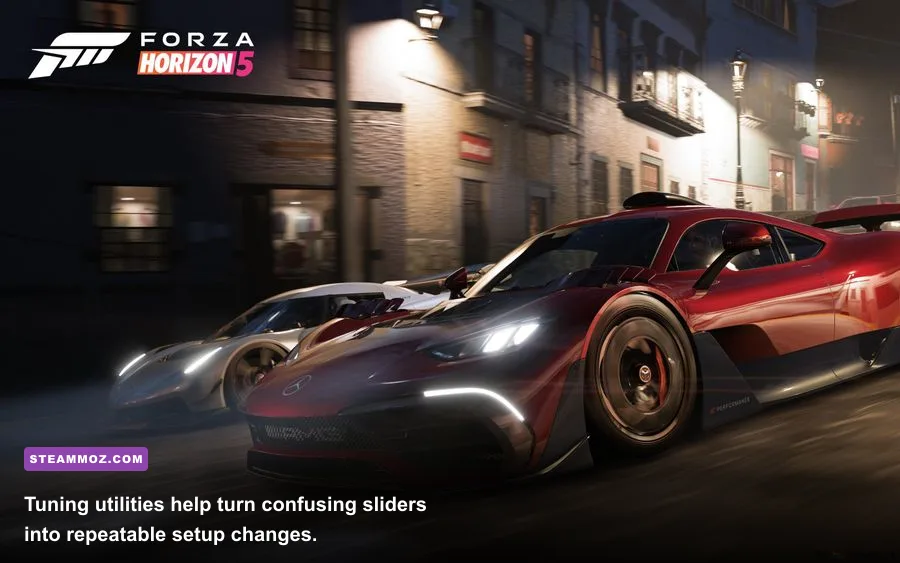
ForzaTune-style calculators earn an A-Tier spot because they shorten the confusing first stage of a build. They can suggest spring rates, damping, anti-roll bars, gearing, tire pressure, and differential values based on a car's weight, drivetrain, power, and target use. Treat those numbers as a starting point, not a perfect answer. Track temperature, surface grip, assists, and driving style still matter.
For a rear-wheel-drive road build, begin with the car's stock behavior. If the rear steps out on corner exit, reduce rear differential acceleration lock rather than immediately adding maximum rear downforce. If the car refuses to rotate on entry, soften the front anti-roll bar or increase rear deceleration lock in small increments. For all-wheel-drive cars, adjust torque split carefully; sending too much power rearward can improve rotation but make throttle control far less forgiving.
| Problem | First Adjustment | Safe Test Change | What to Watch |
|---|---|---|---|
| Corner-exit oversteer | Lower acceleration differential lock | Reduce by 5-10% | Throttle stability and rear tire heat |
| Entry understeer | Soften front anti-roll bar | Reduce by 5-10% | Turn-in response without mid-corner roll |
| Bottoming over curbs | Raise ride height | Add 2-5 points | Stability and suspension travel |
| Slow acceleration | Shorten final drive | Lower ratio slightly | Redline in the highest used gear |
| Unstable braking | Move brake balance forward | Shift 1-3% | Front lockup and stopping distance |
Always change one group of settings at a time and run the same three corners afterward. A setup that feels brilliant at the Horizon Festival drag strip may be awful through the technical turns of Mulegé. Save versions clearly—“A800 Road Baseline,” “Wet Sprint,” and “Rivals Trial”—so a bad experiment never destroys your reliable tune.
B-Tier: Performance Tweaks That Beat Blind Ultra Presets
Performance tuning isn't a traditional mod, but on PC it transforms the experience more reliably than most unofficial downloads. Forza rewards consistent frame pacing. A locked 90 FPS feels better than a fluctuating 115 FPS that dives to 72 whenever dense foliage, weather, or a large festival area appears.
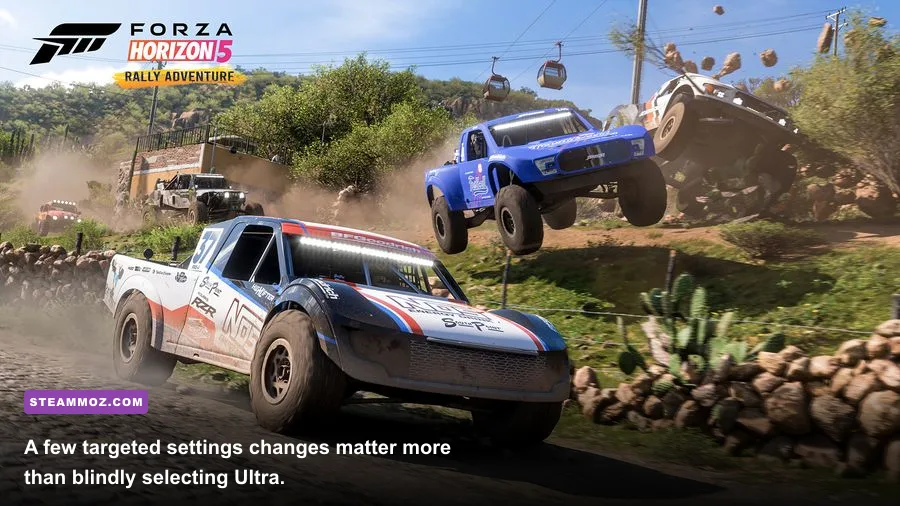
At 1440p, begin with High textures, High world car detail, Medium shadows, High environment geometry, and Ultra shader quality only if your GPU has room. Texture quality is mostly a VRAM decision: 8GB cards can generally use High textures, while 12GB or more gives you more breathing room at 4K. Lower shadow quality before textures because shadow reductions are often less distracting and can recover several frames.
| Setting | Recommended Value | FPS Impact | Visual Note |
|---|---|---|---|
| Resolution scaling | 100% | High if reduced | Keep native scaling for clean road detail |
| Environment texture quality | High | Medium | Uses VRAM but preserves landscape detail |
| Shadow quality | Medium or High | High | One of the easiest settings to lower |
| MSAA | 2x or 4x | Medium | 4x is a strong 1440p compromise |
| Reflection quality | High | Medium | Important for wet roads and car paint |
| Motion blur | Off | Minimal | Sharper braking references and replays |
| Ray tracing | Off for racing, On for photo mode | Very high | Best reserved for screenshots |
Use the built-in benchmark, then test a real race in rain and a busy festival area. Those conditions expose stutters that a quiet benchmark may miss. Cap FPS through your GPU driver or RTSS a few frames below your display refresh rate—141 FPS for a 144Hz monitor, for example. Enable FreeSync or G-Sync, and keep V-Sync behavior consistent instead of mixing multiple frame limiters.
If you want more general troubleshooting context, our Far Cry 6 max-FPS settings guide explains why volumetric effects, shadows, and reflections usually offer the cleanest performance wins.
What to Avoid Before You Touch Your Main Save
Save editors, credit generators, unlock tools, modified car files, and trainers are not essential mods. They are account-risk tools. Forza's connected economy and multiplayer systems make it difficult to guarantee that a supposedly offline change will remain isolated. Even if a trainer works today, a game update can alter memory addresses, cause crashes, or flag behavior later.
Never test an unknown injector on an account containing your valuable cars, Wheelspins, credits, or Festival Playlist progress. Back up your local save where the platform permits it, create a restore point, and keep a clean installation available. Don't download a DLL from a random video description, disable Windows security to make a mod launch, or install a “100 percent safe” cheat that demands administrator access.
Before each update, remove ReShade and third-party overlays, verify files, launch the unmodified game, and confirm that your profile loads. Reinstall the visual layer afterward. This five-minute routine is far less painful than diagnosing a crash after changing six files at once. For another example of why launch order and clean files matter, see our PC crashing and low-FPS troubleshooting guide.
The Best Safe Loadout for Forza PC
For most players, the strongest setup is simple: ReShade with a competitive preset, a small telemetry dashboard, a tuning calculator used only for baselines, and a locked frame-rate profile. That combination improves visibility, feedback, and consistency without tampering with the game's economy or online physics. Use the visual preset for free roam and screenshots, then switch to the low-cost competitive profile for rivals and multiplayer.
Keep two separate configurations: one for Horizon 5's open-world freedom and another for Motorsport's circuit work. Horizon benefits from clean visibility, quick input feedback, and stable performance across changing weather. Motorsport rewards telemetry, braking consistency, tire awareness, and a wheel profile with carefully calibrated force feedback. Don't assume a setup that helps a 900-horsepower S2 build will help a balanced A-class road car.
Finally, judge every mod by one question: does it help you see, understand, or control the car better? If yes, test it offline, benchmark it, and keep it. If it promises instant credits, impossible grip, or every car unlocked with one click, leave it alone. The best essential mods to transform Forza on PC aren't the loudest downloads—they're the quiet tools that make every clean lap feel more deliberate.