
Playing Disney Dreamlight Valley on Steam gives you an enormous advantage that console players will never enjoy: the power to mod away Gameloft's most frustrating design bottlenecks. If you've spent hundreds of hours rummaging through dozens of unlabeled storage chests, slowly crawling across biomes because your Well-Fed gold bar drained, or rhythmically mashing your harvest key across 400 Forgotten Lands pumpkin plots, mods will immediately fix your burnout. You don't need a broken, cheat-laden experience to enjoy the game—you just need the right quality-of-life adjustments to turn a tedious daily chore simulator into the relaxing village builder it was always meant to be.
Setting Up MelonLoader: The Foundation for Dreamlight Valley Modding
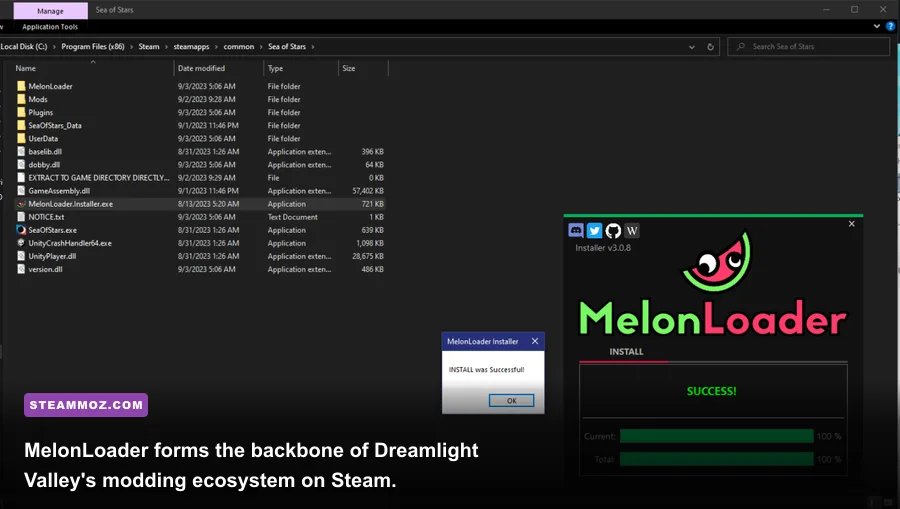
Before installing a single gameplay modification, you need a dependable mod injector. Dreamlight Valley runs on the Unity engine, and the overwhelming majority of community mods hosted on Nexus Mods rely strictly on MelonLoader. Attempting to drop DLL files directly into the game's executable directory will do absolutely nothing. Setting up the loader takes under three minutes and creates the environment you need for painless mod swapping.
Start by heading to the official MelonLoader release page and grabbing the automated installer. Launch the tool, click the "Select" button under the Unity Game tab, and route it to your Steam installation folder. By default, your path lives in SteamLibrary/steamapps/common/Disney Dreamlight Valley/ddv.exe. Select the latest stable 64-bit release (v0.6.1 or newer) and hit install. Launching the game once through Steam after installation will prompt a command console that unpacks the internal game assemblies and creates a dedicated Mods folder inside your root game directory.
Keep your modding lightweight at the start. If you run into initialization errors or startup crashes where the game stalls on the Gameloft splash screen, verify your game files via Steam and reinstall the MelonLoader runtime. Much like resolving stability quirks when handling ELEX PC crashes and framerate drops, ensuring your base installation is uncorrupted prevents third-party hooks from tearing down the game client before you even reach the Valley.

🎮 Dream
Looking to experience this game? Grab your digital key directly on our store for $14.99.
View on Steammoz Store →S-Tier Quality of Life Mods: The Non-Negotiable Essentials
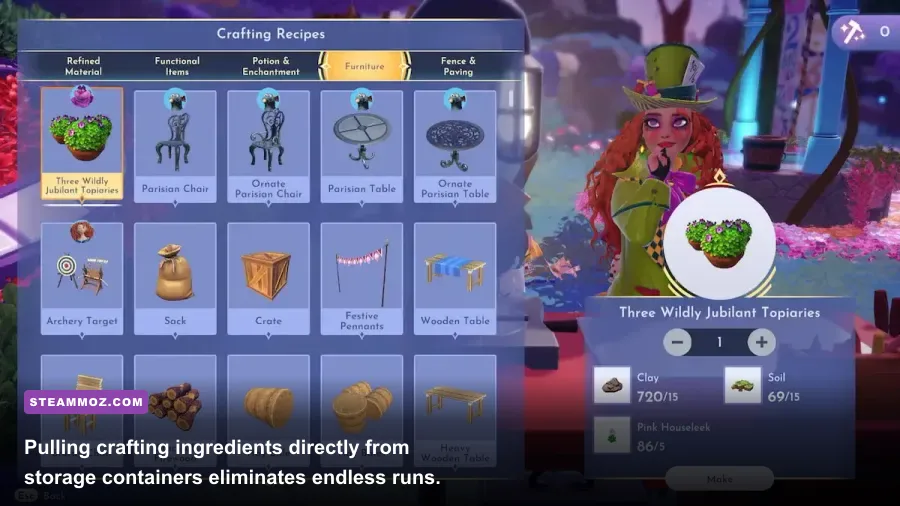
The top tier of Dreamlight Valley modifications doesn't break game balance or hand you infinite Moonstones; it removes the artificial time-wasters that developer Gameloft still hasn't addressed. These three tools should be inside every PC player's setup from day one.
1. Craft from Storage (By Aedenthorn / Community Maintainers)
In base Dreamlight Valley, crafting furniture or cooking five-star meals requires the raw ingredients to reside physically inside your active backpack or in nearby house containers depending on your location. Craft from Storage obliterates this restriction entirely. The mod scans every single storage chest across your house, outdoor valley biomes, and pocket realms, making every hardwood branch, iron ingot, and pumpkin available directly at the crafting bench and cooking station.
You no longer need to haul twenty stacks of Dream Shards or Dry Wood back and forth between biomes just to assemble a path or complete a villager quest. The performance impact on the engine is negligible, executing a simple catalog ping whenever an interactive crafting station interface initializes.
2. Smart Storage & Quick Deposit
Sorting loot in this game is a genuine nightmare. Even with colored chests, manually opening twelve separate containers to deposit gathered Softwood, Clay, Coal, and Gems drains all enjoyment from your resource runs. Smart Storage adds a global "Quick Stack" hotkey. When standing within your container room, pressing your configured bind pushes matching items from your inventory into any existing stacks inside your nearby chests. It cuts down ten minutes of inventory management after every mining run into a single half-second keypress.
3. Custom Sprint & Movement Speed Overhaul
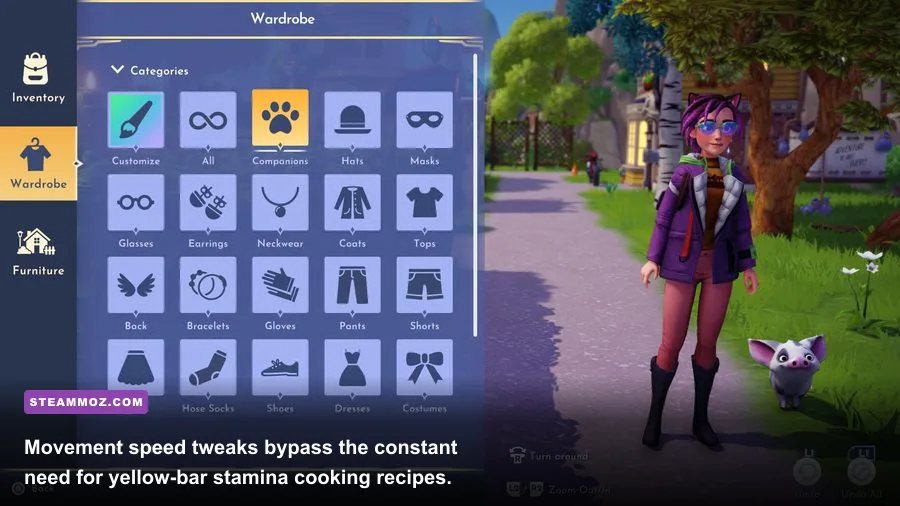
By default, your character moves at a crawl unless you keep your energy meter overcharged into the yellow "Well-Fed" threshold using cooked meals like Berry Salads. The moment that gold bar depletes from sprinting or digging, your movement speed plummets back to base velocity. The Sprint Overhaul mod decouples the movement speed boost from the stamina overcharge, allowing you to set a baseline sprint multiplier (we recommend 1.35x to 1.5x for natural animation smoothing) without constantly force-feeding your character high-tier food. This single tweak makes daily valley sweeps feel snappy without breaking the world's collision geometry.
Tier List: Ranking the Valley's Most Impactful PC Mods
Not all modifications offer the same value, and some bring unnecessary stability risks if left unchecked during seasonal patches. Below is our verified breakdown of the community's best tools, ranked by their gameplay impact, setup reliability, and technical footprint on the game client.
| Mod Name | Tier | Primary Function | Performance Impact | Risk of Patch Breakage |
|---|---|---|---|---|
| Craft From Storage | S-Tier | Pulls materials from all worldwide containers | Virtually Zero (<1% CPU) | Low (Simple Hook) |
| Sprint & Speed Overhaul | S-Tier | Customizable base walking/sprinting speeds | None | Very Low |
| Smart Storage / Auto-Stack | S-Tier | One-click item sorting into matching chest slots | Negligible | Medium (UI Updates) |
| Area Harvesting & Auto-Pickup | A-Tier | Expands pick-up vacuum and bulk crop harvesting | Low (Slight tick drop in dense crops) | Medium |
| Skip Fishing Mini-Game | A-Tier | Instant catch on bubble bites without timing circles | None | Low |
| Time of Day / Weather Locker | A-Tier | Client-side aesthetic lighting freeze without system clock changes | Zero (Purely Visual) | Low |
| FreeCam Build Mode | B-Tier | Unlocks strict isometric camera during village decorating | Low | High (Engine camera updates) |
| Item / Spawner Debuggers | B-Tier | Forces quest items and furniture generation | Moderate (Memory usage) | Extremely High (Save Corruption Danger) |
Just like organizing progression priorities when learning fast leveling in resource-heavy strategy titles or managing resource loops to maximize gold and farm zeni efficiently, prioritizing quality-of-life tools over game-breaking debuggers keeps your core loop rewarding rather than trivializing the entire progression ladder.
A-Tier Farming and Resource Gathering Upgrades
The core economy of Disney Dreamlight Valley revolves around Star Coins and Dreamlight. Late-game goals—such as unlocking every Realm in the Dream Castle, upgrading Moana's fishing boat, and buying every premium clothing rotation from Scrooge McDuck's Store—demand millions of Star Coins. This inevitably leads players to massive pumpkin farming in the Forgotten Lands, where manual interaction fatigue quickly sets in.
Area Harvesting and Pickup Vacuum
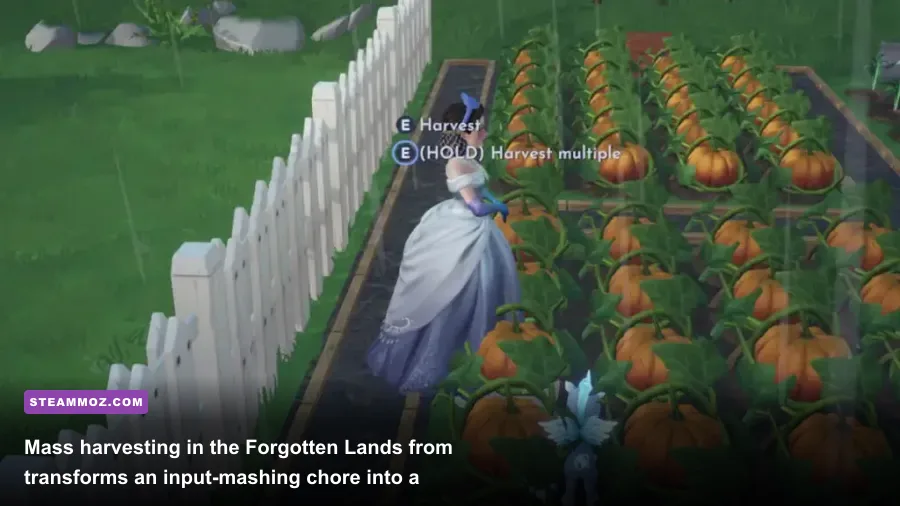
When you cultivate plots containing 200 to 500 pumpkin seeds, harvesting them manually requires holding down your interact key for ten uninterrupted minutes while creeping forward one tile at a time. If a golden harvest trigger pops or a farming companion flings bonus crops across the grass, running around to collect them before the timer expires is frantic and messy.
The Area Harvesting & Auto-Pickup mod lets you define a radius (measured in Unity world units) for item pickups. Walking within five meters of scattered crops, wood piles, or mining gems automatically pulls them directly into your inventory. Additionally, harvesting one crop can be set to process adjacent matching crops in a 3x3 grid. This turns massive, wrist-straining harvest routines into efficient, streamlined passes that keep the farming loop satisfying without the carpal tunnel syndrome.
Instant Fishing QTE Skip
Fishing for rare Walleye, Fugu during rainstorms, or White Sturgeon in the Frosted Heights requires sitting through repetitive timing minigames hundreds of times over. The Fast Fishing Mod automatically triggers a perfect hit the moment a fish bites your lure. You still have to scout the golden ripples, manage your energy, and cast accurately, but the tedious rhythmic waiting game is removed. For players completing the Star Path duties that demand catching 30 fish in specific biomes, this mod saves hours of dead time.
Client-Side Aesthetic Weather and Lighting Locks
A major warning every Dreamlight Valley player learns early: never touch your system clock. Manually altering your PC's date or time to skip quest timers permanently breaks your save file, halting crop growth, freezing Scrooge's shop rotations, and disabling Moana's boat. The community has documented thousands of broken saves caused by time travel.
Fortunately, the Aesthetic Time Locker mod solves this safely. It operates purely on the client-side graphics renderer. It changes the visual sun position, skybox, and shadow angles so you can play in bright midday lighting or a cozy golden sunset whenever you wish, without modifying your PC's internal system clock or sending conflicting time stamps to the Gameloft cloud servers. It gives you complete aesthetic control over your photography and decorating runs with zero risk of corrupting your save files.
B-Tier Camera, Visuals, and Decoration Enhancements
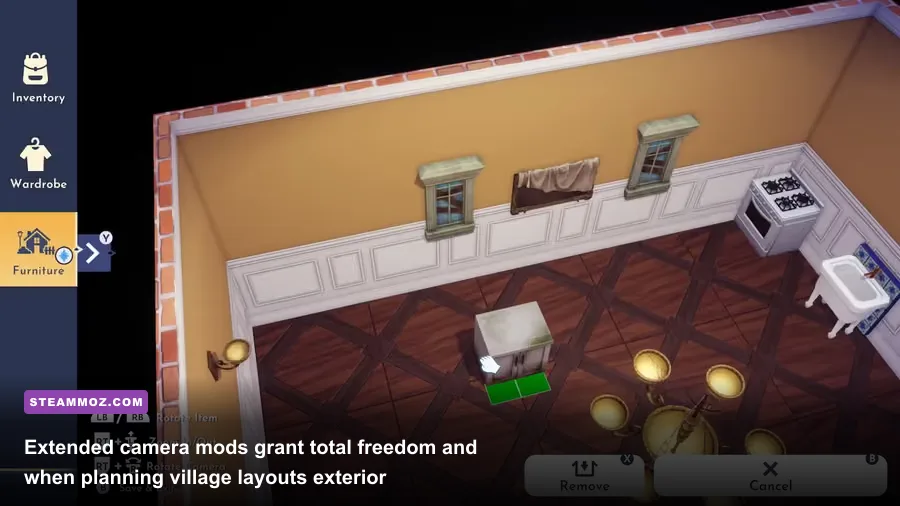
Decorating your Valley is arguably the premier endgame loop, but the vanilla building camera feels clunky, restrictive, and locked to tight pivot angles. If you enjoy building elaborate towns across the Plaza or winding forest paths in the Forest of Valor, standard controls make fine placement an exercise in frustration.
FreeCam and Build Mode Boundary Removers
The FreeCam Build Mode utility unhitches your camera from your avatar's position during Furniture Mode. It grants an unlimited, fully rotational top-down or ground-level perspective. You can zoom out far enough to view an entire biome from bird's-eye perspective or dip below trees to check line-of-sight decorations along your stone paths. It also allows you to bypass the restrictive object-snapping grid on certain decorative items, helping you place clutter, bushes, and rocks with organic, natural layouts rather than rigid 90-degree alignments.
Visual Reshades and Engine Tuning
Dreamlight Valley's base color profile is heavily saturated and carries a distinct Vaseline-like blur due to aggressive temporal anti-aliasing (TAA). Pairing a clean ReShade preset with custom engine tweaks noticeably sharpens foliage textures and cleans up edge shimmering across the valley's dense tree lines.
| Display / Engine Setting | Vanilla Default | Modded / Pro-Tuned Profile | Visual Impact & Performance |
|---|---|---|---|
| Anti-Aliasing | TAA (Aggressive blur) | SMAA + ReShade CAS Sharpening | Removes smear on distant foliage; +3% FPS |
| Shadow Resolution | High (Soft / Jagged) | Ultra / Direct Bias 2048 | Crisp character shadows; -4% FPS |
| LOD Distance Multiplier | 1.0x (Noticeable Pop-in) | 1.8x via Engine Config | Eliminates sudden tree/bush popping across biomes |
| Field of View (FOV) | 65 Degrees (Cramped) | 80-85 Degrees | Broader vision cone; smooth motion tracking |
Fine-tuning these visual configurations delivers a sharper, more stable visual presentation, much like dialing in your configuration when balancing Filament settings for higher framerates or making calculated adjustments to balance visual fidelity against performance limits.
Troubleshooting, Update Resilience, and Cloud Save Safety
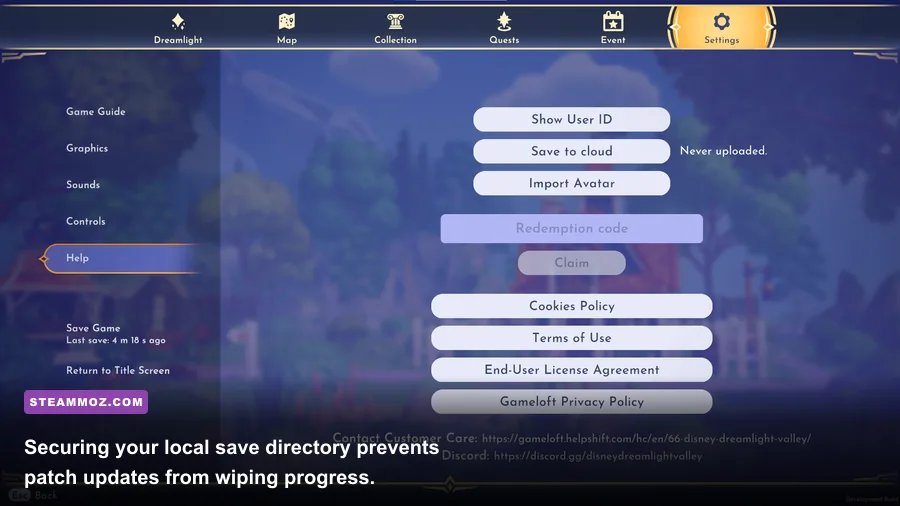
Because Dreamlight Valley is a live-service game that receives major content updates, Realm expansions, and Star Paths every few months, modding requires basic maintenance. Gameloft regularly updates the base Unity assemblies with each character drop, which can break existing mod hooks.
1. Back Up Your Local Save Files Religiously
While the game syncs your progression to Gameloft Cloud Saves, your actual local client saves reside inside your Windows user directory. Before installing, updating, or removing any mod from your MelonLoader directory, make a manual copy of your save data:
%USERPROFILE%\AppData\LocalLow\Gameloft\Disney Dreamlight Valley\
Copy the entire contents of this folder to a secure backup directory on your desktop or secondary drive. If a broken mod causes an infinite loading loop or corrupts an inventory table during an auto-save, restoring this folder completely safeguards your hundreds of hours of progress.
2. How to Handle Official Game Updates
Whenever Gameloft rolls out a major update on Steam, expect MelonLoader to detach or throw an error on startup. Follow this checklist on patch days to prevent crashes:
- Rename the Mods folder: Temporarily rename your
Modsfolder toMods_Backupbefore downloading the patch on Steam. - Update MelonLoader: Run the MelonLoader installer again and re-target the newly updated
ddv.exeto refresh your core hooked assemblies. - Check Mod Author Pages: Visit the Nexus Mods Dreamlight Valley community to see if your favorite mods have posted compatibility updates.
- Re-enable Mods Incrementally: Reintroduce your mods one at a time, starting with core scripts like Craft from Storage, rather than dumping your entire folder back in at once.
3. Multiplayer, DreamSnaps, and Account Safety
A common concern among PC players is whether modding triggers account bans. Gameloft strictly regulates DreamSnaps submissions and ValleyVerse multiplayer visits. Client-side quality-of-life mods (like movement speed, storage crafting, and visual enhancements) do not modify network packets or tamper with server-validated currencies like Moonstones. Thousands of players use these QoL mods continuously without issue.
However, you must exercise caution with Item Spawners or mods that unlock unreleased premium store items. The game's telemetry checks your inventory against server validation records whenever you interact with DreamSnaps voting or host multiplayer sessions. If you stick to mechanical quality-of-life mods and storage enhancements while avoiding server-side currency tampering, you will maintain a completely safe, stable, and exponentially more enjoyable journey through your Dreamlight Valley paradise.