If you have an active subscription to Xbox Game Pass for PC, downloading the wrong 120GB title is an excruciating waste of your time and bandwidth. To cut through the catalog bloat right now, install Lies of P for unmatched Souls-like combat, Warhammer 40,000: Darktide for chaotic co-op shooting, S.T.A.L.K.E.R. 2: Heart of Chornobyl for unforgiving atmospheric survival, Persona 3 Reload for peerless turn-based strategy, and Doom Eternal for lightning-fast FPS mastery. These games represent the absolute peak of visual fidelity, mechanical depth, and PC optimization on Microsoft's platform today.
Lies of P: The Pinnacle of Souls-Like Precision on PC
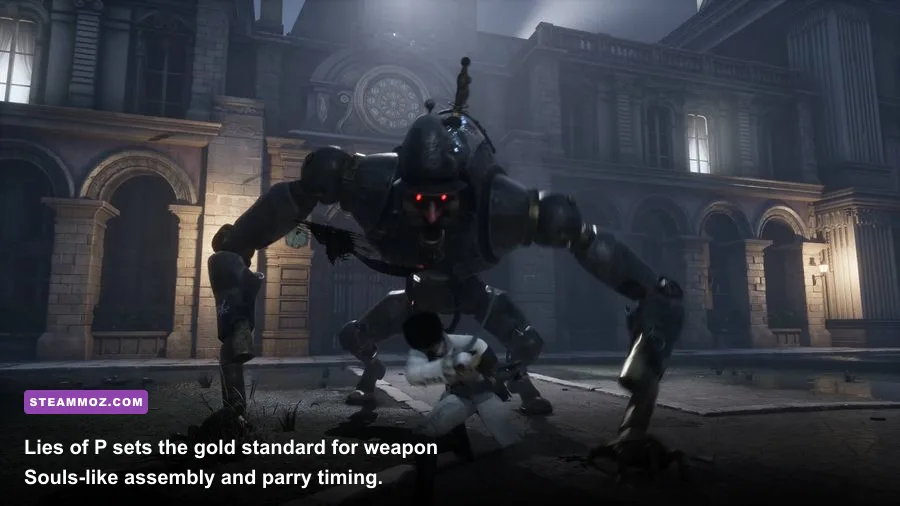
Many developers have tried to bottle FromSoftware's formula, but Round8 Studio actually perfected it with Lies of P. Set in the blood-soaked, Belle Époque-inspired city of Krat, you play as Geppetto's puppet battling through streets overrun by crazed automatons. What makes this game an absolute must-play on PC isn't just its gothic visual design—it is the astonishingly tight combat engine that runs at a locked 120+ FPS on mid-range hardware without a hint of shader compilation stutter.
The core genius lies in the Weapon Assembly System. Unlike traditional action RPGs where weapons have static movesets, Lies of P splits gear into two modular parts: the Blade (which dictates raw damage type, attack range, and defense reduction) and the Handle (which determines the attack animations, swing speed, and attribute scaling). You can take the colossal, slow-cleaving Bone-Cutting Sawblade and affix it to the Booster Glaive Handle. The result? A monstrous heavy weapon that lets you trigger a rocket-propelled charged heavy attack, launching you 15 feet forward to obliterate elite puppet poise before they can initiate an attack telegraph.
Combat demands intense discipline. The Perfect Guard window is notoriously strict—roughly 200 milliseconds compared to Sekiro's generous 500ms—requiring you to actively hold the guard button just before impact rather than simply tapping it. Pair that with the Aegis Legion Arm for emergency blast counters or the Falcon Eyes to drill explosive shells into charging mini-bosses, and you get an adrenaline-fueled combat sandbox that rewards mechanical mastery above all else.
Warhammer 40,000: Darktide: Visceral Co-Op Gunplay and Melee Chaos
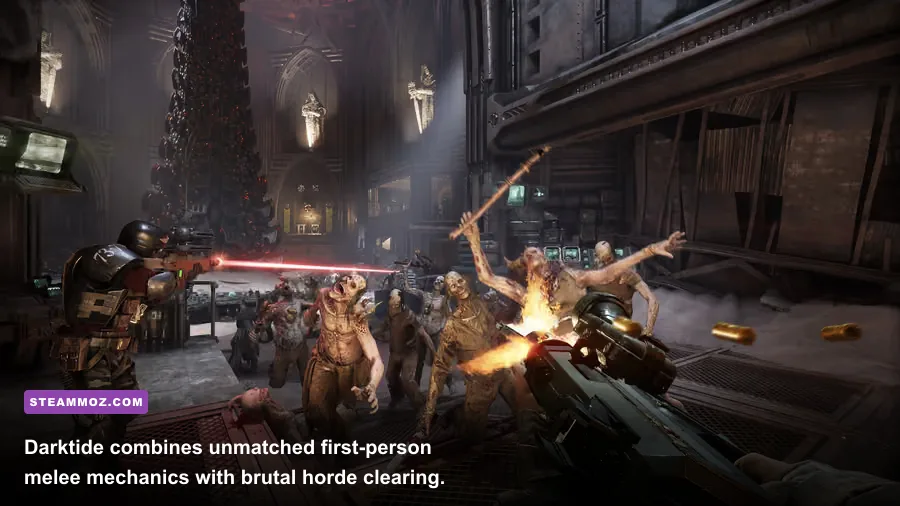
After a string of massive balance patches and the transformative Class Overhaul update, Fatshark's Warhammer 40,000: Darktide has evolved into the definitive co-op horde shooter on PC Game Pass. Set deep within the claustrophobic industrial bowels of Hive Tertium, you and three other rejects must purge waves of Nurgle cultists, armored Ogryns, and terrifying monstrosities. While you can browse our breakdown of legendary weapons across classic shooters, nothing matches the physical weight and audio design of Darktide's arsenal.
The melee-to-ranged transition is utterly seamless. Wielding an Eviscerator Chainsword lets you rev the motorized teeth, drive it into the skull of a charging Flamer, and instantly switch to a Bolter to stagger an oncoming wall of Carapace-armored Crushers. Every weapon hit carries brutal feedback: limbs shear cleanly, armor deflects low-caliber rounds with violent sparks, and the sound design rattles your headset with bone-crunching impact.
Darktide’s RPG talent trees provide incredible build depth. The Veteran can be specced from a dedicated long-range sniper with the Executioner's Stance into an aggressive close-quarters squad leader wielding Voice of Command, which instantly restores the entire team's Toughness shield and knocks down surrounding elites. On higher difficulties like Auric Damnation, your party needs seamless synergy between crowd control, armor-cracking DPS, and coherent positioning to survive the relentless AI director.
S.T.A.L.K.E.R. 2: Heart of Chornobyl: Raw Atmospheric Survival and Firefights
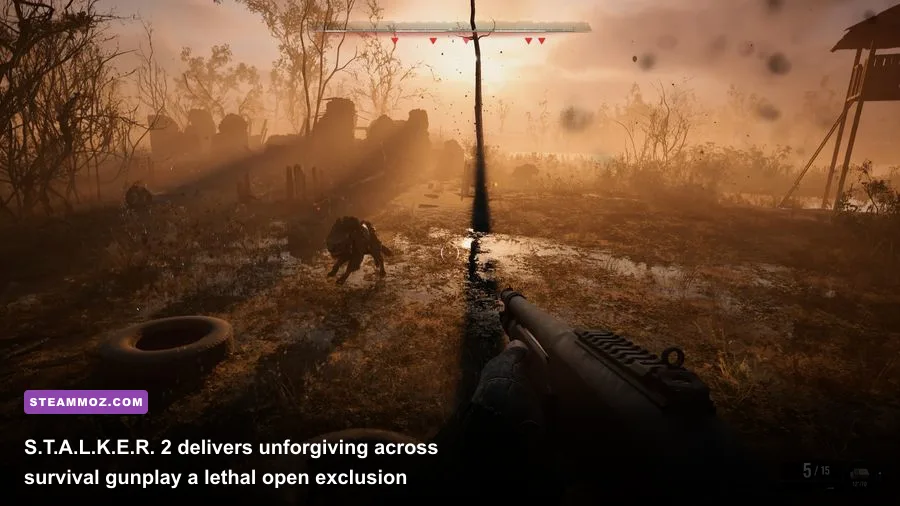
GSC Game World's S.T.A.L.K.E.R. 2: Heart of Chornobyl is an unapologetic, slow-burn survival shooter that treats you like prey from the second you step into the Chornobyl Exclusion Zone. Powered by Unreal Engine 5, the game renders decaying Soviet research labs, rusted crane yards, and supernatural anomaly fields with terrifying photorealism. If your rig encounters framerate hiccups or sudden crashes during intense particle storms, make sure to read through the optimization strategies outlined in our Everspace 2 PC performance fix guide, as many modern open-world rendering techniques share the exact same hardware bottlenecks.
Survival in the Zone is purely systemic. Ballistics feature realistic bullet drop and velocity curves; shooting an enemy through sheet metal requires AP (Armor-Piercing) ammunition, while low-tier buckshot will bounce harmlessly off military-grade exoskeletons. Weapons also jam and degrade based on weather exposure and dirt accumulation, forcing you to constantly maintain your rifle with repair kits or stash clean spares in local hub lockers.
Artifact hunting remains the ultimate risk-reward loop. Equipping an Echo or Bear detector, you must toss metal bolts ahead of your boots to trigger volatile gravitational anomalies, thermal vents, and chemical pockets. One wrong step liquefies your health bar in seconds, but safely navigating the environmental deathtrap yields rare artifacts that grant passive stamina recovery, bleed resistance, or physical armor buffs that can be traded for thousands of coupons.
Persona 3 Reload: Masterful Turn-Based Combat Meets Social Strategy
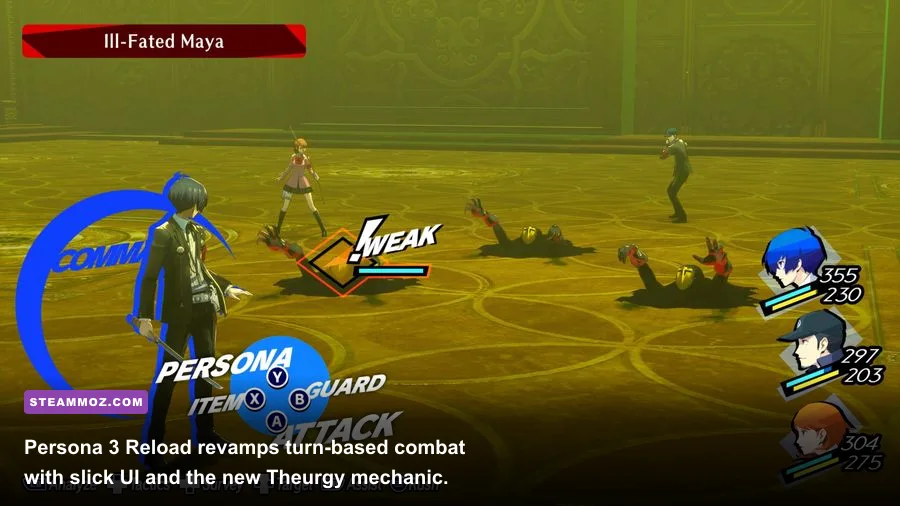
Atlus built Persona 3 Reload from the ground up to completely modernize the foundational entry of the modern Persona franchise. It drops you into the shoes of a transfer student at Gekkoukan High who discovers the "Dark Hour"—a hidden, supernatural 25th hour that occurs at midnight, freezing normal humans in coffins while shadows stalk the shifting floors of a monolithic tower named Tartarus.
Reload completely overhauls the original's combat by integrating the best design choices from Persona 5 Royal while adding its own signature twists. The key addition is the Theurgy mechanic: unique ultimate abilities that charge by playing directly to each party member's personality traits. For example, Yukari builds her gauge by executing healing spells, while Junpei charges his by landing landing heavy physical critical strikes. If you love deep character progression and optimizing resource gains, similar to what we cover in our Dragon Ball Z Kakarot fast leveling and zeni guide, Tartarus will quickly become your personal playground.
The tension comes from managing your calendar. Every single in-game day forces tough decisions: do you spend your afternoon boosting your Academics stat at the diner, deepening your Social Link with the Archery Club captain to unlock high-tier Persona fusion recipes, or raiding Tartarus to farm rare materials before the next full moon boss encounter? It is an intoxicating, 70-hour loop that runs at a flawless 4K 120 FPS on almost any gaming PC.
Doom Eternal: Unforgiving Arena Rhythm and Mechanical Brilliance
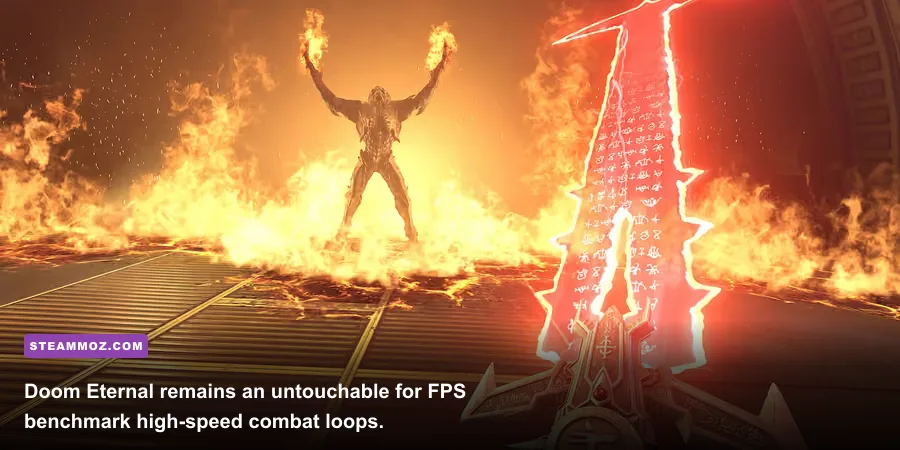
Years after release, id Software's Doom Eternal remains the undisputed king of high-speed mechanical FPS gameplay. Running on the breathtakingly efficient id Tech 7 engine, Eternal transforms first-person shooting into a violent, high-stakes game of speed chess. If your graphics card struggles with stability or thermal limits during these ultra-high-draw-call shootouts, applying custom profiles from our Far Cry 6 performance tuning guide can help you tame background hardware load.
Doom Eternal completely abandons cover-shooter tropes. Standing still for more than a second is an automatic death sentence. The gameplay loop demands constant resource juggling through aggressive execution:
- Low on Health? Stagger a heavy demon into a flashing blue state and press melee to execute a brutal Glory Kill, spewing orange health pickups across the floor.
- Low on Armor? Light a cluster of imps ablaze with the shoulder-mounted Flame Belch, then blast them to harvest raining green armor shards.
- Low on Ammo? Cut fodder enemies in half with your Chainsaw to trigger a fountain of mixed ammunition.
Mastery requires learning the "weapon quick-switch" rotation. By binding the Super Shotgun and the Ballista to dedicated mouse keys, you can fire the double-barrel, grapple closer with the Meat Hook, immediately switch to the Ballista to cancel the reload animation, and blast a Marauder for over 1,500 damage in under two seconds. It is exhausting, exhilarating, and represents the absolute highest skill ceiling of any shooter available on Game Pass.
PC Game Pass Performance & Value Tier List: What to Download First
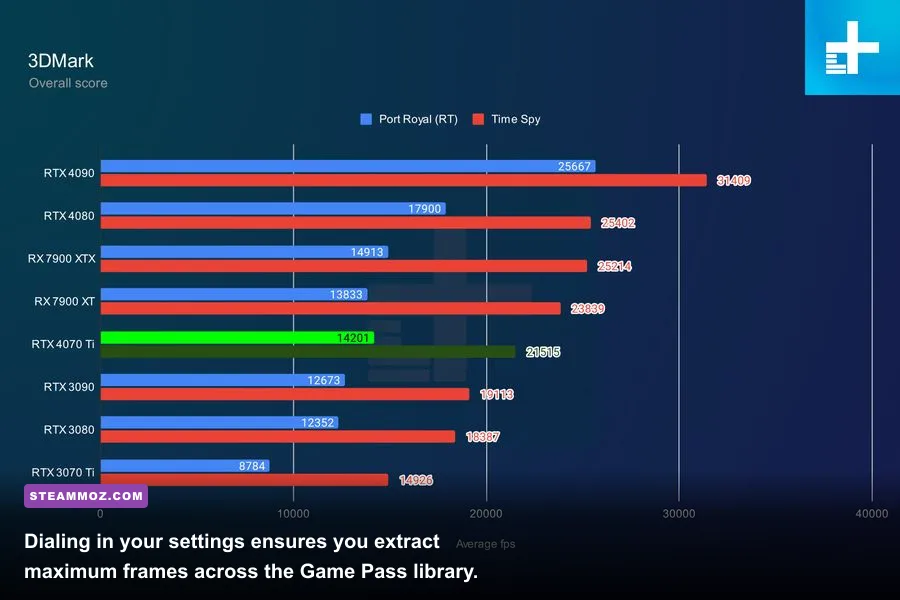
Storage space is always at a premium on modern NVMe drives. To help you allocate your gigabytes efficiently, we’ve ranked the best titles on PC Game Pass based on their gameplay depth, PC performance profile, and overall time-to-value ratio. If you are also fine-tuning performance across other demanding action RPGs on your drive, you might appreciate our troubleshooting tips in the Elex PC crash and FPS rescue guide or exploring space weapon upgrades in our Everspace Deluxe weapon analysis.
| Game Title | Genre | Install Size | Target Hardware Profile | Performance Grade | Key Gameplay Highlight |
|---|---|---|---|---|---|
| Lies of P | Action RPG / Souls-like | ~50 GB | RTX 3060 / RX 6600 (High 1080p60) | S-Tier (Flawless frame pacing) | Modular blade and handle weapon assembly system |
| Doom Eternal | Fast-Paced Arena FPS | ~80 GB | GTX 1660 Super (Max 1080p120) | S-Tier (Unmatched Vulkan optimization) | Meat Hook traversal and aggressive resource tri-factor |
| Persona 3 Reload | Turn-Based JRPG | ~30 GB | GTX 1060 / RX 580 (High 1080p60) | A-Tier (Clean rendering, zero stutter) | High-stakes time management and Theurgy ultimates |
| Warhammer 40K: Darktide | Co-Op Horde Shooter | ~65 GB | RTX 3070 / RX 6700 XT (High 1440p60) | B-Tier (Heavy CPU/Ray Tracing demand) | Visceral melee impact and class-defining skill trees |
| S.T.A.L.K.E.R. 2 | Survival Horror / FPS | ~150 GB | RTX 4070 / RX 7800 XT (DLSS/FSR Quality) | B-Tier (High UE5 Lumen hardware cost) | Systemic ballistics, anomaly fields, and lethal AI |
Crucial Xbox App Tweaks for Maximum PC Performance
Playing games through Microsoft's Xbox PC App can occasionally introduce unique operating system quirks that you won't encounter on platforms like Steam. To ensure your games run at peak performance without random crashes, keep these battle-tested adjustments in mind:
First, always activate the Advanced Installation Management feature in the Xbox App settings. This allows you to install games into an open, standard folder directory (such as D:\\Games\\XboxGames) rather than the heavily locked, legacy WindowsApps hidden system folder. Having direct access to game directories means you can easily apply custom `.ini` modifications, force ultra-wide resolution fixes, and allow third-party mouse software to detect game executables seamlessly.
Second, if you run a dual-monitor setup with mixed refresh rates (such as a 144Hz primary panel paired with a 60Hz secondary display), avoid using "Borderless Windowed" mode whenever possible in Game Pass titles. Windows Desktop Window Manager (DWM) can occasionally sync the Game Pass app to the secondary display's refresh rate, capping your framerate at 60 FPS. Forcing dedicated Exclusive Fullscreen—or disabling Hardware-Accelerated GPU Scheduling (HAGS) if you experience micro-stuttering—ensures your high-refresh gaming display runs at full capacity.
Finally, keep an eye on your storage drive format. Ensure whichever drive holds your Xbox Game Pass games is formatted using the NTFS file system with 4KB cluster sizing. ExFAT or custom storage pools can trigger the dreaded Error 0x80070005 during large background game patches, forcing complete redownloads of 100GB files. Set your install directory right the first time, boot up your favorite title from the list above, and enjoy some of the finest PC gaming experiences available today.