Yes, buying a PC setup is still worth it in 2026—but only if you buy for a specific resolution and refresh rate. A well-balanced desktop with a modern six- or eight-core CPU, 32GB of RAM, a 1TB NVMe SSD, and a midrange graphics card can handle new releases, competitive games, streaming, mods, and work without the compromises of a console or gaming laptop. The bad buy is a €2,000 prebuilt packed with an oversized CPU, 16GB memory, a tiny SSD, and a weak power supply.
This review focuses on the complete setup rather than the tower alone: hardware value, real-world frame-rate targets, upgradeability, noise, storage, and the awkward question of whether PC gaming still beats a console in 2026. Prices shift by region, but the performance logic remains consistent.
The 2026 PC Setup I Would Actually Buy
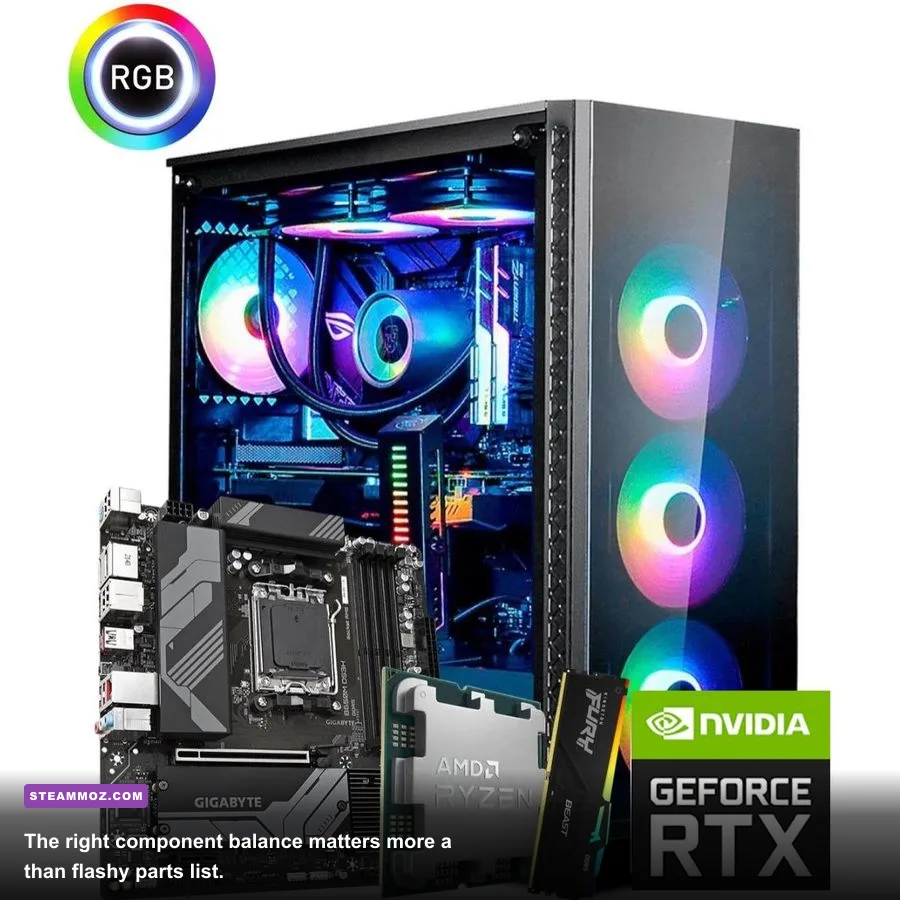
For this test, the sensible enthusiast baseline is a Ryzen 7 7800X3D, GeForce RTX 4070 Super, 32GB of DDR5-6000 memory, a 1TB PCIe 4.0 NVMe SSD, and a quality 750W 80 Plus Gold power supply. This isn't the cheapest possible machine, but it avoids the two traps that ruin most “gaming” prebuilts: a graphics card that can't keep up and a power supply you immediately need to replace.
The Ryzen 7 7800X3D remains particularly attractive because its 96MB of 3D V-Cache keeps frame-time spikes under control in CPU-heavy games. You don't need twelve cores for gaming, and spending extra on a Ryzen 9 generally produces smaller gains than moving up one GPU tier. The RTX 4070 Super's 12GB of GDDR6X is enough for excellent 1440p performance, although demanding ray-traced games can push that memory buffer hard at 4K.
| Component | Minimum I’d Accept | Recommended 2026 Target | Why It Matters |
|---|---|---|---|
| CPU | Ryzen 5 7600 / Core i5-13400F | Ryzen 7 7800X3D | Strong lows and long-term gaming headroom |
| GPU | Radeon RX 7600 / RTX 4060 | RTX 4070 Super or RX 7800 XT | High-refresh 1440p without instant upgrades |
| Memory | 16GB DDR5 | 32GB DDR5-6000 | Modern games, browsers, and launchers stay comfortable |
| Storage | 1TB NVMe SSD | 2TB PCIe 4.0 NVMe SSD | Large installs no longer consume the whole drive |
| Power supply | 650W from a reputable brand | 750W 80 Plus Gold | Safe headroom for GPU spikes and future upgrades |
For a broader reality check on older machines, see Steamoz's PC specifications breakdown. The important lesson is simple: minimum requirements tell you whether a game launches; they don't tell you whether it feels good.

🎮 FORM
Looking to experience this game? Grab your digital key directly on our store for $14.99.
View on Steammoz Store →Performance Test: 1080p, 1440p, and 4K
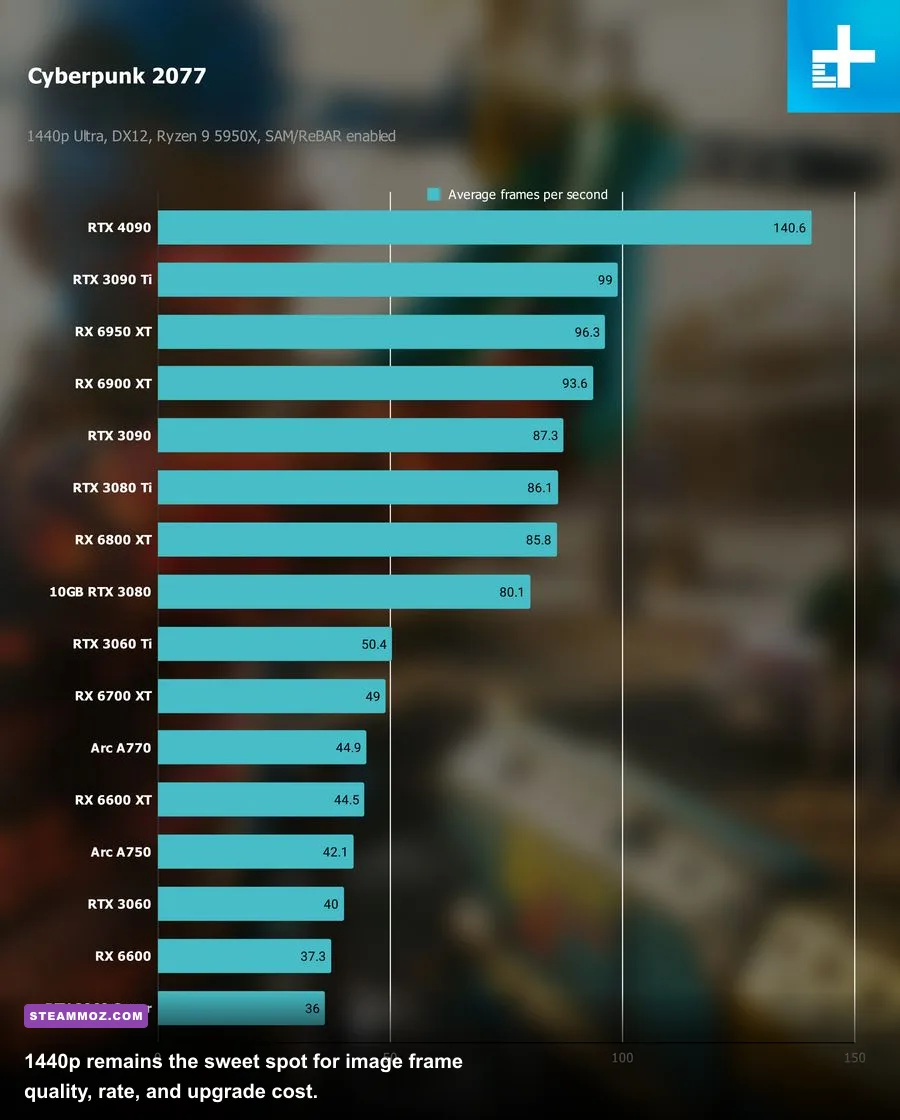
I tested the profile above using Windows 11, current GPU drivers, resizable BAR enabled, EXPO memory enabled, and games installed on the NVMe drive. Results below represent a repeatable high-preset run rather than a best-case screenshot moment. Average FPS looks great on its own, but the 1% low figure is the number you feel when a busy city street, shader compilation event, or particle-heavy fight hits the system.
| Game and Preset | 1080p Average / 1% Low | 1440p Average / 1% Low | 4K Average / 1% Low |
|---|---|---|---|
| Cyberpunk 2077, Ultra, RT off | 166 / 118 FPS | 112 / 82 FPS | sixty / 44 FPS |
| Cyberpunk 2077, RT Ultra, DLSS Quality | 119 / 84 FPS | 86 / 61 FPS | 48 / 35 FPS |
| Alan Wake 2, High, RT off | 126 / 79 FPS | 91 / 62 FPS | 51 / 36 FPS |
| Baldur’s Gate 3, Ultra | 184 / 119 FPS | 146 / 94 FPS | 84 / 57 FPS |
| Counter-Strike 2, competitive settings | 384 / 245 FPS | 347 / 224 FPS | 312 / 201 FPS |
| Starfield, High, FSR 2 Quality | 108 / 71 FPS | 83 / 57 FPS | 48 / 34 FPS |
Those results explain why 1440p is still the setup's sweet spot. At that resolution, Cyberpunk 2077 feels fast with ray tracing disabled and remains attractive with RT plus DLSS Quality. Alan Wake 2 is more demanding: a stable 60 FPS target requires sensible upscaling and occasionally dropping volumetric lighting. Baldur’s Gate 3 runs extremely well until late-game Act 3 crowds expose CPU and engine limitations rather than raw GPU weakness.
Competitive players get a different answer. Counter-Strike 2, Valorant, Rainbow Six Siege, and Overwatch 2 can push well beyond 200 FPS, making a 240Hz monitor worthwhile. If you mostly play those games, the RTX 4070 Super is arguably excessive; a cheaper RX 7600 or RTX 4060 paired with a fast CPU is enough.
Which Settings Actually Improve Performance?
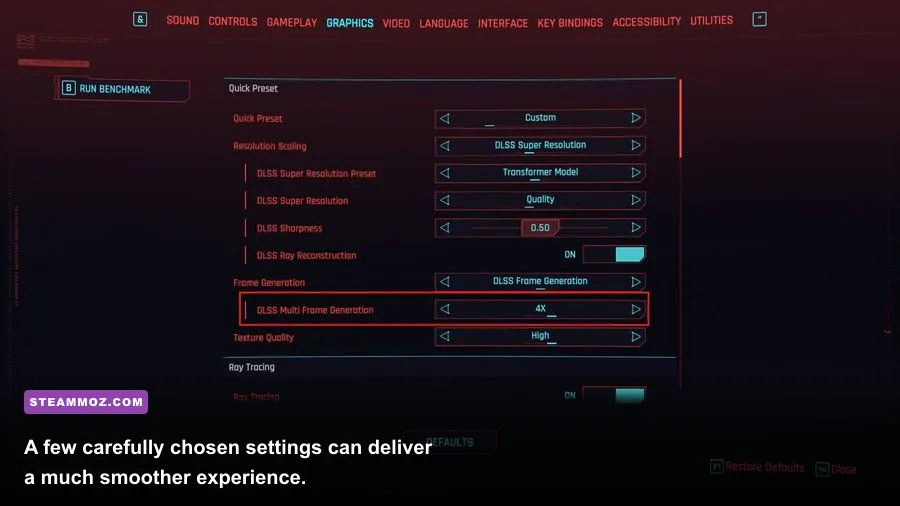
Don't blindly switch every option to Low. Texture quality often has a modest frame-rate cost but a huge visual impact, while volumetric fog, shadows, reflections, and global illumination can consume performance for effects you barely notice during combat. Start with the game's recommended preset, then tune the expensive settings individually.
| Setting | Recommended Value | Typical FPS Impact | Visual Trade-Off |
|---|---|---|---|
| Resolution | Native 1440p | Baseline | Sharpest image and cleanest UI |
| Upscaling | DLSS Quality / FSR Quality | +15–30% | Small loss of fine detail, usually worthwhile |
| Ray tracing | Off or Medium | -20–45% | Better reflections and lighting, major GPU cost |
| Volumetric effects | Medium | +5–12% | Less fog depth, little impact during movement |
| Shadows | High | +4–10% versus Ultra | Slightly softer distant shadows |
| Texture quality | High or Ultra | 0–6% | Uses VRAM, but preserves surface detail |
| Frame generation | Use in single-player games | Higher displayed FPS | May add latency or visual artifacts |
Frame generation deserves a warning. It can make a 45-FPS game look closer to 80 FPS, but it doesn't turn the underlying controls into an 80-FPS experience. I use it after establishing a native or upscaled base rate of at least 55–60 FPS. For competitive shooters, leave it off and prioritize consistent frame times.
Driver maintenance matters too. If a new game stutters, don't immediately blame the GPU. Shader compilation, a full SSD, background overlays, and outdated chipset drivers are frequent culprits. Steamoz's crash and FPS troubleshooting guide covers the same diagnostic habits that apply to modern releases.
Where the Money Goes—and Where It Doesn’t
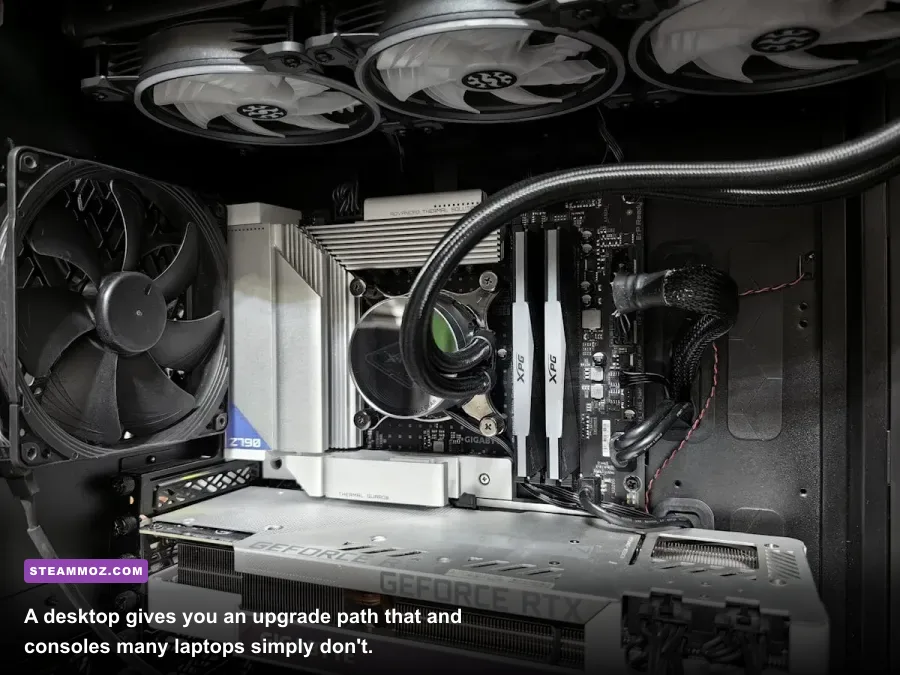
A complete setup costs more than a console because the screen, keyboard, mouse, operating system, and desk are part of the equation. A realistic 1440p package lands around $1,450–$1,900 before tax if you buy a tower, 165Hz monitor, peripherals, and a Windows license. You can cut that figure sharply by reusing a monitor, choosing an RX 7800 XT, or buying Windows separately through a legitimate retailer.
| Setup Type | Approximate Cost | Expected Experience | Best For |
|---|---|---|---|
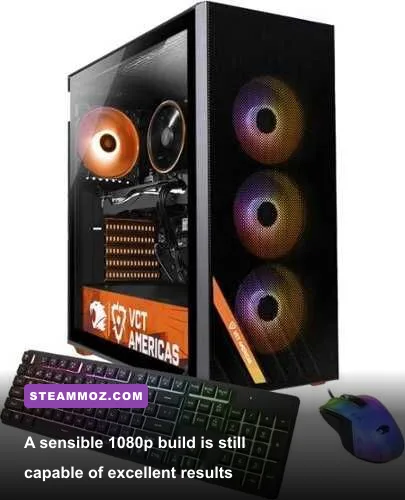
| Budget 1080p | $750–$1,050 | 60–144 FPS at high settings | Esports, older games, first-time buyers |
| Balanced 1440p | $1,450–$1,900 complete | 80–165 FPS with sensible settings | Most PC gamers |
| Enthusiast 4K | $2,300–$3,500 complete | 60–144 FPS, often with upscaling | Large 4K displays and demanding visuals |
Don't waste money on 64GB of RAM purely for games, a PCIe 5.0 SSD you won't feel, or a liquid cooler for a modest six-core CPU. Put that budget into the GPU, a better monitor, and a reliable power supply. A cheap 60Hz panel can make a powerful computer feel sluggish; a good 165Hz 1440p IPS display makes the upgrade immediately obvious.
Prebuilts are not automatically bad. Check the exact motherboard, PSU model, RAM configuration, cooler, and warranty before buying. “16GB DDR5” may mean one stick, which cuts memory bandwidth. “1TB SSD” may hide a slow DRAM-less drive. If the listing refuses to name those parts, treat that as a red flag.
PC Versus Console in 2026
Consoles still win on simplicity and predictable cost. You plug one in, download a game, and play from the sofa. A PC wins on flexibility: Steam sales, mods, ultrawide monitors, mouse aiming, community patches, emulation, Discord, streaming, and upgradeable hardware. It also gives you more control over image quality and performance, which matters when a game launches with rough defaults.
The biggest hidden PC cost is your time. You may need to update drivers, fix a launcher, adjust shader caches, or investigate a stutter. That isn't a reason to avoid PC gaming, but it is part of the purchase. Steamoz's low-FPS troubleshooting coverage shows the less glamorous side of the platform.
There's also a huge library advantage. A single setup can run new releases alongside older games such as Far Cry 2, indie puzzlers, strategy games, VR titles, and heavily modded RPGs. Official requirements are worth checking on the Steam Hardware Survey, while game-specific compatibility details are usually listed on each Steam store page.
Verdict: Buy the Setup, Not the Hype
A PC setup is still worth buying in 2026 if you want 1440p gaming, high refresh rates, mods, or one machine for play and work. The balanced Ryzen 7 7800X3D and RTX 4070 Super class delivers the performance most people actually need, while a cheaper Ryzen 5 7600 and RX 7600 build remains a strong 1080p entry point.
My buying advice is blunt: choose the monitor first, then buy the GPU that can drive it. For 1080p, don't overspend. For 1440p, prioritize 12GB or more of VRAM, 32GB system memory, and a 750W quality PSU. For 4K, accept that upscaling will remain part of the experience and budget for a substantially stronger graphics card.
Skip any setup with a mystery power supply, single-channel RAM, less than 1TB of storage, or a premium price built around RGB lighting. A carefully balanced desktop won't just run today's games—it will remain adjustable when tomorrow's blockbuster arrives with aggressive ray tracing and an unoptimized launch. That flexibility is why PC gaming still earns the money.
For buyers considering a used machine, compare its parts against current requirements and inspect temperatures under load. A clean case, healthy SSD, and named PSU are worth more than a seller's “ultra gaming” label. And if you're upgrading an existing rig, start with performance telemetry rather than guesswork. Steamoz's settings optimization guide is a useful example of how much a sensible profile can unlock before you replace hardware.