Hunt: Showdown 1896 – The Lawless runs best on a modern six-core gaming PC, but the official floor is still approachable: an Intel Core i5-6600 or AMD Ryzen 5 2600, 12GB of RAM, and a GTX 1650 Super or Radeon RX 5500 XT with 4GB of VRAM. For a smoother 60fps target at 1080p, aim for the recommended Core i7-8700 or Ryzen 5 3600, 12GB memory, and an RTX 2060 Super or RX 5700 XT. You’ll also need Windows 10 64-bit, DirectX 12, and roughly 75GB of storage.
One important clarification: The Lawless isn’t a separate PC release with its own hardware profile. It refers to Hunt’s current western-gothic world and live-service content, while the game itself is listed as Hunt: Showdown 1896. The 1896 update moved the game to CryEngine 5.11 and introduced Mammon’s Gulch, bringing a noticeable visual upgrade and a tougher performance conversation than the older Hunt: Showdown build.
Before buying, compare your machine with the official Steam listing, then use the profiles below rather than trusting a single “can it run?” badge. Hunt is a competitive extraction shooter: a technically playable 35fps and a stable 60fps are very different experiences when a Sparks round is already in the air.

Hunt: Showdown 1896 system requirements at a glance
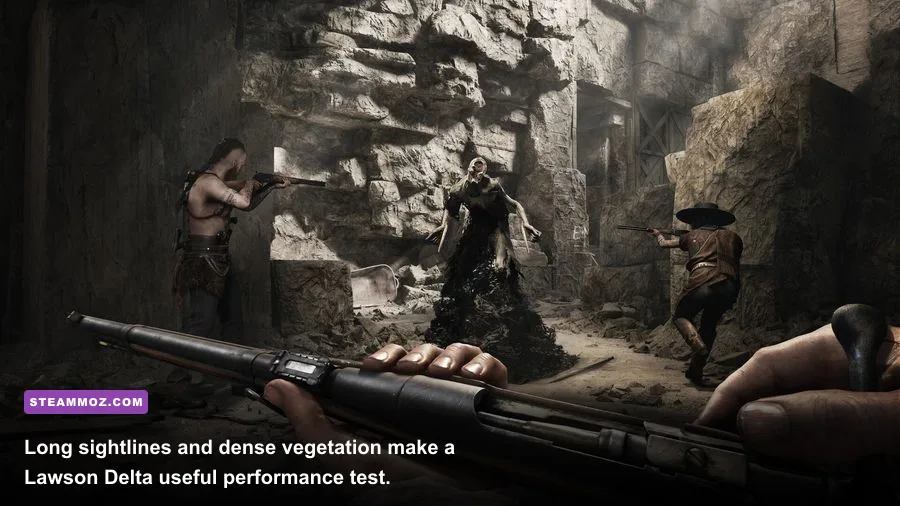
The minimum specification is designed to get you into the bayou, not guarantee a locked frame rate. The GTX 1650 Super and RX 5500 XT are sensible entry points for 1080p, but their 4GB VRAM can become a limitation when texture quality, render scale, and high-resolution shadows are pushed together. The recommended RTX 2060 Super and RX 5700 XT offer substantially more graphics headroom, especially in Mammon’s Gulch, where cliffs, foliage, compounds, and long sightlines pile on the workload.
| Component | Minimum | Recommended | Practical target |
|---|---|---|---|
| Operating system | Windows 10 64-bit | Windows 10 64-bit | Fully updated Windows 10 or 11 |
| CPU | Intel Core i5-6600 / AMD Ryzen 5 2600 | Intel Core i7-8700 / AMD Ryzen 5 3600 | Six modern cores with strong single-thread performance |
| Memory | 12GB RAM | 12GB RAM | 16GB dual-channel RAM |
| GPU | GTX 1650 Super / Radeon RX 5500 XT | RTX 2060 Super / Radeon RX 5700 XT | 8GB VRAM class card for fewer texture compromises |
| Graphics API | DirectX 12 | DirectX 12 | Current GPU drivers and DX12 support |
| Storage | 75GB available space | 75GB available space | SSD, with extra room for updates |
The 12GB RAM requirement is easy to underestimate. Windows, Steam, voice chat, a browser, and background overlays can consume several gigabytes before a Hunter loads into a match. Sixteen gigabytes is the more comfortable baseline, while 32GB is useful if you stream, record, or keep multiple applications open. An SSD won’t increase your average FPS dramatically, but it can reduce loading friction and make texture streaming feel less erratic.
For a second hardware reference, our guide to Earth Defense Force 5 PC requirements explains why minimum specs often describe launchability rather than competitive performance. Hunt deserves the same caution.
🎮 Hunt: Showdown 1896 - The Lawless
Looking to experience this game? Grab your digital key directly on our store for $3.99.
View on Steammoz Store →What the minimum PC spec really delivers
On a machine close to the minimum, target 1080p with a restrained preset and expect the frame rate to move with the location. A GTX 1650 Super paired with a Ryzen 5 2600 can often sit around the 45–60fps range after sensible tuning, but heavy compounds, burning effects, rain, and several Hunters fighting around a boss lair can push lows into the 30s. Those dips matter more than the headline average because mouse response and weapon timing feel inconsistent when frame pacing breaks up.
The CPU matters more than many players expect. Hunt’s world simulation tracks AI, sound traps, fire, destructible elements, and multiple players across a large map. The i5-6600 has four cores and can run the game, but it has less thread headroom than the recommended i7-8700. A Ryzen 5 2600 is a better fit for background workloads, yet its older Zen architecture can still produce weaker one-percent lows than a newer six-core processor.
Minimum-spec compromises worth making
- Use 1080p output with a 100 percent render scale before dropping to a blurry lower resolution.
- Set textures to medium if your GPU has only 4GB VRAM, then restart the game if it warns about memory pressure.
- Lower shadow quality, global illumination, and object quality before sacrificing render resolution.
- Cap the frame rate at a number your PC can hold during fights, such as 45 or 50fps, instead of chasing unstable peaks.
- Close browser tabs, recording tools, RGB utilities, and unnecessary overlays when using 12GB RAM.
Don’t confuse a high average with a clean competitive image. If your system reports 60fps in an empty training area but collapses around the Butcher’s burning lair, your real target is the latter scenario. Hunt’s audio remains vital, so avoid aggressive background processes that cause stutter during footsteps, crows, or distant gunfire.
The recommended spec is the safer 1080p target

The Core i7-8700, Ryzen 5 3600, RTX 2060 Super, and RX 5700 XT combination is where Hunt: Showdown 1896 starts feeling properly comfortable. At 1080p, it should support a mostly high-quality presentation around 60fps, with room to tune the heaviest settings. It still isn’t a guaranteed 144fps setup: the game’s dense scenes and CPU-heavy moments can pull the frame rate down even when your GPU has spare capacity.
The RTX 2060 Super’s 8GB VRAM is particularly useful for high textures and modern asset streaming. The RX 5700 XT offers strong raster performance, although NVIDIA’s card may be preferable if you use features or capture tools that benefit from the GeForce ecosystem. Neither recommendation should be treated as a promise for 4K. For 1440p, a newer RTX 3060 Ti, RTX 4060 Ti, RX 6700 XT, or better is a more sensible starting point, depending on your desired settings.
| Target | Suggested hardware | Resolution | Expected approach |
|---|---|---|---|
| Playable entry | GTX 1650 Super / RX 5500 XT, i5-6600 or Ryzen 5 2600 | 1080p | Low-medium mix, roughly 30–60fps depending on scene |
| Competitive 60fps | RTX 2060 Super / RX 5700 XT, i7-8700 or Ryzen 5 3600 | 1080p | Medium-high mix with a stable 60fps goal |
| High-refresh 1080p | RTX 3060 Ti / RX 6700 XT or faster, modern six-core CPU | 1080p | Prioritize CPU lows and tune shadows for 90–144fps |
| 1440p quality | RTX 4070 / RX 7800 XT class GPU, modern eight-core CPU | 1440p | High settings with sensible upscaling and a 60–100fps target |
If your monitor runs at 144Hz, don’t automatically set every option to low. Hunt’s visibility can suffer when foliage, object detail, and texture clarity are gutted. A stable 90fps with readable geometry is often a better competitive compromise than a fluctuating 130fps paired with muddy distant cover.
Players comparing older engines may also find our BioShock PC specs breakdown useful context, but Hunt is far more sensitive to modern CPU and GPU frame-time behavior.
Best graphics settings for smooth Hunt performance
Start with the recommended preset, then tune one setting at a time while watching the frame-time graph rather than only the FPS counter. Hunt’s most expensive options aren’t always the ones that make the biggest visual difference. Shadows and global illumination can drain performance in compounds, while textures mainly consume VRAM. Render scale affects almost everything, so leave it at 100 percent unless you’re desperate for extra frames.
| Setting | Recommended value | FPS impact | Visual and competitive note |
|---|---|---|---|
| Resolution | Native 1080p or 1440p | Very high | Keep native when possible; blurry resolution hurts distant target identification. |
| Render scale | 100% | Very high | Lower only after reducing heavier effects. |
| Texture quality | High with 8GB VRAM; medium with 4GB | Low to medium | Improves surface clarity but can trigger VRAM stutter. |
| Shadow quality | Medium | High | A major performance lever in forests and compounds. |
| Global illumination | Low or medium | High | Medium looks richer; low helps minimum FPS indoors. |
| Object quality | Medium-high | Medium | Protects useful geometry and distant cover. |
| Anti-aliasing | Game default or low-cost option | Medium | Test foliage shimmer before choosing the sharpest mode. |
| Motion blur | Off | Small | Cleaner tracking and less visual smear during turns. |
Use the game’s built-in performance display to identify whether you’re GPU-bound or CPU-bound. If GPU time is consistently higher, reduce resolution-heavy options, shadows, and illumination. If CPU time leads, lowering resolution may do almost nothing; reduce object detail, cap the frame rate, and close background applications instead. A sensible cap just below your monitor’s refresh rate can also smooth frame pacing and reduce unnecessary heat.
Keep V-Sync off if you prioritize latency and don’t see distracting tearing, then use your driver’s reflex or latency options where supported. Don’t enable every overlay while troubleshooting. Steam, Discord, GeForce Experience, Radeon Software, and capture programs can each add another variable to an already demanding DX12 game.
SSD, drivers, and the settings that prevent stutter
Install Hunt: Showdown 1896 on an SSD with at least the listed 75GB free, but leave additional breathing room for patches. A nearly full drive can slow updates and worsen general system behavior. An NVMe SSD is ideal, though a healthy SATA SSD is still a major upgrade over a mechanical hard drive for loading and asset access.
Update your GPU driver after major Hunt patches, but don’t blindly assume the newest driver fixes every issue. If stutter appears immediately after an update, allow shader compilation to settle, restart the game, and test the same compound again. Verify files through Steam if textures or launches fail, and remove unstable overclocks before diagnosing the game itself. Crytek’s official Hunt website and Crytek support channels are the right places to check for patch-specific problems.
A practical upgrade order
- Move to 16GB dual-channel RAM if you currently have 8GB or mismatched modules.
- Install the game on an SSD if it still lives on a hard drive.
- Upgrade the GPU when you cannot hold your target resolution or frame rate.
- Upgrade the CPU when lowering resolution barely improves FPS and one-percent lows remain poor.
- Check cooling and power delivery before buying parts; thermal throttling can mimic weak hardware.
For broader troubleshooting, Steamoz’s guide to fixing crashes, stutter, and low FPS covers several Windows-side checks that apply here too. You can also compare the impact of game settings with our FPS settings guide, though Hunt’s DX12 workload is much heavier.
Is your PC ready for The Lawless?
If your PC matches the minimum Hunt: Showdown 1896 requirements, the answer is technically yes—but expect compromises and uneven lows in the most crowded fights. The recommended specification is the sensible buying target for 1080p and 60fps, while competitive players should look beyond the official list toward a modern six-core CPU, 16GB of RAM, and a GPU with at least 8GB of VRAM.
The smartest profile is rarely “everything on ultra.” Use native resolution, keep textures high when VRAM allows, set shadows and global illumination to medium or low, disable motion blur, and cap the frame rate to a number your system can sustain around boss compounds. That combination preserves Hunt’s crucial silhouettes and environmental detail without turning every firefight into a frame-time gamble.
Finally, remember that Hunt’s performance can shift after major updates. Check the official Steam news feed for patches, compare your results in both Mammon’s Gulch and older maps, and judge the system by its worst realistic fight—not an empty corner of the training range. In a game where a single quiet footstep decides the match, stable frames are part of your loadout.