
Yes, most modern PCs can run BioShock easily. The 2007 original needs only a 2.4 GHz single-core processor, 1GB of RAM, and a DirectX 9 graphics card with 128MB of video memory. BioShock Remastered is more demanding, but its recommended target is still just a Core 2 Duo-class CPU, 4GB of RAM, and a GeForce GTX 670 or Radeon HD 7970. The bigger question today isn't raw power; it's whether your Windows setup, resolution, drivers, and frame pacing are configured correctly.
This guide separates the original BioShock from BioShock Remastered, explains what those old minimum specifications actually mean on modern hardware, and gives you reliable settings for 1080p and higher resolutions. If you're buying the game, check the official BioShock Steam page for the original release and the BioShock Remastered Steam listing before installing.

BioShock minimum and recommended PC specs
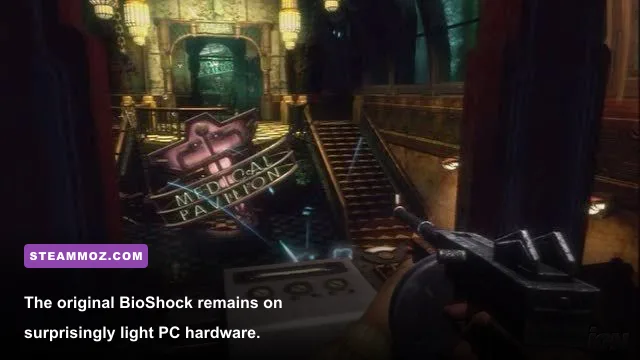
The original PC release was built for hardware from the Windows XP and Vista era. Its minimum GPU list—NVIDIA GeForce 6600 or ATI Radeon X1300—sounds almost comically low beside a current RTX card, but there is an important catch: those specifications describe a DirectX 9 baseline, not a promise of flawless compatibility on every modern operating system.
BioShock Remastered improves textures, lighting, and visual presentation, but it isn't a modern-engine remake. Its recommended GTX 670 or Radeon HD 7970 target is ancient by today's standards, and an integrated GPU from a recent Intel or AMD laptop will often outperform it. Still, the Remastered edition can expose more shader, driver, and fullscreen quirks than the original, especially on ultrawide monitors.
| Version | Minimum PC specs | Recommended PC specs | Practical modern target |
|---|---|---|---|
| BioShock (2007) | 2.4 GHz single-core CPU, 1GB RAM, GeForce 6600 or Radeon X1300, 8GB storage | 2.4 GHz dual-core CPU, 2GB RAM, GeForce 7900 or Radeon X1900, 8GB storage | Any recent dual-core CPU, 4GB RAM, integrated graphics or better |
| BioShock Remastered | Intel E4300 or AMD Athlon X2 64 3800+, 4GB RAM, GeForce 8800 GT or Radeon HD 4830, 20GB storage | Core 2 Quad Q9650 or Phenom II X4 965, 8GB RAM, GTX 670 or Radeon HD 7970, 20GB storage | Modern four-core CPU, 8GB RAM, GTX 1050 Ti/RX 570-class GPU or better |
Those are the published-era requirements, and they should be treated as guidance rather than a modern compatibility guarantee. BioShock's original launcher can behave oddly with very high-DPI displays, while Remastered sometimes benefits from a clean driver install. For broader troubleshooting habits, our guide to turning PC stutters into smooth FPS covers the same frame-pacing fundamentals.
🎮 BioShock
Looking to experience this game? Grab your digital key directly on our store for $4.99.
View on Steammoz Store →Original BioShock versus Remastered on PC
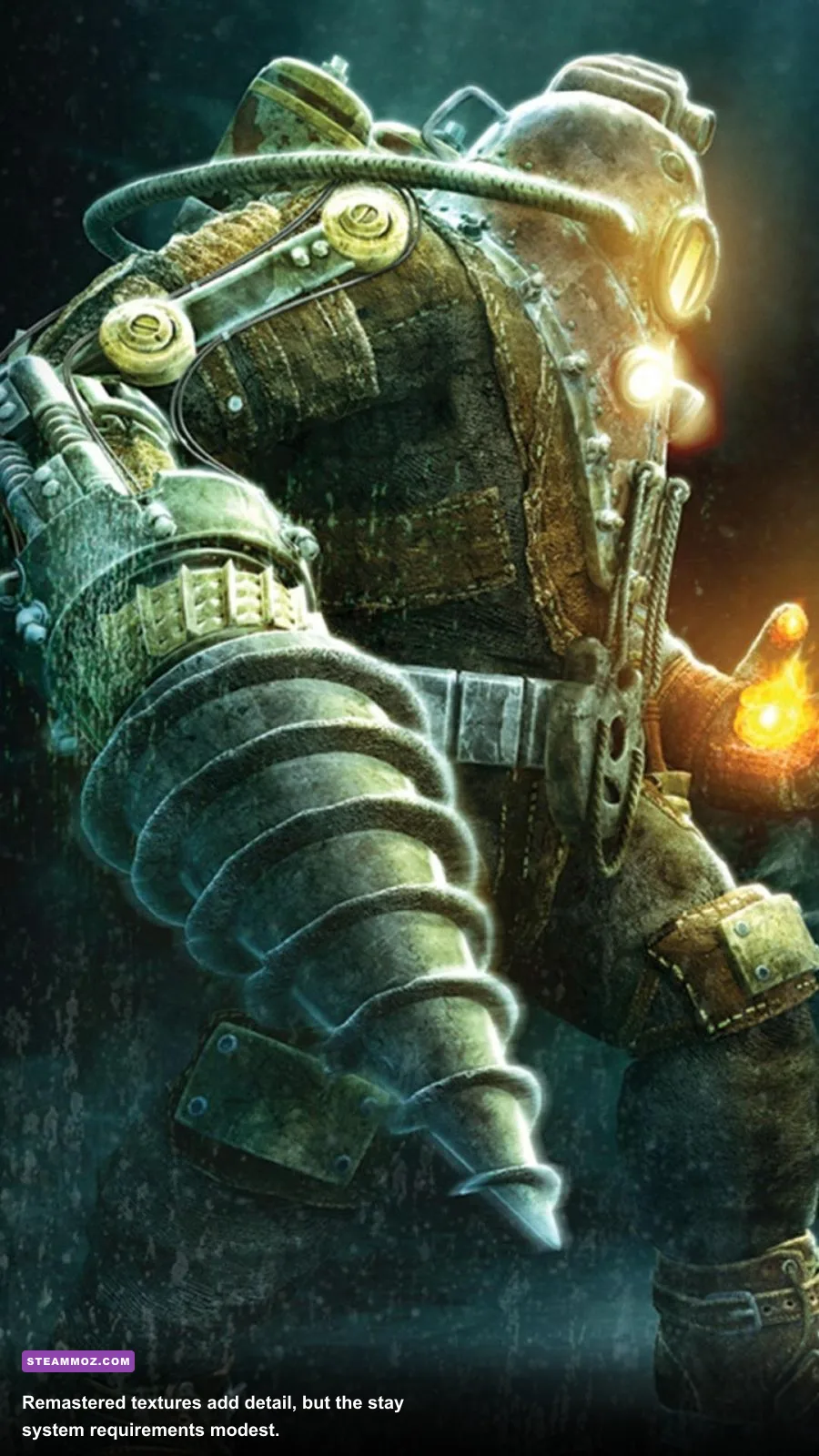
Choosing between the two editions is less straightforward than simply picking the newer one. The original BioShock has a smaller install, lower hardware demand, and a reputation for being easier to run at very high frame rates. Remastered adds improved textures, better-looking water, enhanced shadow work, and controller-oriented refinements. It also bundles the Challenge Rooms and Plasmid Pack content in many editions.
The remaster's visual upgrade is clearest in places such as Medical Pavilion, Neptune's Bounty, and Fort Frolic, where wet surfaces, signage, and environmental detail get more room to breathe. However, the underlying Unreal Engine 2.5 design remains intact. You aren't getting modern geometry, ray tracing, or physically based materials, so a powerful GPU won't transform the game into a current-generation showcase.
| Factor | BioShock original | BioShock Remastered |
|---|---|---|
| Hardware demand | Extremely low; older integrated graphics can cope | Low by modern standards, but much heavier at 1440p and 4K |
| Visual improvements | Classic textures, lighting, and water effects | Higher-resolution textures, improved effects, enhanced shadows |
| Storage | About 8GB | About 20GB |
| Best use case | Maximum compatibility and uncomplicated performance | Modern displays and a cleaner presentation |
| Potential issues | Old launcher behavior and limited display options | Occasional stutter, fullscreen quirks, and sensitivity concerns |
For a first playthrough on a current Windows gaming PC, Remastered is the obvious visual choice if it runs properly. If you encounter crashes, audio oddities, or persistent stutter, the original release is still completely playable and often more predictable. Don't assume the newer executable is automatically the better technical experience.
Best BioShock settings for smooth 60 FPS
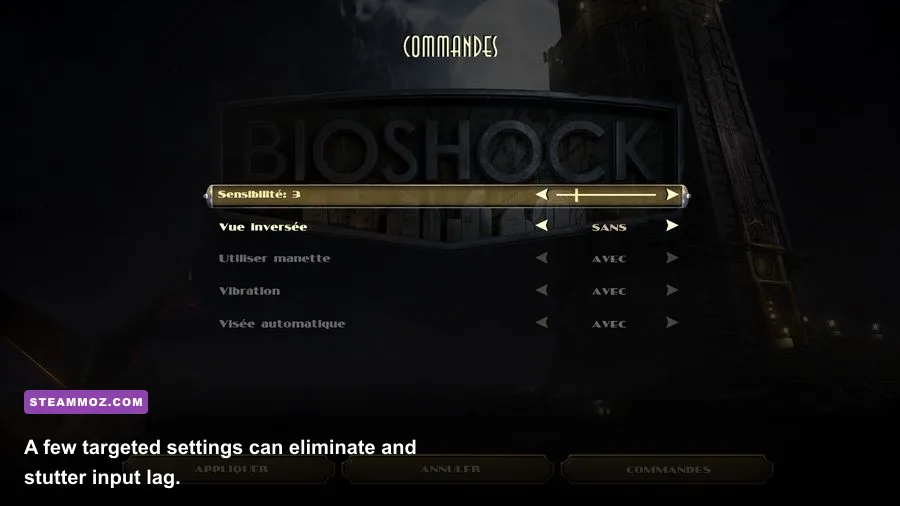
At 1080p, virtually any dedicated GPU released in the last decade should handle either edition at 60 FPS. The sensible approach is to start with the highest preset, then adjust the few options that meaningfully affect frame time. BioShock is a single-player shooter, so 60 FPS is a comfortable target, but stable delivery feels better than an unstable 144 FPS that repeatedly dips during effects-heavy fights.
In the original game, disable the in-game vertical sync if it introduces sluggish mouse response and use your GPU control panel or a frame limiter instead. Remastered can also feel smoother with a fixed 60 FPS cap, particularly on laptops that constantly move between boost clocks. If your monitor supports variable refresh, use FreeSync or G-SYNC and cap the game a few frames below the panel's maximum refresh rate.
| Setting | Recommended value | FPS impact | Visual note |
|---|---|---|---|
| Resolution | Native 1080p | Medium | Lower to 900p or 720p only on weak integrated graphics |
| Texture quality | High or Very High | Low on GPUs with 4GB VRAM | Improves signage, walls, weapons, and enemy detail |
| Shadow quality | High; Medium on entry-level GPUs | Medium | One of the more noticeable performance costs in busy rooms |
| Water and distortion effects | High | Low to medium | Worth keeping high for Rapture's wet surfaces and plasmid effects |
| Anti-aliasing | Use in-game AA at 1080p | Low | Reduce or disable it at 4K if GPU load spikes |
| V-sync | Off with external cap; on if tearing bothers you | Negligible | External limiting usually gives more responsive input |
| Field of view | Default, or modestly increased on ultrawide | Low | Extreme FOV values can reveal edge distortion |
1080p, 1440p, and 4K expectations
A GTX 1050 Ti, RX 570, or newer equivalent should target 1080p at 60 FPS in Remastered with high settings. At 1440p, those cards may need medium shadows or reduced anti-aliasing, while an RTX 2060, GTX 1660 Super, RX 5600 XT, or better should have no trouble maintaining 60 FPS. For 4K, the game remains light enough for modern midrange cards, but the remaster's older engine can produce uneven frame pacing even when the GPU is not fully loaded.
Integrated graphics deserve a little nuance. Intel UHD 630 and Vega 8-class solutions can often run the original at 1080p, but Remastered is better approached at 720p or 900p with medium settings. The Steam Deck can run the game, though a 60 FPS cap and conservative brightness are preferable to chasing an inconsistent higher refresh rate. Our smooth 60 FPS settings guide explains why frame caps matter even when average FPS looks healthy.
What hardware actually matters for BioShock

BioShock does not need a high-end CPU. The original is lightly threaded, and Remastered's recommended Core 2 Quad-era processor is far below even an entry-level Ryzen 3 or Core i3 from recent generations. Four physical cores are more than enough; what matters more is avoiding background CPU spikes from browsers, recording software, or aggressive antivirus scans.
RAM is equally straightforward. The original's 1GB minimum is only relevant as a historical reference. On a modern Windows installation, 4GB total system memory is the bare practical floor, while 8GB gives both editions plenty of breathing room. If you have 16GB, BioShock won't use the extra capacity directly, but the operating system and background applications won't compete with the game.
VRAM matters primarily at high resolutions. The original can run within 1GB, but Remastered is happier with 2GB at 1080p and 4GB at 1440p. Storage speed won't increase your combat FPS, yet installing on an SSD can reduce loading frustration when moving between Rapture's tightly segmented areas. Keep at least several gigabytes free beyond the listed install size for updates and shader caches.
| Component | Historical minimum | Recommended today | Why it matters |
|---|---|---|---|
| CPU | 2.4 GHz single-core for original | Recent Core i3, Ryzen 3, or equivalent | Prevents background tasks from causing hitching |
| System RAM | 1GB original; 4GB Remastered | 8GB | Leaves room for Windows and overlay software |
| GPU | GeForce 6600 original; 8800 GT Remastered | GTX 1050 Ti, RX 570, or newer | Handles 1080p high settings comfortably |
| VRAM | 128MB original; 512MB Remastered | 4GB for 1440p | Helps prevent texture streaming and resolution limits |
| Storage | 8GB original; 20GB Remastered | SSD with extra free space | Improves loading, not average FPS |
Fixes for crashes, stutter, and display problems
If BioShock refuses to launch, start with the boring fixes that work: verify the game files in Steam, update your GPU driver, disable overlays one at a time, and run the executable with administrator privileges only if the launcher cannot write its configuration files. Avoid blindly downloading replacement DLL files from random websites. Old PC games attract unsafe “fix” packs that create more problems than they solve.
For the original release, try compatibility settings for Windows 7 or XP only after normal launch options fail. High-DPI scaling overrides can also stop a blurry or incorrectly sized window on modern displays. If the mouse feels wildly sensitive, lower the in-game sensitivity first and then check your mouse software for a second acceleration layer.
For Remastered, persistent micro-stutter can come from shader compilation, overlays, or a poorly behaved fullscreen mode. Test exclusive fullscreen, borderless windowed mode, and a fixed 60 FPS cap separately rather than changing everything at once. Disable motion blur if camera movement feels smeared, but keep water and distortion effects unless performance is genuinely poor; they contribute far more to BioShock's atmosphere than a small shadow-quality bump.
Ultrawide users should also test the field of view carefully. A wider image can expose geometry that was never designed for extreme aspect ratios, especially around scripted encounters and weapon animations. If you want more PC troubleshooting techniques, Steamoz's crash and lag fixes and low-FPS troubleshooting guide offer useful general steps.
The best BioShock PC setup right now
For the original BioShock, a recent integrated GPU, 8GB of RAM, and any modern dual-core processor are already overkill. Use native resolution, high textures, a 60 FPS cap, and external V-sync if you notice tearing. For Remastered, aim for a GTX 1050 Ti or RX 570-class GPU for comfortable 1080p play, then move to a GTX 1660 Super, RTX 2060, RX 5600 XT, or better for 1440p.
The key takeaway is simple: BioShock's published minimum requirements are low, but Remastered is the safer visual recommendation only when your PC can deliver stable frame pacing. Don't spend money on an upgrade specifically for this game. Check your installed edition, target 60 FPS, keep textures high, and lower shadows or resolution only when the frame-time graph proves they are the problem. Rapture's real demands are atmospheric—not hardware-hungry.
For official compatibility notes and patches, keep an eye on 2K's BioShock support hub and the official BioShock page from 2K. The game may be old, but with the right cap and a little patience around legacy display settings, it still runs beautifully on almost any gaming PC built in the last several years.