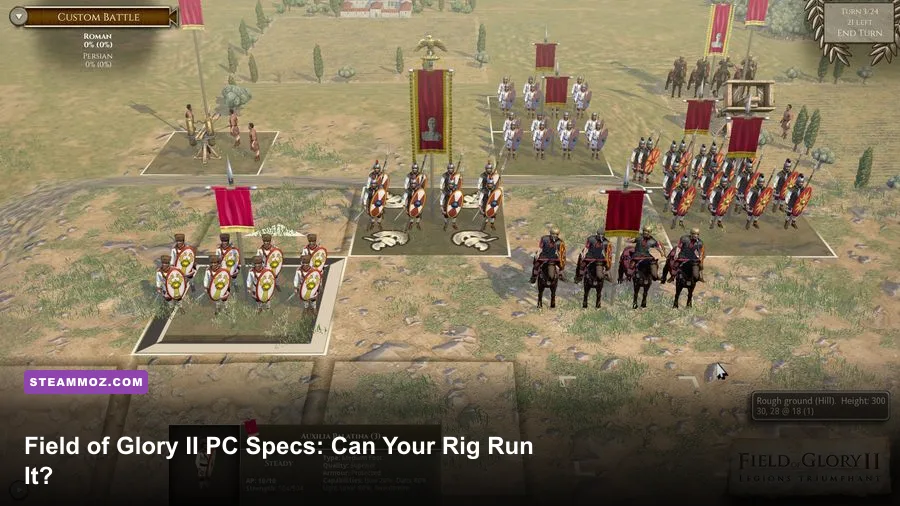
Field of Glory II is exceptionally easy to run by modern PC standards. The Steam-listed minimum is a Windows 7 PC with a 2.4 GHz Intel Core 2 Duo, 4 GB of RAM, a 1 GB DirectX 9 graphics card, and roughly 3 GB of storage. For a smoother long-term setup, aim for an Intel Core i5 around 2.8 GHz, 8 GB of RAM, and a 2 GB DirectX 11 GPU. If your computer can handle ordinary HD video playback or older 3D strategy games, it is probably ready for Slitherine's ancient-world battles.
One important naming note: players often search for “Fields of Glory system requirements,” but the Steam game this hardware guide covers is Field of Glory II. It is the turn-based tactical game built around ancient armies, not the newer Field of Glory: Kingdoms. The two games have different technical profiles, so check the exact title before buying or troubleshooting.
Field of Glory II minimum and recommended specs
These are the practical targets to use when checking a laptop or desktop. The minimum specification is enough to launch and play, while the recommended profile gives the CPU more breathing room during large battles, campaign transitions, and AI-heavy turns.
| Component | Minimum requirement | Recommended target |
|---|---|---|
| Operating system | Windows 7 | Windows 10 or newer 64-bit Windows |
| Processor | Intel Core 2 Duo 2.4 GHz | Intel Core i5 2.8 GHz |
| Memory | 4 GB RAM | 8 GB RAM |
| Graphics | 1 GB DirectX 9-compatible GPU | 2 GB DirectX 11-compatible GPU |
| DirectX | DirectX 9 | DirectX 11 |
| Storage | 3 GB available space | 3 GB available space, preferably on an SSD |
| Display target | 720p to 1080p on low settings | 1080p at high settings |
For the exact storefront listing, compare your machine against the official Field of Glory II Steam page. The figures above are deliberately conservative: integrated graphics from the last several years generally exceed the listed GPU requirement, although older Intel HD chips can still struggle with drivers or resolution scaling.
What the minimum spec really means
The Core 2 Duo requirement tells you how lightweight the game is. Field of Glory II does not simulate every soldier as an independent physics object. Units are represented as formations, and the game spends its processing time on movement rules, combat resolution, cohesion checks, terrain modifiers, and AI decisions. That is a much gentler workload than a real-time strategy game with hundreds of animated units.
Still, “runs” does not always mean “feels perfect.” A dual-core processor paired with 4 GB of RAM may produce longer turn transitions, especially in scenarios with several armies and numerous routed formations. Windows itself can also consume most of that memory. If your PC has only 4 GB, close browsers, launchers, cloud-sync tools, and recording software before starting a long campaign.

🎮 Field of Glory II
Looking to experience this game? Grab your digital key directly on our store for $29.99.
View on Steammoz Store →How demanding is Field of Glory II in actual play?
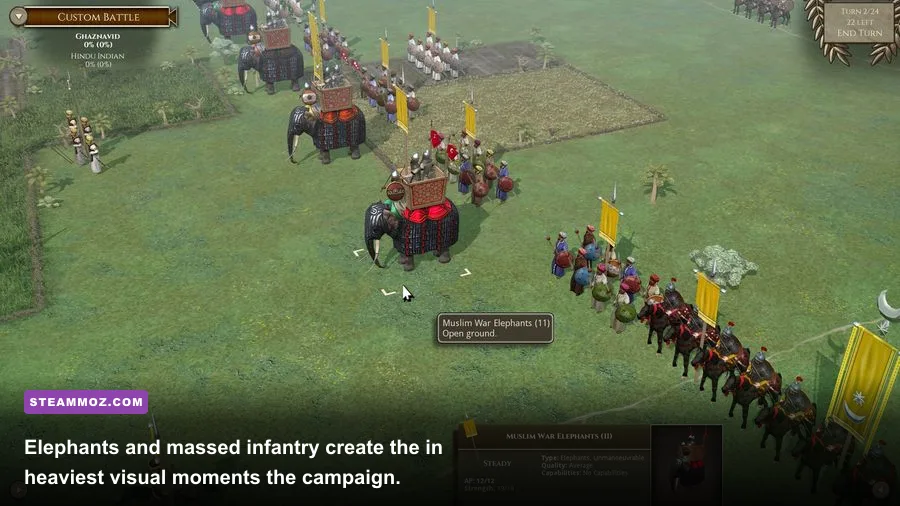
Field of Glory II is a turn-based battlefield game, so performance has a different rhythm from a shooter. You are not chasing a locked 144 frames per second while flicking toward an enemy. You are moving Roman legionaries, hoplites, cavalry, skirmishers, and elephants across a grid-like 3D battlefield, then watching the resolution play out.
The busiest moments happen when the game calculates a large chain of actions. A cavalry charge can trigger impact results, cohesion tests, pursuit, evasion, and follow-up combat. A broken line can create several disrupted or fragmented units at once. These events are CPU-sensitive, but they are brief and don't turn the game into a demanding simulation.
| Workload | Main hardware demand | What to expect | Best upgrade |
|---|---|---|---|
| Small custom battle | Low CPU and GPU load | Comfortable on old dual-core PCs | No upgrade needed |
| Large historical scenario | Moderate CPU load | Longer AI and action-resolution pauses | Faster modern CPU |
| Campaign management | Low GPU, intermittent CPU load | Menus remain light; turns may take longer | SSD and additional RAM |
| High-resolution display | GPU and video memory | Higher settings are easy for modern GPUs | Dedicated GPU or lower resolution |
| Streaming or recording | CPU, RAM, and storage bandwidth | Background apps can cause stutter | 8 GB RAM or more |
That makes the recommended specification more about consistency than raw visual power. An entry-level modern laptop can often deliver a steadier experience than an old desktop that technically meets the minimum. Field of Glory II also benefits from a solid-state drive: the 3 GB installation is tiny, but an SSD reduces loading friction when jumping between battles, campaign maps, and replay files.
Graphics settings for stable 1080p performance

The game's visuals are intentionally readable rather than cutting-edge. Unit blocks, banners, terrain contours, and combat animations matter more than cinematic shadows. That is good news for low-end systems: lowering a few expensive options can protect clarity without making the battlefield look flat.
| Setting | Recommended value | Performance impact | Visual trade-off |
|---|---|---|---|
| Resolution | 1920x1080 | Moderate GPU impact | Best balance for unit readability |
| Texture quality | High with 2 GB VRAM; medium with 1 GB | Low to moderate | Lower values soften banners and terrain details |
| Shadow quality | Medium | Moderate | Preserves depth without wasting GPU power |
| Anti-aliasing | 2x or off on older GPUs | Moderate to high | Jagged edges are less noticeable during zoomed-out play |
| Effects and animations | High on recommended hardware | Low to moderate | Reducing them affects impact flashes and battle feedback |
| V-sync | On for fixed-refresh displays | Minimal, with possible latency | Stops tearing during camera movement |
| Unit detail | High unless frame pacing suffers | Moderate in large battles | Important for identifying troops at a glance |
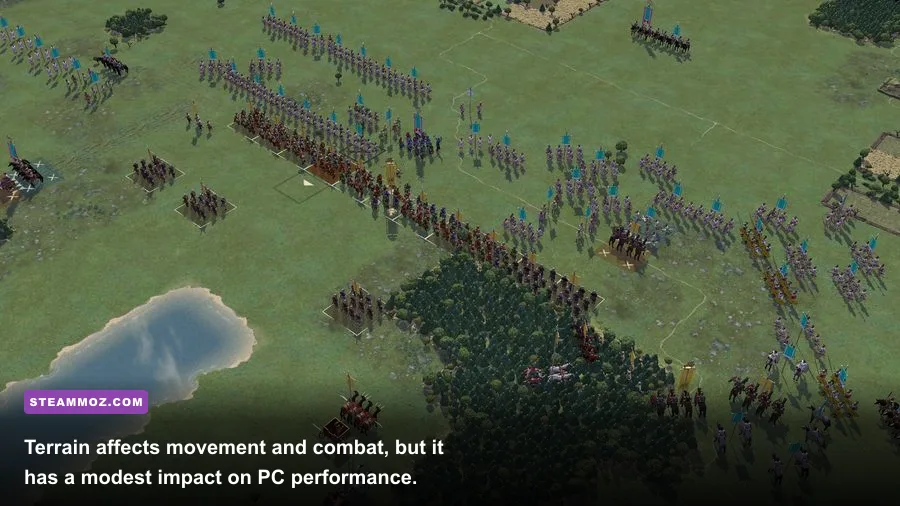
For a minimum-spec machine, start at 1280x720 or 1600x900, use medium textures, medium shadows, and disable anti-aliasing. Then test one of the larger scenarios rather than a tiny skirmish. A small battle can hide the exact slowdown you'll encounter when several formations collide across hills, woods, and river crossings.
Three useful PC profiles
Minimum profile: Use 720p or 900p, medium textures, low shadows, and anti-aliasing off. This is the safest setup for 4 GB systems and older integrated graphics. Keep background applications closed, because memory pressure is more likely to hurt responsiveness than the battlefield itself.
Recommended profile: At 1080p, use high textures, medium-to-high shadows, 2x anti-aliasing, and high unit detail. An i5-class processor and 8 GB of RAM should handle the game's biggest normal scenarios comfortably.
Modern enthusiast profile: 1440p or ultrawide resolution is viable with a recent dedicated GPU, but it offers limited strategic benefit. The camera frequently pulls back to show the full battle line, so extra pixels are useful for banners and terrain, not for dramatic cinematic detail. Spend the money on a faster CPU or SSD before chasing a powerful graphics card.
CPU, RAM, and GPU priorities explained
If you are upgrading specifically for Field of Glory II, don't buy hardware in the usual gaming order. The GPU is the least interesting part once you clear the 1 GB DirectX 9 baseline. A modern integrated GPU such as Intel UHD 620-class graphics or newer Radeon integrated graphics will generally be a more sensible match than a high-end card paired with a very old processor.
The processor matters during AI turns and complicated combat resolutions. A modern four-core laptop CPU will feel considerably faster than the listed Core 2 Duo, even if both can launch the game. Clock speed helps, but architecture and single-thread performance matter too. If your campaign pauses for several seconds after pressing End Turn, the CPU is the first suspect.
RAM is simpler. Four gigabytes is the floor; 8 GB is the comfortable target. The game itself is not a memory monster, but Windows, Steam, browser tabs, Discord, and capture software can quickly consume the rest. Going from 4 GB to 8 GB won't magically raise the game's maximum frame rate, yet it can eliminate hitching and prevent background processes from fighting the game for memory.
| Upgrade | Worthwhile for Field of Glory II? | Why |
|---|---|---|
| 4 GB to 8 GB RAM | Yes, especially on laptops | Improves multitasking and reduces memory swapping |
| Hard drive to SSD | Yes for quality of life | Shortens loading and improves general Windows responsiveness |
| Old dual-core to modern quad-core | Highly worthwhile | Improves AI turns and large battle calculations |
| 1 GB GPU to midrange modern GPU | Usually unnecessary | Extra graphics power has limited strategic payoff |
| 1080p monitor to 4K monitor | Optional | Sharper formations, but little gameplay advantage |
This is the same general lesson that applies to older PC strategy games: diagnose the bottleneck instead of assuming every stutter is a graphics problem. Our guides on Far Cry 2 PC specs and Harvey's New Eyes requirements cover similarly lightweight releases, while the ELEX PC fixes guide shows why CPU, driver, and background-process checks should come before random graphics tweaks.
Compatibility checks before you buy
Before purchasing, check four things: your Windows version, available RAM, graphics driver support, and free storage. The original minimum specification references Windows 7 and DirectX 9, but current Windows 10 and Windows 11 systems are the safer choice. Very old operating systems may meet the printed requirement while creating problems with Steam, display scaling, or unsupported drivers.
On Windows, press Win + R, type dxdiag, and inspect the System and Display tabs. Confirm your processor model, installed memory, DirectX version, and graphics memory. Then open Task Manager while launching the game. If memory usage is already above 80 percent before a battle starts, close unnecessary applications or upgrade to 8 GB.
Laptop owners should also force the game to use the high-performance graphics profile if the system includes both integrated and dedicated GPUs. Windows Settings lets you assign an application to a preferred GPU under Graphics settings. This won't matter much for a modern integrated chip, but it can prevent odd low-resolution behavior on hybrid systems.
For official technical information, consult the Slitherine Field of Glory II page, the Matrix Games product page, and the game's official Steam discussions. Community reports can be useful for unusual laptop, ultrawide, or driver issues, but always separate a genuine hardware limitation from a one-off configuration problem.
Final verdict on the Fields of Glory PC requirements
Field of Glory II is one of the friendliest modern strategy purchases for an older PC. The minimum 2.4 GHz Core 2 Duo, 4 GB RAM, 1 GB DirectX 9 GPU, and 3 GB of storage are genuinely modest. The recommended i5-class processor, 8 GB RAM, and 2 GB DirectX 11 graphics card are the better targets if you want smooth large battles, quick campaign turns, and enough headroom for Discord or recording software.
In short, prioritize a modern CPU, 8 GB of RAM, and an SSD over an expensive graphics card. Set the game to 1080p with medium-to-high shadows and textures, test a large scenario, and only lower settings if frame pacing or camera movement feels uneven. If your PC is anywhere near the recommended profile, hardware won't be the thing stopping you from conquering the ancient world. Your deployment mistakes probably will.