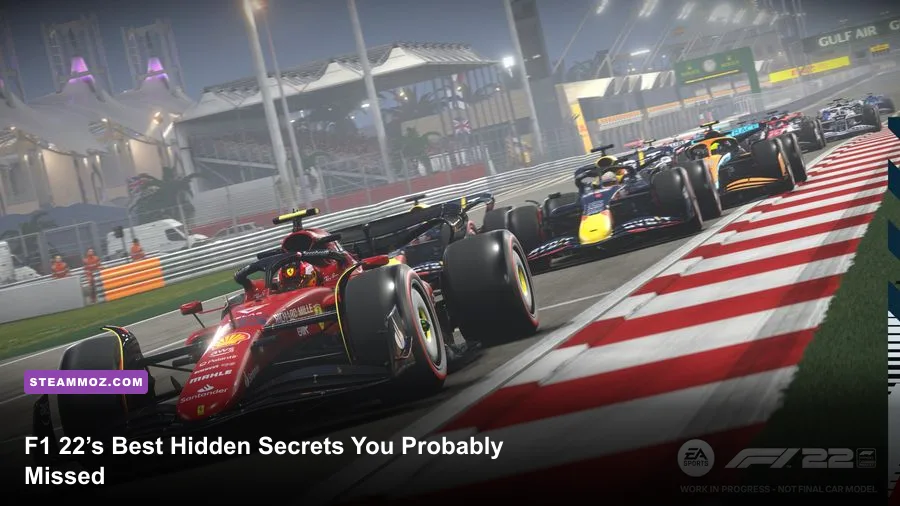
F1 22 doesn’t contain a hidden open-world garage or secret race track waiting behind a password, but it does hide a surprising number of details in F1 Life, Supercars, Career Mode, circuits, and the PC menus. The best discoveries are the playable Pirelli Hot Laps challenges, the rotating F1 Life showroom, overlooked trackside landmarks, secret-feeling career events, and cosmetic rewards that many players never equip. Here’s where to look and exactly how to trigger them.
That distinction matters. F1 22 is a licensed racing sim, not an adventure game packed with collectible rooms. Some online lists call ordinary menu features “secret locations,” which creates expectations the game can’t meet. The real fun comes from exploring systems that sit just outside the main Grand Prix loop. If you only play quick races, you can easily miss half of F1 22’s personality.
Before diving in, check the official F1 22 Steam page for the current PC package and supported features. Also keep your game patched through EA’s official F1 22 page, because several online and presentation details changed during the game’s post-launch updates.
F1 Life Is F1 22’s Hidden Social Hub
F1 Life looks like a flashy landing screen, but it’s more than a background for your avatar. From the main menu, select F1 Life and move around the apartment-style hub. The room contains display spaces for your Supercars, trophies, clothing, helmets, gloves, and other cosmetic rewards. It’s easy to jump straight into Career Mode and never realize that your unlocked items are being staged here.
How to find the overlooked displays
Enter F1 Life, walk toward the vehicle display, and interact with the car rather than simply opening the standard vehicle menu. You can rotate the car, change the display position, and swap which unlocked Supercar is shown. The trophy area works similarly. It is not a gameplay bonus, but it gives your progress somewhere visible to live.
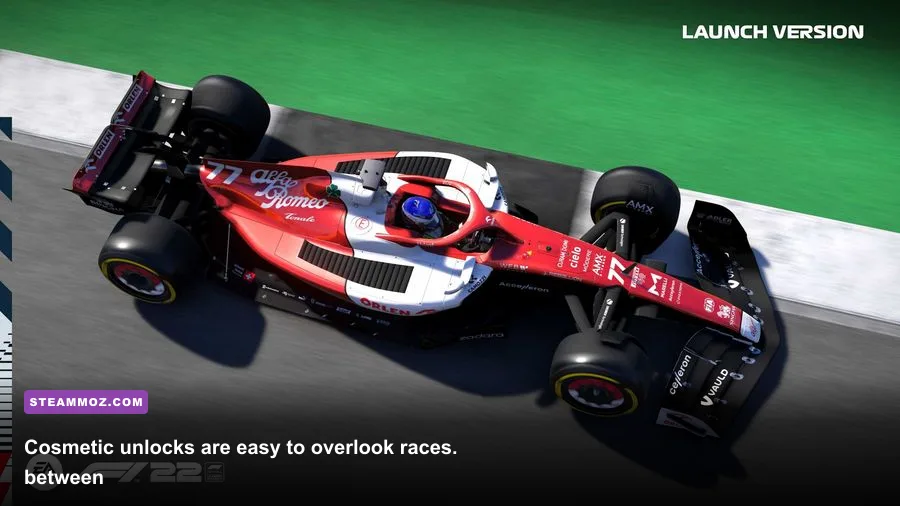
The useful trick is to revisit F1 Life after every Podium Pass tier or seasonal reward. F1 22 frequently buries new gloves, suits, helmets, poses, and furniture among broader unlock notifications. The reward is not always equipped automatically. If you want to see whether a new item actually changed your collection, check the customization panel and then return to the hub.
There are also small pieces of environmental storytelling in the room. Your selected driver avatar, race wear, casual outfit, and displayed cars make the space feel like a personal showroom rather than a static menu. It’s not a hidden room in the traditional sense, but it is the closest F1 22 gets to a location worth exploring outside the circuits.
What F1 Life does not secretly unlock
Don’t waste time searching the walls for a hidden button that opens an extra Grand Prix or classic-car museum. F1 22 has no secret campaign mission behind the furniture, and F1 Life does not provide a performance upgrade. Its value is cosmetic and presentational. The real payoff is discovering how many rewards you already own and never equipped.
| F1 Life Area | What You Can Find | How to Check It | Why It’s Easy to Miss |
|---|---|---|---|
| Vehicle Display | Unlocked Supercars | Interact with the displayed car | Players often use the garage menu instead |
| Trophy Display | Career and event trophies | Walk to the trophy shelves | Rewards are not always equipped automatically |
| Wardrobe | Helmets, suits, gloves, casual clothing | Open customization from F1 Life | Podium Pass rewards arrive in separate categories |
| Room Customization | Furniture and decorative items | Use the room customization option | Cosmetics can be mistaken for duplicate rewards |
🎮 1bitHeart
Looking to experience this game? Grab your digital key directly on our store for $2.99.
View on Steammoz Store →The Supercar Events Are the Best Hidden Detour
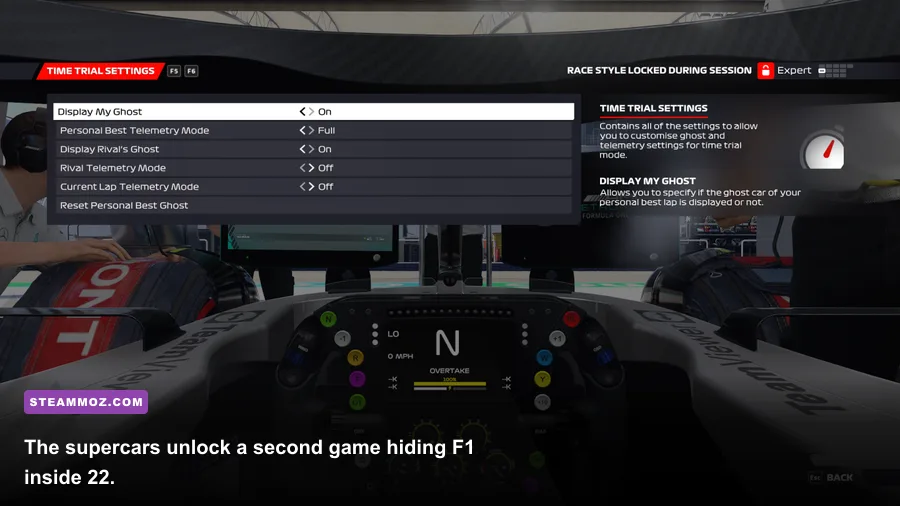
F1 22’s Supercars are the game’s biggest secret for players who only care about Formula 1 machinery. They are not just static showroom props. The Pirelli Hot Laps section lets you drive road-going performance cars through dedicated challenges involving time trials, checkpoints, autocross-style gates, drift tests, and duels. From the main menu, open Solo, then Pirelli Hot Laps, and browse the available event types.
The handling immediately changes the rhythm. A Formula 1 car gives you huge aerodynamic grip and aggressive braking. A Supercar carries more mass, takes longer to rotate, and punishes an early throttle application with wheelspin. That makes the challenges feel less like a slower Grand Prix and more like a compact driving game hidden inside F1 22.
Which challenges deserve your time
Time Attack is the cleanest place to learn a car because the objective is simple: set the fastest lap possible. Checkpoint challenges reward consistency and route planning, while Drift Attack requires controlled throttle rather than maximum corner speed. Autocross-style events are particularly easy to overlook because they don’t resemble a conventional circuit race. Learn the gate sequence first, then chase the clock.
Use light braking and short steering inputs. With the Aston Martin V8 Vantage and other road cars, turning too aggressively loads the front tires and creates understeer. If you immediately countersteer, the rear can snap loose. Brake in a straight line, release the pedal before turning, and squeeze the throttle only once the car is pointed toward the next gate.
Difficulty changes the challenge more than many players expect. At lower assists, traction control and ABS behavior become central to your time. If you’re using a wheel, reduce steering saturation only after confirming that the car reaches full lock at the correct point. On a controller, keep steering linearity modest and avoid holding full lock through slow hairpins. The fastest run is usually the smoothest one.
| Challenge Type | Primary Skill | Common Mistake | Best Approach |
|---|---|---|---|
| Time Attack | Braking and corner exits | Chasing a late apex too aggressively | Prioritize clean exits and repeatable lines |
| Checkpoint | Route memorization | Entering gates at awkward angles | Position the car early for the next gate |
| Drift Attack | Throttle control | Pulling the handbrake too long | Use a brief initiation and catch the slide with throttle |
| Autocross | Precision and rhythm | Braking for every gate | Lift early, rotate once, and accelerate between gates |
| Duel | Consistency under pressure | Overdriving the opening sector | Stay close without destroying the tires |
Supercar events also expose a detail many players miss: the game tracks your best performance separately from Grand Prix results. That makes them ideal for short sessions. You can spend ten minutes improving one sector without committing to a full race weekend. For more racing-game optimization ideas, Steamoz’s upgrade-value guide uses the same principle: spend time where the mechanical payoff is easiest to measure.
Trackside Details That Look Like Easter Eggs
F1 22’s circuits aren’t secret locations, but several contain visual details that disappear when you drive with the racing line glued to the asphalt. The Miami International Autodrome is the obvious example. Its marina-style scenery, stadium structures, colorful walls, and dense advertising make it one of the game’s most recognizable environments. Run a practice lap with the HUD reduced and you’ll notice far more than you can during a normal qualifying attack.
At Miami, use Practice or Time Trial, switch to a track camera with a wider field of view, and deliberately lift through the slower sections. Look beyond the barriers at the stadium presentation and the marina-inspired set dressing. These areas don’t contain interactable collectibles, but they are carefully built pieces of environmental presentation that are easy to miss at 200 mph.
Jeddah rewards the same experiment in a different way. Its long, fast corners create walls of visual information: floodlights, fencing, sponsor boards, and the narrow escape areas. Use a replay after a clean lap and move the camera around the outside of the circuit. The replay camera exposes elevation changes and trackside geometry that the cockpit view compresses into a blur.
Imola and Silverstone are worth revisiting for their recognizable circuit identity rather than hidden objects. The kerbs, grass, grandstands, pit buildings, and marshal posts help explain why a corner feels different even when the lap-time data looks similar. Switching off the dynamic racing line for a few practice laps makes these details easier to read and improves your awareness of braking references.
The replay-camera method
Start a solo practice session with flashbacks enabled, complete one normal lap, and open the replay immediately. Pause at a corner, cycle through the cameras, and use the free camera if your control scheme supports it. This is the closest F1 22 offers to a sightseeing mode. It also helps you spot where the game’s trackside detail is strongest on PC, especially with higher-quality textures and crowd settings.
Some players mistake alternate camera angles or sponsor changes for secret routes. F1 22 does not hide shortcuts through the paddock, pit buildings, or grandstands. Cutting across those spaces is blocked by collision barriers or invalidates the lap. Treat the visual landmarks as Easter-egg-like details, not exploit locations.
Career Mode Hides Its Best Moments in the Calendar
Braking Point is not included in F1 22, which means the game’s narrative surprises live in Career Mode and My Team rather than a separate story campaign. The hidden content comes from how you build a season. Two-player Career, sprint weekends, practice programs, rivalries, and team development create events that never appear if you only run standard Grand Prix weekends.
When starting a new Career, choose a full season instead of a short calendar if you want the widest range of weekend formats. F1 22 includes sprint events, and those weekends change the structure of practice, qualifying, and race strategy. A sprint weekend gives you fewer opportunities to repair a setup mistake, so the “secret” reward is practical: you learn to build a stable car before the first competitive session.
In My Team, pay attention to the department choices and interview responses rather than skipping every presentation prompt. Facility upgrades influence how quickly your team develops, while resource points and team acclaim shape the pace of future improvements. Spending everything on one department can make the car stronger in a straight line while leaving durability or aerodynamics behind.
How to create a better hidden-event run
Set the calendar to include sprint weekends, keep practice sessions active, and use practice programs to gather setup and development data. Don’t simulate every session if you’re still learning the car. The acclimatization and tire-management programs teach you where the car overheats its tires, while the qualifying pace program exposes weak sectors before qualifying locks in your grid position.
Driver transfers and contract decisions can also change the feel of a save. A teammate who consistently beats you raises the pressure in every weekend, while a strong development path can turn a midfield My Team into a regular podium contender. None of this is labeled as an Easter egg, but it’s the content most likely to surprise players who expect Career Mode to be a simple sequence of identical races.
If F1 22 stutters while loading Career or switching menus, use Steamoz’s PC crash and FPS troubleshooting principles as a starting point, especially the advice about overlays, drivers, and background applications. The game’s menus can be more sensitive to system clutter than a single offline time trial.
PC Settings That Reveal the Details Without Killing FPS
The hidden visual details only matter if your frame rate stays stable. F1 22’s minimum PC target is an Intel Core i3-2130 or AMD FX 4300 with 8GB of RAM and a GeForce GTX 1050 Ti or Radeon RX 470. The recommended target rises to an Intel Core i5-9600K or AMD Ryzen 5 2600X, 16GB of RAM, and a GeForce GTX 1660 Ti or Radeon RX 590. Ray tracing can push requirements far higher, especially at 1440p.
For competitive driving, lock the game to a frame rate your PC can hold through rain, crowded starts, and replay cameras. A flat 60 frames per second feels better than an unstable 90 that collapses to the 40s when spray and reflections appear. If you have a high-refresh monitor, target 120 or 144 only after testing a full wet race.
| Setting | Recommended Value | FPS Impact | Visual Difference |
|---|---|---|---|
| Ray-Traced Reflections | Off for competitive play | Very high | Reflections lose some accuracy, but racing remains sharp |
| DLSS or FSR | Quality at 1440p; Balanced if needed | Low to positive | Large performance gain with modest image-softening |
| Texture Quality | High with 6GB VRAM or more | Low to medium | Improves cars, kerbs, and trackside surfaces |
| Shadow Quality | Medium or High | Medium | High adds better grandstand and car shadows |
| Track Textures | High | Medium VRAM use | Makes asphalt and painted kerbs easier to read |
| Crowd Quality | Medium | Medium in dense venues | Mostly affects background spectators |
| Weather Effects | High if stable | Medium to high in rain | Improves spray, puddles, and wet reflections |
| Motion Blur | Off for clarity | Minimal | Cleaner braking references and replay screenshots |
Start with ray tracing disabled, then raise texture quality before shadows if you want a better-looking image. Texture detail makes the Miami set dressing, circuit advertising, car liveries, and F1 Life showroom easier to appreciate. Ray-traced reflections look impressive in screenshots, but they’re a poor trade for input consistency during a wet race.
DLSS Quality is usually the sensible Nvidia option at 1440p. If distant fencing or sponsor boards shimmer, try native resolution before sharpening the image too aggressively. AMD users can test FSR, but compare thin trackside objects in motion rather than judging only a paused garage screen.
For more PC-focused fixes, Steamoz’s FPS settings guide and performance settings breakdown cover the same useful workflow: change one setting, benchmark a repeatable scene, and keep the profile that produces consistent frame times.
What Counts as a Real F1 22 Easter Egg?
The honest answer is narrower than clickbait lists suggest. F1 22 has no hidden collectible chain, secret developer room, or alternate campaign ending. Its best “Easter eggs” are tucked-away modes, presentation details, and systems that feel separate from the headline Formula 1 races. F1 Life’s showroom, Pirelli Hot Laps, replay sightseeing, sprint weekends, and overlooked cosmetic rewards are the discoveries worth your time.
To find them efficiently, follow this short route. First, open F1 Life and inspect every display after claiming rewards. Second, complete a few Pirelli Hot Laps events and learn the Supercar physics without relying on F1-car habits. Third, run Miami, Jeddah, Imola, or Silverstone in practice with the HUD reduced, then study the replay camera. Finally, create a full Career or My Team calendar containing sprint weekends and keep practice programs active.
That route turns F1 22 from a menu-to-menu racer into a broader package. You’ll still spend most of your time chasing tenths, managing tire temperatures, and defending into Turn 1, but the game has more texture when you look outside the standard Grand Prix button. If you want another example of how Steamoz approaches hidden rewards, see the secret-locations guide and the Everspace 2 hidden-rewards guide.
So, are there secret locations in F1 22 PC? Not in the traditional open-world sense. But there are plenty of overlooked places, modes, and details that reward curiosity. The fastest way to uncover them is to stop treating F1 22 as only a championship simulator and spend time in the corners of the game its main menu barely advertises.