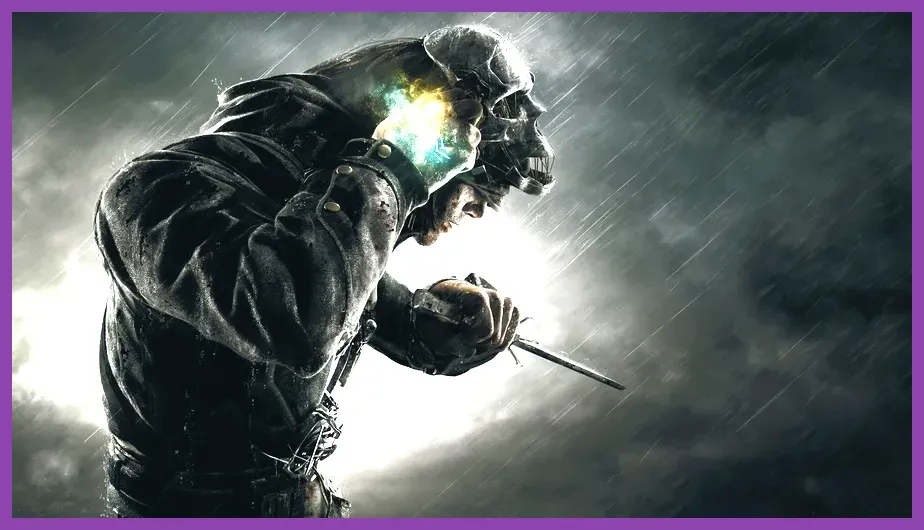
Dishonored is exceptionally easy to run by modern standards. The official minimum asks for a 3.0 GHz dual-core CPU, 3 GB of RAM, and a GeForce GTX 460 or Radeon HD 5850, while the recommended specification moves to a quad-core processor and 4 GB of memory. Almost any gaming PC built in the last decade can clear those targets, but a modern integrated GPU, old laptop, or heavily throttled system may still need lower shadows, reduced resolution, and a locked 30 or 60 fps profile.
That is the short answer. The more useful answer is that Dishonored's Unreal Engine 3 foundation scales beautifully, and the gap between the published requirements and a comfortable 1080p experience is surprisingly small. Below, you'll find the official Dishonored system requirements minimum and recommended specifications, practical modern equivalents, realistic performance expectations, and the settings that matter most when you're sneaking through Dunwall.

Dishonored minimum and recommended requirements
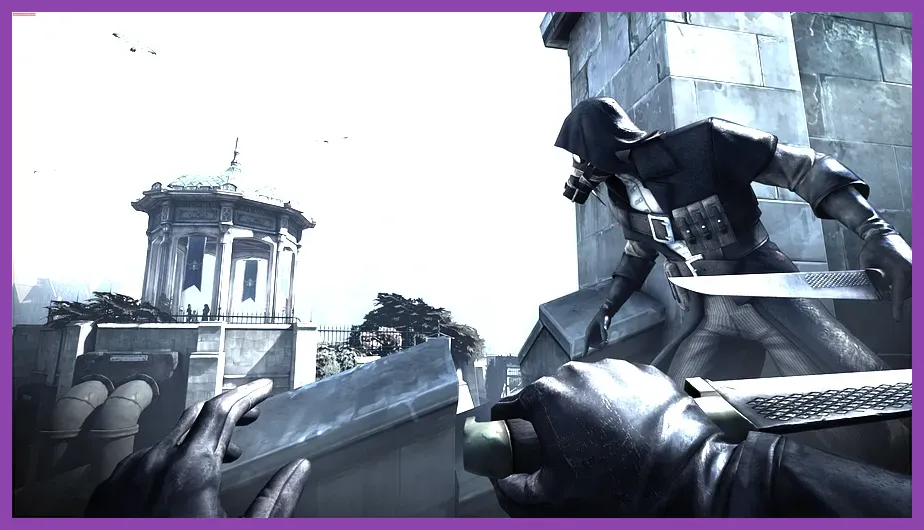
The original PC release of Dishonored launched in 2012, so its official requirements look tiny beside contemporary games. The game does not need a current six-core CPU, a large amount of RAM, or a dedicated ray-tracing graphics card. Its biggest requirement is simply compatibility with an older DirectX 9-era rendering path and enough GPU memory to avoid stutter at your chosen resolution.
| Component | Minimum | Recommended | Practical 2026 target |
|---|---|---|---|
| Operating system | Windows Vista, Windows 7, or Windows 8 | Windows Vista, Windows 7, or Windows 8 | Windows 10 or Windows 11 64-bit |
| Processor | 3.0 GHz dual-core CPU | 2.4 GHz quad-core CPU or better | Any recent Core i3, Ryzen 3, or equivalent |
| Memory | 3 GB RAM | 4 GB RAM | 8 GB RAM for comfortable multitasking |
| Graphics | GeForce GTX 460 or Radeon HD 5850 | GeForce GTX 460 or Radeon HD 5850 | Modern integrated graphics or any entry-level discrete GPU |
| DirectX | DirectX 9.0c | DirectX 9.0c | DirectX 11-compatible hardware or newer |
| Storage | 9 GB available space | 9 GB available space | 9 GB, preferably on an SSD |
| Sound | DirectX-compatible sound card | DirectX-compatible sound card | Integrated motherboard audio is sufficient |
The odd-looking part of the list is the graphics line: the same GTX 460 and Radeon HD 5850 class is commonly shown for both minimum and recommended configurations. That does not mean the game has no visual headroom. It means the published recommendation was conservative and aimed at a broadly similar target resolution rather than promising a radically higher preset.
The GTX 460 is an old Fermi card, while the Radeon HD 5850 belongs to AMD's evergreen generation. Neither is remotely representative of a current gaming GPU. A current Intel UHD chip, AMD Radeon 680M, or entry-level GeForce RTX card can exceed that baseline, although integrated graphics performance varies dramatically with memory configuration. Dual-channel RAM matters on laptops because the integrated GPU borrows system memory bandwidth.
For the official listing, check the Dishonored Steam page. It is also worth checking Bethesda support if you encounter launcher, controller, or account issues, since old PC releases can behave differently across modern Windows versions.
Can a low-end PC run Dishonored?
Yes, in most cases. Dishonored is one of those games where the minimum requirement is still a useful indicator rather than a barely playable warning. A machine that genuinely matches the GTX 460 class should handle 1280x720 or 1600x900 at low-to-medium settings. A stronger system, including many office desktops with a recent integrated GPU, can usually target 1080p once shadows and post-processing are controlled.
The CPU requirement is especially forgiving during ordinary stealth. Dishonored's levels are built around compact systemic spaces such as the Distillery District, Boyle Estate, the Golden Cat, and the Flooded District. Guards, rats, civilians, physics objects, and scripted events can create short CPU spikes, but the game is not simulating a huge open world. A modern dual-core with four threads can often deliver a smoother experience than the old recommended quad-core simply because newer cores are much faster.
RAM is less frightening than the official 3 GB minimum suggests. The game itself is lightweight, but Windows, Steam, browser tabs, overlays, and recording software can consume several gigabytes before Dishonored launches. Four gigabytes may technically work, yet 8 GB is the sensible floor for a modern machine. If you see hitching when entering a new district, close background applications before lowering every graphics setting; the problem may be memory pressure or storage latency rather than raw GPU load.
Storage speed is another practical distinction. Dishonored only needs 9 GB of space, but an SSD makes loading between missions and quick saves feel much less disruptive. An HDD will run the game, though texture and asset streaming may be more noticeable when moving quickly with Blink through dense areas. That is particularly apparent in the Flooded District, where the environment is more visually cluttered and traversal is less linear.
| PC class | Likely resolution | Suggested preset | Expected experience |
|---|---|---|---|
| Old GTX 460 or HD 5850 system | 720p to 900p | Low or medium | Playable 30 to 60 fps depending on CPU and scene |
| Recent integrated graphics laptop | 720p to 1080p | Low, with shadows reduced | Playable with a sensible frame-rate cap |
| Entry-level modern GPU | 1080p | High | Comfortable 60 fps in most areas |
| Mainstream gaming GPU | 1080p to 1440p | Very high or maximum | High-refresh play is realistic, subject to engine behavior |
Do not confuse Dishonored with Dishonored 2 here. The sequel has substantially higher CPU and GPU demands and is notorious for a less forgiving launch performance profile. If you're comparing specifications, make sure the store page is for the 2012 original rather than the 2016 follow-up.
Best Dishonored graphics settings for stable FPS
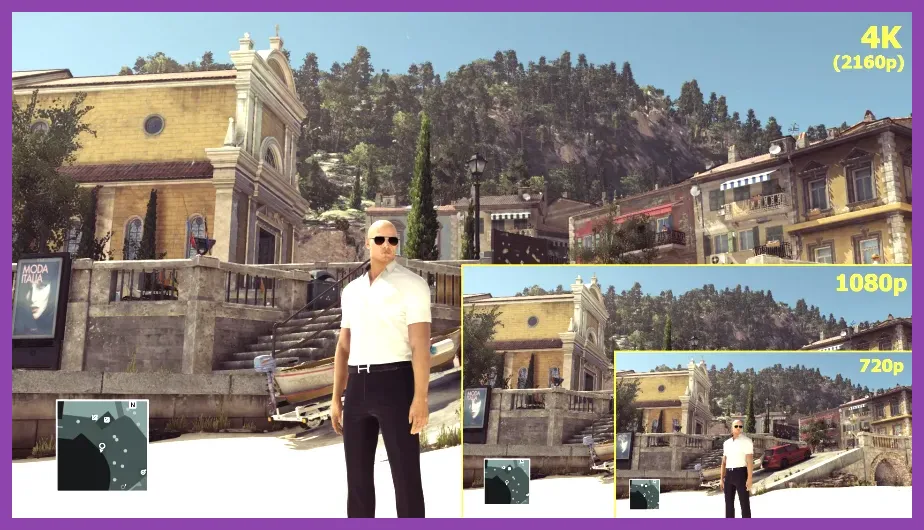
Dishonored does not offer the enormous settings menu found in a modern PC release, which is good news when troubleshooting. Resolution, texture quality, shadow quality, anti-aliasing, ambient occlusion, and post-processing do most of the work. The best approach is not to throw everything on Low. Preserve texture detail and resolution where possible, then reduce the settings that create the largest frame-time spikes.
| Setting | Recommended value | FPS impact | Visual trade-off |
|---|---|---|---|
| Resolution | Native display resolution | Very high | Dropping it improves performance but noticeably softens the image |
| Texture quality | High if VRAM allows | Low to medium | Lower textures make characters and walls look muddy |
| Shadow quality | Medium on weak GPUs, high otherwise | High | Lower settings reduce shadow definition and distance |
| Anti-aliasing | Use the lightest available option | Medium | Edges shimmer more when reduced, especially on rooftops |
| Ambient occlusion | Off or low on integrated graphics | Medium to high | Less contact shading around corners and objects |
| Post-processing | Medium or high | Medium | Lower clarity and cinematic effects |
| V-sync | Match your monitor and frame-rate target | Variable | Can reduce tearing but may add input latency |
Shadows are usually the first setting to attack. They affect guard silhouettes, buildings, and the many moving light sources in Dunwall, so the GPU cost can rise in outdoor scenes. Medium shadows often retain the game's mood while freeing enough performance for more consistent frame times. If your frame rate is already high, leave them on High because Dishonored's dramatic lighting is a major part of its identity.
Texture quality is a safer setting to preserve. The original assets are not enormous by current standards, and a card with 2 GB or more of VRAM should have little trouble at 1080p. If your laptop has shared memory, High textures can still cause hitching, so Medium is a reasonable compromise. The visual loss is less distracting than lowering the entire render resolution.
Ambient occlusion is attractive in the shadowy interiors of the Hound Pits Pub and the Golden Cat, but it is not essential. Turn it off first on integrated graphics. Anti-aliasing is more subjective: at 1080p, a modest anti-aliasing option can smooth the sharp outlines around railings and rooftops, while at 1440p the higher pixel density makes it easier to reduce or disable.
For more performance-focused tuning ideas, compare these recommendations with Steamoz's Smite graphics settings guide and Star Wars Outlaws graphics settings guide. The games use different engines, but the principle is the same: lower expensive lighting and shadow effects before sacrificing resolution.
Frame-rate expectations and common PC problems

Dishonored is a first-person stealth game, so stable frame pacing matters more than chasing a huge number on an FPS counter. A locked 60 fps makes Blink, sword parries, and crossbow shots feel predictable. If your system fluctuates between 45 and 80 fps, a 60 fps cap can feel better than leaving the frame rate uncapped and riding through constant spikes.
At 30 fps, the game remains perfectly playable for a weaker laptop, but aiming with the crossbow and timing a sword block are noticeably less immediate. A 120 Hz or 144 Hz monitor will not automatically make Dishonored feel like a modern competitive shooter. The original engine can show inconsistent frame pacing at very high frame rates, and some physics or animation behavior may become unusual when heavily modified.
Start troubleshooting with a clean baseline. Disable overlays from Steam, Discord, GeForce Experience, and Xbox Game Bar, then test a single mission without recording software. Update your GPU driver, verify the game files through Steam, and launch the executable directly if the launcher creates problems. On Windows 10 or 11, run the game normally first; compatibility mode should be a fallback, not the first fix.
Controller users should also test input separately from graphics. A wired Xbox controller is generally straightforward, while older DirectInput pads may need remapping software. If mouse movement feels strangely accelerated, inspect both the game's sensitivity options and Windows pointer settings. Do not compensate for a low frame rate by raising sensitivity; stabilize frame time first.
Borderless windowed mode can be convenient for switching applications, but exclusive fullscreen may deliver more consistent latency on older hardware. If you see screen tearing, enable V-sync or use your GPU control panel's adaptive option. For a 60 Hz display, a 60 fps cap with V-sync is a sensible starting point. Players on variable-refresh monitors can usually leave in-game V-sync off and cap slightly below the panel's maximum refresh rate.
| Symptom | Most likely cause | First fix | What not to change first |
|---|---|---|---|
| Low FPS everywhere | GPU limitation or excessive resolution | Lower resolution and shadows | Texture quality |
| Stutter entering areas | HDD, background apps, or memory pressure | Move the game to an SSD and close apps | Mouse sensitivity |
| Brief drops near lighting-heavy scenes | Shadow or ambient-occlusion cost | Reduce shadows, then disable AO | Overall resolution immediately |
| Tearing | Frame rate exceeding monitor timing | Enable V-sync or adaptive sync | Texture settings |
| Input feels delayed | V-sync, borderless mode, or unstable frame time | Test fullscreen and cap FPS | Random compatibility modes |
Some older PC ports also behave differently with ultrawide displays or unusual refresh rates. A standard 16:9 resolution is the cleanest diagnostic profile. Once performance is stable, experiment with higher resolutions or community fixes one change at a time. That makes it much easier to identify whether a mod, overlay, or display setting created the new problem.
Is Dishonored worth playing on a modern PC?
Absolutely. Meeting the Dishonored system requirements minimum is enough to get into Dunwall, but a modest modern PC can make the experience dramatically smoother than the original target hardware. At 1080p with stable 60 fps, the game's visual age is mostly visible in texture resolution and animation detail rather than responsiveness. The art direction does a lot of heavy lifting: whale-oil machinery, rain-soaked streets, angular architecture, and the Outsider's surreal Void spaces remain striking.
The technical profile also supports the game's best design feature: player freedom. You can use Blink to chain rooftops, Possession to infiltrate guarded interiors, Bend Time to freeze a patrol, or Dark Vision to study routes through walls. Those powers do not make your computer work equally hard, but the scenes where you combine them with rat swarms, exploding oil tanks, physics objects, and several guards can expose an unstable system. That is why consistent frame time is more valuable than a maximum preset that occasionally collapses.
For a stealth-focused run, keep textures high, use medium or high shadows, disable ambient occlusion on weak hardware, and cap at 60 fps. For a low-end laptop, use 720p or 900p, medium textures, low shadows, and a 30 fps cap if 60 cannot hold. On a mainstream gaming PC, native 1080p or 1440p at maximum settings is reasonable, though the old engine may not scale perfectly to every ultra-high-refresh setup.
Dishonored also rewards experimentation in a way that makes performance tuning worthwhile. A non-lethal route through Lady Boyle's Last Party feels completely different from a high-chaos assault through the same location. Killing targets, raising Chaos, and leaving bodies exposed changes patrols and rat activity later, while tools such as sleep darts and sticky grenades encourage a slower, more deliberate rhythm. The game remains compelling because the systems interact, not because it demands cutting-edge graphics.
If you're building a broader PC backlog, Steamoz's Sea of Thieves system requirements breakdown is useful for comparing a much newer multiplayer title. You can also browse our Space Marine 2 guide for an example of how far modern hardware demands have moved.
Bottom line: if your PC has 4 GB of RAM, a reasonably modern dual-core or quad-core processor, and any graphics card around or above the GTX 460 level, Dishonored should run well. With 8 GB of RAM and an SSD, the original game is an easy recommendation for modern systems. Start at 1080p, lower shadows before textures, cap the frame rate for smoothness, and you'll be ready to explore Dunwall without your hardware becoming the real obstacle.
For additional background on the series, visit the official Dishonored website and Arkane's official studio site.