Sea of Thieves runs at its official minimum on a Windows 10 64-bit PC with an Intel Q9450 or AMD Phenom II X6 processor, 4GB of RAM, and a GeForce GTX 650 or Radeon 7750. For the recommended specification, use an Intel i5-4690 or AMD FX-8150, 8GB of RAM, and a GeForce GTX 770 or Radeon R9 380x. Both configurations require DirectX 11 and 50GB of storage. These are the published PC requirements, but a modern SSD, 16GB of memory, and a newer graphics card will provide a noticeably better experience in busy outposts, storms, and world events.
This guide breaks down the best Sea of Thieves system requirements minimum and recommended specifications, explains what each part means, and gives practical settings profiles for low-end, recommended, and modern gaming PCs. Sea of Thieves is online-only, so your computer must also maintain a stable broadband connection for matchmaking, world streaming, and crew communication.
Sea of Thieves Minimum System Requirements
The minimum specification is aimed at launching the game and delivering playable performance at reduced visual quality. It is not a reliable target for high-refresh-rate gaming or maximum settings. The official minimum requirements are:
| Component | Minimum requirement |
|---|---|
| Operating system | Windows 10 64-bit |
| Processor | Intel Q9450 at 2.6GHz or AMD Phenom II X6 at 3.3GHz |
| Memory | 4GB RAM |
| Graphics card | Nvidia GeForce GTX 650 or AMD Radeon 7750 |
| DirectX | DirectX 11 |
| Storage | 50GB available space |
The Q9450 and Phenom II X6 are very old processors, and meeting that CPU line alone does not guarantee a smooth modern Windows installation. The game can become CPU-limited when several ships, skeletons, pets, and effects appear together. A GTX 650 or Radeon 7750 is similarly a baseline graphics adapter rather than a 1080p ultra card.
Expect to use the game's lower quality presets, reduce resolution scaling, and accept fluctuating frame rates in large encounters. A 4GB system may also experience stutter because Windows, drivers, voice chat, and background applications consume part of that small memory pool. Closing browsers and overlays is especially important on this configuration.
Before buying, compare your computer with the official Steam system requirements. Also check whether your machine is running a 64-bit version of Windows; a 32-bit operating system does not satisfy the listed requirement.
Sea of Thieves Recommended System Requirements
The recommended specification is much better suited to standard 1080p play, although it still represents an older PC target. Sea of Thieves lists the following recommended hardware:
| Component | Recommended requirement |
|---|---|
| Operating system | Windows 10 64-bit |
| Processor | Intel i5-4690 at 3.5GHz or AMD FX-8150 at 3.6GHz |
| Memory | 8GB RAM |
| Graphics card | Nvidia GeForce GTX 770 or AMD Radeon R9 380x |
| DirectX | DirectX 11 |
| Storage | 50GB available space |
The recommended CPU gives the game more headroom for simulation, crews, physics, and background world activity. That matters in locations such as Ancient Spire Outpost and Port Merrick, where multiple players and detailed structures can produce heavier CPU workloads than open water.
The GTX 770 and Radeon R9 380x should be treated as 1080p-class cards for sensible settings rather than guarantees of maximum quality. Eight gigabytes of RAM is enough for the listed target, but 16GB is preferable if you stream, use Discord, keep a browser open, or run recording software. Install the game on an SSD whenever possible; the official storage figure is 50GB, but updates and temporary Windows space mean you should leave additional free capacity.
For context, the official Xbox Sea of Thieves page confirms the game's broad platform support, while Sea of Thieves Support provides current technical troubleshooting for installation, graphics, and connectivity problems.
What Hardware Matters Most on PC?
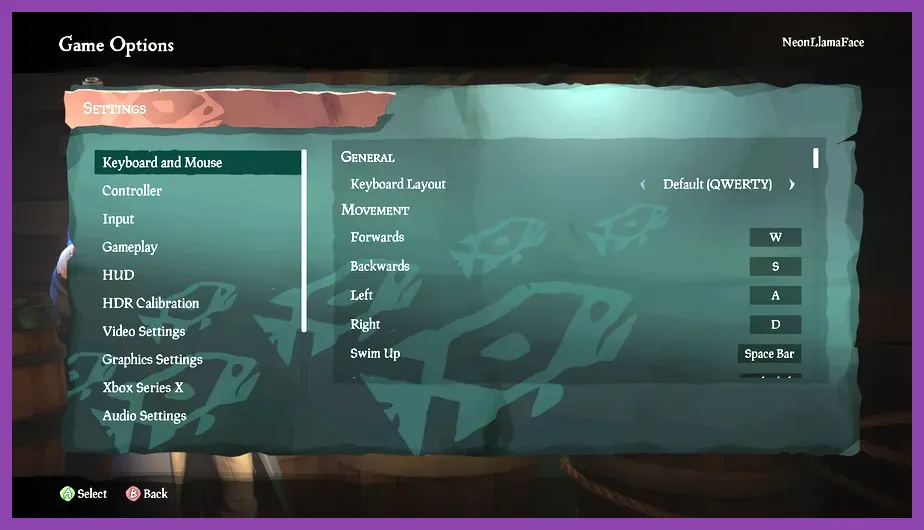
GPU: the main quality limiter
Your graphics card determines how comfortably you can raise resolution, texture quality, shadows, water detail, and effects. The GPU load rises during storms, skeleton forts, Ashen Winds encounters, and fights against the Kraken or Megalodon. If frame rate drops while looking toward detailed islands or large effects, lower Shadow Quality, Water Quality, and Particle Effects before reducing textures.
CPU: important for crews and crowded areas
Sea of Thieves can become CPU-limited even when the GPU is not fully occupied. A weak processor is most obvious at outposts, during world events, and when several ships are nearby. Stutter that remains after lowering resolution usually points to CPU, memory, background software, or storage behavior rather than insufficient GPU power.
RAM and storage: stability rather than visual quality
Four gigabytes is only the official floor. Eight gigabytes meets the listed recommendation, while 16GB is the practical choice for a modern Windows gaming PC. Memory upgrades will not automatically increase image quality, but they can reduce hitching caused by the operating system and applications competing with the game.
An SSD does not change the official requirement, yet it can improve loading consistency and reduce the severity of asset-streaming pauses. Keep at least 15 to 20 percent of the drive free if possible. For additional troubleshooting, compare these steps with Steamoz's guides to maximizing FPS on PC and fixing lag and low FPS.
Best Settings for a Minimum-Spec PC
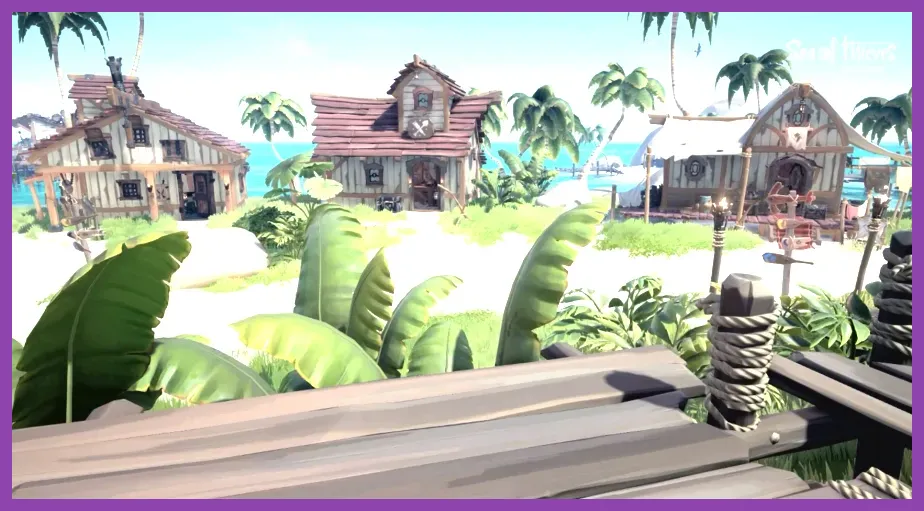
If your machine is close to the Q9450, Phenom II X6, GTX 650, or Radeon 7750 baseline, start with a conservative profile instead of selecting a high preset and changing one option at a time:
- Resolution: 1280x720, or your monitor's native resolution if scaling produces a blurry image.
- Resolution Scaling: 80 to 90 percent if the game offers the option; raise it only after frame rate is stable.
- Texture Quality: Medium if VRAM allows, otherwise Low.
- Shadow Quality: Low.
- Water Quality: Low or Medium.
- Particle Effects: Low.
- Model Detail: Low or Medium.
- Lighting Quality: Low.
- Screen Effects: Low or disabled where available.
- V-Sync: Off for lower input latency, unless tearing is distracting.
Cap the frame rate to a number your PC can hold rather than chasing unstable peaks. A consistent 30 or 45 frames per second is preferable to repeated jumps between 25 and 60 during a cannon battle. Turn off Xbox Game Bar recording, browser hardware acceleration, unnecessary launchers, and overlays while testing. Update your graphics driver, then restart the game after changing major quality settings.
Do not lower textures first if the image becomes unreadable. Texture quality mainly affects surface detail, while shadows, lighting, water, and particles usually provide larger performance gains. This profile is designed to preserve the game's recognizable islands, ship parts, and enemy silhouettes while reducing expensive effects.
Best Settings for the Recommended PC

A PC around the i5-4690, FX-8150, GTX 770, or R9 380x target should begin at 1920x1080 with a balanced preset. Use these settings as a practical starting point:
- Resolution: 1920x1080.
- Resolution Scaling: 100 percent.
- Texture Quality: High.
- Shadow Quality: Medium.
- Water Quality: Medium or High.
- Particle Effects: Medium.
- Model Detail: High.
- Lighting Quality: Medium.
- Screen Effects: Medium.
- V-Sync: Off with a frame-rate cap, or On if you have a standard 60Hz display and want to eliminate tearing.
If performance falls below your target only during storms or world events, reduce shadows and particles first. If frame rate is low everywhere, lower resolution scaling to 90 percent. If the game looks sharp but still stutters near outposts, investigate CPU temperatures, background processes, and memory usage instead of immediately buying a faster GPU.
Owners of newer cards such as a GTX 1660, RTX 3060, RX 6600, or better can normally increase water, lighting, and model detail at 1080p. At 1440p, the GPU workload rises substantially, so use a high-quality preset and adjust shadows or resolution scaling if naval combat becomes inconsistent. Our Hades 2 PC settings guide covers the same useful process of prioritizing demanding effects over textures.
How to Check Your PC Before Installing
- Press Windows + R, enter dxdiag, and check the operating system, processor, memory, and DirectX version.
- Open Task Manager's Performance tab to identify installed RAM, CPU usage, and available drive space.
- Open Device Manager or your graphics driver's control panel to confirm the exact GPU model and installed driver.
- Compare each part with the minimum and recommended tables above; the weakest component usually determines your settings.
- Reserve more than 50GB for the installation, updates, shader cache, and Windows overhead.
Use the official Sea of Thieves news hub for major technical updates, and consult Rare's official game page for developer information. If you are upgrading specifically for this game, prioritize 16GB of RAM and an SSD first when your current PC has 4GB and a mechanical hard drive; after that, choose a modern GPU based on your target resolution.
In short, the published minimum requirements can launch Sea of Thieves on very old hardware, but the recommended specification is the sensible entry point for 1080p play. A modern four- to six-core CPU, 16GB of RAM, SSD storage, and a current mid-range graphics card will deliver far more consistent performance than simply matching the older GTX 770-era recommendation.
For players also working through the game's progression, Steamoz's guide to getting mounts fast in Sea of Thieves can help you plan your next sessions after the PC is configured.