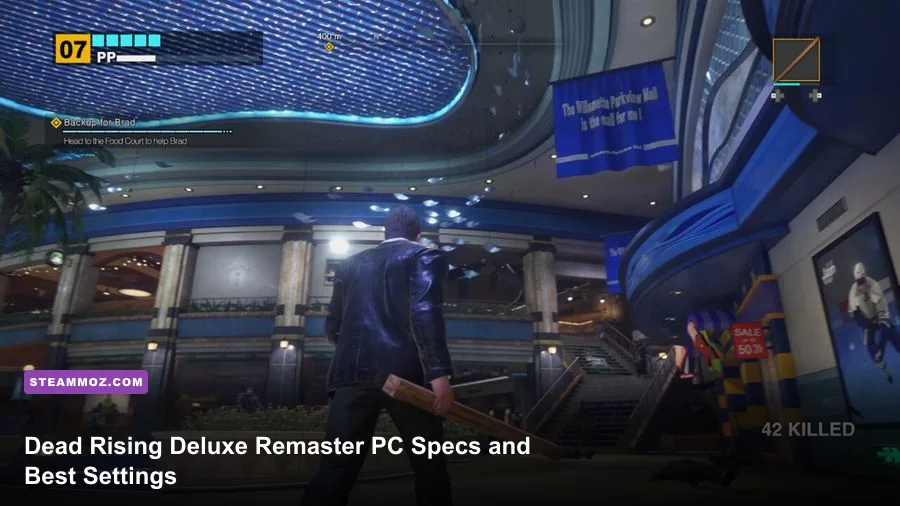
Dead Rising Deluxe Remaster needs a midrange gaming PC at minimum, but the recommended hardware is closer to modern enthusiast territory. Capcom lists a Core i7-6700 or Ryzen 5 3400G, 16GB of RAM, and a GTX 1060 6GB or Radeon RX 580 for the minimum target. For the recommended experience, you'll want a Core i7-11700 or Ryzen 5 5600X, 16GB of memory, and an RTX 2080 or Radeon RX 6800 XT. Both profiles require a 64-bit version of Windows 10 or later, DirectX 12, and roughly 60GB of storage.
Those numbers tell only half the story. The remaster's RE Engine presentation looks excellent, but the huge zombie crowds, real-time lighting, reflections, and busy mall interiors can punish both your graphics card and processor. A machine that technically meets the minimum requirements may launch the game, yet still need carefully chosen settings to avoid stutter during crowd-heavy fights.

🎮 Get Dead Rising Deluxe Remaster
Ready to dive in? Grab your copy today for just $24.99.
Check OfferDead Rising Deluxe Remaster system requirements at a glance

Capcom's requirements are refreshingly straightforward, though the gap between minimum and recommended GPUs is enormous. The GTX 1060 and RX 580 are older 6GB-class cards designed around 1080p gaming, while the RTX 2080 and RX 6800 XT are substantially faster and better suited to high-resolution rendering.
| Component | Minimum PC specs | Recommended PC specs | What it means |
|---|---|---|---|
| Operating system | Windows 10 64-bit | Windows 10 64-bit | Use a fully updated 64-bit installation |
| Processor | Intel Core i7-6700 / AMD Ryzen 5 3400G | Intel Core i7-11700 / AMD Ryzen 5 5600X | CPU headroom matters in large zombie crowds |
| Memory | 16GB RAM | 16GB RAM | Dual-channel memory is strongly preferred |
| Graphics card | NVIDIA GTX 1060 6GB / AMD RX 580 | NVIDIA RTX 2080 / AMD RX 6800 XT | VRAM and raster performance determine resolution headroom |
| DirectX | DirectX 12 | DirectX 12 | Older DirectX 11-only GPUs are not suitable |
| Storage | 60GB available space | 60GB available space | An SSD is recommended for smoother asset streaming |
The most important detail is that 16GB of RAM is listed for both tiers. That's enough for the game itself, but background applications can still create problems. Close browsers with dozens of tabs, recording software you don't need, and launchers running unnecessary overlays. If you're buying or upgrading today, 32GB gives you more breathing room, especially if you're streaming or running Discord, OBS, and a browser simultaneously.
Check the game's listing on the official Steam page before purchasing, since driver and operating-system requirements can change with patches.
🎮 Dead Rising Deluxe Remaster
Looking to experience this game? Grab your digital key directly on our store for $24.99.
View on Steammoz Store →What the minimum PC specs can realistically deliver
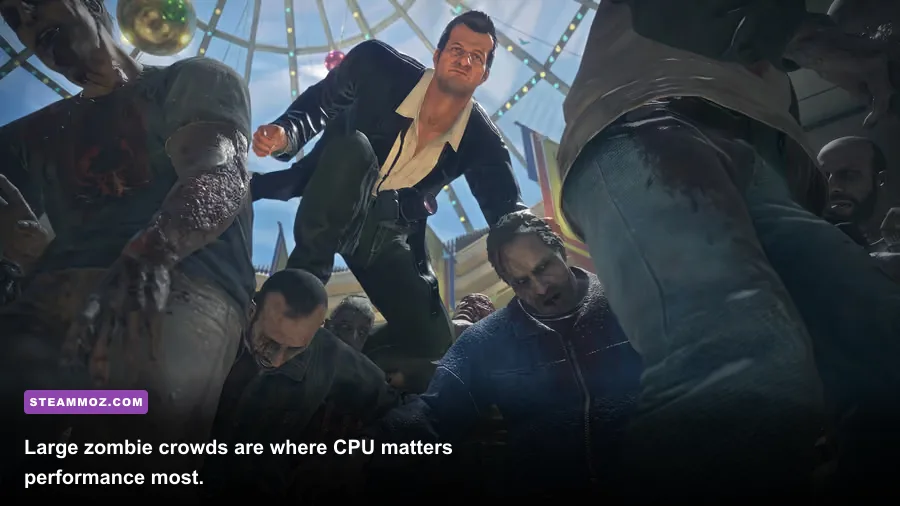
The minimum specification should be treated as a 1080p starting point, not a promise of locked 60 frames per second. A GTX 1060 6GB or RX 580 can handle the game's basic image quality at 1920x1080, but the busiest sections of Willamette Parkview Mall are the real test. Hundreds of enemies on screen, multiple particle effects, and dynamic shadows can cause frame-time spikes even when the average frame rate looks acceptable.
With a minimum-tier GPU, start with the Low preset and raise individual options instead of selecting Medium wholesale. Keep textures at Medium or High if your card has 6GB of VRAM, then reduce shadow quality, ambient occlusion, and reflection quality first. Textures affect memory usage more than raw frame rate; shadows and reflections make the GPU work every frame.
A sensible minimum-target profile is 1080p, a 60fps cap, Medium textures, Low shadows, Medium effects, and reduced reflections. If you still see dips, use a 30fps cap rather than allowing the game to swing between 40 and 70fps. A stable frame-time curve feels far better during melee combat than an inconsistent unlocked rate.
| Setting | Minimum-tier recommendation | Expected performance effect | Visual compromise |
|---|---|---|---|
| Resolution | 1920x1080 | Baseline GPU load | Sharper than upscaled lower resolutions |
| Texture quality | Medium or High | Uses VRAM more than GPU compute | Keep faces and mall signage detailed |
| Shadow quality | Low | Large reduction in GPU workload | Softens contact shadows and distant detail |
| Reflections | Low | Helps in glossy mall interiors | Less accurate floors and storefront reflections |
| Effects quality | Medium | Reduces combat-heavy spikes | Fewer particles and simpler effects |
| Frame cap | 60fps, or 30fps if unstable | Improves frame pacing | Caps peak responsiveness |
Don't confuse a high average frame rate with good performance. Watch for hitching when entering new mall sections or turning toward a dense crowd. If the game pauses briefly while assets load, moving from a hard drive to an SSD is more useful than dropping texture quality. Storage won't increase your average FPS, but it can reduce streaming-related stalls.
Why the recommended specs are so much higher

The recommended Core i7-11700 and Ryzen 5 5600X are not listed merely to support higher resolution. Their extra CPU throughput helps the game process enemy behavior, collision checks, animation, physics, and the sheer number of zombies visible in a scene. Dead Rising's signature is not a handful of detailed enemies; it's a mall packed with threats that can surround Frank West from every direction.
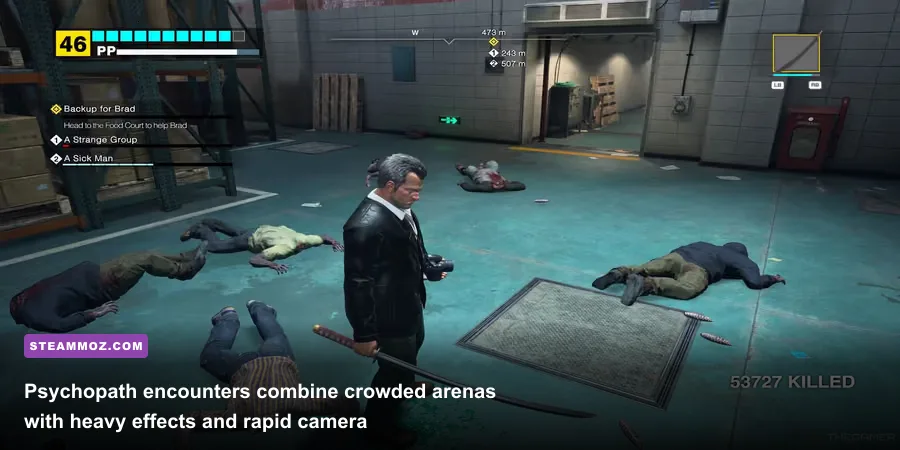
That makes the processor important during situations such as escorting survivors through crowded corridors, fighting a psychopath while regular zombies continue to spawn, or using wide-area weapons like the chainsaw. If your GPU usage drops while one CPU core is heavily loaded, lowering resolution won't fix the bottleneck. Reduce crowd-related effects where possible, cap the frame rate, and close background programs that compete for CPU time.
The RTX 2080 and RX 6800 XT recommendations suggest a much more comfortable 1440p target, with 4K requiring additional compromises depending on your exact model and desired frame rate. The RTX 2080 has 8GB of VRAM, while the RX 6800 XT has 16GB, so the AMD card offers more texture and resolution headroom even when both appear in the same recommended tier.
| Target | Suggested hardware | Starting profile | Likely limitation |
|---|---|---|---|
| 1080p / 60fps | GTX 1060 6GB or RX 580 | Low-Medium mix | Crowd scenes and reflections |
| 1080p / high settings | RTX 2060 Super or RX 5700-class | High with reduced shadows | CPU spikes in packed areas |
| 1440p / 60fps | RTX 2080 or RX 6800 XT | High, selective Ultra options | Reflections and volumetric effects |
| 4K / 60fps | Modern high-end GPU | Medium-High with upscaling | Raw GPU load and VRAM demand |
If you're comparing this with another demanding PC release, Steamoz's ELEX crash and FPS fixes offers the same useful principle: identify whether the problem is GPU load, CPU frametimes, drivers, or shader compilation before changing random settings.
Best Dead Rising Deluxe Remaster graphics settings

Start by choosing a resolution that matches your monitor, then tune the expensive options one at a time. The remaster's image quality can remain attractive even after shadows and reflections are reduced, because the mall's character models, weapon animations, and environmental textures do most of the visual heavy lifting.
For a minimum-tier gaming PC
Use 1080p, Medium textures, Low shadows, Low reflections, Medium effects, and a 60fps cap. Keep motion blur disabled if you prefer a cleaner image during rapid turns, but don't expect disabling it to produce a major performance gain. If your GPU has only 4GB of VRAM, lower textures to Medium and watch for stutter rather than chasing an Ultra preset.
For a recommended 1440p PC
Use 2560x1440, High textures, High model quality, Medium-High shadows, and Medium reflections as your starting point. Raise reflections only if your GPU has plenty of headroom; glossy floors and storefront glass can be surprisingly expensive. A 60fps cap is a strong choice for a controller, while a high-refresh monitor benefits from an 80 or 90fps cap if your system can sustain it.
For 4K enthusiasts
Use upscaling if the game provides a quality mode, rather than immediately dropping every setting. Keep textures high, reduce shadows and reflections before sacrificing internal resolution, and cap the frame rate to the refresh rate your system can actually hold. A consistent 45 or 60fps presentation is preferable to an unlocked 70fps that collapses whenever Frank enters a packed atrium.
| Graphics option | Recommended value | FPS impact | Best tuning advice |
|---|---|---|---|
| Resolution scale | 100% at 1080p/1440p | Very high | Lower only after reducing shadows and reflections |
| Textures | High with 6GB-plus VRAM | Low to medium | Lower if you see texture streaming or hitching |
| Shadows | Medium | High | First major setting to reduce |
| Reflections | Medium | Medium to high | Reduce in mall interiors before textures |
| Effects | High on recommended hardware | Medium | Lower for crowded fights and explosions |
| Motion blur | Personal preference | Minimal | Disable for a sharper competitive-style image |
For broader PC tuning context, our Far Cry 6 max-FPS settings guide covers the same sensible order of operations: resolution first, then shadows, reflections, volumetrics, and finally textures.
CPU, GPU, RAM, and SSD upgrade priorities
If your computer falls between the official tiers, upgrade based on the bottleneck you can actually observe. A graphics card upgrade is the obvious choice if GPU usage stays near 99% and lowering resolution immediately improves frame rate. A CPU upgrade is more important when GPU usage is low during crowded scenes and frame times worsen as more zombies enter the screen.
Sixteen gigabytes of RAM is enough for a clean gaming setup, but dual-channel memory matters. Two 8GB sticks generally provide better bandwidth than a single 16GB stick, assuming your motherboard supports the expected speed. Moving to 32GB won't magically double performance, but it prevents Windows from leaning on the page file when you have browsers, capture tools, and voice chat open.
An SSD is effectively the quality-of-life upgrade for this game. Install Dead Rising Deluxe Remaster on an NVMe SSD if available, or at least a SATA SSD. The game can still run from a hard drive if you meet the capacity requirement, but asset streaming and scene transitions are more likely to feel uneven.
| Observed problem | Likely bottleneck | First fix | What not to do |
|---|---|---|---|
| GPU at 99%, low FPS at all times | Graphics card | Lower resolution, shadows, and reflections | Replace the CPU first |
| GPU usage falls in large crowds | Processor or game-thread limit | Cap FPS and reduce CPU-heavy background tasks | Assume lower resolution will solve it |
| Stutter entering new areas | Storage or shader compilation | Use an SSD and update drivers | Lower every texture setting blindly |
| Crashes or severe swapping | Memory pressure or drivers | Close apps, verify files, update GPU driver | Overclock before stabilizing the system |
For another example of diagnosing older PC hardware, see Steamoz's Far Cry 2 PC specs breakdown. The hardware is different, but the method remains useful: separate the minimum launch requirement from the hardware needed for a consistently smooth experience.
Driver checks and troubleshooting before you play
Install the latest NVIDIA or AMD graphics driver before judging performance. A clean driver installation is worthwhile if you're upgrading from an older card or moving between manufacturers. After that, verify the game files through Steam, restart the PC, and let the game finish any shader preparation rather than interrupting it repeatedly.
Keep Windows Game Mode enabled, but test overlays individually. Steam, Discord, GeForce Experience, Radeon Software, Xbox Game Bar, and OBS can all add hooks or background capture. None is guaranteed to cause trouble, yet disabling the ones you don't use makes troubleshooting much easier.
Don't overclock a system that is already crashing. Dead Rising Deluxe Remaster can expose unstable memory profiles that lighter games never touch. If you see sudden desktop exits, flashing textures, or driver resets, return CPU, GPU, and RAM settings to stock, then test again. Temperatures also matter: sustained thermal throttling can look like a graphics-setting problem when the real issue is inadequate cooling.
Capcom's official Capcom site is the best place to watch for patch notes, while the official Dead Rising website provides current game information. If you want a wider look at performance troubleshooting across demanding releases, Steamoz's Everspace 2 crashing and FPS guide has useful steps for isolating unstable settings.
So, can your PC run Dead Rising Deluxe Remaster?
Yes, if your PC matches the GTX 1060 or RX 580 minimum and has 16GB of RAM, you can target 1080p with a carefully tuned Low-Medium profile. Just don't interpret the minimum label as a locked 60fps guarantee in every mall section. For a smoother 1440p experience, the recommended Core i7-11700 or Ryzen 5 5600X paired with an RTX 2080 or RX 6800 XT is the safer target.
The best practical setup is simple: install the game on an SSD, use 16GB of dual-channel RAM at minimum, update your graphics driver, cap the frame rate, and lower shadows and reflections before textures. That approach preserves the remaster's strong character detail and colorful mall environments while controlling the settings most likely to trigger performance drops.
Dead Rising Deluxe Remaster is at its best when the frame pacing stays steady while Frank West cuts through a ridiculous wall of zombies. Meet the official minimum specs and you'll get in the door. Meet the recommended target, tune the expensive options intelligently, and the Willamette outbreak becomes the glorious, chaotic stress test this remaster deserves.