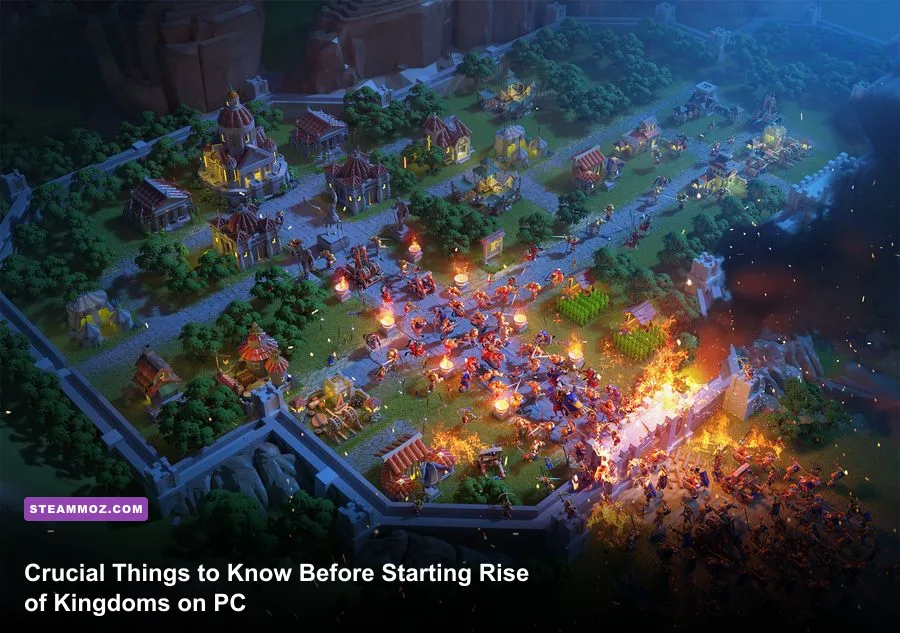
Playing Rise of Kingdoms on PC gives you an unfair tactical edge through hotkeys and wide-angle map awareness, but jumping in without a strict blueprint will burn your progression within your first week. If you treat this title like a casual city-builder, drop your universal golden sculptures onto random heroes, or miss the opening jump window, you will permanently fall behind the power curve of your server's ruling alliances. Surviving and thriving on a fresh kingdom requires mastering the standalone PC client, executing a disciplined jumper strategy, funneling every spare gem straight into VIP milestones, and understanding the brutal math governing combat trades.
1. Ditch the Emulators: Why the Native PC Client Changes the Meta
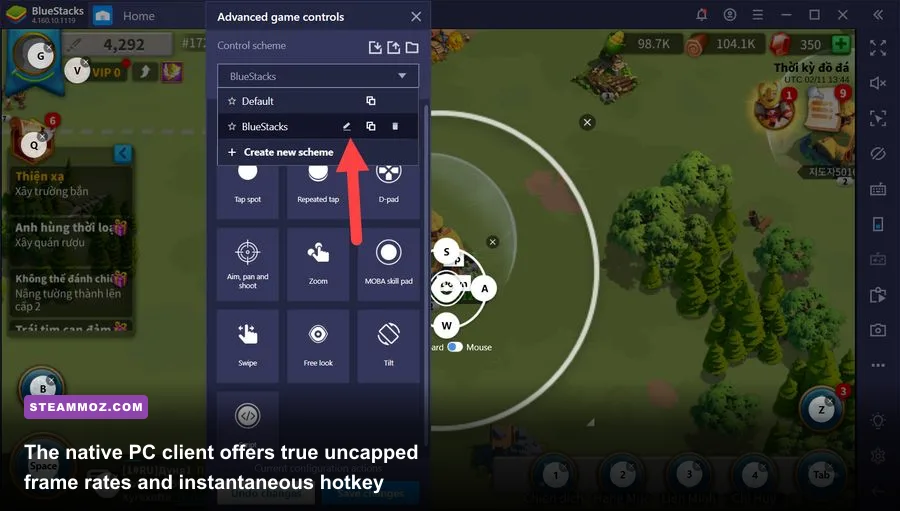
For years, desktop strategists were trapped running resource-heavy Android emulators like BlueStacks or LDPlayer to manage their kingdoms. Lilith Games changed the entire landscape with the official Rise of Kingdoms native PC client. If you are still running virtualization software, you are giving up massive performance gains, crisp high-resolution UI scaling, and zero-latency input registers. The native PC client runs directly on your hardware via DirectX, instantly wiping out the micro-stuttering, visual artifacts, and RAM bloat that plague third-party emulators. Dialing in smooth frame pacing on your rig is just as vital as the performance adjustments we highlight in our Filament Marmalade Edition settings for higher FPS analysis.
More importantly, the standalone client completely overhauls your battlefield mechanics. You gain access to real RTS-style keybindings: pressing the spacebar snaps the camera directly to your City Hall, numerical keys (1 through 5) immediately select your field marches, and you can hold down mouse buttons to drag-box select multiple armies out of chaotic ball-fights. When a chaotic 50-march open-field skirmish breaks out over an Alliance Holy Site, emulator users frequently misclick because of input lag. On the native PC client, you can stutter-step your ranged commanders, kite incoming cavalry charges, and retreat behind your alliance's flag borders without losing a single troop to delayed clicks.
Before launching your first campaign, jump into the client settings and dial in your graphic profiles. Make sure you enable the unlocked frame rate toggle and set your camera zoom sensitivity to high. If your hardware ever hitches during massive Kingdom versus Kingdom (KvK) field engagements, treating background memory leaks can stabilize your frame rates, much like the methods detailed in our ELEX PC crash and FPS recovery guide.
| Feature / Metric | Native PC Client | Standard Android Emulator | Tactical Impact |
|---|---|---|---|
| Frame Rate & Latency | Uncapped (Up to 144+ FPS, 0ms input lag) | Capped at 60 FPS (Frequent frame pacing drops) | Essential for reaction kiting in tight field skirmishes. |
| Multi-March Hotkeys | Native numeric indexing (1–5 keys mapped to marches) | Emulated overlay touches (Prone to misclicks) | Instant selection allows immediate target-focusing on enemy rallies. |
| Resource Overhead | Low CPU/GPU load, native VRAM management | High CPU virtualization load, aggressive RAM leaks | Enables running alt accounts and discord overlays seamlessly. |
| Zoom Mechanics | Fluid infinite scroll wheel (City to Continent view) | Segmented pinch-to-zoom binds | Gives superior macro-scouting across entire enemy territories. |
2. The Jumper Account Strategy: Your Only Shot at Free-to-Play Survival
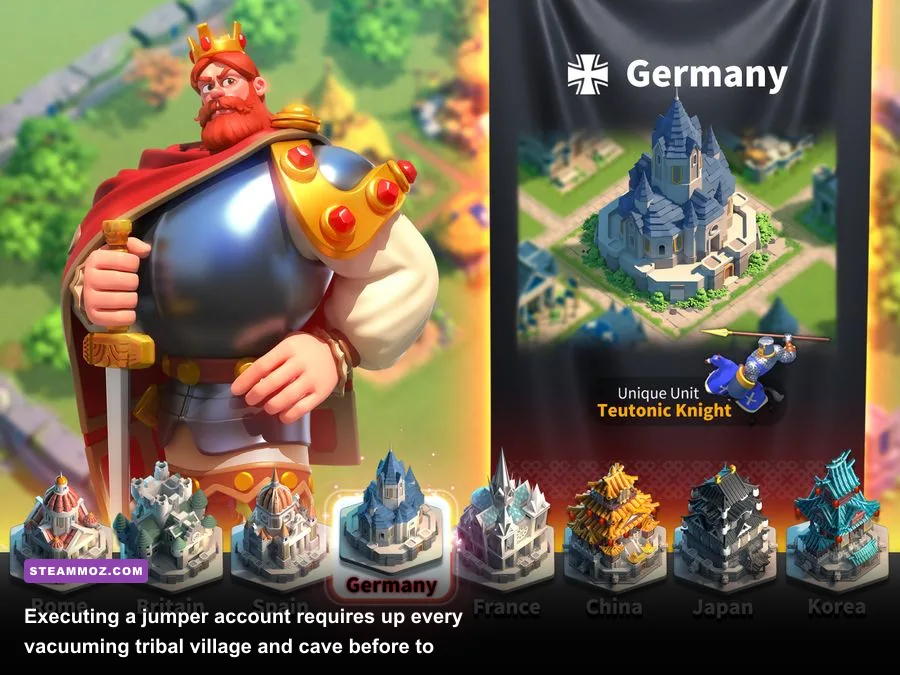
If you hit "New Character" and immediately settle down in a freshly opened kingdom, you have already put yourself at a severe disadvantage. The top 10% of competitive players—both free-to-play grinders and moderate spenders—use what the community calls a "Jumper Account." When you create an account, the game gives you two Beginner's Teleport items. These teleports let you relocate your entire city to any server in the game, provided your City Hall is level 7 or below and your character is less than 10 days old. Establishing this foundation early feels just as mandatory as setting up resource loops in an Empires of the Undergrowth fast leveling and gold farming guide.
The strategy is straightforward: spawn in an older, developed kingdom where the entire map fog is already cleared by long-standing alliances. For seven to eight days, keep your City Hall strictly locked at level 7. Do not upgrade to level 8 under any circumstance—doing so permanently deletes your Beginner's Teleports. While parked in this training server, you send your scouts to vacuum up hundreds of Tribal Villages and Mysterious Caves scattered across the map. These grant free economic technologies, tens of thousands of basic troops, and huge reserves of training speedups.
Drain your Action Point (AP) bar daily on low-level Barbarians to stack experience tomes and equipment materials. Once your inventory is packed with several million resources, hundreds of speedup hours, and your beginner teleport timer has roughly 24 hours remaining, you execute the jump. You leap directly into a brand-new, minutes-old kingdom. While every other player starts with an empty level 1 village, you land on day one with a massive army, stockpiled speedups, maxed level 7 military research, and enough raw power to instantly claim a spot in the server's number-one spending alliance.
3. Picking the Right Starting Civilization: China Isn't Just Recommended, It's Essential
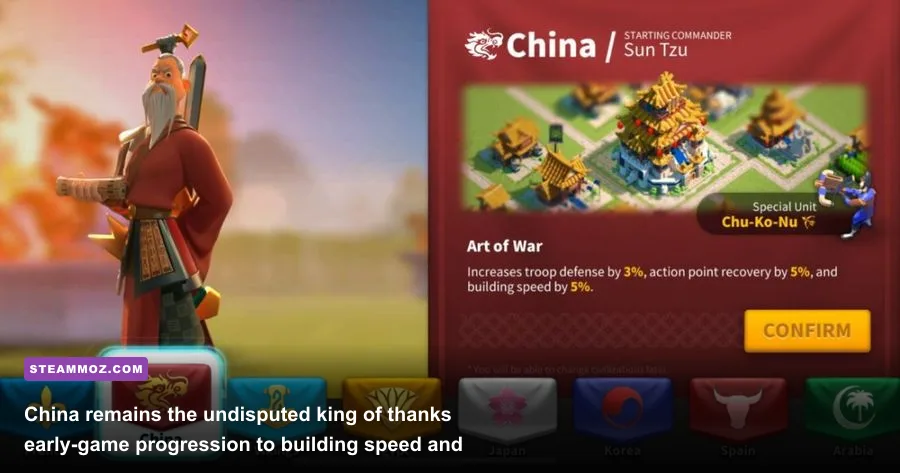
When the opening cinematic ends, the game presents you with an array of historical civilizations ranging from Rome and Britain to Byzantium and Germany. Nearly every veteran player will give you the exact same advice: pick China. This isn't a matter of subjective preference; it is purely mathematical. China grants a permanent +5% Building Speed buff, +3% Resource Production, and hands you Sun Tzu as your starter commander.
In Rise of Kingdoms, construction time is the primary bottleneck that halts your early power spikes. You need to rush your City Hall to level 22 as fast as humanly possible to unlock your fifth army march queue. Shaving 5% off every single wall upgrade, quarry expansion, and city hall tier saves you hundreds of hours of precious building speedups over your first month of play. Selecting your setup carefully echoes the discipline required when piecing together Far Cry 6's best beginner build before tackling high-threat strongholds.
Furthermore, Sun Tzu is arguably the strongest Epic commander in the entire game, holding his own even through late-game KvK battles alongside Legendary commanders. His primary skill, Art of War, hits up to five targets in a fan-shaped area of effect (AoE), dealing 800 damage factor while restoring 50 rage for every target struck. This turns Sun Tzu into an unstoppable rage-battery on the battlefield. Once your City Hall reaches level 10, the game rewards you with a free Civilization Change token. Store this token in your bag. Do not burn it immediately. Later, once your base construction stabilizes around City Hall 22 or 25, you can swap to Germany for the +5% Troop Training speed and Action Point Recovery buff, or pivot to France for hospital healing speed.
| Civilization | Starting Commander | Passive Civilization Buffs | Strategic Role / Tier Rating |
|---|---|---|---|
| China | Sun Tzu (Infantry) | +5% Building Speed, +5% Defense, +3% Resources | S-Tier (Mandatory Starter): Maximizes early base building and rage cycling. |
| Germany | Hermann (Archer) | +5% Training Speed, +5% Cav Attack, +10% AP Recovery | S-Tier (Mid-to-Late Transition): Essential for mass troop production and barb grinding. |
| Britain | Boudica (Integration) | +5% Training Speed, +5% Archer Attack, +20% Ally Garrison | A-Tier: Decent starter for peacekeeper leveling, but outpaced by China's building buff. |
| France | Joan of Arc (Support) | +3% Troop Health, +10% Wood Gather, +20% Healing Speed | A-Tier (Late-Game War Civ): Invaluable healing speed buff during prolonged KvK wars. |
| Rome | Scipio Africanus (Leadership) | +5% Defense, +10% Food Gather, +5% March Speed | B-Tier: Solid infantry march speed, but lacks meaningful infrastructure acceleration. |
4. Commander Skill Sculptures: The Irreversible 5-1-1-1 Mistake
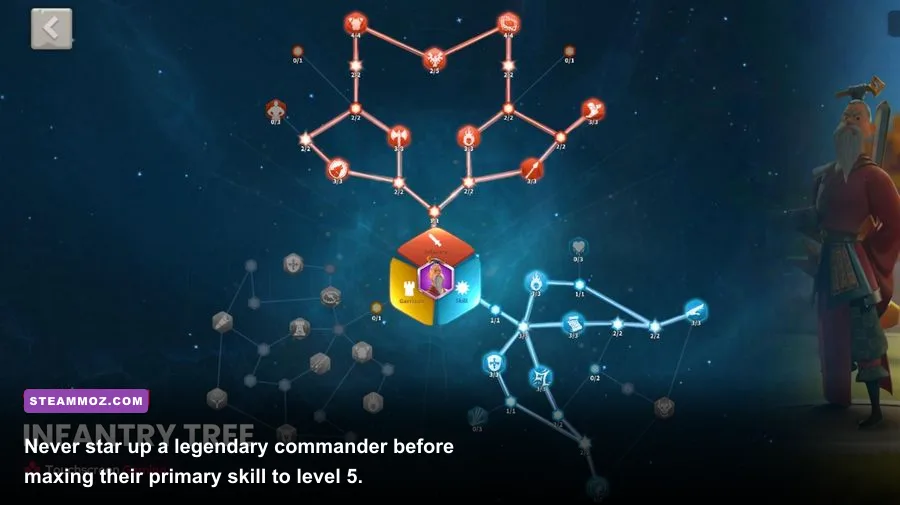
The single biggest account-bricking mistake novice players make is mismanaging commander skills. When you unlock a new commander, their skill interface displays four locked abilities. Every time a commander's star rating increases, another skill slot unlocks. If you level up a commander to level 20 or 30 before their first skill reaches level 5, whenever you use a skill sculpture, the upgrade rolls randomly across all unlocked abilities. This results in horrific, ruined builds like 2-1-3-1 or 3-2-2-1 on characters whose entire power hinges on their initial burst damage.
The first active skill of almost every commander is their most impactful button. It dictates their damage factor, rage engine, or primary defensive mitigation. The golden rule of Rise of Kingdoms is absolute: Always max a commander's first skill to level 5 before upgrading their star rank. Once their primary skill is 5, you have achieved a "5-1-1-1" baseline. From there, depending on the commander archetype, you can cautiously advance their stars to aim for a viable 5-5-1-1 or commit to expertise (5-5-5-5).
Equally critical is the management of your Universal Legendary Commander Sculptures (commonly called Gold Heads). Never, under any circumstance, spend universal gold heads on commanders that can drop from standard Silver or Golden Tavern Chests. Commanders like Julius Caesar, Charles Martel, El Cid, and Cao Cao will naturally accumulate sculptures over months of opening free daily keys. You must hoard every universal golden sculpture for non-chest wheel commanders like Yi Seong-Gye (YSG), Richard I, or Alex the Great. Getting YSG to an expertised 5-5-5-5 status requires 690 legendary sculptures; wasting even 50 of them on tavern heroes sets your account back by months.
For players curious about optimal pairings, consult the comprehensive hero index on the Rise of Kingdoms Wiki. When leveling these commanders in the field, you will need vast pools of commander EXP. This power progression shares similarities with grinding systems found in our guide to level fast and farm zeni in Kakarot Master Edition.
5. The Gem Economy: Rushing VIP Levels Instead of Buying Speedups
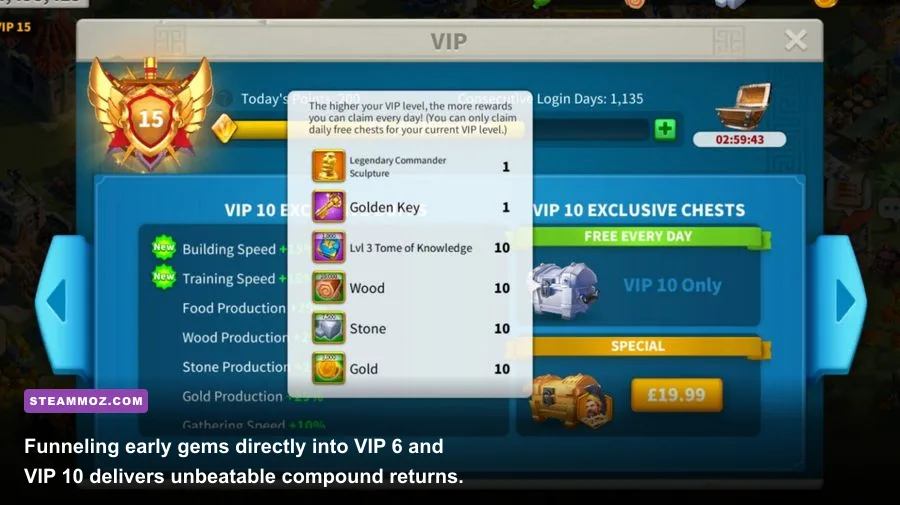
Gems are the most valuable liquid currency you have, and the game constantly tempts you to waste them. You will see prompts to finish a four-hour research timer for 200 gems, buy resource packs from the courier station, or revive dead troops. Giving in to these micro-transactions is financial ruin. The secret that veteran players guard closely is that virtually every gem you acquire in the early-to-mid game must go directly into increasing your VIP Level.
VIP levels in Rise of Kingdoms offer permanent, passive account-wide buffs that dictate how fast your kingdom snowballs. Reaching VIP 6 is your absolute first milestone: it unlocks a permanent second building queue without requiring you to constantly pop 2-day builder items. Once VIP 6 is locked in, keep pushing directly to VIP 10. The payoff? VIP 10 grants you one free Universal Legendary Commander Sculpture every single day when you collect your daily chest. Hitting VIP 12 boosts that to two daily sculptures, while VIP 14 delivers the holy grail: three free legendary sculptures every 24 hours.
To maximize this spend, never dump your gems into the VIP menu haphazardly. Wait for the bi-monthly event known as "More Than Gems." This 2-day event rewards you with 13 free universal gold heads if you spend 25,000 gems each day (50,000 gems total across the weekend). By banking your gems between events and dropping them all into VIP points during More Than Gems, you double-dip on legendary sculptures while permanently unlocking massive march speed, research, and production bonuses for your city.
| VIP Level | VIP Points Required | Major Account Milestones & Unlocks | Investment Priority |
|---|---|---|---|
| VIP 6 | 11,500 | Permanent 2nd Builder Queue, +10% Building Speed | Immediate (Week 1): Crucial to prevent downtime on construction. |
| VIP 10 | 150,000 | 1x Free Legendary Sculpture Daily, +15% Research Speed | Primary Long-Term Goal: Begins your daily passive gold head generation. |
| VIP 12 | 350,000 | 2x Free Legendary Sculptures Daily, +5% Troop Defense | Secondary Goal: Doubles your legendary commander expertise velocity. |
| VIP 14 | 750,000 | 3x Free Legendary Sculptures Daily, +5% Troop Attack | Endgame Priority: The standard baseline for serious field fighting in KvK. |
6. Macro Combat on PC: Hotkey Mastery and Field Micro Tactics
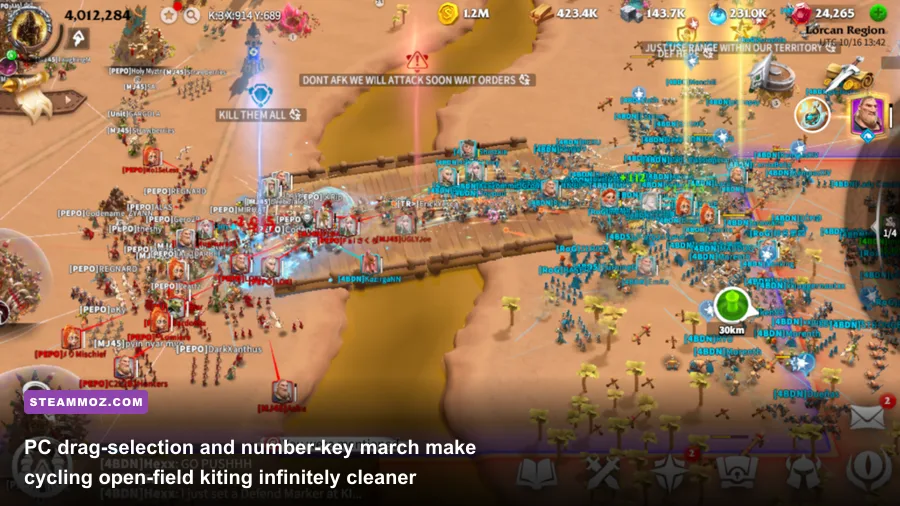
Once your kingdom enters its opening war phases—competing for sanctums, altars, and passes—the tactical layout of the native PC client truly shines. Mobile players struggle with cluttered touch interfaces, fat-fingering units when multiple marches overlap on top of a single target. On PC, you control the battlefield like a classical RTS. By holding down your left mouse button and dragging a selection box across your screen, you can lasso your entire army instantly. You can bind specific march formations to numbers, making multi-march hit-and-run tactics silky smooth.
There are several cardinal rules to surviving open-field war in Rise of Kingdoms:
- Never Attack an Enemy City Solo: Attacking a player's city wall directly is suicide unless organized through a coordinated, multi-player alliance rally. The defending city utilizes watchtowers and counter-attacks that send 100% of your attacking casualties straight to the graveyard (dead permanently), while the defender only suffers wounded troops that enter their hospital.
- Avoid the Hospital Trap: Every city has a hard hospital capacity based on the level of their Hospital structures. If your hospital fills to maximum capacity during an extended war over a holy site, every subsequent troop that gets wounded dies permanently. Always monitor your hospital capacity counter in the top-left UI on your PC screen; if it nears 80%, immediately pull your marches back to base to heal.
- Focus-Fire the Murderswarm: In field combat, damage calculation prioritizes focus fire. If five enemy marches attack five separate targets, their damage is dispersed. If all five marches focus down a single isolated enemy cavalry march, that unit collapses in seconds due to overlapping skill procs and rage cycles. Use PC hotkeys to click-target squishy commanders like Aethelflaed or epic archer marches before targeting tanky infantry walls led by Richard I or Charles Martel.
- Exploit Tile Trapping and March Retraction: On the PC client, double-clicking any of your marches on the screen automatically highlights every active unit you control. By right-clicking anywhere on open ground, your entire force will disengage from combat instantly. Use this to bait aggressive enemy players toward your alliance's watchtowers or allied territory boundaries, where they lose their territorial combat buffs and get ambushed.
If you encounter unusual stuttering or interface desync while issuing rapid micro commands in dense battles, verifying system integrity is paramount. You can benchmark your setup against known hardware configurations similar to the specs covered in our Fatal Fury City of the Wolves PC specs breakdown. Additionally, joining the active community on the official Rise of Kingdoms Discord ensures you stay aligned with shifting alliance diplomatic treaties and server migration schedules.
Mastering Rise of Kingdoms on PC is entirely about patience, precision, and efficiency. By bypassing resource-heavy emulators, using a disciplined jumper strategy, cementing Sun Tzu and China early on, and protecting your legendary sculptures with your life, you establish an account built for the long haul. Keep your gems focused on VIP milestones, practice your PC drag-box army micro, and watch your kingdom climb to the apex of the server hierarchy.