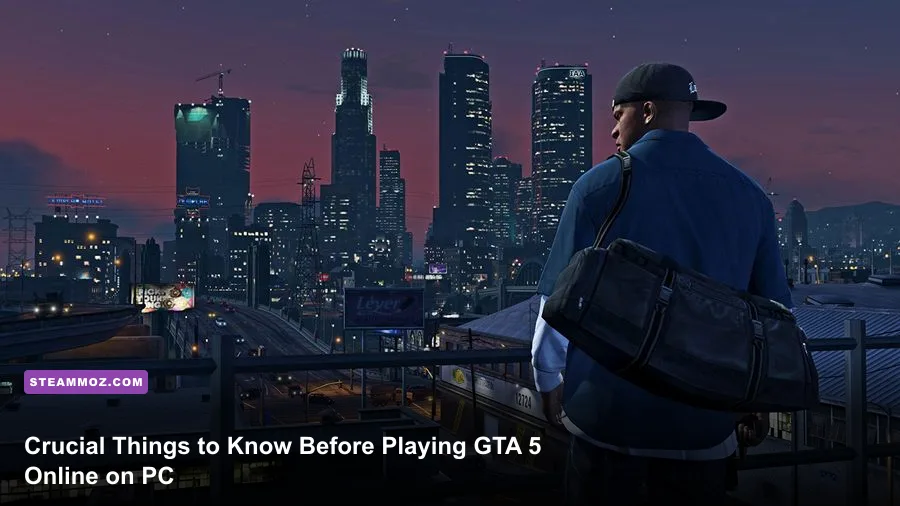
Jumping into GTA Online on PC without a battle-tested roadmap is the fastest way to empty your bank account, get griefed by high-tech military hardware, and waste dozen-hour play sessions on dead-end properties. Los Santos is a vicious sandbox where veteran players wield weaponized aircraft, and the in-game economy actively baits rookies into blowing their starting cash on vanity supercars instead of self-funding cash engines. If you want to survive the streets, climb past Rank 100, and print millions without buying Shark Cards, you need to know how to navigate private sessions, pinpoint the exact weapons that punch above their weight, and tune your PC settings to survive intense 60-player lobbies.
Take Control of Sessions Before Public Lobbies Break Your Spirit
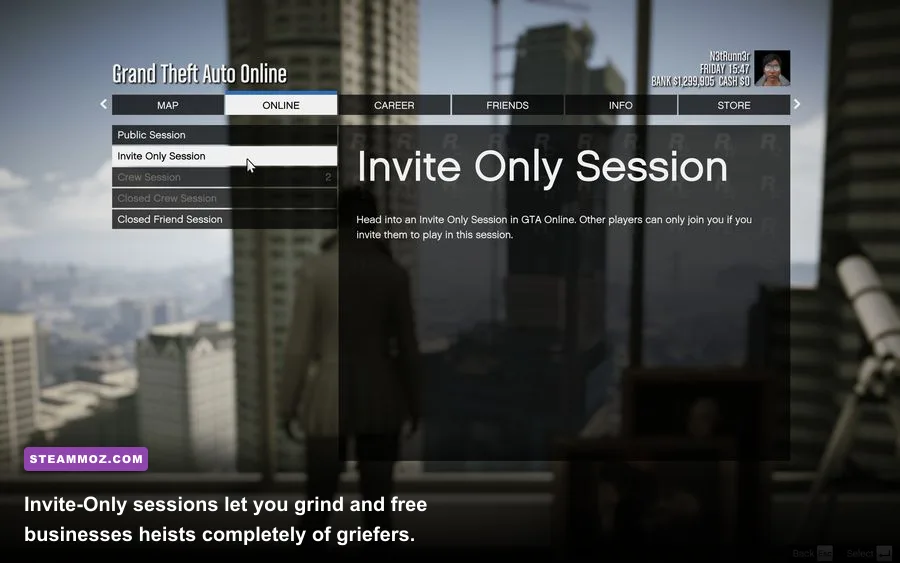
Your very first instinct upon finishing the opening tutorial will be to roam free in a standard public lobby. Do not do it. While Rockstar Games integrated BattlEye anti-cheat into the PC client via official updates outlined on Rockstar Games Support, public lobbies on PC can still expose new players to hyper-aggressive veterans flying Oppressor Mk II hoverbikes, Orbital Cannon strikes, and rogue modded lobbies that break session connectivity.
The single most important quality-of-life update in GTA Online history is the ability to run 100% of your business operations—including source missions, product sales, and heist preparations—inside an Invite-Only Session. Back in the day, Rockstar forced you into public lobbies to deliver cargo, turning your delivery vans into target practice for rocket-equipped jets. Today, you can access the pause menu, navigate to Online > Find New Session > Invite Only Session, and manage your entire criminal empire in total peace.
While public lobbies award a "High Demand" bonus that boosts your business sale payouts by 2% per player (capping out at a tempting 50% cash bonus in a full 30-player lobby), gambling a $1,000,000 warehouse sale when you are under-equipped is financial suicide. Build your empire in private, learn your delivery routes, and only venture into public sales once you have access to defensive countermeasures and escort firepower. Just like mastering efficient leveling and farming routines in heavy RPG grinds, consistency and safety beat risky gambles every single day.
Starter Real Estate and Cash Engines: How to Spend Your First Millions
If you purchased the Premium Edition on the Grand Theft Auto V on Steam storefront, you will start with the Criminal Enterprise Starter Pack, granting you $1,000,000 in raw cash alongside several "free" properties and vehicles. Here is the golden rule: most free properties in that pack are geographical traps.
The free Paleto Bay Bunker sits at the very northern tip of the map. Running sell missions from Paleto Bay forces you to drive slow, under-armored delivery trucks over seven miles down the highway under strict countdown timers. Claim the free cash, but do not sink a single dollar into upgrades for the Paleto Bay Bunker or the Great Chaparral MC Clubhouse. Instead, channel every cent of seed money into modern, high-yield solo businesses that yield immediate cash flow.
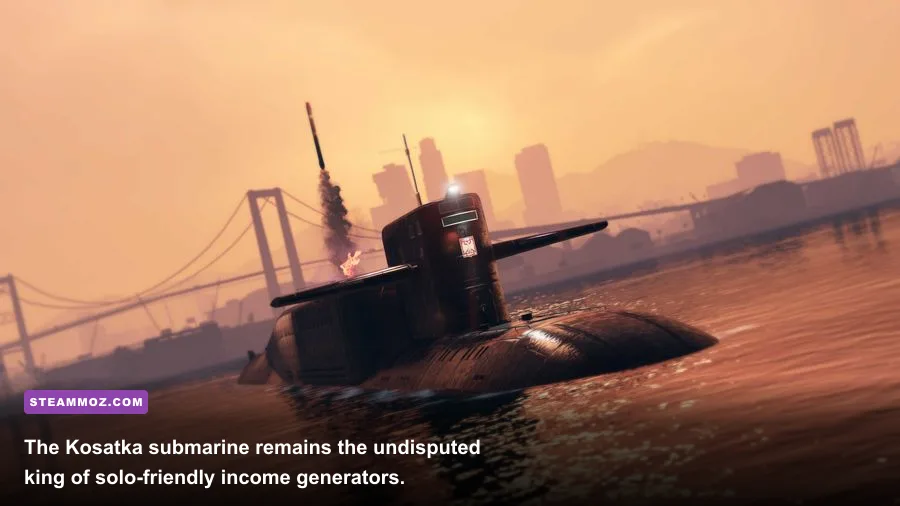
Your absolute priority order for early-game investments should center on three specific income sources: the Cluckin' Bell Farm Raid, the Acid Lab, and the Kosatka Submarine.
| Business / Asset | Upfront Cost | Solo Viability | Average Payout | Strategic Priority |
|---|---|---|---|---|
| Cluckin' Bell Farm Raid | $0 (Free) | 100% Solo Friendly | $500,000 per 45 mins | S-Tier: Run immediately to fund starter assets |
| Acid Lab (Brickade 6x6) | ~$750,000 (Upgrade) | 100% Solo Friendly | $335,000 per full sale | S-Tier: Top passive cash generator for soloists |
| Rune Kosatka Submarine | $2,200,000 | 100% Solo Friendly | $1,100,000+ per run | S-Tier: Best mid-game heist payout engine |
| The Agency (F. Clinton & Partner) | $2,010,000 | 100% Solo Friendly | $1,000,000 (Dr. Dre Contract) | A-Tier: Unlocks Payphone Hits and Armory |
| Chumash Bunker | $1,650,000 | Solo Friendly (1 vehicle) | $210,000 per single batch | B-Tier: Crucial for passive cash and Mk II research |
| Nightclub | $1,080,000 + Millions in hooks | Passive Solo | $50,000 safe + cargo hub | Late-Game: Requires 5 active feeder businesses |
Start by answering the phone call from Vincent Effenburger at the Los Santos Police Department to trigger the Cluckin' Bell Farm Raid. It requires zero property purchases, can be played start-to-finish in roughly 45 to 50 minutes solo, and awards a clean $500,000 upon completion. Running this raid twice gives you enough runway to fund your next critical venture: The Freakshop.
Head to the yellow "R" icon in Sandy Shores to initiate the First Dose mission chain alongside Dax and the Fooliganz. Completing all six narrative missions rewards you with the MTL Brickade 6x6 vehicle for free. Drive it into the Freakshop, pay the $750,000 fee to convert it into the mobile Acid Lab, and complete 10 Fooligan phone jobs from your interaction contacts to unlock the Equipment Upgrade. Once maxed out, the Acid Lab produces over $335,000 worth of product from cheap supply purchases, and every single sale mission is guaranteed to give you only one nimble delivery motorcycle, eliminating the nightmare of multi-vehicle solo delivery runs.
Gunplay and Movement: PC Mechanical Secrets You Won't Find in Tutorials
Shooting in GTA Online on PC is fundamentally distinct from console gameplay. Console lobbies rely heavily on "Assisted Aim - Full," snap-targeting enemy torsos the instant players hold down the left trigger. On PC, most competitive players operate in Free Aim lobbies. If your aim is sloppy or your movement mechanics are sluggish, high-level AI goons—who possess pinpoint accuracy and absurd damage scaling—will laser your health pool in fractions of a second.
Much like developing optimized beginner loadout strategies in fast-paced shooters, your weapon wheel needs strict curation. Do not waste hard-earned cash buying every gun on the Ammu-Nation wall. As you level up, weapon wheels clogged with low-tier pistols will actively slow down your weapon swapping during chaotic firefights.
Focus strictly on these workhorse armaments:
- Special Carbine: Available at Rank 1. Features pinpoint initial accuracy, low recoil spread, and reliable damage over distance. It remains viable well past Rank 200.
- AP Pistol: Unlocks at Rank 33. This is the single most important drive-by firearm in the game. It boasts an insane fire rate, shreds tires and drivers through windshields, and acts as an automatic submachine gun from behind the wheel.
- Heavy Sniper: Unlocks at Rank 90 (or immediately if purchased from a player-owned Agency Armory or Gun Van). Essential for extreme range engagements and taking out helicopter tail rotors.
- Homing Launcher: Available at Rank 1. While the missile tracking is slower than dedicated military aircraft, it provides essential anti-air defense before you unlock the standard RPG at Rank 100.
- Combat MG: Unlocks at Rank 80. Packed with a 100-round standard magazine (expandable to 200), this weapon is your primary heavy suppression tool for dense NPC clusters. Much like reviewing tier-ranked weapon arsenals, the Combat MG consistently locks down S-tier status.
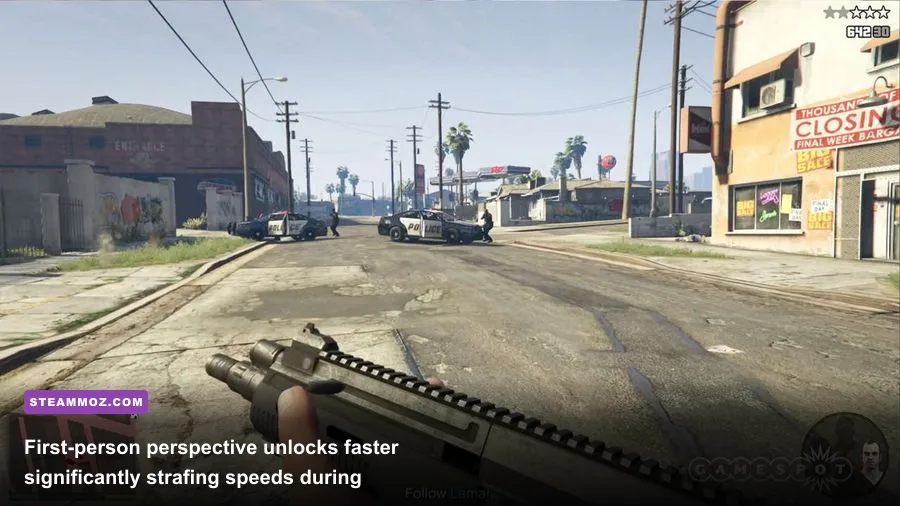
Beyond weapon choice, the biggest PC combat secret is the First-Person Movement Advantage. In standard third-person perspective, your character undergoes an internal foot-planting and turn-radius animation whenever you change directions, introducing slight input latency. If you toggle your camera into First-Person view (press V by default), your character strafes at near-double speed with zero turn inertia. In tight interior combat—such as clearing corridors in the Cayo Perico compound or defending an Agency contract—switching to First-Person lets you slice corners, pre-aim angles, and dodge incoming sniper fire with instant responsiveness.
Additionally, memorize your quick-heal interaction keys. Open your Weapon Wheel (Tab), and notice the prompt keys to quickly eat snacks or equip body armor without wading through submenus. Keep your inventory stocked at general stores (snacks are 100% free at your Agency, Auto Shop, or Kosatka cafeteria) and spam them whenever your screen flashes red.
PC Performance Tweaks: Frame Rates, Grass Quality, and Input Latency
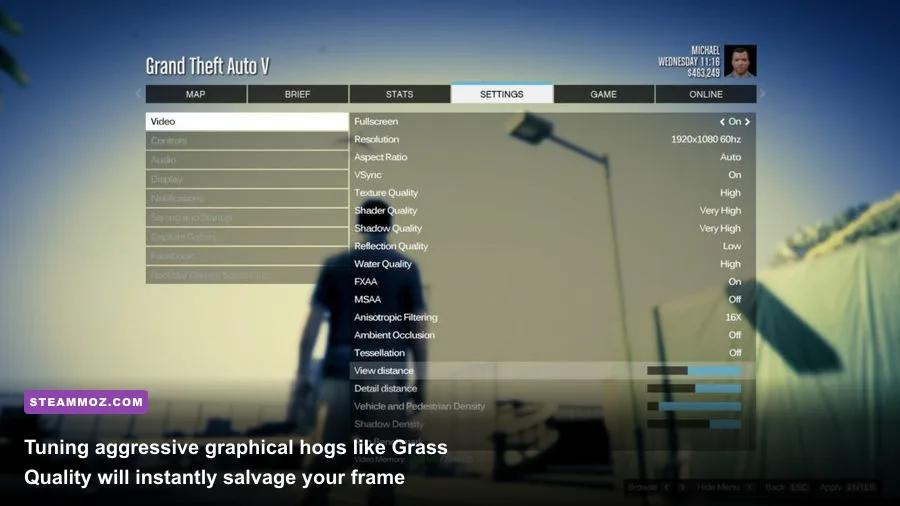
Despite being an older engine, GTA V on PC suffers from noticeable frame drops and frame pacing stutters in crowded multiplayer sessions. The game engine is heavily single-thread CPU bound, meaning a 30-player lobby packed with custom cars and explosions will hammer your 1% low frame rates far harder than the single-player campaign ever would. When tuning your setup, just as you would when optimizing PC graphics for maximum frame rates, you must eliminate specific resource-hogging culprits.
| Graphics Setting | Recommended Value | FPS Performance Impact | Visual Impact & Tactical Rationale |
|---|---|---|---|
| Grass Quality | High or Normal | Massive (25% to 35% drop on Ultra) | Ultra Grass turns Blaine County hills into an unplayable slideshow without gameplay benefit. |
| MSAA | Off (Enable FXAA) | High (15% to 20% penalty) | MSAA crushes GPU fill rates. Use FXAA combined with your monitor's native resolution. |
| Extended Distance Scaling | 0% to 20% | High CPU Overhead | Located in Advanced Graphics; overloads the main thread rendering distant geometry. |
| Population Density / Variety | 50% | Moderate (VRAM & CPU bound) | Reduces NPC traffic congestion, clearing highways for high-speed delivery vehicles. |
| Post FX | High (Avoid Ultra) | Moderate (5% to 8%) | Ultra adds heavy depth-of-field and aggressive motion blur that obscures target acquisition. |
| Mouse Input Method | Raw Input | Zero FPS Impact | Bypasses Windows mouse acceleration for consistent, 1:1 twitch muscle memory aiming. |
The single most dangerous setting on PC is Grass Quality. Setting Grass Quality to "Very High" or "Ultra" forces the engine to calculate individual dynamic shadows for every blade of brush across the rolling hills of Blaine County. The second your mission takes you outside the Los Santos city limits, your butter-smooth 120 FPS will crater to a choppy 45 FPS. Dial it back to Normal or High; in the middle of a gunfight, you will never notice the missing shrubbery.
Make sure your Mouse Input Method is explicitly configured to Raw Input in the Keyboard/Mouse settings. The default DirectInput option frequently introduces subtle frame-dependent mouse smoothing that makes target tracking feel sluggish during intense lobby frame drops. If you experience erratic micro-stutters during high-speed highway pursuits, check our playbook on eliminating stuttering and stabilizing frametimes to ensure your background processes and VSync configurations aren't choking your hardware pipeline.
The Zero-Dollar Startup: Hidden Challenges and Daily Cash Loops

Before you run your first heist or buy your first supply crate, Los Santos features a handful of hidden one-time treasure hunts that inject $750,000 in raw seed capital directly into your Maze Bank account without requiring any upfront capital. You can complete all three within your first two hours of gameplay.
Keep a sharp eye on your in-game cell phone for incoming emails and text prompts from unknown contacts:
- The Double-Action Revolver Hunt: You will receive an email containing a black-and-white photograph. Head to the marked search zone, find the hidden clue, follow three subsequent map points, and claim the golden revolver from the treasure chest. Once acquired, score 50 headshots on NPCs (cops and pedestrians count). The game will instantly deposit $250,000 into your account.
- The Navy Revolver / Los Santos Slasher: Track down five bloody clues scattered across Blaine County to summon the psycho Slasher NPC. Kill him when he ambushes you, pick up his customized Navy Revolver, and rack up 50 kills to unlock another $250,000 cash bonus.
- Maude Eccles Bounty Targets (Stone Hatchet): Complete five bail bond capture missions for Maude (marked by yellow "M" icons). She will reveal the location of the ancient Stone Hatchet. Scoring 25 consecutive kills while activating the hatchet's berserk rage mode awards your final $250,000 payout.
Pocketing that combined $750,000 gives you immediate funding for your Acid Lab installation, a complete set of body armor, and heavy ammo reserves. Combine these treasure hunts with daily open-world activities to keep your operating revenue high:
- Stash Houses (Purple House Icon): Kick in the door of a gang hideout once per real-world day, neutralize three thugs, photograph the safe combination written on a wall note, and crack the safe. It awards $30,000 in cash or instantly fills 100% of the supply bar for an owned business (saving you $60,000 in Acid Lab or Bunker purchase costs).
- G's Cache (Purple Crate Icon): Locate the hidden wooden supply crate hidden within a designated search radius. It supplies instant cash, max ammo supplies, and free body armor.
- Street Dealers: Four street dealers spawn daily across Los Santos. If your Acid Lab or MC businesses have active product, you can sell directly to them on foot for premium cash payouts without running risk-heavy delivery vehicles.
By bypassing the traps that lure unprepared players into spending real-world money, leveraging Invite-Only lobbies, optimizing your combat input chain, and securing guaranteed starter windfalls, you will bypass months of grinding. Los Santos is an unforgiving concrete playground, but once your passive businesses start churning out six-figure profits while you run solo heists, the entire city is yours to conquer. For ongoing updates on seasonal events, vehicle discounts, and weekly double-cash bonuses, keep tabs on the official GTA Online portal to maximize every hour you spend on the grind.