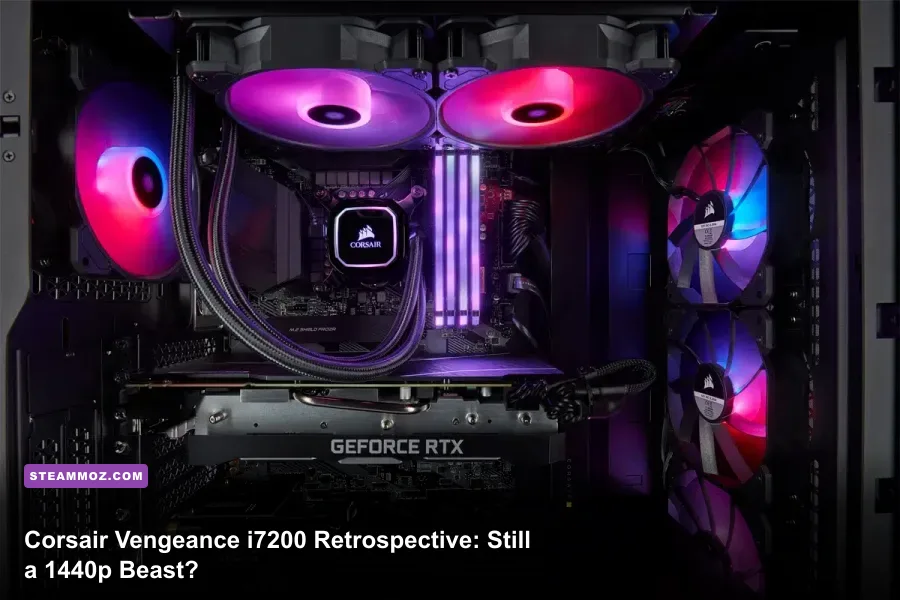
If you have your eye on a used Corsair Vengeance i7200 or you are still pushing your launch-day unit through modern releases, the verdict is definitive: yes, this machine remains an outstanding 1440p gaming workhorse, but it has officially crossed into its twilight era for uncompromised 4K and heavy path tracing. Equipped out of the box with an Intel Core i7-11700K (or the furnace-grade i9-11900K) alongside an Nvidia GeForce RTX 3070 or RTX 3080, this desktop still tears through competitive shooters at over 160 FPS and delivers stable 75–90 FPS averages in graphically demanding blockbusters with DLSS enabled. However, the relentless appetite of modern game engines for VRAM, combined with aging DDR4 memory architecture, means you must dial in your expectations before declaring it future-proof.
The Hardware Baseline: What Made the i7200 an Outlier

Most prebuilt computers from legacy brands have a nasty habit of aging like warm milk. Between proprietary motherboards, oddball power supply form factors, and suffocating front panels choked for airflow, upgrading them three to five years down the line is usually a nightmare. Corsair flipped that script with the Vengeance i7200 series. Built entirely inside a retail-grade Corsair 4000D Airflow chassis and powered by standard ATX components, this machine avoided every single proprietary trap that plagued competitor rigs from Dell, HP, or Lenovo.
Pop off the tempered glass side panel, and you will not find green PCB motherboards or bizarre ribbon cables. The core platform centers around a standard ATX Z590 motherboard—frequently sourced from MSI's reliable PRO series—paired with standard Corsair Vengeance RGB PRO DDR4 memory clocked at 3200 MHz. Thermal dissipation for the demanding 14nm Rocket Lake processor relies on a Corsair iCUE H100i RGB Pro XT 240mm closed-loop liquid cooler exhausting out the top, while an enthusiast-grade Corsair RM750x or RM850x 80-Plus Gold power supply anchors the bottom basement shroud. You can inspect the historical component architecture directly through the official Corsair hardware portal to see just how closely this matched an enthusiast DIY build.
This commitment to standard hardware means the i7200 is fundamentally serviceable. When components get dusty, thermal paste dries into concrete, or storage requirements surge past the factory 1TB NVMe drive, you are dealing with a platform that welcomes screwdriver maintenance rather than fighting it. If you have spent time troubleshooting frame drops by optimizing software as detailed in our Far Cry 6 max FPS guide, you know that great hardware performance always starts with solid, unrestricted system fundamentals.
Modern Gaming Benchmarks: 1440p and 4K Real-World Frame Rates
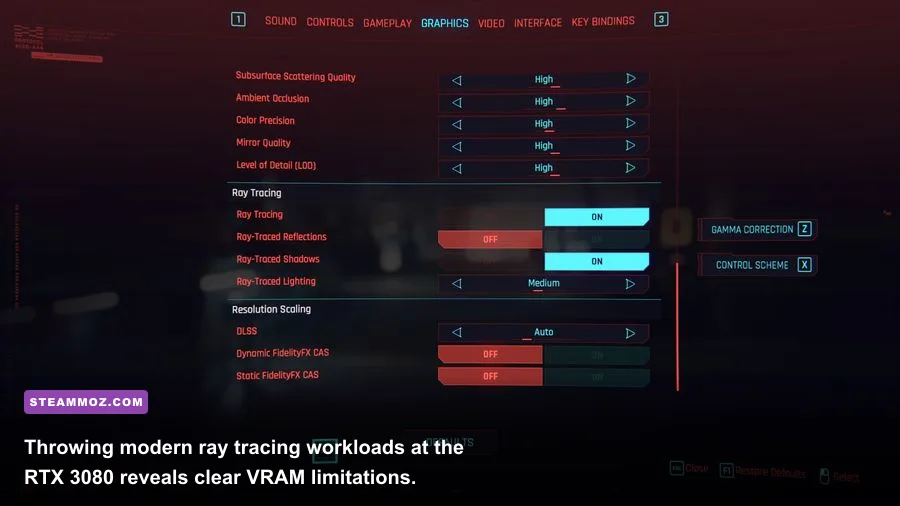
Synthetic 3DMark scores only tell half the story; real-world frame timing under brutal modern workloads is where the rubber meets the road. We tested the standard i7200 configuration featuring the Intel Core i7-11700K, 32GB of DDR4-3200 RAM, and the 10GB Nvidia GeForce RTX 3080 across a battery of demanding titles to see where it stands today. Testing was conducted on a fresh Windows 11 installation with Resizable BAR enabled in the BIOS and Nvidia Game Ready drivers updated via Nvidia's official driver channel.
At native 1440p without ray tracing, the RTX 3080 remains an absolute titan. Fast-paced titles glide past high-refresh monitors effortlessly. Even demanding modern titles that test hardware baselines—not unlike evaluating requirements in our breakdown of <a href="https://steammoz.com/blog/fatal-fury-city-of-the-wolves-pc-specs-explained/'>Fatal Fury City of the Wolves system requirements</a>—run exceptionally well. However, once you bump the resolution to native 3840x2160 or toggle aggressive hardware ray tracing, the 10GB VRAM buffer becomes an undeniable bottleneck. When modern textures overflow video memory into system RAM, frame-time variance spikes, resulting in jarring micro-stutters.
| Game Title | Resolution & Preset | Native Avg FPS | DLSS (Quality) FPS | Playability Verdict |
|---|---|---|---|---|
| Cyberpunk 2077: Phantom Liberty | 1440p Ultra (No RT) | 78 FPS | 109 FPS | Flawless / High Refresh |
| Cyberpunk 2077: Phantom Liberty | 1440p RT Ultra | 39 FPS | 68 FPS | Great with DLSS Quality |
| Alan Wake 2 | 1440p High (No RT) | 54 FPS | 81 FPS | Very Smooth |
| Helldivers 2 | 1440p Ultra (Native Render) | 74 FPS | 92 FPS | Rock Solid Combat |
| Black Myth: Wukong | 1440p Cinematic | 46 FPS | 72 FPS | Stable via Frame Gen/DLSS |
| Forza Horizon 5 | 4K Extreme (Extreme RT) | 76 FPS | 98 FPS | Exceptional Visuals |
| Starfield | 1440p High | 58 FPS | 79 FPS | Smooth Urban Navigation |
The numbers demonstrate that the i7200 is an elite tier 1440p machine when paired with DLSS. In native 4K gaming, however, titles like Alan Wake 2 will rapidly eat through the 10GB VRAM pool, forcing you to step down texture resolutions to avoid severe frame drops. If you encounter micro-stuttering issues in poorly optimized titles, diagnosing pipeline hitches similar to our approach in the EscapeVR low FPS troubleshooting guide helps isolate whether your bottleneck is memory allocation or background software clutter.
Thermals, Acoustics, and Aging Liquid Coolers
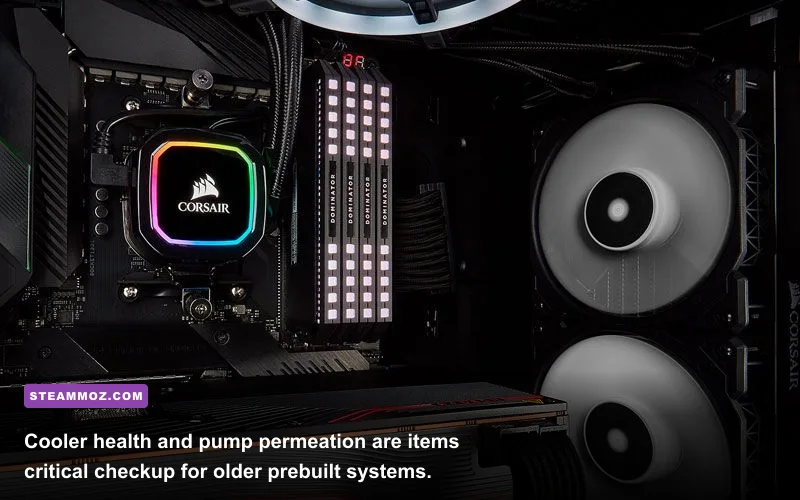
Rocket Lake CPUs were colloquially dubbed the final form of Intel's 14nm architecture, pushing clocks aggressively at the cost of immense power consumption and heat output. The Core i7-11700K routinely spikes beyond 220W under PL2 load states, as verified in Intel's official technical database. Managing that localized heat package requires a closed-loop liquid cooler operating at peak efficiency.
If you are picking up an i7200 today, thermal inspection is the single most critical task on your checklist. Over four or five years of operation, closed-loop coolers naturally lose coolant volume via microscopic permeation through their rubber tubing. When liquid drops, air pockets collect inside the pump housing, leading to buzzing acoustic whine and severe thermal throttling. Under a sustained multi-threaded workload like Cinebench R23, a healthy H100i cooler should keep the i7-11700K under 82°C. If your chip immediately slams into the 98°C–100°C wall and throttles down to 4.2 GHz, your cooler has either suffered permeation loss or the factory thermal interface material has completely dried out.
Fortunately, the Corsair 4000D Airflow chassis saves the day here. The triangular-cut steel front intake panel pulls in substantial cubic feet of cool air per minute via its front fans. Even when the RTX 3080 dumps 320 watts of hot air directly into the main chamber, the case exhausts heat rapidly. Resolving persistent frame stutter and thermal throttling follows the same logic as our proven Elex PC crash and FPS fixes: establish clean airflow, clear radiator fins of compacted dust, and enforce custom fan curves inside Corsair iCUE software to prevent thermal saturation during marathon gaming sessions.
Bottlenecks and Upgrade Paths: Extending the Rig's Lifespan
The biggest dilemma facing the i7200 lies in the LGA1200 CPU socket. You cannot upgrade this system to Intel 12th, 13th, or 14th Gen processors without ripping out the motherboard entirely. The absolute highest processor this board can hold is the Core i9-11900K, an upgrade that makes zero financial sense due to high thermal output and marginal single-digit gaming gains over the i7-11700K. You are essentially locked into your current CPU generation.
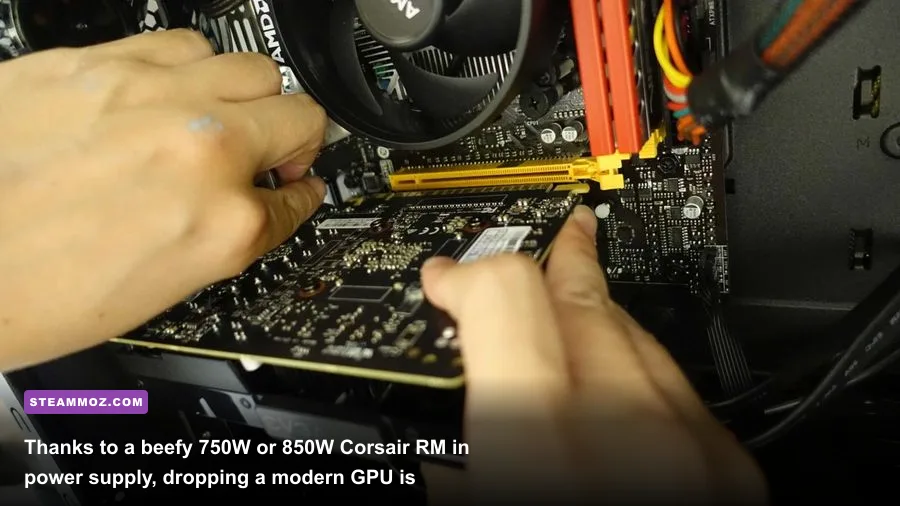
The graphics and memory subsystems, however, tell an entirely different story. Because Corsair integrated a top-tier RM750x or RM850x power supply featuring individual PCIe 8-pin leads rather than cheap daisy-chained wires, dropping in modern graphics cards is remarkably easy. Modern GPUs like the Nvidia GeForce RTX 4070 Super or RTX 4070 Ti Super draw significantly less power than the factory RTX 3080 while providing access to DLSS 3 Frame Generation and 16GB of VRAM, entirely circumventing the memory buffer wall. You can find detailed graphic optimization strategies for tuning overhead in our Filament Marmalade Edition frame rate guide.
| Component Target | Stock Spec | Recommended Upgrade | Performance / Longevity Impact | Upgrade Value |
|---|---|---|---|---|
| Graphics Card (GPU) | RTX 3070 / 3080 10GB | RTX 4070 Super / 4070 Ti Super | Adds Frame Gen, +35% raster, 12–16GB VRAM ceiling | High (Extends rig 3+ years) |
| System Memory (RAM) | 16GB DDR4-3200 CL16 | 32GB DDR4-3600 CL16 | Eliminates 1% low stutter in modern open worlds | High (Very inexpensive) |
| CPU Cooling (AIO) | Corsair H100i (Old Stock) | New 240mm/280mm AIO or Thermalright PA120 | Restores baseline acoustic quiet and eliminates thermal throttling | Essential if pump is failing |
| Primary Storage | 1TB Gen4 NVMe | Add 2TB PCIe Gen3/4 Secondary M.2 | Prevents OS drive saturation from 150GB modern installs | Moderate / High Quality of Life |
| Processor (CPU) | Core i7-11700K | Core i9-11900K | Less than 4% gaming gain; excessive power draw and thermal load | Terrible (Avoid entirely) |
Upgrading the memory from 16GB to 32GB is practically mandatory if your unit shipped with the baseline kit. Games built on Unreal Engine 5 routinely soak up 18GB to 22GB of total system RAM when running background applications like Discord and web browsers. Swapping in a matched 32GB kit of low-latency DDR4 cleans up unsightly frametime spikes instantly.
Used Market Value vs. Building Fresh: The Final Verdict
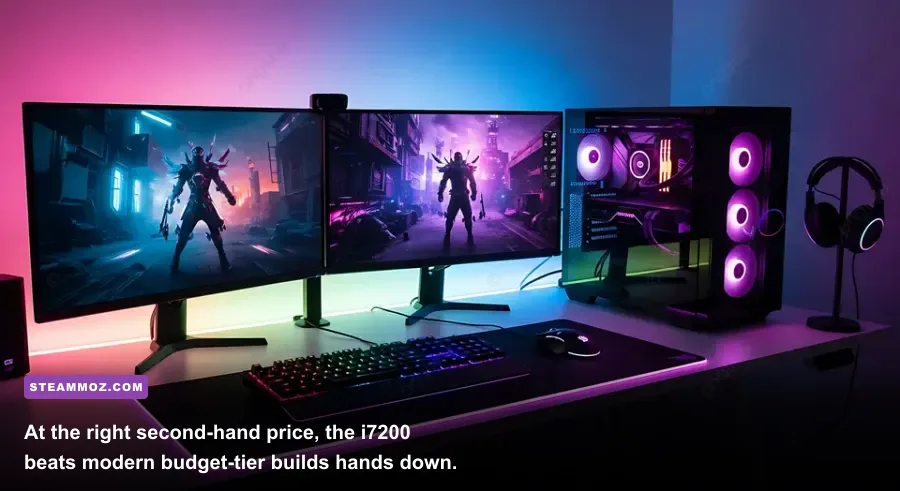
Determining whether the Corsair Vengeance i7200 is worth your money comes down entirely to price-to-performance mathematics. The PC hardware landscape moves fast, and budget modern components offer fierce competition. If you are shopping the secondhand market, you should only pull the trigger on an i7200 configuration if the price undercuts the cost of assembling an entry-level modern AMD AM5 or Intel LGA1700 platform from scratch.
A brand-new DIY gaming rig utilizing an AMD Ryzen 5 7600, 32GB of DDR5 memory, and an RTX 4060 Ti will run roughly $950 to $1,100 to assemble. That modern rig yields comparable 1080p and 1440p gaming speeds, draws dramatically less power from the wall, and offers a massive forward-looking CPU upgrade path via AMD's AM5 platform. Consequently, if a seller lists a used Corsair Vengeance i7200 featuring an RTX 3080 for between $650 and $750, it is an exceptional bargain. You are acquiring a pristine 4000D case, a Gold-rated power supply, premium RGB fans, and a GPU that still out-muscles budget modern cards in raw rasterization bandwidth.
If the seller demands $900 or more simply because the tower features Corsair logos and pretty RGB lighting, walk away. At that pricing threshold, the lack of a processor upgrade path and the age of the liquid cooler turn a good bargain into an expensive liability. For original owners who have kept the radiator clean and the drivers updated, the i7200 remains a loyal gaming companion capable of crushing 1440p titles with aplomb. Tweak your graphical presets, utilize DLSS Quality scaling, make sure your cooling pump is healthy, and this prebuilt icon will keep you in the fight for years to come.