
Yes, your PC can run Riders Republic on Steam if it broadly matches Ubisoft's GTX 970/RX 470 minimum target, but 60 fps is a different question. The minimum specification is aimed at 1080p play with compromises, while a GTX 1060 6GB or RX 570-class system is the more sensible starting point for a steady 60 fps. The game also launches through Ubisoft Connect, so you need both Steam and Ubisoft's account software installed.
Riders Republic is deceptively demanding. Its open-world mountains combine long visibility, dense vegetation, snow effects, crowds, physics-driven bikes, and rapid camera movement. A PC that handles a small arena game at 60 fps can still dip badly during a mass race or a wingsuit dive. The useful question isn't simply “does it launch?” It's whether your hardware can hold consistent frame times when the map, weather, and player count get busy.
Before changing anything, check the official Steam listing and compare your hardware with Ubisoft's published requirements. If your wider PC library also suffers from crashes, Steamoz's guide to crashes and FPS fixes has useful Windows-level troubleshooting that applies here too.

Riders Republic PC requirements on Steam

Ubisoft's minimum and recommended specifications are older than the game itself, which is good news for mainstream gaming PCs. The catch is that the recommended tier should not be interpreted as a guaranteed 1440p or 60-fps ultra preset. It describes a competent 1080p-class machine, not a high-refresh showcase build.
| Component | Minimum | Recommended | What it means today |
|---|---|---|---|
| Operating system | Windows 10 64-bit | Windows 10 64-bit | Use current Windows updates and GPU drivers |
| Processor | Intel Core i5-4460 or AMD Ryzen 5 1400 | Intel Core i7-4790 or AMD Ryzen 5 1600 | Six modern cores give smoother busy-event frame times |
| Memory | 8GB RAM | 8GB RAM | 16GB is safer with browsers and Ubisoft Connect open |
| Graphics | GeForce GTX 970 4GB or Radeon RX 470 4GB | GeForce GTX 1060 6GB or Radeon RX 570 8GB | Target 1080p; newer equivalents are preferable |
| DirectX | DirectX 12 | DirectX 12 | Make sure your GPU supports the required feature level |
| Storage | 20GB available | 20GB available | An SSD helps loading and reduces streaming hitches |
The CPU requirements deserve more attention than they usually get. The Ryzen 5 1400 and i5-4460 can start the game, but their older architectures may produce uneven lows when the world streams new terrain or a mass race fills the screen. Eight gigabytes of RAM is technically enough, yet 16GB leaves room for Windows, a voice chat app, overlays, and background services.
Storage is another practical issue. The listed 20GB is a baseline figure, and updates can make a nearly full drive painful to manage. Keep additional free space available, preferably on an SSD. If your system is still using a hard drive, expect longer loading and more obvious asset-streaming pauses than the headline average FPS suggests.
🎮 Riders Republic
Looking to experience this game? Grab your digital key directly on our store for $39.99.
View on Steammoz Store →What the real PC performance looks like

There is no built-in universal benchmark run that produces one official FPS number for every PC. Performance varies sharply between a quiet trail, a crowded Riders Ridge area, a mass race, and a high-speed wingsuit descent. The figures below are realistic performance bands for comparable hardware at 1080p, using the High preset with motion blur reduced or disabled. Treat them as an expectation guide rather than a laboratory guarantee.
| Hardware class | Typical 1080p result | Likely 1% low behavior | Best approach |
|---|---|---|---|
| GTX 970 / RX 470, older quad-core | 35-55 fps | Mid-20s to high-30s in mass races | Medium settings, capped 30 or flexible 45 fps |
| GTX 1060 6GB / RX 570, six-core CPU | 50-70 fps | Upper-30s to mid-50s in heavy scenes | High settings with a 60-fps cap |
| GTX 1660 Super / RX 5600 XT | 65-90 fps | Usually above 50 fps | High or Very High at 1080p |
| RTX 3060 / RX 6600, modern six-core CPU | 85-120 fps | Generally above 65 fps | High/Ultra mix; 1440p is viable |
| RTX 4070 / RX 7800 XT-class | 120 fps and higher at 1440p | Depends heavily on CPU and event density | High refresh, 1440p, capped for consistency |
The important number is the low, not the peak. A GTX 1060 may show 75 fps while cruising alone, then fall into the 40s when dozens of riders, particles, shadows, and terrain streaming collide. That drop is noticeable because Riders Republic is built around fast steering and quick corrections. A locked 60 fps feels substantially better than a graph that swings between 45 and 90.
CPU limitations appear most clearly in mass races. If GPU usage falls below roughly 90 percent while one or two CPU threads are saturated, lowering texture quality won't rescue the dips. A modern six-core processor helps more than chasing a small GPU upgrade in that situation. Close browser tabs, recording tools, RGB utilities, and unnecessary overlays before blaming the graphics card.
For comparison, Steamoz has also measured the difference between headline requirements and practical playability in its older PC requirements analysis. The same lesson applies: minimum means “playable with compromises,” not “maximum settings at a high refresh rate.”
The best Riders Republic settings for stable FPS

Start with the High preset, then tune the settings that affect frame time rather than blindly dropping everything to Low. Riders Republic's landscapes can look surprisingly good at Medium or High, while aggressive shadow and volumetric reductions remove much of the atmosphere for modest gains. Use the game's performance display or an overlay and test the same demanding mass race route after every change.
| Setting | Recommended value | FPS impact | Visual trade-off |
|---|---|---|---|
| Resolution | Native 1080p; 1440p only on stronger GPUs | Very high | Lowering resolution is the fastest GPU-side gain |
| Resolution scale | 100%; try 90% only when needed | High | Below 90% makes distant trails noticeably soft |
| Texture quality | High with 6GB VRAM; Medium with 4GB | Low to medium | Mostly affects surface detail and VRAM use |
| Shadow quality | High, Medium on minimum-tier GPUs | Medium to high | Lower shadows improve busy-scene lows |
| Environment detail | High | Medium | Lower values reduce distant geometry and foliage |
| Volumetric effects | Medium | Medium to high | Fog, snow haze, and atmospheric lighting become flatter |
| Motion blur | Off | Small | Cleaner steering and less perceived smear |
| V-sync and frame cap | Cap at stable refresh target | Consistency gain | Reduces tearing and wild frame-time swings |
A sensible profile for minimum-spec PCs
Use 1080p, Medium textures, Medium shadows, Medium environment detail, and Low or Medium volumetrics. Cap the game at 30 fps if your GTX 970-class system cannot hold 45, or use a 45-fps cap if the monitor supports it cleanly. A stable cap prevents the GPU from constantly chasing an impossible peak and makes steering feel more predictable.
A sensible profile for recommended PCs
Keep 1080p native, High textures, High environment detail, Medium shadows if mass races dip, and Medium volumetrics. Disable motion blur, leave anti-aliasing at its normal quality unless distant foliage shimmers badly, and cap at 60 fps. The GTX 1060 6GB and RX 570 can deliver a good-looking experience here, but Ultra settings are not worth sacrificing the lows.
On an RTX 3060 or RX 6600, 1440p High is the sweet spot. If you want 120 fps, reduce shadows and volumetrics before textures. On an RTX 4070-class card, the GPU is rarely the only limit at 1080p; 1440p gives the card more useful work and often produces a steadier-looking presentation.
Why Riders Republic stutters and how to fix it
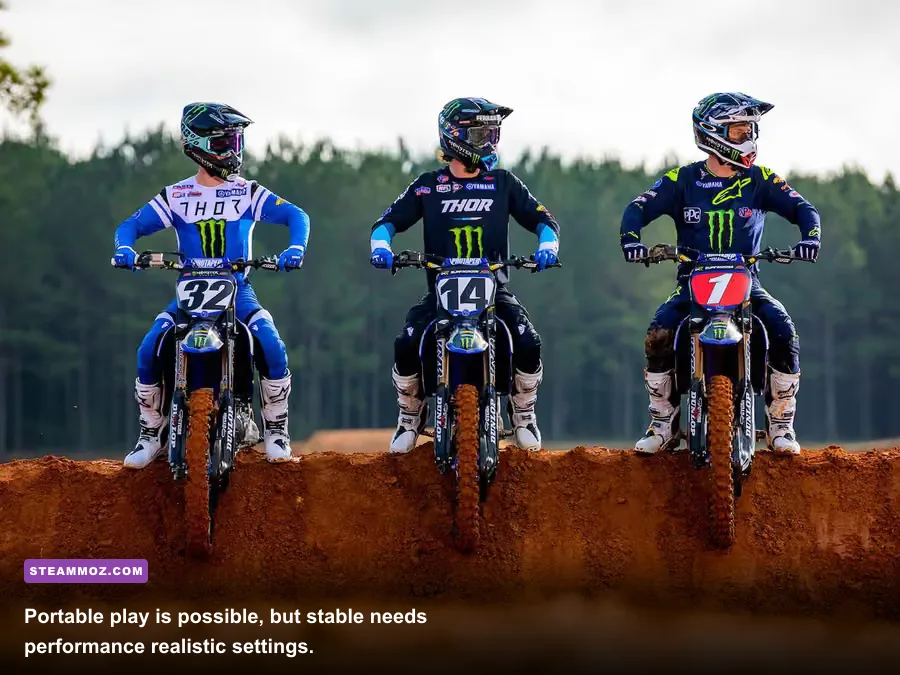
Stutter usually comes from frame-time spikes, not a lack of average rendering power. The game streams an enormous outdoor map while handling physics, online activity, and fast travel across terrain. A mechanical hard drive, a nearly full SSD, shader compilation, or an overloaded CPU can all create the same “hitch” from the player's perspective.
- Install the game on an SSD. Leave meaningful free space and avoid running a disk-heavy download at the same time.
- Update the GPU driver. Use a clean installation if you have recently changed from Radeon to GeForce or vice versa.
- Disable overlays one at a time. Test Steam Overlay, Ubisoft Connect Overlay, Discord, GeForce Experience, and recording software rather than changing everything blindly.
- Cap the frame rate. A 60-fps cap on a 60Hz display is usually smoother than an uncapped 70-to-45-fps swing. Use a lower cap when your hardware cannot maintain 60.
- Watch VRAM and RAM. If a 4GB card is maxed out, lower textures. If system memory is full, close browsers and background launchers before lowering image quality.
- Verify files through Steam. Corrupted or incomplete data can cause crashes and strange loading behavior after an update.
If Ubisoft Connect fails to authenticate, the issue isn't your GPU. Steam ownership still requires Ubisoft's account layer, and launcher updates can occasionally interrupt startup. Check the official Ubisoft Help portal and the Riders Republic support page before reinstalling the entire game.
For broader troubleshooting, Steamoz's crash and low-FPS checklist covers Windows power modes, driver cleanup, and overlay conflicts. Those steps are especially useful when your benchmark numbers look fine but the game still feels jerky.
Can your specific PC run Riders Republic?
If your machine sits near the GTX 970 and i5-4460 minimum, yes, Riders Republic should be playable, but plan around Medium settings and a 30-to-45-fps target. A GTX 1060 6GB, RX 570, or newer entry-level card paired with a Ryzen 5 1600-class CPU is the practical 1080p starting point for High settings and a mostly convincing 60 fps.
Systems with a GTX 1660 Super, RX 5600 XT, RTX 2060, RX 6600, or better have enough GPU headroom for a substantially smoother experience. At that level, the CPU and frame cap become just as important as the graphics card. For 1440p, target an RTX 3060 or RX 6600 XT-class GPU, 16GB of RAM, and an SSD.
Steam Deck and similar handhelds are a tougher proposition. Expect to experiment with 720p or 800p, a 30-fps cap, reduced shadows, and lower volumetrics. Online connectivity and the Ubisoft launcher also make handheld setup less effortless than a native Steam-only game. If you want a guaranteed high-refresh ride, desktop hardware remains the safer choice.
The honest verdict is simple: the official minimum gets you onto the mountain, while the recommended specification gets you a good 1080p ride with sensible settings. Don't judge your PC by one quiet downhill run. Test a busy event, watch the 1% lows, and choose the highest preset your system can hold consistently. In Riders Republic, smooth landings and reliable steering matter far more than a screenshot with every slider pushed to Ultra.
For another example of how much tuning can change a demanding open-world game, see Steamoz's max-FPS settings guide. The principle carries over perfectly: protect frame-time consistency first, then spend your remaining performance budget on visual detail.