Yes, your PC can probably run Resident Evil 4 Remake if it has a GTX 1050 Ti or RX 560 with 8GB of RAM, but that only gets you through the door. The practical sweet spot is a six-core CPU, 16GB of memory, and a GTX 1070-, RTX 2060-, RX 5700-, or newer-class GPU. At 1080p, expect roughly 40–60 fps on minimum hardware, 60–90 fps on a sensible mid-range build, and 100 fps or more on modern cards with ray tracing disabled.
Capcom's official numbers are useful, but they don't tell the whole story. The listed minimum target is around 1080p at 45 fps with quality prioritized, while the recommended configuration aims for 1080p at 60 fps. Those are not locked guarantees, and the village siege, rain-heavy sections, castle lighting, and ray-traced effects can all pull performance below the headline figure. Here is the real PC picture, including the settings that matter most.

Resident Evil 4 Remake PC system requirements
The official Steam listing asks for Windows 10 64-bit, DirectX 12, 8GB of RAM, and approximately 90GB of storage. The minimum GPU is an NVIDIA GeForce GTX 1050 Ti with 4GB of VRAM or an AMD Radeon RX 560 with 4GB. The recommended tier moves to a GTX 1070 or Radeon RX 5700 and 16GB of RAM.
That minimum GPU requirement is more honest than many modern PC ports, but it comes with a major warning: the 4GB VRAM requirement is not optional in practice. The RE Engine streams detailed materials aggressively. If you push texture quality beyond what your card can comfortably hold, stutters and texture pop-in become much more noticeable than a simple average-fps number suggests.
| Component | Minimum | Recommended | Practical 60-fps target |
|---|---|---|---|
| Operating system | Windows 10 64-bit | Windows 10 64-bit | Windows 10 or Windows 11 64-bit |
| CPU | Core i5-7500 / Ryzen 3 1200 | Core i7-8700 / Ryzen 5 3600 | Ryzen 5 5600 / Core i5-12400F |
| Memory | 8GB RAM | 16GB RAM | 16GB dual-channel RAM |
| GPU | GTX 1050 Ti 4GB / RX 560 4GB | GTX 1070 / RX 5700 | RTX 2060 / RX 6600 or better |
| Storage | 90GB available | 90GB available | SSD with at least 100GB free |
| API | DirectX 12 | DirectX 12 | Current GPU driver and DX12 installation |
The CPU line deserves attention. An old four-core processor can launch the game, but minimum specifications don't account for background tasks, shader compilation, or crowded combat. A Ryzen 3 1200 or i5-7500 may deliver acceptable averages while producing ugly frame-time spikes. If your processor is older than those chips, keep expectations firmly at 30–45 fps.
For more context on checking older hardware before buying, Steamoz's PC specs guide uses the same useful approach: compare your complete system, not just the graphics card.
🎮 Resident Evil 4 Remake
Looking to experience this game? Grab your digital key directly on our store for $9.99.
View on Steammoz Store →What the real benchmark results look like
Resident Evil 4 Remake is built on Capcom's RE Engine, and it generally scales well across hardware. The problem is that the worst moments are not always found in a repeatable hallway benchmark. The opening village fight throws multiple Ganados, fire effects, destructible objects, and complex shadows at the system simultaneously. That scene is a better stress test than standing alone in a dark room.
On a GTX 1050 Ti or RX 560, 1080p Low with image quality at 100% typically lands in the low-to-mid 40s during quiet exploration. The village can fall into the mid-30s, especially with volumetric lighting and hair strands enabled. A 30-fps cap is the sensible choice here; an unstable 45 fps feels worse than a consistent 30 fps during parries and knife counters.
A GTX 1060 6GB, RX 580, or GTX 1650 Super has more breathing room. At 1080p with a mix of Low and Medium settings, a locked 45–60 fps is realistic. The 6GB cards handle texture quality far better than 4GB models, though the game can still hitch if you max every texture option and leave ray tracing on.
The GTX 1070 and RX 5700 represent Capcom's recommended class, but modern equivalents are more useful. An RTX 2060, RTX 3060, RX 6600, or Arc A750 should deliver around 60–90 fps at 1080p with High settings and ray tracing disabled. The RTX 3060 and RX 6700 XT can push 1440p convincingly, although 60–75 fps is a more realistic target than a completely flat 120.
| GPU class | Resolution and profile | Typical exploration | Heavy combat floor |
|---|---|---|---|
| GTX 1050 Ti / RX 560 4GB | 1080p Low, 100% image quality | 40–55 fps | 30–40 fps |
| GTX 1060 6GB / RX 580 | 1080p Low-Medium | 55–75 fps | 45–60 fps |
| GTX 1070 / RX 5700 | 1080p High, no RT | 70–100 fps | 55–75 fps |
| RTX 2060 / RX 6600 | 1080p High, no RT | 80–110 fps | 65–90 fps |
| RTX 3060 Ti / RX 6700 XT | 1440p High, no RT | 75–110 fps | 60–85 fps |
| RTX 4070 / RX 7800 XT | 1440p Max, RT optional | 90–150 fps | 75–120 fps |
These are practical ranges rather than a promise for every driver, patch, and CPU combination. Your processor matters most when enemies crowd the screen. If the GPU usage drops while the frame rate collapses, lower shadow quality won't solve the issue; close background applications, use dual-channel RAM, and consider a frame cap.
The graphics settings that actually change performance
Don't waste time blindly dropping every option to Low. RE4 Remake has a few settings that deliver enormous gains, while others barely change performance but make the world look noticeably worse. Start with ray tracing, volumetric lighting, hair strands, and contact shadows. Those four options are responsible for most of the easy wins.
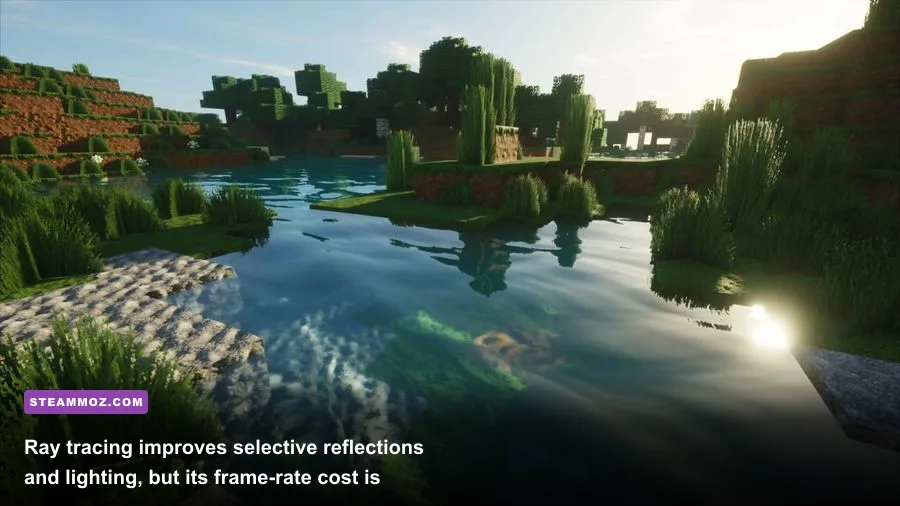
Ray tracing is the first switch to test. It adds more convincing reflections and indirect lighting, particularly on wet surfaces and glossy interiors, but the cost can range from 15% to over 30% depending on the GPU. On an RTX 2060, RT may turn a comfortable 70 fps into a 50–55 fps experience during demanding scenes. AMD cards can run it, but the performance trade-off is usually harsher.
Texture quality is different. It mostly consumes VRAM rather than raw GPU compute. A 4GB card should stay at 2GB or 3GB texture allocation, while 6GB cards can usually select 3GB or 4GB. Cards with 8GB or more can use the higher presets, but leave some headroom instead of filling the entire VRAM meter. A full meter is a warning sign for hitching, not a badge of honor.
| Setting | Recommended value | Approximate FPS impact | Visual trade-off |
|---|---|---|---|
| Ray tracing | Off on mid-range GPUs | Very high: 15–30% | Less accurate reflections and indirect light |
| Volumetric lighting | Medium | High: 5–12% | Less dramatic fog, smoke, and light shafts |
| Hair strands | Off unless you have GPU headroom | Medium to high: 5–15% | Leon and enemy hair look less detailed |
| Shadow quality | Medium or High | Medium: 3–8% | Softness and distance of shadows change |
| Contact shadows | On for modern GPUs | Low: 1–4% | Objects have less grounded small-scale shading |
| Screen-space reflections | Medium | Medium: 3–7% | Wet floors and shiny surfaces lose detail |
| Mesh quality | High if VRAM allows | Low to medium | Geometry distance and object detail decrease |
| Image quality | 100%; use FSR 2 only if needed | Variable | Upscaling may soften fine foliage and hair |
FSR 2 is the better rescue option for AMD and older NVIDIA cards when native resolution won't hold your target. Use Quality at 1080p or Balanced at 1440p before dropping below that. The game can look surprisingly clean with Quality mode, but fine foliage, hair, and distant wires may shimmer. If you own an RTX card, DLSS support depends on the version and configuration available in your installation, so check the in-game menu after updating.
Motion blur is personal, but disabling it makes a 45–60 fps experience feel sharper. Depth of field affects presentation more than average performance. Hair strands look excellent on Leon and Ashley, yet they are a luxury setting. Turn them off first on a 4GB card.
Best settings for low-end and mid-range PCs
For GTX 1050 Ti, RX 560, and integrated-graphics hopefuls
Use 1080p Low, 100% image quality, texture allocation around 2GB, medium mesh quality, low volumetric lighting, and ray tracing off. Disable hair strands and contact shadows if the village drops below 30 fps. A 30-fps cap with a stable frame time is the target, not an arbitrary 60-fps chase.
Do not expect a pleasant experience from Intel UHD graphics or older Vega integrated graphics. The game may start on some systems, but modern lighting, VRAM limits, and shader workloads make integrated GPUs a poor fit. A dedicated GTX 1650 or RX 6400 is a much safer baseline.
For GTX 1060, RX 580, GTX 1660, and RX 5600 XT
Start at 1080p Medium, then raise textures based on VRAM. Use medium volumetric lighting, high mesh quality, no ray tracing, and hair strands off. The GTX 1660 Super and RX 5600 XT can often maintain 60 fps outside the heaviest fights. If they cannot, lower volumetric lighting before reducing textures or mesh detail.
For RTX 2060, RTX 3060, RX 6600, and RX 6700 XT
1080p High or 1440p Medium-High is the sweet spot. Keep ray tracing disabled for a high-refresh display, or enable it only if you prefer richer reflections to a locked frame rate. Texture quality can be raised on 8GB cards, but don't max the VRAM meter. Use FSR 2 Quality only when targeting 90 fps or higher.
If a new game is crashing before you can tune settings, Steamoz's PC crash-fix checklist covers the useful fundamentals: drivers, overlays, file verification, and background conflicts. The same steps apply here without any magic registry tweaks.
CPU, RAM, SSD, and stutter troubleshooting
RE4 Remake benefits from 16GB of RAM, especially if you play with Chrome tabs, Discord, recording software, or an RGB utility open. With 8GB, Windows can push data into the page file during area transitions. That does not necessarily destroy average fps, but it can create the little freezes that ruin a knife parry or make a Ganado's attack appear late.
Install the game on an SSD. The official 90GB requirement does not demand an SSD, but the engine streams environments constantly as Leon moves through the village, castle, island, and underground passages. A SATA SSD is already a huge improvement over a mechanical hard drive; an NVMe drive helps load times and reduces storage contention, though it won't transform a weak GPU into a fast one.
Keep at least 10–15% free space on the drive and update your graphics driver. Shader compilation and the first run after a driver update can feel uneven. Let the game sit at the title screen for a moment, then revisit areas before judging final performance. Disable overlays from Steam, GeForce Experience, Radeon Software, and monitoring tools one at a time if you see unexplained hitching.
| Symptom | Likely cause | Best first fix | What not to do |
|---|---|---|---|
| Low average FPS everywhere | GPU is below target | Lower resolution, RT, and volumetrics | Raise sharpening to hide blur |
| Stutter during area transitions | 8GB RAM, HDD, or VRAM pressure | Use an SSD, close apps, reduce textures | Overclock before checking temperatures |
| Village-only frame drops | CPU load, shadows, effects, enemy count | Cap fps and lower shadows/volumetrics | Assume the GPU is always the problem |
| Textures pop or turn blurry | VRAM allocation is too high | Reduce texture quality one step | Fill the VRAM meter completely |
| Crashes after enabling RT | Driver, VRAM, or unstable overclock | Disable RT, verify files, update driver | Use unofficial DLL downloads |
Watch GPU utilization and frame time rather than fps alone. If GPU usage sits around 99%, lower GPU-heavy settings or use upscaling. If usage falls to 70% while one CPU core is saturated, you're CPU-limited. A modest frame cap—60, 72, or 90 depending on your display—can smooth the experience and stop the processor from chasing an unstable peak.
How the demanding areas change the answer
The village is the first serious test because it combines open sightlines, fire, crowds, physics, and heavy shadowing. The cabin sequence can also expose CPU limits as enemies flood the structure. If your PC barely maintains 30 fps in the opening village, don't expect later chapters to magically become easier.
The castle usually shifts the burden back toward the GPU. Its ornate interiors, reflections, candles, fog, and long corridors look spectacular at High settings, but ray tracing and high volumetric lighting can be expensive. The island introduces additional effects and wider combat spaces, while Separate Ways with Ada Wong uses the same rendering pipeline and can show similar dips.
Gameplay performance matters because Resident Evil 4 Remake is built around timing. A parry with the Combat Knife, a quick stagger follow-up, or a perfectly timed dodge in a boss encounter depends on consistent input response. You don't need 144 fps to enjoy the game, but you do need frame pacing that doesn't collapse whenever the screen fills with enemies.
Final verdict: can your PC run it?
If your machine matches the official minimum, yes—but aim for 30 fps at 1080p Low and keep ray tracing, hair strands, and aggressive volumetrics off. If you have the recommended GTX 1070 or RX 5700 class with 16GB RAM, 60 fps at 1080p High is a realistic target, provided your CPU is not holding the system back.
The best-value modern setup is a Ryzen 5 5600 or Core i5-12400F, 16GB dual-channel RAM, and an RTX 3060, RX 6600 XT, or better. That combination gives you room for High textures, clean 1080p or 1440p image quality, and stable combat performance without treating ray tracing as mandatory.
Before buying, compare your hardware with the official Resident Evil 4 website and install the latest drivers. If your system is close to the minimum, use a 30-fps cap and prioritize frame-time stability. If you're comfortably above recommended, turn up mesh quality and textures first, then experiment with RT. Resident Evil 4 Remake rewards a balanced build far more than a flashy preset—and with the right compromises, even older gaming PCs can survive the village.
For wider PC optimization habits, Steamoz's settings guide and low-FPS troubleshooting guide are useful companions. The short version remains simple: 16GB RAM, an SSD, 4GB or more of VRAM, and ray tracing switched off will solve most performance headaches.