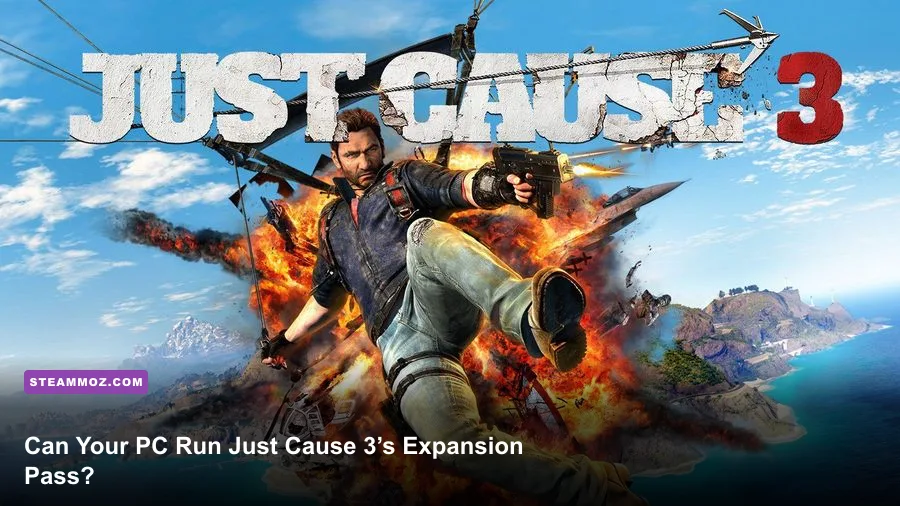
Just Cause 3: Air Land & Sea Expansion Pass does not have separate PC system requirements. The three DLC packs run inside the same Just Cause 3 client, so the practical target is the base game’s specification: an Intel Core i5-2500K or AMD FX-8350, 8 GB of RAM, and a GeForce GTX 670 or Radeon HD 7870 at minimum; for a much steadier experience, aim for an Intel Core i7-3770, 8 GB of RAM, and a GTX 970 or Radeon R9 290. You’ll also need roughly 54 GB of storage, a 64-bit version of Windows, and DirectX 11 support.
That answer matters because the Air Land & Sea Expansion Pass adds more than a few cosmetic extras. Sky Fortress fills the screen with flying enemies, missiles, and new traversal effects. Land Mech Assault puts heavy machines and destructible environments into already busy battles. Bavarium Sea Heist adds naval combat and a submarine-base assault. None of these packs changes the official minimum or recommended specs, but they can expose weak CPUs, limited VRAM, and unstable frame pacing faster than a quiet drive across Medici.

Just Cause 3 Air Land & Sea PC requirements
The table below reflects the published PC requirements for Just Cause 3 and its downloadable content. Since the expansions are installed through the same game, these are the figures to use when checking whether your computer can handle the Expansion Pass.
| Component | Minimum | Recommended |
|---|---|---|
| Operating system | Windows 7, 8.1, or 10 64-bit | Windows 7, 8.1, or 10 64-bit |
| Processor | Intel Core i5-2500K at 3.3 GHz or AMD FX-8350 at 4.0 GHz | Intel Core i7-3770 at 3.4 GHz or AMD FX-8350 at 4.0 GHz |
| Memory | 8 GB RAM | 8 GB RAM |
| Graphics card | Nvidia GeForce GTX 670 with 2 GB VRAM or AMD Radeon HD 7870 with 2 GB VRAM | Nvidia GeForce GTX 970 with 4 GB VRAM or AMD Radeon R9 290 with 4 GB VRAM |
| DirectX | Version 11 | Version 11 |
| Storage | Approximately 54 GB available space | Approximately 54 GB available space |
There are two details worth underlining. First, the minimum processor requirement is not asking for a brand-new quad-core in spirit; it is asking for a relatively strong chip from its era. Just Cause 3 streams a huge open world while simulating traffic, physics objects, enemy AI, explosions, and tether interactions. A newer low-power dual-core processor may look modern on paper but still struggle with the game’s busiest scenes.
Second, the graphics requirement calls for 2 GB of VRAM at minimum and 4 GB at the recommended level. That is especially important for the Expansion Pass. Sky Fortress can put the Bavarium Wingsuit, airborne drones, particle effects, and distant terrain on screen together. The game may launch with less VRAM, but texture swapping and stutter become much more likely when the card is forced to constantly manage a crowded scene.
For the current official listing, check the Just Cause 3 Steam page. The product page is also the safest place to confirm the edition you own and whether the Air Land & Sea content is included.

🎮 Just Cause 3: Air Land & Sea Expansion Pass
Looking to experience this game? Grab your digital key directly on our store for $3.74.
View on Steammoz Store →Minimum specs versus recommended hardware
Meeting the minimum requirements means the game should run, not that it will deliver a locked 60 frames per second. The GTX 670 and Radeon HD 7870 were capable 1080p cards in their day, but Just Cause 3’s demanding open-world streaming can push them toward medium settings and a 30-frame target. The recommended GTX 970 and R9 290 offer a healthier margin, particularly because their 4 GB frame buffers reduce pressure when textures and effects fill the screen.
| Hardware level | Likely target | Recommended approach | Expansion Pass warning |
|---|---|---|---|
| Minimum GPU and CPU | 1080p around 30 FPS with dips | Low-to-medium preset, reduced shadows and water detail | Large explosions and Sky Fortress encounters can cause stutter |
| Recommended specification | 1080p around 60 FPS with occasional drops | High preset with selective reductions | Busy mech and aerial fights may still stress the CPU |
| Modern six-core CPU and midrange GPU | 1080p 60 FPS or higher | High or very high settings after testing volumetrics | Better frame pacing during destruction-heavy missions |
| Modern performance GPU | 1440p is realistic | High settings, tune anti-aliasing and shadows | VRAM capacity matters more than raw resolution alone |
The CPU side is often the surprise. A graphics card can render a clear frame, but the processor still has to prepare the world: vehicles follow routes, soldiers react, structures break apart, and Rico’s grappling system calculates multiple connections. That’s why a machine with a decent GPU can still dip hard when you attach several tethers to a fuel tank, helicopter, bridge, and enemy vehicle at once.
The recommended i7-3770 is old now, so modern six-core processors generally have no trouble with the nominal requirement. However, the game was designed around older rendering and simulation technology. It doesn’t automatically transform extra CPU cores into flawless frame pacing. A fast modern four-core can work; a current six-core or eight-core gives you more breathing room for background applications, recording software, and online overlays.
If your PC sits close to the minimum, don’t assume the DLC is broken when performance drops during spectacular set pieces. The base game itself is the workload. The expansions simply make those peaks more frequent. Players coming from other demanding PC ports may also find our FPS-locking settings guide useful as a general frame-pacing reference.
What the three expansions add to the workload
Sky Fortress is the most obvious test of a borderline system. Its signature weapon is the Bavarium Wingsuit, which lets Rico fly faster and attack while airborne. The DLC also introduces the eDEN Corporation’s Sky Fortress, drones, anti-air defenses, and the powerful Bavarium Wingsuit machine guns. Flying across Medici exposes more distant geometry than ordinary ground travel, while combat adds projectiles and explosions to the view. A minimum-spec PC can run it, but you’ll want to avoid maxing out distance-heavy settings.
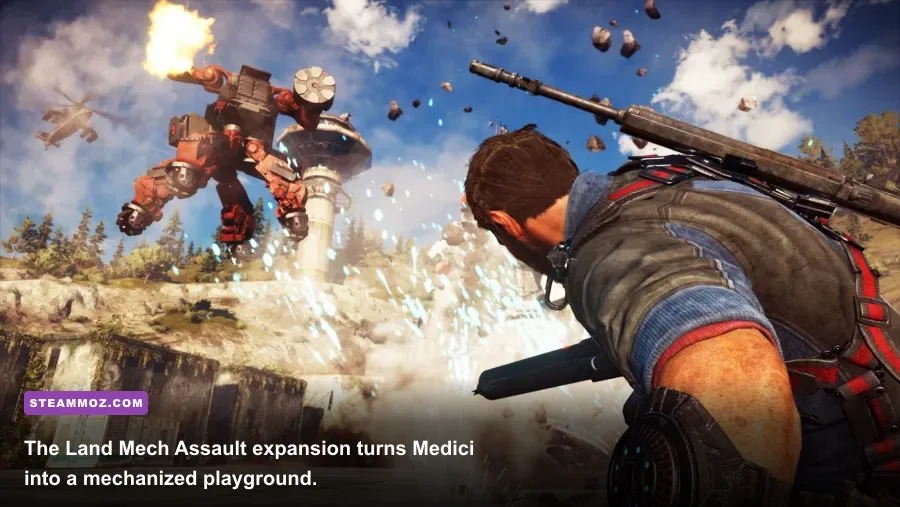
Land Mech Assault introduces the Rebel Mech, a heavy combat vehicle with a gravity gun and powerful attacks. The mech itself isn’t a separate graphics feature that demands a new GPU, but missions frequently combine large enemies, destructible props, smoke, fire, and physics. Those are classic CPU and frame-pacing pressure points. If performance tanks when using the mech’s gravity weapon, lowering resolution may not solve the problem as effectively as reducing shadows and effects.
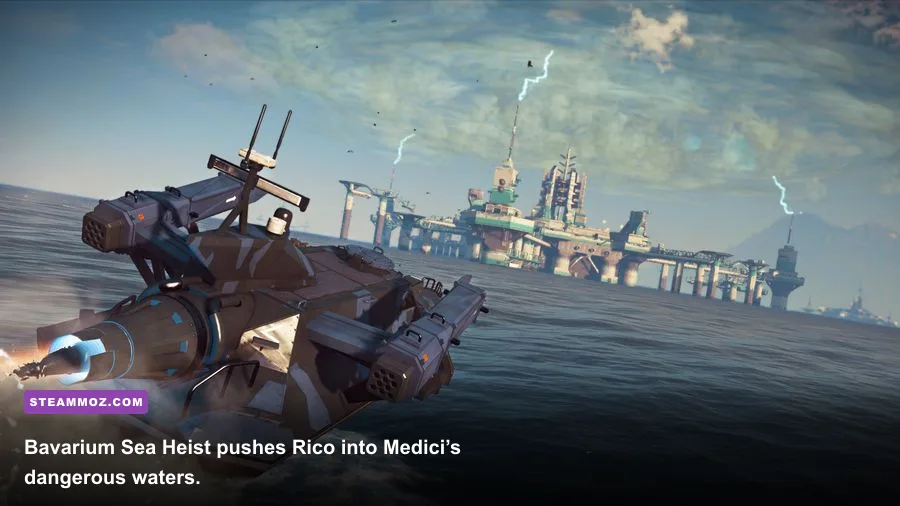
Bavarium Sea Heist takes Rico to the island of Lacrima and the Stingray, an enormous submarine base. Naval scenes can stress water rendering, reflections, distant geometry, and effects around boats and the base. The expansion is still covered by the same requirements, but users with a 2 GB graphics card should be especially cautious with texture quality and high-resolution anti-aliasing.
| Expansion | Main hardware pressure | Settings to lower first | Why it matters |
|---|---|---|---|
| Sky Fortress | GPU effects, distant geometry, CPU simulation | Shadows, reflections, volumetric effects | Aerial combat combines wide views with drones and explosions |
| Land Mech Assault | CPU frame pacing and physics-heavy effects | Shadows, particles, post-processing | Mech battles create dense destruction scenes |
| Bavarium Sea Heist | GPU memory, water and reflection rendering | Water detail, reflections, textures | Ocean combat and the Stingray base keep detail in view |
That design is part of what makes the pass worthwhile. You get three different ways to stress the same sandbox: high-speed flight, heavy ground combat, and naval infiltration. If you enjoy chaining destruction together rather than simply completing missions, the DLC can feel more demanding than the specification sheet suggests.
For more background, the Avalanche Studios game page provides official information about the game’s open-world design. The Square Enix Just Cause 3 page is another useful reference for the wider release and its expansions.
Best graphics settings for minimum and recommended PCs

Start with the High preset if your PC meets the recommended specification, then tune the settings below. On a minimum-spec system, begin at 1080p with the Medium preset and aim for a consistent 30 FPS rather than chasing unstable 60 FPS. A steady frame rate makes grappling, wingsuit turns, and vehicle handling feel much better than a counter that swings wildly between 45 and 70.
| Setting | Minimum-PC profile | Recommended-PC profile | Performance impact |
|---|---|---|---|
| Resolution | 1920×1080, or 1600×900 if needed | 1920×1080 | High; the fastest way to gain GPU headroom |
| Texture quality | Medium | High | Uses VRAM more than raw GPU power |
| Shadow quality | Low or medium | High | Often costly in towns and destruction scenes |
| Water detail | Low or medium | High | Most noticeable during Bavarium Sea Heist |
| Anti-aliasing | Low or medium | High, then test SMAA options | Moderate to high depending on method |
| Reflections | Low | Medium or high | Can punish GPUs near the minimum |
| Motion blur | Off if clarity is preferred | Personal preference | Small performance effect; mostly visual |
| V-sync | Use only if tearing bothers you | Use with a stable refresh target | Can add latency or cause frame drops |
Textures are the setting people often misunderstand. Lowering them won’t always produce a huge average-FPS gain, but it can prevent hitching when your graphics card has only 2 GB of VRAM. If you see blurry surfaces, delayed texture loading, or sudden pauses while driving quickly through Medici, textures and reflections are better suspects than motion blur.
Shadows are a more reliable performance lever. Just Cause 3 throws shadows across military bases, villages, roads, trees, vehicles, and destructible structures. Dropping shadow quality from High to Medium usually costs less visual quality than lowering the entire resolution. Reflections and water detail are similarly sensible cuts for Bavarium Sea Heist.
For a more aggressive performance profile, use 1600×900, Medium textures, Low shadows, Low reflections, and a 30 FPS cap. That combination keeps the important spectacle intact: explosions, tether lines, vehicles, and Rico remain readable. If you’re troubleshooting a different unstable PC port, Steamoz’s Batman: Arkham Knight PC fixes covers several broadly useful checks, including drivers and background software.
How to check your PC before buying the pass
Compare your processor and graphics card against the requirements separately instead of relying on a single “gaming PC” label. On Windows, press Windows + R, type dxdiag, and check the processor, memory, and DirectX information. The Task Manager’s Performance tab shows your CPU model, installed RAM, GPU model, and approximate dedicated graphics memory. For exact GPU comparisons, look up the card’s VRAM and not just its advertised boost clock.
Storage is another easy thing to overlook. The listed requirement is about 54 GB, and installing the base game plus DLC should be done on an SSD if possible. An SSD won’t magically raise average FPS, but it can reduce the feeling of the world catching up with you during fast driving and aerial movement. Keep additional free space available for updates and shader caches rather than filling the drive to its final gigabyte.
Before launching the first expansion mission, update your graphics driver, close browser tabs and recording utilities, and let the game finish any first-run configuration. Test performance in a crowded settlement or military base, not an empty hillside. Then trigger a controlled destruction sequence: tether a vehicle to a structure, ignite an explosive object, and watch the frame-time graph. That gives you a far more honest result than a calm walk through the countryside.
| Check | What to verify | Good result | Red flag |
|---|---|---|---|
| CPU | Model and sustained clock speed | Modern six-core or equivalent performance | Older dual-core or severe thermal throttling |
| GPU | Performance tier and VRAM | 4 GB VRAM or more for high settings | 2 GB VRAM with texture hitching |
| RAM | Installed memory and background usage | 8 GB minimum with programs closed | Heavy paging during gameplay |
| Drive | Free space and installation type | 54 GB available on an SSD | Nearly full mechanical drive |
| Thermals | CPU and GPU temperatures under load | Stable clocks during a long session | Clock drops and repeated stutter |
If your system passes the minimum line but feels rough, prioritize consistency. Cap the frame rate with your driver or a trusted limiter, lower shadows before textures, and avoid running the game beside a demanding stream encoder. If your computer is comfortably above recommended, 1080p High is the sweet spot for the original PC release, while 1440p may require targeted reductions depending on your GPU.
The Expansion Pass itself won’t install a separate executable or suddenly raise the official requirements. It simply expands the places where Just Cause 3’s simulation-heavy sandbox gets busy. That means a PC meeting the recommended specification is the sensible choice for Sky Fortress flights, Land Mech Assault destruction, and the watery chaos of Bavarium Sea Heist.
Final verdict on the Air Land & Sea requirements
Yes, the Air Land & Sea Expansion Pass can run on the same hardware listed for Just Cause 3. The minimum target is an i5-2500K or FX-8350, 8 GB RAM, and a GTX 670 or HD 7870 with 2 GB VRAM. The recommended target is an i7-3770 or FX-8350, 8 GB RAM, and a GTX 970 or R9 290 with 4 GB VRAM. Plan for around 54 GB of storage and a 64-bit Windows installation.
But treat those figures as a floor and a comfort target, not a promise of a locked frame rate. Minimum hardware is best suited to 1080p Medium and a 30 FPS cap. Recommended hardware should handle 1080p High far more comfortably, though huge explosions and dense battles can still produce dips. A modern six-core processor, 16 GB of RAM, an SSD, and a GPU with 4 GB or more of VRAM create a much safer modern setup.
Rico’s sandbox is at its best when the game can keep up with your ideas. If you’re planning to fling a tank into a bridge, boost through a missile barrage with the Bavarium Wingsuit, or storm the Stingray without a slideshow, check the CPU and VRAM first. Those are the components most likely to decide whether the Air Land & Sea Pass feels gloriously chaotic or frustratingly uneven.
For another hardware-focused Steamoz read, see our PC requirements breakdown for Eiyuden Chronicle: Hundred Heroes. And if you’re comparing open-world action games before installing another massive title, these Borderlands 4 PC settings offer a useful reminder: stable frame pacing usually beats blindly selecting Ultra.