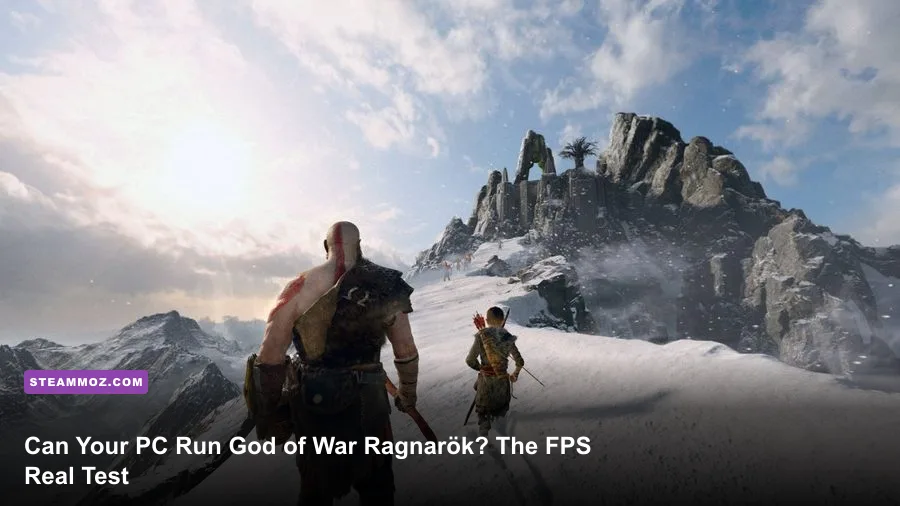
Yes, your PC can run God of War Ragnarök if it has at least a GTX 1060 6GB or Radeon RX 5500 XT, 8GB of RAM, a quad-core-era CPU, and 190GB of SSD space. That minimum target only means 720p at 30 fps on Low settings, though. For the version most PC players actually want—1080p, Medium, and a steady 60 fps—you should be looking at an RTX 2060 Super or RX 5700, 16GB of RAM, and a Core i5-8600 or Ryzen 5 3600. The real benchmark truth is simple: the game scales well, but VRAM, shader compilation, and traversal stutter matter more than a single average-fps number.
Santa Monica Studio's official Steam listing gives four performance targets rather than one vague minimum. That is useful because Ragnarök can look excellent at 1080p on older hardware, while its 4K Ultra preset is brutally expensive. The game also supports DLSS, AMD FSR 3.1, Intel XeSS, unlocked frame rates, ultrawide displays, and frame generation on compatible hardware.

God of War Ragnarök PC requirements explained
The minimum specification is aimed at getting you through the story, not recreating the console Quality mode. A GTX 1060 6GB or RX 5500 XT can deliver the intended 720p/30 Low experience, but neither card has much room for high-resolution textures or heavy effects. The 8GB system-memory requirement is also a floor; Windows, background apps, and shader caches can push that configuration into hitching.
The recommended 1080p/60 target is the sweet spot for most players. An RTX 2060 Super or RX 5700 has enough raster performance for Medium settings, while the i5-8600 and Ryzen 5 3600 provide the CPU baseline needed during busy hubs and open traversal. The High, 1440p, and 4K profiles are less about changing the game and more about buying enough GPU headroom for cleaner shadows, reflections, foliage, and texture filtering.
| Target | CPU | GPU | RAM and Storage | Expected Result |
|---|---|---|---|---|
| Minimum | Core i5-4670K / Ryzen 3 1200 | GTX 1060 6GB / RX 5500 XT | 8GB RAM, 190GB SSD | 720p, Low, 30 fps |
| Recommended | Core i5-8600 / Ryzen 5 3600 | RTX 2060 Super / RX 5700 | 16GB RAM, 190GB SSD | 1080p, Medium, 60 fps |
| High | Core i7-9700 / Ryzen 7 3700X | RTX 3070 / RX 6800 | 16GB RAM, 190GB SSD | 1440p, High, 60 fps |
| Performance 4K | Core i7-10700K / Ryzen 7 5800X | RTX 3080 Ti / RX 6900 XT | 16GB RAM, 190GB SSD | 4K, High, 60 fps |
| Ultra 4K | Core i5-11600K / Ryzen 7 5800X3D | RTX 4070 Ti / RX 6950 XT | 16GB RAM, 190GB SSD | 4K, Ultra, 60 fps |

🎮 God of War Ragnarök
Looking to experience this game? Grab your digital key directly on our store for $59.99.
View on Steammoz Store →The real benchmark truth at 1080p and 1440p
Average fps can make Ragnarök look easier to run than it feels. On a sensible modern test system, an RTX 3060 12GB or RX 6600 XT generally handles 1080p High near the 60-fps range, but demanding traversal sections can dip below that mark. The RTX 2060 Super recommendation is more believable with Medium settings and upscaling than with native 1080p High.
An RTX 3060 Ti, RX 6700 XT, or faster card is the comfortable 1440p class. Native 1440p High can hover around 60 fps in many scenes, but Vanaheim's jungle routes, Svartalfheim's busy dwarven environments, and cinematic transitions can expose frame-time spikes. Dropping volumetrics, reflections, and shadows one step often improves consistency without making the image look soft.
At 4K, the official RTX 3080 Ti and RX 6900 XT target is realistic for High settings, but Ultra is where the game starts demanding top-tier hardware. An RTX 4070 Ti or RX 6950 XT can approach the 4K/60 goal with upscaling, while native 4K Ultra is a different challenge entirely. If your card has 8GB of VRAM, avoid pushing texture quality and resolution together; stutter is often more noticeable than a five-frame average-fps loss.
| GPU Class | Best Resolution | Recommended Preset | Practical Result |
|---|---|---|---|
| GTX 1060 6GB / RX 5500 XT | 720p | Low, FSR Quality or Balanced | 30 fps target with occasional dips |
| RTX 2060 Super / RX 5700 | 1080p | Medium, DLSS or FSR Quality | Mostly 60 fps |
| RTX 3060 Ti / RX 6700 XT | 1440p | High, upscaling enabled | Around 60 fps with traversal dips |
| RTX 4070 / RX 7800 XT | 1440p or 4K | High, DLSS or FSR Quality | 60 fps with useful headroom |
| RTX 4080 / RX 7900 XTX | 4K | Ultra or High | 60 fps target; native Ultra varies by scene |
Best graphics settings for a stable 60 fps
Start with the High preset, then tune the settings that cost performance without adding much detail. Texture quality mostly consumes VRAM, so keep it High if your card has 10GB or more. On 8GB cards, Medium textures are safer at 1440p and above. The game's visual identity comes from lighting, materials, and character detail; you don't need Ultra across the board to preserve that look.
| Setting | Recommended Value | FPS Impact | Visual Note |
|---|---|---|---|
| Upscaler | DLSS Quality / FSR Quality | Large performance gain | Best first adjustment; keeps the image sharp |
| Frame Generation | On only above 55-60 base fps | Large displayed-fps gain | Does not fix low input latency or poor frame pacing |
| Textures | High with 10GB+ VRAM; Medium below it | Small GPU cost, high VRAM use | Preserves armor and environment detail |
| Shadows | High or Medium | Medium to high | Medium is difficult to notice during combat |
| Reflections | High or Medium | Medium | Lower in water-heavy areas first |
| Atmospherics | High | Medium | Lowering helps fog and volumetric-heavy scenes |
| Model Quality | High | Low to medium | Keep high for Kratos, Atreus, and bosses |
DLSS Quality is the cleanest option on GeForce RTX cards. FSR 3.1 Quality is a strong alternative on Radeon and older Nvidia hardware, though fine foliage can show more shimmer. Frame generation is worth using on RTX 40-series and compatible Radeon cards only after the native or upscaled frame rate is already stable. Turning it on at a 35-fps base can produce a higher counter but sluggish controls and obvious unevenness.
CPU, RAM, SSD, and stutter problems
Ragnarök is not purely a GPU test. The camera, companion AI, streaming, and large connected areas put real pressure on the processor. A six-core CPU such as the Ryzen 5 3600 or Core i5-8600 is the sensible minimum for 60 fps. Older four-core processors may launch the game, but they can produce dips when moving quickly through hubs or entering a combat arena.
Use 16GB of dual-channel RAM as your practical baseline. Eight gigabytes technically matches the minimum listing, yet it leaves too little breathing room once Steam, browser tabs, overlays, and recording software are open. Closing background applications won't transform a weak GPU, but it can reduce sudden hitching and keep 1% lows healthier.
Install the game on an SSD, not a hard drive. The 190GB requirement is substantial, and you should leave additional free space for patches and shader data. After a driver update or major graphics change, give the game time to build shaders. If stutters continue, update your GPU driver, disable unnecessary overlays, and test without third-party monitoring hooks before blaming the engine.
Our guides to crash prevention and FPS fixes and low-FPS troubleshooting cover the same Windows-side problems that can affect this port.
Can Steam Deck and older gaming PCs run it?
Steam Deck owners can play Ragnarök, but a locked 30 fps profile is the honest target. Use 1280x800, Low settings, an aggressive upscaler, a 30-fps cap, and a 60Hz display refresh. The Deck's 16GB unified memory and modest 8-core Zen 2 CPU struggle more in busy traversal than in closed combat arenas. Expect battery drain and occasional dips rather than a console-like 40-fps experience.
A GTX 1660 Super or RX 5600 XT desktop is a much better 1080p machine than the minimum label suggests. Pair it with a six-core CPU, 16GB RAM, and an SSD, then use Medium settings with FSR Quality. Laptop GPUs need extra caution: an RTX 3060 Laptop GPU may perform below a desktop RTX 3060 depending on its wattage, cooling, and memory configuration.
If you're comparing this game with other demanding ports, Steamoz's Far Cry 6 performance settings and PC specification breakdowns are useful reference points—but Ragnarök's 190GB install and memory demands deserve special attention.
Should you upgrade before buying Ragnarök?
Upgrade the GPU first if you can't hold your target resolution, but don't ignore the CPU if your average fps looks fine and your 1% lows feel terrible. Moving from 8GB to 16GB RAM is the cheapest quality-of-life improvement, while replacing a hard drive with an SSD is non-negotiable for loading and traversal.
The buying verdict is straightforward. A GTX 1060-class PC can run God of War Ragnarök, but it will be a 720p/30-fps experience. An RTX 2060 Super, RX 5700, or better delivers the enjoyable 1080p/60 version. For 1440p High, aim at an RTX 3070 or RX 6800. For 4K, use the official RTX 3080 Ti or RX 6900 XT tier as your floor, and consider DLSS or FSR rather than sacrificing frame consistency for native resolution.
Before launching, check the latest Santa Monica Studio support information, install the newest GPU driver, enable an SSD shader cache, and cap your frame rate slightly below your monitor's refresh rate. Those small steps won't make a GTX 1060 perform like an RTX 4070, but they can turn Ragnarök from a stuttery technical slog into the smooth, brutal adventure it should be.