Yes—almost any modern Windows gaming PC can run Goat Simulator: PAYDAY. The official Steam listing asks for just a 2 GHz processor, 2 GB of RAM, Shader Model 3.0 graphics, DirectX 9.0c, and roughly 4 GB of storage at minimum. Its recommended target is still modest: a 2.4 GHz CPU, 4 GB of memory, and a GeForce GTX 660 or Radeon HD 7870-class GPU. Those numbers are easy to beat today, but the game’s physics, ragdolls, traffic, explosions, and split-screen-style local chaos can still create brief slowdowns on older laptops.
The short version is simple: integrated graphics from the last several years should handle the game at 720p or 1080p with sensible settings, while almost any dedicated GPU should have no trouble pushing a stable 60 frames per second. The real question isn’t whether your PC meets the old minimum—it’s whether your processor can keep every loose object, police vehicle, NPC, and flailing goat moving smoothly when the map turns into a disaster zone.
Goat Simulator: PAYDAY minimum and recommended specs
The official Steam page for Goat Simulator: PAYDAY lists requirements that date back to the game’s original PC launch. That matters because the specification sheet is not designed around modern resolutions, Windows updates, or current integrated graphics. It tells you the game can start and run, not necessarily that every crowded scene will hold a locked 60 FPS.
| Component | Minimum | Recommended | What it means today |
|---|---|---|---|
| Operating system | Windows 7 | Windows 7 | Windows 10 and Windows 11 are the practical targets now |
| Processor | 2 GHz CPU | 2.4 GHz CPU | Any recent dual-core or quad-core desktop/laptop CPU should qualify |
| Memory | 2 GB RAM | 4 GB RAM | 4 GB is enough for the game; 8 GB gives Windows more breathing room |
| Graphics | Shader Model 3.0 GPU | GeForce GTX 660 or Radeon HD 7870 | Modern Intel, AMD, and Nvidia graphics hardware is far faster |
| DirectX | DirectX 9.0c | DirectX 9.0c | Current Windows installations provide the required compatibility layer |
| Storage | About 4 GB available | About 4 GB available | Leave extra space for Steam files, saves, and updates |
There’s an important detail hiding inside the graphics requirements. Shader Model 3.0 is an old feature-level target, so the minimum line is not comparable to a modern GPU recommendation. A current Intel UHD, Iris Xe, Radeon integrated chip, or AMD Radeon 680M can be dramatically faster than the hardware implied by that wording. The GTX 660 and HD 7870 recommendation is also ancient by current standards, but it remains useful as a rough indicator that the game is not demanding in the traditional, cinematic-AAA sense.
For installation, reserve at least 5 GB rather than filling your drive to the exact listed capacity. A nearly full system drive can hurt Windows’ temporary-file performance, and Steam occasionally needs extra working space during downloads or verification. If you’re installing the base game alongside the PAYDAY content, check the total size shown by Steam before starting the download.

🎮 Goat Simulator: PAYDAY
Looking to experience this game? Grab your digital key directly on our store for $0.99.
View on Steammoz Store →What kind of PC actually runs PAYDAY smoothly?
The minimum specification should be treated as a launch-and-play floor, not a guaranteed performance profile. Goat Simulator: PAYDAY is built around physics interactions. The goat can headbutt objects, drag props with its tongue, ragdoll through crowds, steal vehicles, and trigger chains of destruction. Those events are more CPU-sensitive than a quiet walk through an empty map.
A basic office laptop with a recent Core i3, Ryzen 3, or equivalent processor and integrated graphics should be a realistic 720p machine. At 1080p, performance will depend on the exact graphics chip, memory configuration, and laptop cooling. Dual-channel RAM matters for integrated graphics because the GPU borrows system memory. A laptop with one 8 GB stick may run worse than one with two 4 GB sticks, even though both technically have the same capacity.
For a comfortable 1080p experience, look for a four-core processor from the last several hardware generations, 8 GB of system RAM, and any dedicated GPU comparable to or faster than a GTX 1050, GTX 1650, RX 560, or modern equivalent. That is not a formal developer requirement; it’s a practical target that leaves enough headroom for busy scenes, recording software, browser tabs, and multiplayer or local co-op activity.
| PC type | Likely resolution | Suggested profile | Expected experience |
|---|---|---|---|
| Older office PC with basic integrated graphics | 720p | Low settings, reduced shadows | Playable, but physics-heavy scenes may dip |
| Recent laptop with Intel Iris Xe or Radeon integrated graphics | 900p–1080p | Low to medium settings | Good for casual play; use a plugged-in power profile |
| Entry-level dedicated GPU | 1080p | Medium to high settings | Comfortable performance with headroom |
| GTX 660-class or faster desktop GPU | 1080p | High settings | Matches or exceeds the listed recommendation |
| Modern gaming PC | 1080p–1440p | High settings, capped 60 FPS | GPU power is rarely the limiting factor |
The CPU is the part to watch when the screen fills with chaos. A graphics card may report low usage while frame time spikes because the processor is handling physics and simulation work. If the game feels smooth while exploring but stutters during a pile-up, that’s usually not a sign that you need a much stronger GPU. Lowering resolution won’t fully solve a CPU bottleneck; reducing object-heavy visual effects and closing background programs is more useful.
For more general troubleshooting habits, the same principles covered in Steamoz’s stutter-fixing settings guide apply here: update the graphics driver, disable unnecessary overlays, watch temperatures, and test one setting at a time instead of changing everything blindly.
Best graphics settings for stable 60 FPS
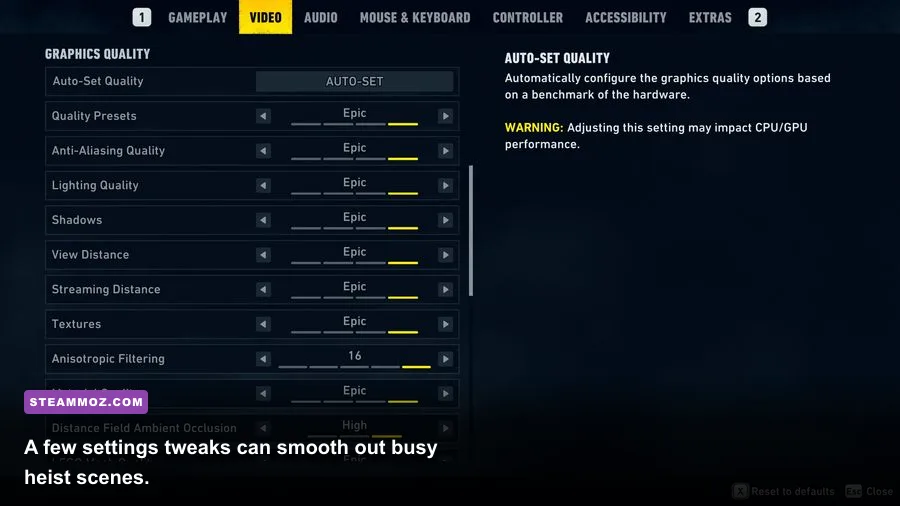
Goat Simulator: PAYDAY doesn’t need an aggressive competitive-performance setup, but a stable frame rate makes driving, jumping, and ragdoll recovery feel much less awkward. Start at your monitor’s native resolution, then tune shadows and anti-aliasing before dropping the whole image quality preset. The game’s deliberately crude visual style hides some reductions surprisingly well.
| Setting | Recommended value | FPS impact | Visual trade-off |
|---|---|---|---|
| Resolution | Native 1080p; 720p on weak laptops | High | Lower resolution is the fastest performance fix but softens the image |
| Texture quality | High if VRAM allows | Low to medium | Lower values make surfaces and props look blurrier |
| Shadow quality | Medium | Medium to high | Reduces scene depth, but helps busy outdoor areas |
| Anti-aliasing | Medium or enabled | Medium | Disabling it creates jagged edges on fences and vehicles |
| Ambient occlusion | Low or medium | Medium | Lower settings reduce contact shading around objects |
| Effects and particles | Medium | Medium to high | Explosions and debris look less dense during huge chain reactions |
| V-Sync | Off for testing; on if tearing appears | Variable | On can smooth presentation but may add latency |
| Frame-rate cap | 60 FPS | Improves consistency | A cap prevents unnecessary GPU load and uneven frame pacing |
Use this order when tuning a weak system: lower shadows, reduce effects, disable ambient occlusion, then drop resolution. Texture quality usually has less impact unless the GPU is short on VRAM. If you’re playing on a 144 Hz monitor, don’t assume an uncapped frame rate will feel dramatically better. The game’s physics and animation can still look uneven when frame pacing is unstable, so a clean 60 FPS cap is often the better choice.
V-Sync deserves a little testing. If your display has noticeable tearing, enabling it may make the game look cleaner during fast vehicle movement. If input feels heavy or the frame rate seems to lock awkwardly, turn it off and use your driver’s frame limiter instead. The best choice depends on your monitor, but the goal is consistent frame delivery—not a huge number in the corner.
If you’re accustomed to carefully tuned PC presets, Steamoz’s smooth 60 FPS settings breakdown is a useful comparison. PAYDAY is much lighter, but the same habit of prioritizing frame pacing over maximum shadows works beautifully here.
Why physics can cause stutters on powerful PCs
PAYDAY’s performance personality is unusual. The game can run at a high frame rate while still hitching for a moment when several systems collide. Police responses, destructible objects, traffic, explosions, NPC reactions, and the goat’s own ragdoll state can all overlap. That creates short CPU frame-time spikes that a faster graphics card may not fix.
Start diagnosing by watching CPU and GPU usage separately. If the GPU is sitting around 40 to 60 percent while one CPU core repeatedly reaches its limit, you’re simulation-bound. If the GPU is at 95 to 100 percent and frame time rises with resolution, lower resolution or anti-aliasing. If both are low during a hitch, check storage activity, background applications, overlays, thermal throttling, or shader and driver behavior.
Older laptops can also throttle after ten or fifteen minutes. Plug the system into power, select a performance-focused Windows power mode, and make sure the vents aren’t blocked. Avoid stacking Steam, Discord, Xbox Game Bar, browser video, and GPU recording overlays while testing. None of these should be mandatory to disable, but removing them temporarily makes the cause much easier to identify.
Install the game on an SSD if you have one, especially if the same drive hosts Windows and several active applications. An SSD won’t magically increase physics throughput, but it can reduce loading friction and help the system deal with temporary file activity. Don’t expect an SSD to cure every in-game hitch; it’s a quality-of-life improvement rather than a guaranteed FPS upgrade.
For broader crash and stability checks, Steamoz’s PC crash-fixing guide covers sensible steps such as verifying files and checking drivers. Those fixes are especially worth trying if the game launches to a black screen, closes during loading, or behaves differently after a Windows update.
PAYDAY content, maps, and hardware load
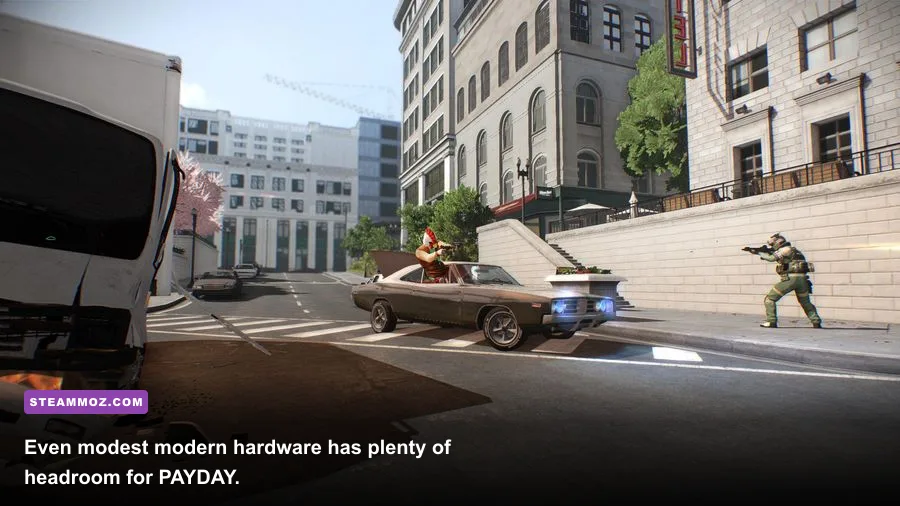
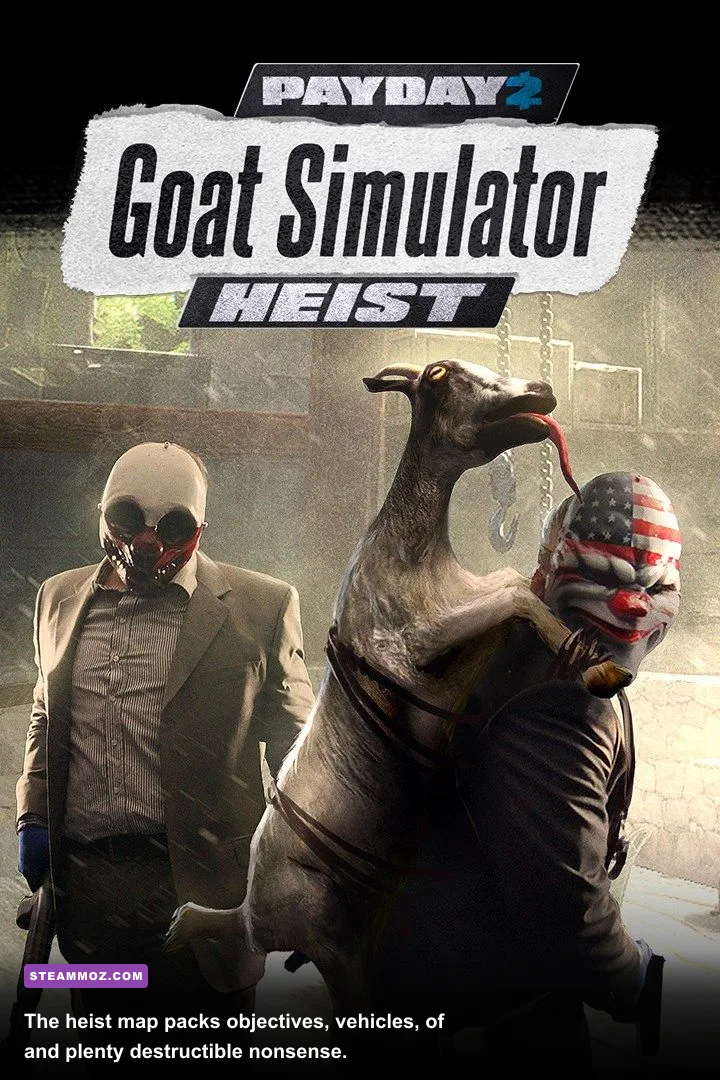
Goat Simulator: PAYDAY is not a realistic stealth game, and its heist structure doesn’t turn it into a conventional shooter. The expansion adds a PAYDAY-inspired map, objectives, vehicles, collectibles, and four distinct playable characters: the traditional goat, the screaming Flappy Goat, the nimble Speed Goat, and the eccentric Uncle Goat. Each character changes how you move through the world, but none introduces a traditional skill-tree workload that would materially alter system requirements.
The heist activities are more demanding than simply standing in an empty area because they encourage you to activate several systems at once. You’ll collide with NPCs, interact with props, cause alarms, use vehicles, and trigger reactions across a compact sandbox. That’s exactly where a weak CPU or a laptop running in a low-power mode is most likely to show its limitations.
| Gameplay situation | Likely performance pressure | Best adjustment | What to expect |
|---|---|---|---|
| Exploring quiet streets | Low CPU and GPU load | Keep native resolution | Almost any supported PC should feel smooth |
| Driving through traffic | CPU simulation and object updates | Lower shadows and effects | Brief dips may occur on old dual-core systems |
| Police response | NPCs, vehicles, physics, and effects | Use a 60 FPS cap and close overlays | Frame pacing matters more than peak FPS |
| Large destruction chain | Physics and particle effects | Reduce effects quality | Short hitches are possible even above the recommendation |
| Local multiplayer chaos | Extra characters and simultaneous actions | Use medium effects on modest PCs | More consistent performance than uncapped settings |
That distinction explains why a PC can pass the recommended GPU requirement and still feel inconsistent in a spectacular pile-up. The GTX 660 recommendation is mainly a graphics baseline. It doesn’t promise that every CPU made after it will handle the game’s physics equally well. A newer quad-core CPU paired with modest graphics is often a better PAYDAY machine than an old high-end GPU attached to a tired two-core processor.
Players using split-screen or shared-screen modes should also leave a little extra headroom. The game remains lightweight, but more simultaneous activity means more work for the processor. If your system already dips during police chases, start with medium effects before inviting more chaos.
Windows 10 and Windows 11 compatibility checklist
The listed operating system is Windows 7, but that doesn’t mean you need to hunt down an old PC to play. Windows 10 and Windows 11 are the sensible platforms for a current installation. The game’s legacy DirectX 9-era technology can occasionally behave differently across modern driver versions, so keep the troubleshooting practical rather than assuming the hardware is too new.
- Install the game through Steam and let the client complete any first-run dependency setup.
- Verify the installation files if the game crashes after an update or refuses to load a map.
- Update your GPU driver, but avoid installing experimental beta drivers while diagnosing a problem.
- Run the game from an SSD when possible and keep several gigabytes free on the drive.
- Disable overlays temporarily if you see black screens, input problems, or unexplained crashes.
- Test windowed or borderless mode if exclusive fullscreen causes flickering or resolution issues.
- Cap the frame rate at 60 FPS if uncapped performance produces uneven pacing or excess heat.
Compatibility mode should be a last resort, not the first fix. Older games sometimes become less stable when forced into compatibility settings that alter fullscreen behavior, permissions, or display handling. Try the normal Windows 10 or 11 launch path first, then make one change at a time so you know what helped.
Also check your laptop’s GPU selection. Windows can occasionally assign an older game to the low-power integrated chip even when a dedicated Nvidia or AMD GPU is installed. Set the game to use the high-performance GPU in Windows Graphics settings or your driver control panel, then restart it. This is a common reason a capable gaming laptop performs like an office machine.
Steamoz’s FPS optimization guide offers another useful rule: don’t chase maximum settings when a stable cap feels better. The same approach applies to PAYDAY, where smooth movement makes the slapstick physics more enjoyable than an unstable 100 FPS.
Final verdict on Goat Simulator: PAYDAY PC requirements
Goat Simulator: PAYDAY is an easy recommendation for low-spec PC owners. The formal minimum is extremely low, and the recommended GTX 660 or Radeon HD 7870 target is now well below entry-level gaming hardware. A recent office laptop should manage 720p, a modern integrated GPU should be comfortable at sensible 1080p settings, and any contemporary gaming desktop should have enough power for high settings at 1080p or beyond.
The one caveat is physics-heavy performance. Don’t judge the entire experience by walking around an empty street for two minutes. Test a busy heist, trigger a police response, drive through traffic, and watch for CPU frame-time spikes. If those scenes remain smooth, your PC is ready for the full flavor of PAYDAY chaos.
For the best balance, use native 1080p, medium shadows, medium effects, modest anti-aliasing, and a 60 FPS cap. Keep textures high unless your integrated graphics or VRAM is struggling, and close background overlays while testing. Those settings preserve the game’s deliberately ridiculous visual identity without asking old hardware to render every explosion at maximum intensity.
Before buying, confirm the current numbers on Steam’s official listing. You can also check Coffee Stain Studios’ official website for publisher information and the Goat Simulator community wiki for character and content details. The hardware verdict, though, is clear: unless your computer is genuinely ancient or severely underpowered, the bigger challenge won’t be running the game—it’ll be surviving your own goat’s terrible decisions.