Yes, most modern gaming PCs can run Diablo IV, but the official minimum is only a starting line. A GTX 660-class system may launch the game at 720p Low, while a sensible 1080p target needs something closer to a GTX 1060 6GB or RX 580, 16GB of RAM, and an SSD. For 60 fps at 1440p, aim for an RTX 3060 Ti or RX 6700 XT; 4K Ultra with ray tracing is where the game becomes genuinely demanding.
This guide focuses on Diablo IV on Windows PC, not Diablo II: Resurrected or Diablo III. The numbers below reflect the official Blizzard requirement tiers and typical performance ranges reported across current PC configurations. Your exact result will move with the season patch, driver version, world-event population, resolution, and whether ray tracing is enabled.
Diablo IV PC Requirements Explained
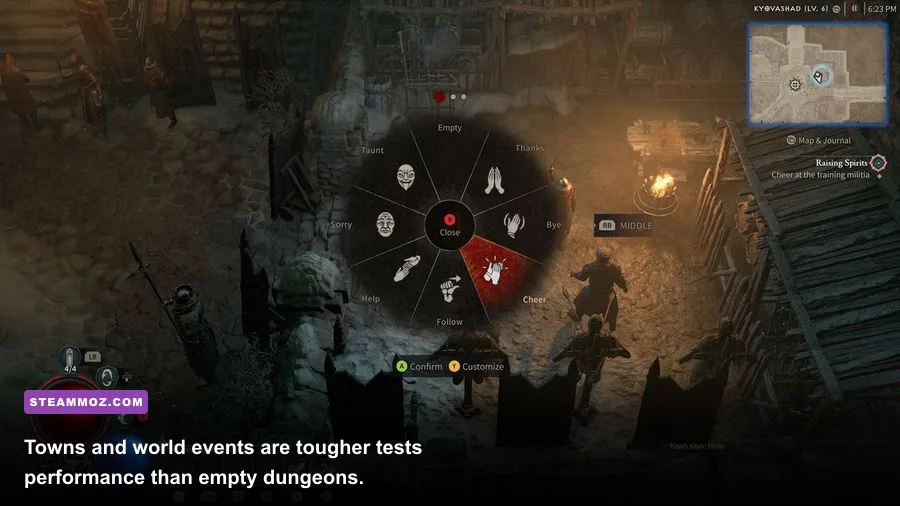
Blizzard's minimum specification is surprisingly old on the processor and graphics-card side, but the storage requirement tells the real story. Diablo IV streams a large open world, towns, dungeons, cinematics, and seasonal assets from disk. A mechanical hard drive may technically satisfy the capacity requirement, yet it can produce texture pop-in, delayed geometry, and stutter when you teleport into Kyovashad or enter a Legion event.
| Target | CPU and RAM | GPU and VRAM | Expected Result |
|---|---|---|---|
| Minimum | Core i5-2500K or FX-8350, 8GB RAM | GTX 660 or Radeon R9 280, 2GB VRAM | 720p Low, around 30 fps |
| Recommended | Core i5-4670K or Ryzen 3 1300X, 16GB RAM | GTX 970 or Radeon R9 290, 4GB VRAM | 1080p Medium, around 60 fps |
| High | Core i7-8700K or Ryzen 7 2700X, 16GB RAM | RTX 2060 or RX 5700 XT, 8GB VRAM | 1080p High, around 60 fps |
| Ultra 4K | Core i7-8700K or Ryzen 7 2700X, 32GB RAM | RTX 3080 or RX 6800 XT, 10GB+ VRAM | 4K Ultra, around 60 fps |
The practical minimum is higher than the label suggests. Eight gigabytes of system memory leaves very little headroom for Windows, Battle.net, a browser, and voice chat. It can work, but background applications may turn a playable 30 fps into ugly hitching. Sixteen gigabytes is the real floor I would recommend, while 32GB helps if you stream, keep several applications open, or use high-resolution texture settings.
VRAM is equally important. Two gigabytes can render Diablo IV at Low, but 4GB is safer at 1080p and 8GB is the comfortable point for High settings. At 1440p, 8GB can still work if textures are controlled. Ultra textures, 4K output, and ray tracing together push hard against 10GB and 12GB cards.
Before buying anything, compare your setup with Blizzard's official Diablo IV system requirements and check the latest Diablo IV PC information. If your other games also stutter, our PC crash and FPS troubleshooting guide covers several useful Windows-side fixes.
What Diablo IV Actually Runs Like at 1080p
At 1080p, Diablo IV is generally GPU-limited on Low, then becomes a mixed CPU-and-GPU workload as you raise shadows, effects, and background detail. A six-core processor such as a Ryzen 5 5600 or Core i5-12400 gives the game plenty of breathing room for ordinary dungeon play. Older four-core CPUs can still deliver acceptable averages, but their one-percent lows tend to collapse in towns, world bosses, and large player events.
| Example PC | Preset | Typical Dungeon FPS | Busy-Town or Event FPS |
|---|---|---|---|
| GTX 1060 6GB, Ryzen 5 2600, 16GB | 1080p Medium | 60–85 fps | 42–65 fps |
| RTX 2060, Core i5-10400F, 16GB | 1080p High | 75–105 fps | 55–80 fps |
| RTX 3060 Ti, Ryzen 5 5600, 16GB | 1080p High | 100–145 fps | 70–105 fps |
| RTX 4070, Core i5-13600K, 32GB | 1080p Ultra | 150–220 fps | 100–165 fps |
These are realistic ranges rather than a promise from a controlled benchmark lab. Diablo IV's open-world streaming and online population make repeatable testing difficult. The best test route is to teleport into a major city, move through a crowded player area, trigger a world event, and then run a dungeon with heavy effects. If your average looks excellent but your one-percent lows are below 30 fps, you'll feel the hitch every time a new zone or effect bundle loads.
CPU usage can also look deceptively modest. The game may show only 40 to 60 percent total processor utilization while one or two threads are close to full. That is why lowering resolution sometimes does nothing for town stutter: the GPU has spare capacity, but the main game thread is busy handling players, simulation, and asset streaming.
1440p and 4K are different conversations
At 1440p, an RTX 3060 Ti, RTX 3070, RX 6700 XT, or faster card is the sensible starting point for a stable 60 fps on High. The RTX 3060 12GB can work well, but it may require Medium textures or upscaling in demanding areas. For 4K, the RTX 3080 and RX 6800 XT officially target Ultra, yet modern equivalents such as the RTX 4070 Super, RTX 4080, and RX 7900 XT are better long-term choices.
Don't confuse a high average with smooth play. Diablo IV's combat is timing-sensitive even when it isn't a competitive esport. A sudden dip during a Helltide, especially on a build using Necromancer corpse explosions or Sorcerer area effects, can make dodging a boss telegraph feel late. A locked 60 fps is usually more enjoyable than a fluctuating 90 to 140 fps.
Best Diablo IV Settings for Stable FPS
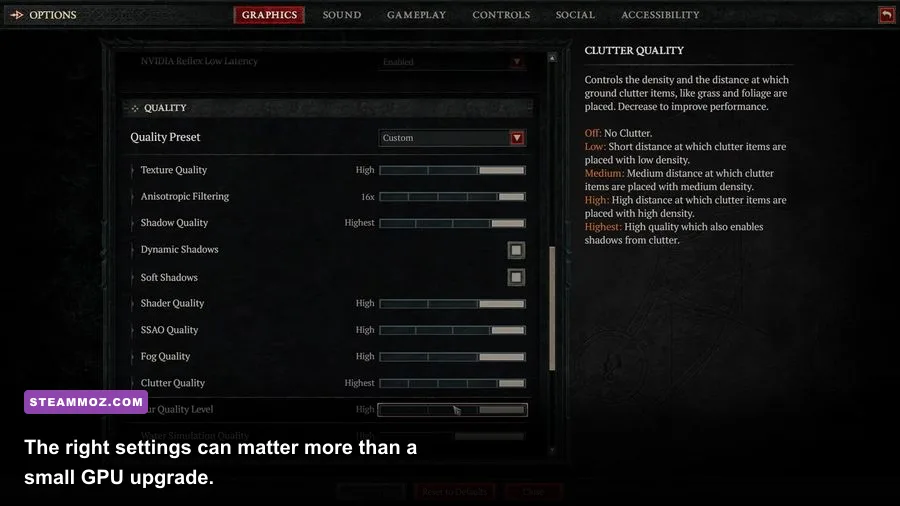
Start with the High preset, then change the settings that actually cost frames. Texture quality mostly consumes VRAM; it rarely transforms GPU compute performance unless the card is already memory-starved. Shadows, volumetric effects, clutter, and screen-space reflections have a larger direct impact. Ray-traced shadows, reflections, ambient occlusion, and contact shadows look attractive in screenshots, but they can remove 20 to 40 percent of your frame rate depending on the scene.
| Setting | Recommended Value | FPS Impact | Visual Trade-Off |
|---|---|---|---|
| Texture Quality | High with 8GB VRAM; Medium with 4–6GB | Low to very high VRAM impact | Lower values soften armor, ground, and faces |
| Shadow Quality | Medium or High | Medium | High preserves depth; Low looks flatter |
| Clutter Quality | Medium | Medium | Reduces grass, debris, and small scene detail |
| Volumetric Quality | Low or Medium | Medium to high | Less fog and light scattering |
| Screen Space Reflections | Low or Off | Low to medium | Water and wet surfaces lose reflections |
| Ray Traced Effects | Off unless using a strong RTX card | High | Better shadows and reflections, costly frame time |
| DLSS or FSR | Quality at 1440p; Balanced at 4K | Large gain | Some fine detail and particle clarity may soften |
For a 1080p GTX 1060 or RX 580, use Medium textures, Low or Medium shadows, Low volumetrics, and disable ray tracing. Set a 60 fps cap if the card cannot hold a consistent 75 fps. For an RTX 3060 Ti at 1440p, High textures, Medium shadows, High effects, and DLSS Quality make a strong profile. For an RTX 4070-class card, use High or Ultra textures, High shadows, and DLSS Quality before experimenting with ray tracing.
Keep Dynamic Resolution enabled if you prefer consistent combat responsiveness over a perfectly fixed resolution. It can lower internal resolution during a massive event, but that is far less distracting than a hard frame-time spike. Also check NVIDIA Reflex on supported GeForce cards, use exclusive fullscreen if available in your build, and disable overlays one at a time when diagnosing stutter.
Install the game on an SSD with at least 90GB available, preferably leaving additional free space for seasonal patches. Update your GPU driver, let shaders finish compiling, and avoid judging performance during the first minutes after a major patch. If Diablo IV crashes after an update, our crash and low-FPS checklist is also useful for isolating overlays, drivers, and damaged files.
The Real Bottlenecks in Towns, Helltides, and World Bosses

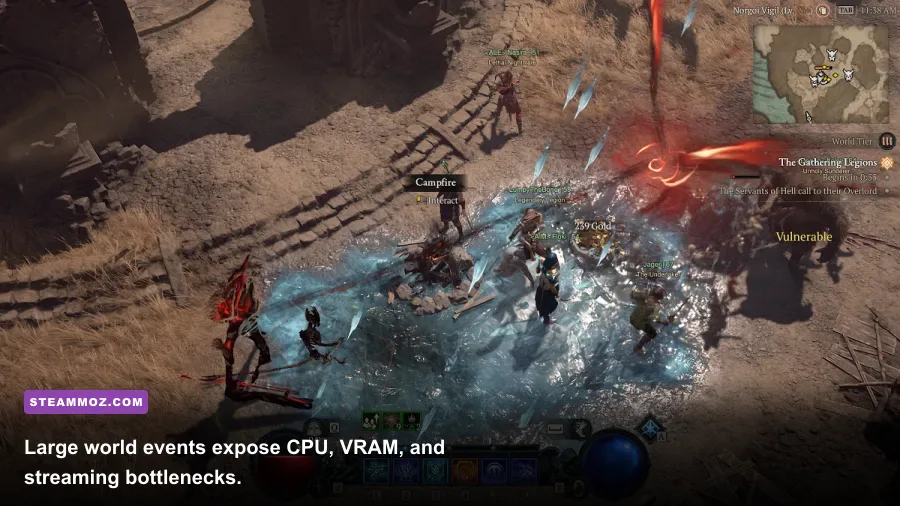
Diablo IV's hardest performance moments aren't usually quiet dungeons. Kyovashad, Cerrigar, and Gea Kul can stress the CPU because the game is tracking other players, cosmetics, mounts, vendors, effects, and streamed assets at once. World bosses add another layer: dozens of characters, persistent ground attacks, stagger animations, and simultaneous damage numbers can hammer frame times even when your graphics card isn't at 99 percent.
| Symptom | Likely Limiter | First Fix | What Not to Do |
|---|---|---|---|
| Low FPS everywhere | GPU power or old graphics card | Lower resolution, effects, and shadows | Only lowering texture quality |
| Good dungeon FPS, bad towns | CPU main thread or streaming | Use SSD, close background apps, lower clutter | Assume the GPU is defective |
| Textures turn blurry | Insufficient VRAM or texture streaming | Lower textures and verify SSD space | Force Ultra textures on a 4GB card |
| Short freezes after teleporting | Asset and shader streaming | Wait after loading, update drivers, cap FPS | Chase average FPS only |
| Stutter after a patch | Shader cache or driver conflict | Restart, repair files, rebuild cache | Randomly change every setting |
There is also a difference between rendering lag and network lag. If characters rubber-band, attacks register late, or the world pauses while your frame counter stays high, your connection or the server may be responsible. If the image visibly hitches and GPU frame time jumps, that's local performance. Use an on-screen frame-time graph rather than relying only on the FPS number.
For troubleshooting, the max-FPS settings breakdown explains the same useful process: change one expensive option, measure a repeatable scene, and keep notes. You can also compare your storage behavior with our FPS-first performance troubleshooting guide. The lesson is simple: don't throw hardware at a driver, overlay, or streaming problem.
So, Can Your PC Run Diablo IV?
If your PC has a GTX 660 or R9 280, 8GB RAM, and an SSD, Diablo IV should launch at 720p Low, but expect roughly 30 fps and occasional dips. A GTX 1060 6GB, RX 580 8GB, or GTX 1650 Super paired with 16GB RAM is enough for enjoyable 1080p Medium play. That's the value tier I would call genuinely viable.
For a smooth 1080p High experience, target an RTX 2060, RX 5600 XT, or better. For 1440p High at 60 fps, an RTX 3060 Ti, RTX 3070, RX 6700 XT, or stronger card is the safer purchase. 4K Ultra is possible on the official RTX 3080/RX 6800 XT tier, but modern upscaling makes the experience much more forgiving and often looks better than dropping native resolution.
The final verdict is blunt: Diablo IV is not especially hard to run at 1080p, but it is demanding on VRAM, storage, and frame-time consistency. Prioritize 16GB of RAM, an SSD, and enough graphics memory before obsessing over Ultra presets. A stable 60 fps with High textures will serve a seasonal character, a Helltide grind, and a world-boss pull far better than a flashy benchmark average that collapses whenever Sanctuary gets crowded.
For official patch notes and performance-related changes, keep an eye on the Blizzard Diablo IV news feed. Seasons can alter effects, density, and streaming behavior, so treat these figures as a practical buying guide—not an unchanging guarantee.