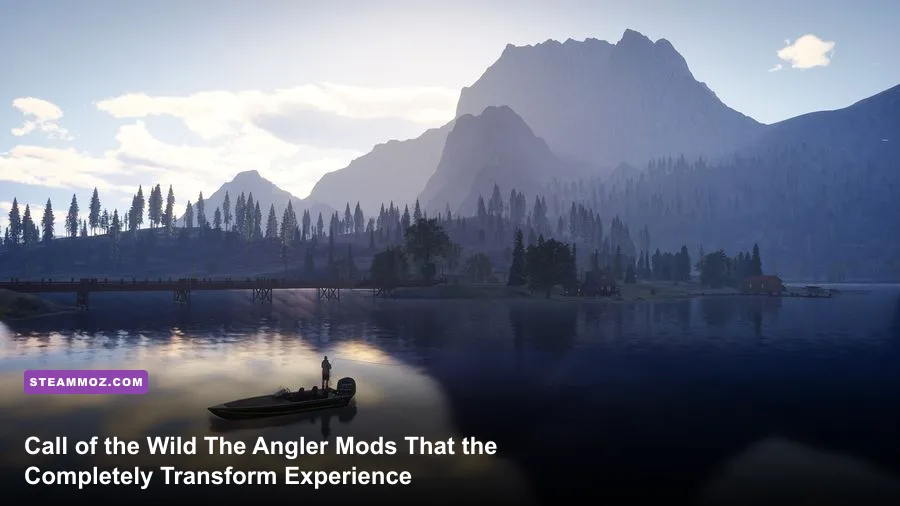
Expansive Worlds built an undeniably gorgeous nature playground in Call of the Wild: The Angler, but the vanilla game trips over its own line with aggressive temporal anti-aliasing blur, sluggish vehicle speeds, clunky field-of-view limits, and screen-cluttering UI markers. To turn this open-water sandbox from a slow-paced patience test into an elite, responsive angling simulation, you need a targeted suite of community mods and engine tweaks: custom ReShade clarity profiles to strip away Apex Engine vaseline, FOV and camera unlocks, minimalist immersion HUD overhauls, and traversal quality-of-life adjustments. These essential modifications eliminate the technical friction holding back Golden Ridge Reserve, Aguas Claras, and Trollsporet, giving you crystal-clear water visibility, snappy controls, and the freedom to hunt legendary trophies without artificial hindrances.
The Visual Clarity Overhaul: Eradicating Apex Engine Blur and Washed Colors
The Apex Engine renders stunning mountain vistas, but its native Temporal Anti-Aliasing (TAA) implementation covers the entire screen in a soft, smeary vaseline film. When you're sitting on a wooden dock peering down into the depths trying to sight-fish a trophy Tiger Muskie, that visual soup ruins the thrill. The core remedy is a custom-tailored ReShade injection pipeline combined with raw Engine.ini configuration edits. By bypassing the engine's baked-in bloom saturation and replacing blurry upsampling passes with intelligent spatial sharpening, you immediately restore razor-sharp fidelity to ripples, reeds, and underwater silhouettes.
Installing ReShade with the SweetFX and qUINT packages provides access to essential shaders like qUINT_sharp, Delc_Sharpen, and LiftGammaGain. Applying mild sharpening at a strength value between 0.35 and 0.45 cuts right through the TAA softness without generating distracting white haloing artifacts around tree foliage. Meanwhile, dialing down the ambient fog luminance via custom LUT color grading restores natural daylight contrasts, making water bodies actually look deep and transparent rather than flat and milky gray. Striking this balance is critical, much like dialing in the right graphics balance when optimizing open-world sandboxes like our Far Cry 6 settings guide.
Beyond post-processing injectors, direct adjustments inside your local configuration files allow you to unlock restricted camera parameters. By accessing your local app data directory, you can manually override the horizontal Field of View (FOV). The default FOV caps out uncomfortably close to the angler's torso, creating claustrophobic tunnel vision when piloting boats or scanning shorelines. Pushing your FOV value to 95 or 105 in your configuration script widens your peripheral vision, completely eliminating camera sickness and letting you spot distant surface strikes across the lake.
| Configuration Target | Vanilla Value | Modded / Tuned Value | Performance Impact | Visual & Gameplay Result |
|---|---|---|---|---|
| ReShade (qUINT_sharp) | Disabled | Strength: 0.40 / Clamp: 0.035 | < 1% FPS | Eliminates Apex Engine TAA blur; sharpens water ripples |
| ReShade (Tonemap / Levels) | Default Color Space | Black Level: 12 / White Level: 242 | 0% FPS | Restores true water depth and removes washed-out haze |
| Camera Field of View (FOV) | Clamped at 75° | Config override: 95° – 105° | 1–3% FPS | Expands peripheral awareness and prevents motion nausea |
| Motion Blur / Depth of Field | High / Enabled | r.MotionBlurQuality=0 | +2 to +4 FPS | Clean sightlines during rapid mouse pans and rod jerks |
| Water Reflection Resolution | Standard Screen-Space | SSR Quality Multiplier: 1.5x | 4–6% FPS | Accurate shoreline reflections without shimmering edges |

🎮 FORM
Looking to experience this game? Grab your digital key directly on our store for $14.99.
View on Steammoz Store →Immersion and Interface: Clean HUD Mods for Realistic Angling

Few things shatter the tranquility of a pristine mountain reserve faster than giant neon floating waypoints, hovering hook indicators, and arcade-style visual cues dancing across your screen. The vanilla interface in Call of the Wild: The Angler treats the player like they are steering an arcade vessel rather than standing quietly on the edge of a wild riverbank. Toggle-HUD and Minimalist Interface mods solve this by allowing players to bind a single hotkey (such as Caps Lock or a mouse side button) that instantly strips every floating element from the screen while preserving crucial mechanical feedback.
When you strip away the bright floating bite indicators, the game forces you to engage with the environment the way real anglers do. You learn to read the physical bend of the rod tip, listen intently for the distinct metallic clicks of your drag slipping under load, and watch the actual tension line slice through the surface foam. The visual feedback coded into the rod physics by the Expansive Worlds development team is remarkably detailed, but most players never truly appreciate it because their eyes remain glued to the digital tension bar floating in the center of their screen.
For players who still want critical mechanical telemetry without the blinding visual noise, custom UI transparency mods rescale the HUD to 50% size and shift the line tension meter down into the far lower corner. This gives you exact drag percentages—crucial when playing high-tier braided lines on fragile size 8 hooks—without forcing you to stare past an intrusive neon badge while admiring the Spanish sunrise across Aguas Claras.
Mobility and Traversal: Fixing Painfully Slow Boats and 4x4s
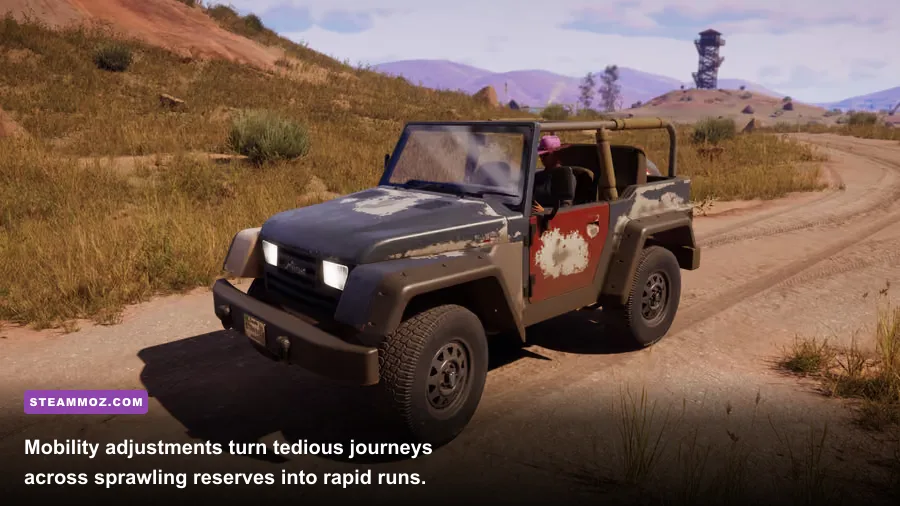
The reserves in The Angler are colossal. Golden Ridge Reserve alone covers miles of rugged terrain, winding rivers, and towering cliffs. Unfortunately, the vanilla traversal mechanics make exploring these maps an agonizing chore. The default off-road 4x4 feels sluggish on basic inclines, while the initial entry-level boats putter across open water at speeds that make crossing a medium-sized lake feel like a multi-hour commitment. Traversal enhancement tools and engine parameter adjustments are absolute game-changers for players who value their free time.
By implementing physics and engine tweaks that adjust vehicle torque curves and throttle clamps, you transform the sluggish utility vehicle into a nimble scouting rig that actually climbs steep switchbacks without sliding backward. More importantly, tuning boat acceleration and top-end cruising speed eliminates dead time spent staring at identical water textures while traveling to remote hotspots. You aren't altering fishing mechanics or cheating catch tables; you are simply cutting out the artificial travel padding that prevents you from reaching distant honey holes before nightfall.
Pairing mobility tweaks with unlimited sprint and reduced stamina drain mod scripts allows your angler to hike mountain ridges and scout isolated alpine pools without wheezing after a twenty-yard dash. These quality-of-life adjustments turn reserve exploration into an exhilarating off-road trek rather than an agonizing stamina-management simulator, keeping you energized and ready to fish the moment you reach the shoreline.
Fish Tracking, Spawn Calculators, and Water Data Overlays

Catching diamond-rank fish or bagging elusive legendary beasts like Henrik the Golden Trout or Big Larry requires deep knowledge of fish habits, bottom depth preferences, preferred bait types, and hook sizes. While the game provides basic handbook entries, it keeps critical underlying formulas opaque. Community-built overlay tools and fish tracking companion utilities run cleanly alongside the game to provide real-time water data and tackle pairing tables without breaking immersion.
These external utility tools read server time-of-day clock cycles and weather states to calculate fish activity peaks based on verified community telemetry. Instead of casting blindly into deep water hoping a Lake Trout happens to wander past your heavy jigging spoon, tracking sheets and companion overlays show you the exact thermal layers and preferred bottom structures for the target species. It bridges the gap between casual guessing and methodical, skilled angling.
| Mod / Utility Tool | Category Tier | Primary Function | Ideal Use Case |
|---|---|---|---|
| Dynamic Minimalist HUD Hotkey | S-Tier (Essential) | One-key toggle for all floating markers and meters | Pure nature immersion and physical rod-reading gameplay |
| Apex Clarity ReShade Profile | S-Tier (Essential) | Removes temporal blur, boosts depth and water reflections | Sight-fishing shallow riverbeds and spotting fish silhouettes |
| Vehicle Torque & Speed Utility | A-Tier (Quality of Life) | Increases 4x4 hill climbing power and boat cruising speeds | Rapid reserve scouting and traversing massive open lakes |
| Tackle & Hook Size Companion | A-Tier (Utility) | Calculates hook-to-bait compatibility and fish weight caps | Targeting Diamond and Legendary rank catches with precision |
| Stamina & Hike Balance Script | B-Tier (Convenience) | Eliminates stamina drain during steep wilderness hiking | Exploring remote mountain ponds located far from fast-travel outposts |
Understanding hook scaling is where these utilities truly shine. In The Angler, using a hook that is one size too large prevents smaller fish from biting entirely, but using a hook too small attracts bronze-tier pests that waste your bait. Companion utilities clearly outline exact hook tiers—such as deploying a Size 1/0 or 2/0 hook for Diamond Largemouth Bass or stepping down to a delicate Size 7 hook for high-rank Kokanee Salmon. This eliminates endless trial-and-error frustration and lets you focus on nailing your lure twitching technique.
Safe Modding Protocols: Installation Steps and Anti-Cheat Safeguards
Modifying games that feature online cooperative multiplayer requires caution to prevent broken game saves, multiplayer desynchronization, or game crashes. Fortunately, Call of the Wild: The Angler uses a relatively accessible local file structure, meaning visual injectors, HUD hotkey scripts, and configuration overrides can be applied without altering protected game binaries or risking online bans. When setting up modifications, always establish a solid baseline to avoid the kind of framerate pacing and frametime stuttering we explored in our Filament FPS optimization guide.
Follow this clean, reliable installation workflow to ensure your mods run smoothly:
- Create a Manual Save Backup: Navigate to your system directory at
%USERPROFILE%\Saved Games\Expansive Worlds\CotWTheAngler\and copy your entireSavedfolder to a secure backup directory on your desktop. If an injected script or configuration error ever corrupts your reserve progression, you can restore your game in seconds. - Install the DirectX 11/12 Hook for ReShade: Download the latest ReShade installer from the official repository. Direct the installer to your
CotWTheAngler_F.exebinary located in your game's Steam installation directory. Select DirectX 11/12 as the target API and load only essential shader libraries (SweetFX, qUINT, and Color Effects) to maintain rock-solid 60+ FPS stability. - Deploy Clean HUD and Script Utilities: For overlay and hotkey toggles, place custom shader scripts into your designated ReShade shaders folder. Assign hotkeys to non-conflicting keys (such as the tilde key or numpad keys) to avoid interfering with default inventory, reel drag, or gear wheel bindings.
- Verify File Integrity on Major Game Patches: Whenever Expansive Worlds deploys major seasonal updates or new reserve DLCs (such as South Africa or Japan expansions), temporary injector conflicts can cause startup crashes. If the game crashes on launch after an official update, simply rename your
dxgi.dllfile to test stability, avoiding the persistent crash loops highlighted in our EscapeVR basement troubleshooting breakdown.
Maintaining a stable installation ensures you never lose trophy catch data or encounter reserve loading freezes. If you ever experience unexplained hitching after applying custom configuration values, clearing your DirectX shader cache and restoring the original Engine.ini file will immediately reset the rendering pipeline, much like troubleshooting stability in our Elex crash and performance fixes.
Once you dial in these visual enhancements, declutter your interface, and eliminate sluggish travel constraints, Call of the Wild: The Angler elevates from a good fishing game into the most immersive, breathtaking angling simulator on PC. Grab your tuned rod, set your boat speed, and enjoy the water the way it was truly meant to be experienced.