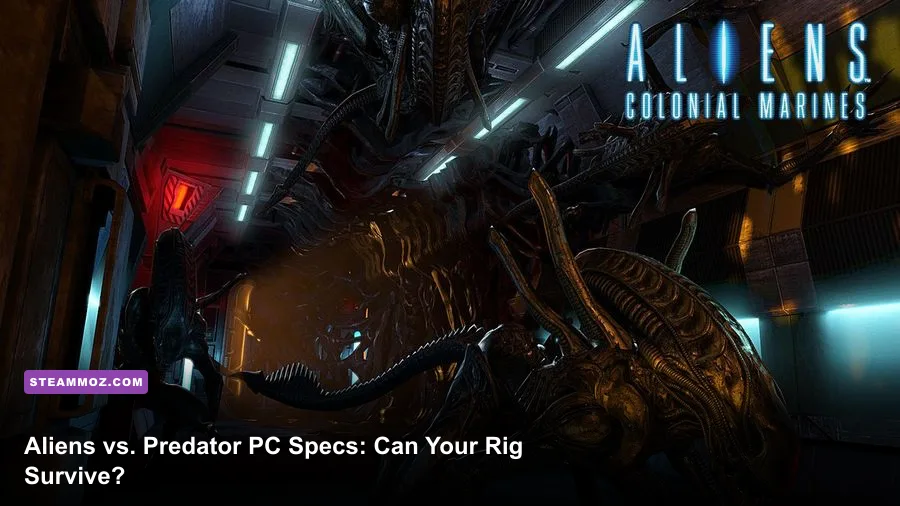
Aliens vs. Predator (2010) is remarkably easy to run by modern standards. The official Steam listing asks for a Pentium 4 3.2 GHz or Athlon 64 3000+, 1 GB of RAM on Windows XP, a 2 GB recommendation for Vista, and a GeForce 6800 or Radeon X1600 with Shader Model 3 support. The recommended target is only a Core 2 Duo E6400 or Athlon 64 X2 3800+, 2 GB of memory, and a GeForce 8800-series or Radeon HD 2900 Pro. Any fairly recent Windows gaming PC clears those numbers, but compatibility, ultrawide support, frame pacing, and old DirectX behavior matter more than raw power today.
That distinction is important. Rebellion's 2010 shooter was built around three very different campaigns: the Colonial Marine's flashlight-and-motion-tracker tension, the Alien's acrobatic wall-running, and the Predator's camouflage, shoulder cannon, and thermal vision. None of them needs a modern GPU to render, yet the game can still behave awkwardly on new hardware if it launches with a strange resolution, uses a broken refresh rate, or hits an old driver issue.
This guide breaks down the published Aliens vs. Predator system requirements, explains what the numbers mean in practice, and gives you reliable settings profiles for 720p, 1080p, and high-refresh play. It also covers storage, operating-system caveats, controller considerations, and the performance choices that preserve the game's oppressive atmosphere instead of flattening it into a blurry 2010 relic.
Aliens vs. Predator system requirements at a glance
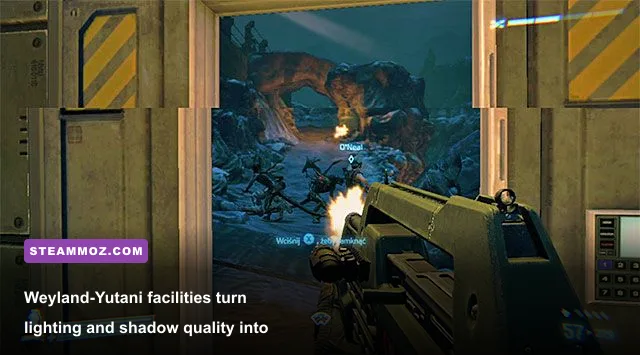
The minimum specification is aimed at running the game, not guaranteeing a consistently smooth experience in every firefight. The GeForce 6800 and Radeon X1600 were entry-level-to-midrange cards when the game launched, and their 128 MB of video memory leaves little room for modern background applications. The recommended graphics cards are dramatically stronger for the period, particularly when rendering the game's dynamic lighting, particle effects, and larger multiplayer arenas.
| Component | Minimum | Recommended | Modern practical target |
|---|---|---|---|
| Operating system | Windows XP or Vista-era Windows | Windows XP or Vista-era Windows | 64-bit Windows 10 or Windows 11 with compatibility troubleshooting if needed |
| Processor | Intel Pentium 4 3.2 GHz or AMD Athlon 64 3000+ | Intel Core 2 Duo E6400 or AMD Athlon 64 X2 3800+ | Any modern four-core desktop or laptop CPU |
| Memory | 1 GB on XP; 2 GB on Vista | 2 GB | 8 GB system RAM or more for comfortable multitasking |
| Graphics | NVIDIA GeForce 6800 or ATI Radeon X1600, Shader Model 3, 128 MB | NVIDIA GeForce 8800 series or ATI Radeon HD 2900 Pro, 512 MB | Any DirectX 11-capable integrated GPU or discrete card |
| DirectX | DirectX 9-compatible hardware and software | DirectX 9-compatible hardware and software | Install legacy components if Windows reports missing files |
| Storage | About 16 GB free space | About 16 GB free space | Keep 20 GB free for installation, updates, and troubleshooting |
Steam's listing should be your first reference, but older PC specifications often omit the modern reality: a new computer can be too fast in ways the game never anticipated, while an ancient laptop can technically exceed the CPU requirement and still struggle with integrated graphics. Check the GPU model rather than relying on “Intel i5” or “Ryzen 5” branding. The graphics processor determines whether high-quality shadows and anti-aliasing remain stable.
The game is also a 2010 release, so official listings mention operating systems that are no longer supported. That doesn't automatically make it unplayable on Windows 10 or 11. It does mean you should treat compatibility as part of the purchase decision. The official Aliens vs. Predator Steam page is the place to verify the current store package, ownership requirements, and recent user reports.

🎮 Aliens vs. Predator
Looking to experience this game? Grab your digital key directly on our store for $3.74.
View on Steammoz Store →What the minimum PC specs actually deliver
A machine close to the minimum specification can launch the game and handle the single-player campaigns at low settings, but don't confuse “runs” with “feels good.” The Marine campaign is the harshest test because dark rooms combine volumetric-looking lighting, shadowed geometry, muzzle flashes, and swarming enemies. An old dual-core processor may maintain a reasonable average frame rate while producing ugly dips when several Xenomorphs attack from different directions.
At 720p with low or medium effects, a system near the minimum should aim for a 30 frames-per-second experience. That is playable for the slower Marine sections, though quick turns and shotgun reactions feel much better at 60 fps. The Alien campaign is less demanding in some rooms but can stress the CPU when you sprint through interconnected spaces at speed. The Predator campaign sits between the two, especially when thermal vision, cloaking, and multiple target effects appear together.
VRAM is the quiet danger. The minimum 128 MB requirement was written for 2009-era texture budgets. A modern integrated GPU with shared memory can technically exceed that figure, but it may borrow system RAM and suffer from bandwidth limitations. If textures stream slowly or the game stutters whenever you enter a new room, lowering texture quality won't always solve it; reducing resolution and closing browsers or recording software can have a larger impact.
Storage is less about speed than availability. A solid-state drive won't transform the combat model, but it can shorten loading screens and reduce the annoyance of restarting a checkpoint. Keep extra space beyond the listed requirement, especially if Steam needs room to unpack files. If you're also dealing with broader legacy-game instability, our guide to ELEX PC crash and FPS fixes covers several general Windows checks that apply surprisingly well to older PC releases.
| Target hardware | Resolution | Starting preset | Expected experience |
|---|---|---|---|
| Near minimum desktop | 1280×720 | Low, shadows low, AA off | Playable 30 fps target with action dips |
| Older mainstream laptop | 1280×720 or 1600×900 | Low/medium mix | Generally comfortable if cooling is adequate |
| Modern integrated graphics | 1920×1080 | Medium, modest AA | Usually smooth, but shared memory can cause stutter |
| Modern dedicated GPU | 1920×1080 | High or maximum | Easy 60 fps performance with headroom |
Recommended specs and the best 1080p settings
The recommended Core 2 Duo E6400 and GeForce 8800-class hardware was designed around a 2007-to-2010 enthusiast PC, but it remains a useful baseline. On a modern system, the game is not GPU-heavy at 1080p. The bigger question is whether you want an uncapped frame rate, classic visual presentation, or a clean image on a high-resolution monitor.
Start at 1920×1080, enable high texture quality, and set shadows to high. Shadows matter enormously in this game: they give Marines warning that something moved beyond the flashlight beam, and they make Predator silhouettes and Alien movement easier to read. Turning them down improves performance, but it also removes some of the visual information that makes the campaigns work.
Anti-aliasing deserves more restraint. At native 1080p, moderate anti-aliasing cleans up the long corridors and industrial railings without costing much on current cards. If you see shimmering or a soft, smeared image, test a lower AA level before dropping texture quality. The latter tends to make the walls, weapons, and character models look noticeably worse for a relatively small frame-rate gain.
Use the game's own display menu first, then verify that Windows and your GPU control panel aren't forcing a different refresh rate. Older games can launch at 60 Hz even when your monitor is set to 120 or 144 Hz. That won't necessarily cap the internal frame rate, but it can make mouse movement feel wrong and introduce uneven presentation. V-sync can help if tearing bothers you; otherwise, a driver-level frame cap around your monitor's refresh rate is often the cleaner option.
| Graphics setting | Recommended value | Performance impact | Visual and gameplay note |
|---|---|---|---|
| Resolution | Native monitor resolution | High when increased | Use 1080p first; lower this before sacrificing shadows on weak hardware |
| Texture quality | High if VRAM allows | Low to medium | Preserves weapon, wall, and creature detail |
| Shadow quality | High on recommended hardware | Medium to high | Important for atmosphere and spotting movement |
| Anti-aliasing | Moderate setting | Low to medium | Reduces jagged edges; excessive AA can soften the image |
| Effects and particles | High, then reduce if fights stutter | Medium | Controls muzzle flashes, impact effects, and combat clutter |
| V-sync | Off with a stable frame cap; on if tearing appears | Variable | Test input latency and frame pacing rather than assuming one option is best |
| Field of view | Personal preference, native default first | Low to medium | Higher FOV shows more of the scene but increases rendering workload |
For a modern midrange PC, the sweet spot is high textures, high shadows, moderate anti-aliasing, native resolution, and a stable 60 fps cap. That profile keeps the flashlight cones, alien silhouettes, and Predator vision effects intact without chasing a frame rate the original animation and input design never needed.
Campaign differences, hardware load, and performance
The three campaigns don't stress a PC in exactly the same way, and knowing why helps you diagnose a bad setting. The Colonial Marine story follows Corporal Christopher “Rookie” through the abandoned research facility on BG-386. Its narrow corridors are filled with darkness, smoke, flickering lamps, water, and ambushes. The frame-rate problem here is usually a sudden effect spike, not a constant open-world load.
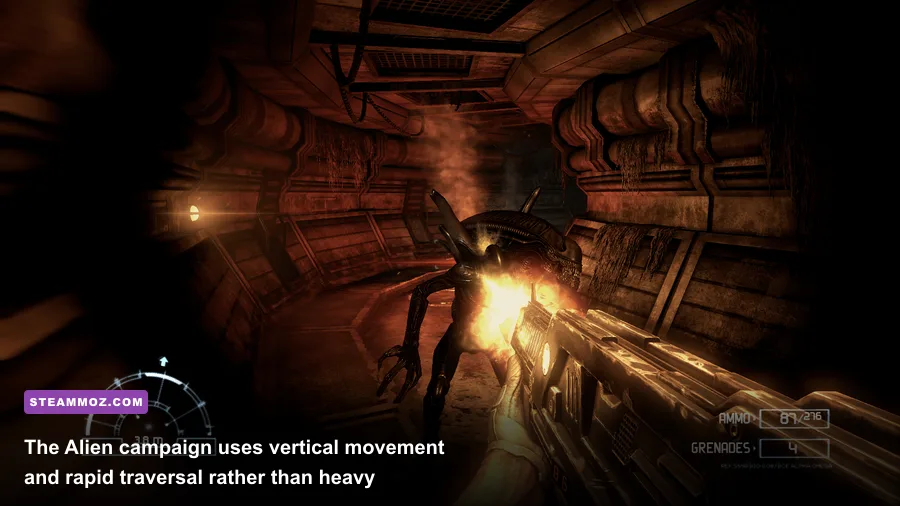
The Alien campaign changes the performance profile. You control a Xenomorph that can sprint across walls and ceilings, leap between surfaces, and use focus mode to identify targets and routes. The speed makes uneven frame pacing more obvious. A nominal 45 fps with repeated stutters feels worse here than a locked 30 fps, because camera movement and traversal are part of the character's identity. If your laptop heats up, use a 30 or 60 fps cap instead of allowing the GPU to run flat-out.
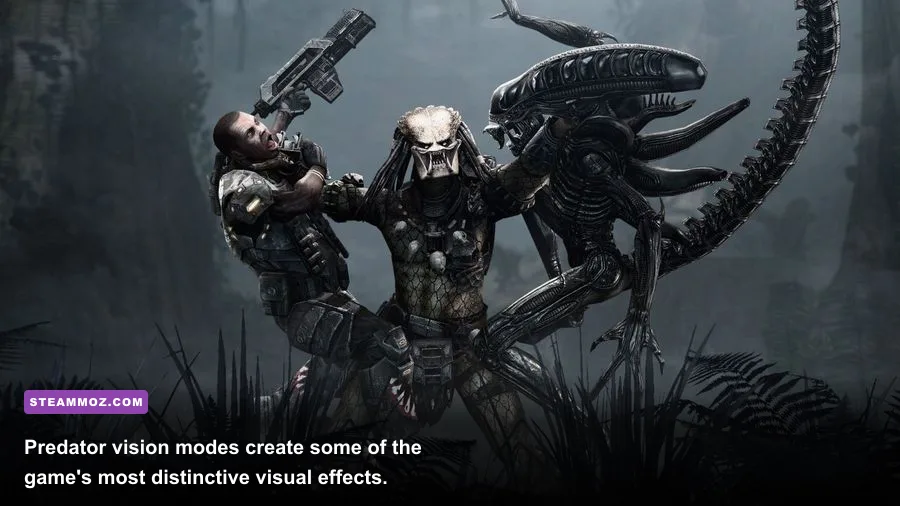
The Predator campaign begins with the hunter's vision modes and long-range tools. Thermal vision, target highlighting, cloaking, and the shoulder cannon create a more complicated visual layer than the Marine's flashlight. The Predator's weapons include the combi-stick, wrist blades, disc, and shoulder-mounted plasma caster, but none of those mechanics creates the kind of sustained GPU load found in a modern shooter. They simply make momentary drops easier to notice during a busy encounter.
Enemy count and effects are the real spikes. Facehuggers, acid blood, muzzle flashes, explosions, and multiple Xenomorphs can arrive together. If performance collapses only during these moments, lower effects or shadows before reducing textures. If the game stutters while moving between rooms, investigate background processes, shader compilation behavior, storage, and compatibility settings instead.
Don't judge performance solely from the first Marine checkpoint. Play a section with several Xenomorphs, then test a Predator fight involving vision modes and ranged weapons. Those scenes tell you whether the machine is genuinely stable. You can also compare your experience with our Far Cry 2 PC specs breakdown, which uses the same useful distinction between published minimums and a practical modern target.
| Campaign | Main performance pressure | Best optimization move | Why it matters |
|---|---|---|---|
| Colonial Marine | Shadows, smoke, lighting, enemy swarms | Reduce shadows or effects one step | Keeps dark ambush spaces readable while controlling combat dips |
| Alien | Fast traversal and camera movement | Use a stable frame cap and lower resolution if needed | Consistent frame pacing makes wall-running feel responsive |
| Predator | Vision filters and combat effects | Lower effects before textures | Preserves surface detail while reducing burst-heavy scenes |
| Multiplayer | Player density and rapid encounters | Prioritize stable frame time over maximum quality | Competitive reactions suffer more from stutter than from modestly lower shadows |
Modern PC fixes before you start hunting
Install the game through Steam, let the client finish its file check, and launch it once before changing advanced options. If it crashes immediately, verify the installation files, disable overlays one at a time, and try running the executable with administrator permission. Steam's official file verification guidance is the safest first step because it doesn't involve downloading random replacement DLLs.
Windows 10 and 11 users should also test compatibility mode only after simpler fixes fail. Start with Windows 7 compatibility, disable fullscreen optimizations for the game's executable, and compare exclusive fullscreen with borderless mode if available. Don't stack every compatibility checkbox at once. Change one option, launch, and test a repeatable scene so you know what actually helped.
Input can be just as important as frame rate. Use a wired controller or a mouse with a sensible polling rate, then disable unnecessary controller emulation software if the game detects multiple devices. For mouse play, turn off extra acceleration in your operating system and avoid forcing extreme sensitivity through a third-party utility. The Marine's pulse rifle, shotgun, and pistol demand controlled aim; the Alien's pounce and focus movement demand predictable camera response.
If you see black screens, missing effects, or a resolution that resets every launch, check whether the configuration file is being overwritten by cloud synchronization or protected-folder permissions. Back up the configuration before experimenting. A clean reinstall is a last resort, not the opening move, particularly if your saves are stored in a legacy user folder.
Players with NVIDIA or AMD cards should use a stable driver rather than assuming the newest optional release is best for a fourteen-year-old DirectX 9 game. Disable forced sharpening, unusual anti-aliasing overrides, and frame-generation features. They add complexity without improving this title. If you want to troubleshoot another older game with similar patience, Steamoz's crashing and low-FPS checklist offers a useful step-by-step approach.
Finally, consult Rebellion's official game page for the developer's current presentation of the title, and remember that online functionality can depend on the present player base and platform services rather than your hardware. The campaigns are the dependable attraction; multiplayer is a bonus you should test during the store's refund window.
Bottom line: if your PC has a modern integrated GPU, 8 GB of RAM, and a four-core processor, it comfortably beats the Aliens vs. Predator recommended specs. Aim for native 1080p, high textures, high shadows, moderate anti-aliasing, and a stable 60 fps cap. Older or integrated systems should begin at 720p, lower shadows and effects first, and prioritize consistent frame pacing. The game may be old, but its three-way power fantasy still works best when the hardware gets out of the way and lets the darkness do its job.