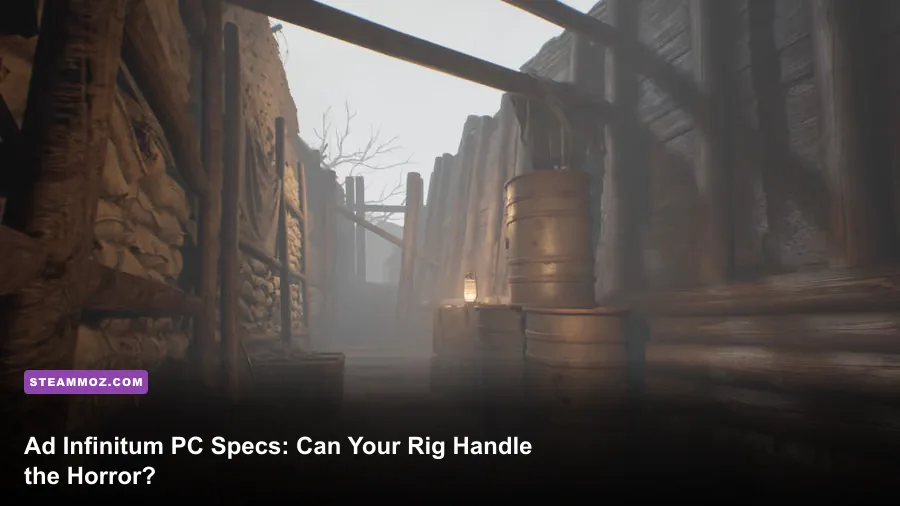
Ad Infinitum needs a mid-range gaming PC at minimum, while its recommended specification targets a noticeably stronger 1080p machine. The official baseline is an Intel Core i5-8400 or AMD Ryzen 5 2600, 8GB of RAM, and a GeForce GTX 1060 6GB or Radeon RX 580. For the recommended experience, developer Hekate lists an Intel Core i7-9700 or AMD Ryzen 7 3700X, 16GB of memory, and an Nvidia GeForce RTX 2070 or AMD Radeon RX 5700 XT. You’ll also need Windows 10 64-bit, DirectX 12, and roughly 20GB of free storage.
Those numbers tell you a lot about Ad Infinitum. This isn’t a lightweight retro horror game built around simple rooms and flat lighting. Its World War I bunkers, trenches, reflective surfaces, volumetric darkness, and creature encounters put real pressure on both your graphics card and processor. The good news is that the minimum GPU is now common in older gaming desktops, and the game doesn’t demand an expensive ray-tracing card to boot.
Below, you’ll find the exact official requirements, what each tier means in practice, and the settings I’d change first if your machine lands somewhere between the minimum and recommended targets. If you’re comparing several older games before upgrading, our breakdown of the PC specs that matter for BioShock is also useful context.
Ad Infinitum minimum and recommended specs
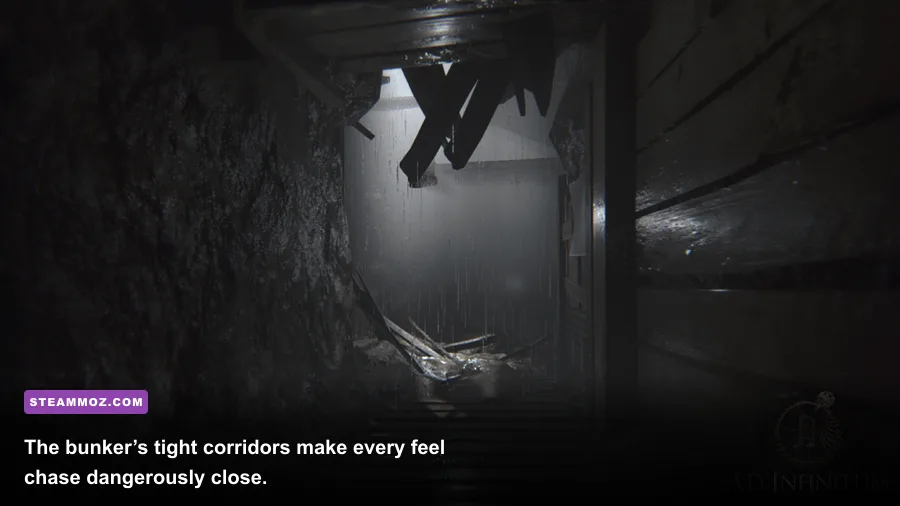
The most important distinction is the graphics card. The minimum GTX 1060 6GB and RX 580 are still capable 1080p GPUs, but they sit well below the recommended RTX 2070 and RX 5700 XT. That gap means minimum-spec players should expect to tune image quality instead of simply selecting a preset and forgetting about it.
The CPU requirements are more forgiving. The Core i5-8400 and Ryzen 5 2600 provide six physical cores, which is a solid foundation for a single-player horror game. The recommended Core i7-9700 adds more CPU headroom, while the Ryzen 7 3700X brings eight cores and sixteen threads. You won’t need a modern flagship processor, but an older four-core chip could produce stutter during loading transitions or busier environmental scenes.
| Component | Minimum | Recommended | What it means |
|---|---|---|---|
| Operating system | Windows 10 64-bit | Windows 10 64-bit | Use a 64-bit Windows installation with current updates. |
| Processor | Intel Core i5-8400 or AMD Ryzen 5 2600 | Intel Core i7-9700 or AMD Ryzen 7 3700X | Six cores should work; eight cores provide better headroom. |
| Memory | 8GB RAM | 16GB RAM | 16GB is the safer choice while gaming with background apps open. |
| Graphics card | GTX 1060 6GB or Radeon RX 580 | RTX 2070 or Radeon RX 5700 XT | The GPU is the biggest separator between minimum and recommended. |
| DirectX | Version 12 | Version 12 | Make sure your GPU and Windows installation support DX12. |
| Storage | 20GB available | 20GB available | Install on an SSD if possible for faster loading and fewer hitches. |
These are the requirements published on the game’s official Steam page. They should be treated as compatibility targets rather than a promise of a locked frame rate. Resolution, driver versions, Windows background tasks, and the speed of your storage drive can all change the result.

🎮 Ad Infinitum
Looking to experience this game? Grab your digital key directly on our store for $3.49.
View on Steammoz Store →Can a GTX 1060 or RX 580 run Ad Infinitum?
Yes, provided you have the 6GB GTX 1060 rather than a lower-memory variant. The RX 580 is also on the official minimum list. For both cards, 1080p is the sensible starting point, but the realistic goal is a stable, cinematic presentation rather than maximum settings. Horror games benefit more from consistent frame pacing than from a few extra reflections or ultra-quality shadows.
Start with the game’s Low or Medium preset, then raise texture quality if your card has enough VRAM. Texture quality tends to be less punishing than shadows, ambient occlusion, volumetric effects, or screen-space reflections. On a 6GB card, medium-to-high textures can often look substantially better without causing the same frame-rate hit as high lighting effects.
Do not confuse the GTX 1060 3GB with the official GTX 1060 6GB target. The reduced-memory model can run into texture streaming pressure, especially at 1080p with higher texture settings. If you own the 3GB version, keep textures at Medium, close browser tabs and overlays, and expect to make more aggressive cuts elsewhere.
| GPU position | Starting resolution | Suggested profile | Practical expectation |
|---|---|---|---|
| Below minimum, such as GTX 1650 4GB | 900p or 1080p with scaling | Low preset, reduced shadows and effects | Playable only with compromises; watch for streaming stutter. |
| GTX 1060 6GB or RX 580 | 1080p | Medium preset, medium textures, lower volumetrics | The correct baseline for minimum-spec play. |
| GTX 1660 Super or RX 5600 XT | 1080p | Medium-high mix, selectively reduced shadows | More comfortable than the listed minimum, but not recommended-tier. |
| RTX 2070 or RX 5700 XT | 1080p | High preset with selective tuning | Matches the official recommended GPU class. |
| RTX 3060 Ti or newer | 1440p or 1080p high refresh | High settings, adjust effects if needed | Extra headroom for sharper resolution and steadier frame pacing. |
There’s no competitive advantage to chasing 144 frames per second here. If your monitor supports 60Hz, a stable 60 FPS with low latency is a great target. A locked 30 FPS can also be acceptable for a slower cinematic playthrough, but uneven frame delivery will make first-person movement and sudden creature encounters feel much worse.
What performance should you expect at 1080p?

The official requirements don’t publish guaranteed FPS figures, so any estimate needs a little caution. The recommended RTX 2070 and RX 5700 XT class should be aimed at a smooth 1080p experience on High, assuming a modern driver, dual-channel memory, and no major CPU limitation. An RTX 2070 is not a high-end card by today’s standards, but it has the bandwidth and VRAM capacity expected by this game’s recommended target.
At minimum spec, the sensible approach is to prioritize frame-time stability. Set a 60 FPS cap if your system can stay close to it; otherwise, test a 30 FPS cap and judge the consistency rather than staring at a peak number. If you see brief pauses when opening a new area, move the installation to an SSD before dropping every visual setting. Storage won’t magically increase average FPS, but it can reduce asset-streaming interruptions.
Your processor matters most when the GPU isn’t fully loaded. If GPU usage is sitting below roughly 90 percent while the frame rate falls, lower resolution may not help. Close launchers, recording software, RGB utilities, and browser windows first. The game is single-player, so there’s no reason to sacrifice smoothness for background multitasking.
| Target | Recommended hardware position | Settings direction | Trade-off |
|---|---|---|---|
| 1080p, stable 30 FPS | Minimum-class PC | Low-to-medium preset, reduced effects | Less detail, but reliable pacing for exploration. |
| 1080p, stable 60 FPS | Between minimum and recommended | Medium textures, lowered shadows and volumetrics | Preserves atmosphere while cutting expensive effects. |
| 1080p, high visual quality | RTX 2070 or RX 5700 XT | High preset with selective reductions | Better lighting and surfaces, with occasional scene-dependent dips possible. |
| 1440p, smooth play | RTX 3060 Ti class or better | High preset, use resolution scaling if needed | Sharper image costs substantial GPU performance. |
For more general troubleshooting ideas, Steamoz’s guide to fixing crashes, stutter, and low FPS on PC covers the same basic checks: drivers, overlays, power settings, and background applications. The exact fixes differ from game to game, but the diagnostic order is dependable.
Best Ad Infinitum graphics settings for weaker PCs
Don’t immediately turn everything to Low. That can make a horror game look flat while failing to address the settings that cause the biggest performance drops. Use a custom profile and protect the visuals that matter most: textures, geometry detail, and the overall darkness of the image.
Start with resolution and display mode
Use exclusive fullscreen if the game offers it, then select your monitor’s native 1920x1080 resolution. If the frame rate remains unstable, try resolution scaling before dropping all the way to 1600x900. A slightly softer image is preferable to muddy textures and stripped-down shadows across the entire game.
Lower shadows before textures
Shadows are expensive because the bunker contains many narrow spaces, lights, props, and occluded surfaces. Move shadows from High to Medium first. If you’re still struggling, try Low. Keep textures at Medium or High when VRAM allows; texture quality usually affects memory usage more than raw GPU compute.
Be careful with volumetric lighting and ambient effects
Volumetric fog, ambient occlusion, and screen-space reflections help sell the damp bunker atmosphere, but they can be costly. Lower volumetric quality one step at a time. Ambient occlusion at Medium often gives a better visual-to-performance balance than disabling it entirely, because removing contact shadows can make objects appear to float.
Motion blur is personal. Turn it off if camera movement feels smeary, especially at 30 FPS. Film grain can also be disabled for a cleaner image, though some players will prefer keeping it because it supports the game’s grimy wartime tone. These two options usually have little performance impact, so choose based on comfort rather than FPS.
How RAM, CPU, and storage affect the experience
Ad Infinitum lists 8GB RAM as its minimum and 16GB as recommended. Eight gigabytes may be enough if the game is the only demanding application open, but Windows itself, a browser, and a voice-chat client can quickly consume the remaining headroom. When physical memory runs short, the system leans harder on the page file, which is much slower and can create hitching when new areas load.
If you’re building or upgrading today, 16GB in dual-channel mode is the sensible floor. Two 8GB modules are generally preferable to one 16GB stick, assuming your motherboard supports the correct memory configuration. Don’t buy faster RAM expecting a dramatic FPS increase; capacity and dual-channel operation matter more for this game than chasing extreme memory speeds.
The Core i5-8400 and Ryzen 5 2600 are older processors, but their six-core designs remain suitable. A newer Core i3 or Ryzen 5 can also be faster despite having a different product name, so compare actual benchmarks rather than assuming the minimum label is the only acceptable choice. Avoid running the game with aggressive CPU power-saving settings on a laptop, and use the manufacturer’s performance mode while plugged in.
An SSD is not listed as mandatory, and the official storage requirement is 20GB. Still, an SSD is one of the best quality-of-life upgrades for a modern 3D game. It shortens loading screens and can help asset streaming feel less abrupt. Leave additional free space beyond the installation size so Windows and the drive controller aren’t forced to operate at the edge of capacity.
If your PC is close to the minimum across every category, don’t expect a single tweak to transform performance. The best upgrade order is usually GPU first, then RAM if you only have 8GB, followed by an SSD if the game is installed on a hard drive. A CPU upgrade matters when you’re seeing low GPU utilization or stutter that persists after graphics reductions.
Compatibility checks before you buy
Before purchasing, compare your exact components rather than relying on a PC brand or a vague “gaming” label. Open Windows’ System Information or Task Manager to confirm the CPU and installed memory. Use Device Manager, the Nvidia App, or AMD Software to identify the graphics card. For a quick automated comparison, the Steam listing is the authoritative place to verify the published baseline.
Also check your GPU’s VRAM. The official minimum specifically names the GTX 1060 6GB, not simply any GTX 1060. If your card has 4GB or less, keep textures and resolution scaling conservative. Integrated graphics are not part of the official target, and Intel UHD or older Radeon integrated solutions should not be expected to provide a good experience.
Update your graphics driver before troubleshooting. If you’re using an Nvidia card, install the current Game Ready driver; AMD players should use the latest compatible Adrenalin package. After updating, test with overlays disabled. Steam, Discord, Xbox Game Bar, Nvidia ShadowPlay, AMD recording tools, and monitoring utilities can occasionally introduce stutter or conflicts in DX12 games.
Finally, use the developer’s official site and Ad Infinitum’s official website for updates, patches, and support information. Requirements can change after launch, and a performance patch may matter more than a new piece of hardware.
The verdict on Ad Infinitum’s PC requirements
Ad Infinitum is reasonably accessible for a modern gaming PC, but its minimum specification shouldn’t be mistaken for a maximum-quality target. A GTX 1060 6GB or RX 580 system with 8GB RAM can get into the game at 1080p, especially with shadows and volumetric effects reduced. The recommended RTX 2070 or RX 5700 XT tier is the better match for players who want high settings, steadier frame pacing, and fewer compromises in the bunker’s lighting.
The most practical setup is a six-core processor, 16GB of dual-channel RAM, a 6GB-or-better graphics card, and an SSD. If you have that combination, start at 1080p Medium, raise textures first, and then test shadows and volumetrics independently. Don’t let one dramatic Ultra preset decide whether your PC can run the game; a tailored profile will usually look better and play more consistently.
For another perspective on diagnosing older or unusual PC configurations, check Steamoz’s guide to crashes and low FPS fixes. And if you’re comparing horror adventures with different hardware demands, our GTA V Enhanced PC specs breakdown shows why published requirements should always be read alongside resolution and quality targets.