Short answer: A Rogue Escape has no character levels, XP, equipment upgrades, or gold currency to farm. The fastest way to “level” is to solve its escape-room puzzles efficiently: inspect every control, record symbols and sequences, test one change at a time, and use a comfortable VR setup that keeps you from missing small mechanical clues. If you came looking for a gold route, the important discovery is that there is no gold economy to exploit.
That distinction matters because A Rogue Escape looks like it might be a progression-heavy sci-fi game. You sit inside an enormous machine, surrounded by switches, panels, screens, gauges, levers, and unfamiliar systems. It has the visual language of a cockpit RPG, but its progression is closer to a physical escape room. Solving the next problem unlocks the next layer of the experience. Nothing drops coins, enemies do not award experience, and replaying a completed section does not build a stronger character.
This guide focuses on the real fast-progression strategy: how to move through the game without wandering, how to turn observations into usable notes, and how to avoid the most common time sinks. For the game’s official store description and current platform information, check the official A Rogue Escape Steam page before buying, especially if you are choosing between VR hardware setups.
There is no XP or gold system to farm
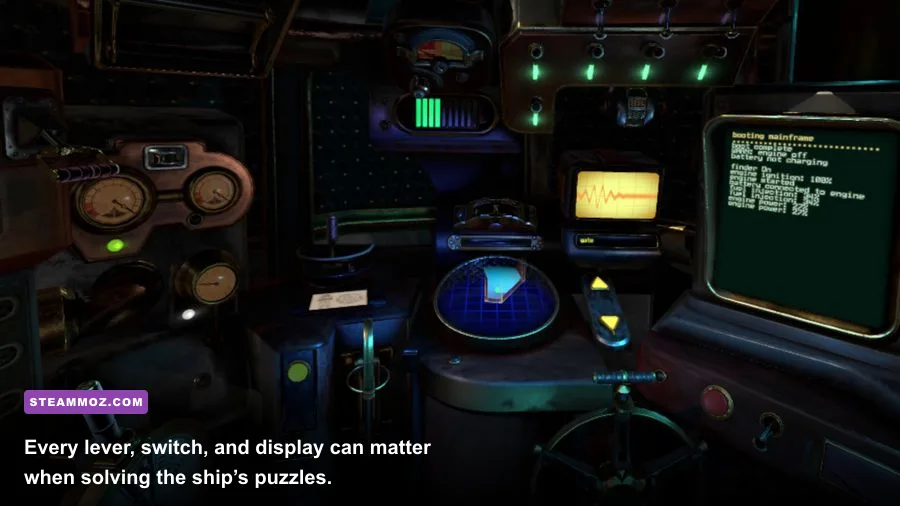
A Rogue Escape does not use a conventional RPG progression loop. There is no level-one character that becomes level ten, no weapon rarity ladder, no merchant inventory, and no gold counter waiting to be filled. Searching for a hidden money route will only pull you away from the actual objective: understanding the machine you are operating.
Your progress is state-based. A puzzle is either unsolved or solved; a control is either inactive or available; a route is either blocked or open. That means a five-minute improvement comes from recognizing a clue sooner, not from increasing damage or buying a better tool. If you reach a difficult section with no upgrade menu, that is not a bug. The game expects you to revisit the surrounding machinery and reinterpret what you have already seen.
| RPG feature players may expect | What A Rogue Escape actually uses | Best replacement strategy |
|---|---|---|
| XP and character levels | No character-level progression | Track solved systems and newly accessible areas |
| Gold and merchants | No farming currency or shop loop | Collect information: symbols, colors, labels, and sequences |
| Loot and equipment rarity | Fixed interactive cockpit machinery | Inspect every panel and test controls methodically |
| Combat upgrades | Puzzle-driven interaction | Use observation, experimentation, and written notes |
| Grinding repeatable missions | Finite escape-room progression | Replay for cleaner routing, not stronger stats |
So the answer to “how do I level fast?” is really “how do I reduce dead time?” The biggest gains come from not repeating failed experiments, not leaving a clue half-recorded, and not assuming an impressive-looking console is decorative. A Rogue Escape rewards a patient pair of eyes more than a high-powered build.
What counts as progression?
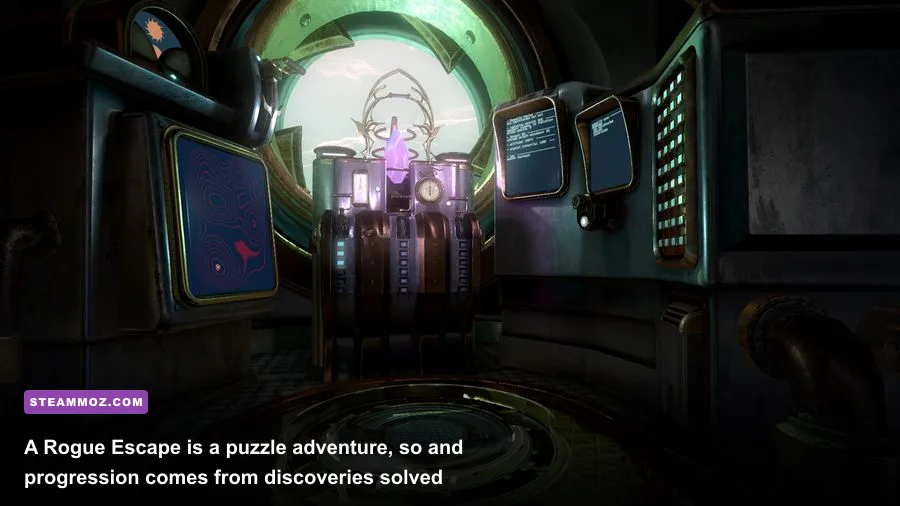
Progression usually means activating or understanding a system that changes what you can do next. You may find a control before you know its purpose, notice a visual clue somewhere else, and only later connect the two. Treat those moments as your version of gaining a level. The machine is opening up because your mental model is improving.

🎮 A Rogue Escape
Looking to experience this game? Grab your digital key directly on our store for $3.99.
View on Steammoz Store →The fastest puzzle-solving loop for every section

Use the same four-step loop whenever you enter a new area: sweep, document, hypothesize, then test. It sounds simple, but it prevents the classic escape-room mistake of touching random buttons until something happens.
1. Sweep the entire reachable space
Before interacting, slowly scan from left to right and top to bottom. Look behind your normal eye line, around the edges of consoles, below hand level, and at displays that appear inactive. VR encourages tunnel vision because you naturally focus on the nearest obvious lever. A full sweep gives you the vocabulary for the puzzle before you start making changes.
During this first pass, identify three things: controls that physically move, displays that communicate information, and objects that appear to be inputs. Do not decide yet which parts are important. A dial may be a solution, a clue, or a reset mechanism.
2. Record information before touching the answer
Keep a note on your phone or beside your play area. Write down symbol order, color order, repeated markings, dial positions, and any label that looks like it could define a relationship. Screenshots are useful, but written notes are faster when you are wearing a headset and cannot easily review your capture gallery.
Record uncertainty honestly. Write “three blue marks, possibly a sequence” rather than pretending you understand it. That small habit stops you from locking onto the first theory that feels plausible.
3. Form one hypothesis
Change only one variable at a time. If a panel has three toggles and a dial, do not flip all four controls in one frantic experiment. You will learn nothing if the system reacts, resets, or partially changes state. Choose a relationship—perhaps a symbol sequence corresponds to a control order—and test only that.
4. Confirm the result and update your map
When a system responds, pause. Look for secondary feedback: a new light, sound, display change, unlocked panel, or altered control state. Note what changed before moving on. The game’s chain of logic becomes much easier when you know exactly which action caused the next opportunity.
| Situation | Likely mistake | Fast response | What to record |
|---|---|---|---|
| A control does nothing | It is being tested without a prerequisite | Inspect nearby panels and inactive indicators | Its position, label, and any response |
| A puzzle resets | Several variables were changed together | Return to the initial state and test individually | Order of inputs and reset behavior |
| You see repeated symbols | You treat them as decoration | Compare their order, color, and location | Exact sequence and duplicates |
| A new section opens | You rush forward immediately | Recheck the old area for changed states | Which lights, screens, or locks changed |
This loop is the closest thing A Rogue Escape has to a fast-farming route. You are farming certainty. Every confirmed relationship removes future guesswork, and that compounds across the entire run.
How to read the cockpit instead of getting lost
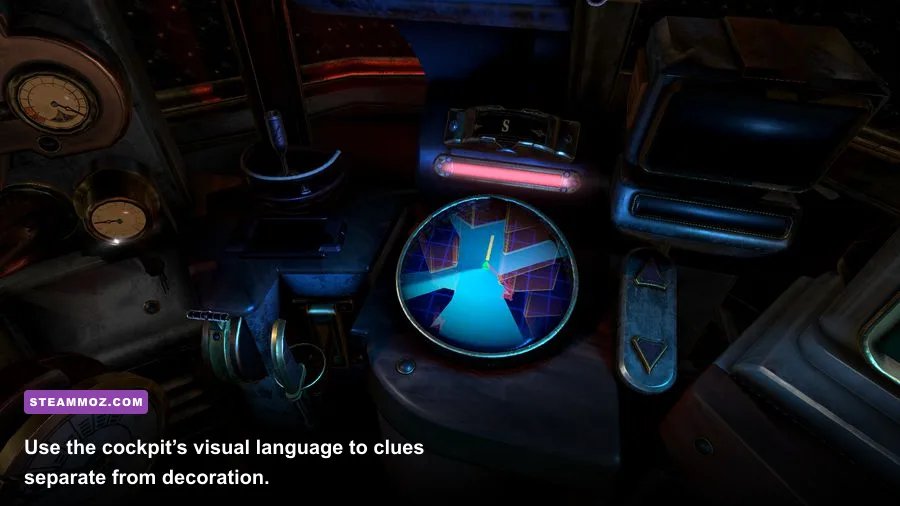
The cockpit can feel deliberately overwhelming because it is designed to sell the fantasy of operating a complex machine. The trick is to divide it into functional zones rather than treating it as one giant puzzle.
Separate inputs, outputs, and clues
An input is something you manipulate: a button, lever, switch, wheel, or dial. An output tells you what happened: a gauge movement, light, sound, display, or mechanical change. A clue explains how the two relate. Confusing those categories creates most of the apparent randomness.
For example, a row of illuminated symbols may not be a button panel at all. It could be telling you the order in which another set of controls should be used. Conversely, a dark control can still be relevant if another system must power it first. Never use “nothing happened” as proof that an object is irrelevant.
Use physical landmarks
VR navigation becomes much faster when you anchor notes to physical landmarks. Instead of writing “the blue switch,” write “the blue switch beneath the right-hand display” or “the lever beside the circular gauge.” This prevents the frustrating headset-on, headset-off cycle where every control looks familiar but you cannot remember which one you tested.
If your play area allows it, face the same direction when starting each session. A consistent orientation makes your mental map reliable, and it reduces the time spent recalibrating after a break.
Do not brute-force multi-step sequences
Brute force is especially inefficient in VR. You must physically reach, grab, rotate, and watch for feedback, so random testing costs more time than it would in a flat-screen puzzle game. More importantly, random inputs can obscure the system’s response. If you think a sequence has four positions, write down the four candidates and eliminate them logically instead of cycling through every permutation.
When stuck, leave the immediate console. Walk your attention back through the room and ask three questions: what became available recently, what display has information you have not used, and which control has not produced a meaningful response? A puzzle often feels impossible because the clue and its input are deliberately separated.
VR settings that make progress faster
Performance will not give you more XP—there is none—but stable tracking and comfortable image quality directly affect puzzle speed. A missed symbol, drifting controller, or blurred display can turn a fair observation challenge into a needless restart.
Start with the game’s own recommended hardware on the Steam listing, then tune SteamVR conservatively. The goal is stable frame delivery, not maximum supersampling. If your headset is rendering below its target refresh rate, small cockpit text and thin markings become harder to inspect, while inconsistent tracking makes precise interactions frustrating.
| Setting or adjustment | Recommended starting point | Performance impact | Visual or gameplay note |
|---|---|---|---|
| Headset refresh rate | Use a mode your PC holds consistently | High if set beyond hardware capability | Stable motion matters more than a higher number |
| SteamVR resolution | 100% per-application resolution first | High when increased | Raise it only if frame delivery stays stable |
| Motion smoothing | Test on and off at your target refresh rate | Low to medium | Artifacts can make moving cockpit elements harder to read |
| Supersampling | Leave at default until performance is proven | Medium to high | Sharper text helps, but unstable frames hurt more |
| Play-space lighting | Even, non-flickering room light | No GPU cost | Improves controller tracking and physical confidence |
| Boundary setup | Clear, correctly measured standing area | No GPU cost | Prevents interruptions while reaching for controls |
For broader PC tuning ideas, Steamoz’s guides to high-FPS settings and stutter reduction cover the same performance principle: remove instability before chasing visual upgrades. A Rogue Escape is not a competitive shooter, but a hitch at the exact moment you are reading a display can still break your concentration.
Comfort is an efficiency setting
Take a short break when your eyes stop focusing cleanly. Fatigue makes players skip visual sweeps and misread sequences, which creates far more wasted time than a ten-minute pause. Adjust your standing position, keep your controllers charged, and make sure the headset lens spacing is comfortable. These are practical speedrun tools for an escape-room game.
How to replay A Rogue Escape without wasting time

Once you have completed a section, a replay should have a purpose. Repeating the same route without notes will not generate currency or unlock stronger tools. Instead, replay to improve one measurable thing: fewer unnecessary interactions, a cleaner sequence, better clue documentation, or a more comfortable route through the physical space.
Make a compact run sheet after each session. Divide it into four columns: location, clue, input, and result. “Left panel — three symbols — right console buttons — opened access” is much more useful than “solve left panel.” If you return days later, that sheet restores your context immediately.
| Replay goal | What to measure | What not to do | Useful result |
|---|---|---|---|
| Faster first inspection | Time to identify every reachable control | Skipping the initial sweep | A reliable room map |
| Cleaner puzzle execution | Number of unconfirmed inputs | Rapid random button presses | Repeatable sequences |
| Better note-taking | Whether every clue has a location | Writing vague color-only descriptions | Notes that work after a long break |
| Comfortable VR routing | Turning, reaching, and repositioning | Ignoring fatigue or boundary warnings | Fewer interruptions and mistakes |
Achievements, if available on your platform, should be treated as optional completion targets rather than a gold substitute. Check the official Steam community hub for player discussion, updates, and platform-specific troubleshooting, but be wary of posts that describe invented XP or currency systems. The game’s identity is its interactive puzzle design, not a hidden economy.
Common time-wasting mistakes
- Searching for a shop: There is no merchant loop to optimize, so spend that time inspecting the current room.
- Assuming every locked control is broken: A locked or inactive panel often depends on another system.
- Changing multiple controls at once: You lose the cause-and-effect information that makes the puzzle solvable.
- Ignoring sound and motion: Mechanical feedback can confirm a state change even when a display is subtle.
- Playing through blurred vision: Fatigue turns small visual clues into false difficulty.
If your issue is not progression but technical performance, Steamoz’s PC crash and low-FPS troubleshooting guide offers useful general checks, including drivers, background applications, and frame-rate stability.
The real fast-leveling route, summarized
There is no secret gold farm in A Rogue Escape, and any guide promising infinite money, XP loops, or overpowered equipment is describing a different game. Your fastest legitimate route is a disciplined investigation cycle: scan the cockpit, write down every meaningful clue, connect inputs to outputs, test one variable, confirm the change, and update your notes.
Before starting a session, make sure your play area is clear and your tracking is stable. During a puzzle, resist random interaction and use physical landmarks in your notes. When stuck, widen your search instead of staring harder at the same console. After finishing, replay only with a clear improvement target.
That approach may sound less glamorous than farming gold, but it fits A Rogue Escape perfectly. The reward is not a bigger number beside your character’s name. It is the satisfying moment when a room full of alien machinery stops looking like noise and starts reading like a system—and you know exactly what to do next.
For more VR and PC performance coverage, explore Steamoz’s smooth, stutter-free settings guide, and use the official Steam news feed for any future game updates. Just remember the central rule: in A Rogue Escape, knowledge is the upgrade.