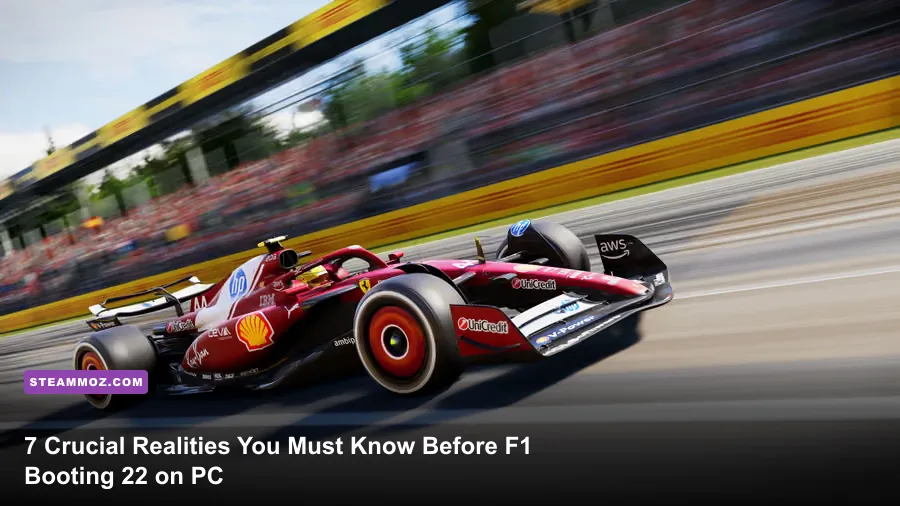
Jumping into F1 22 on PC expecting the forgiving, high-downforce rail-riding of previous Codemasters titles will send you directly into the barriers at Turn 1. The introduction of real-world ground-effect aerodynamics, completely reworked tyre warming physics, aggressive low-gear snap oversteer, and notoriously boosted AI straight-line acceleration transforms the driving model into an unforgiving technical sim-lite. To survive your rookie season without rage-quitting, you need to understand how low-speed traction has fundamentally broken old driving habits, calibrate your controller or direct drive wheel to tame an ultra-twitchy rear axle, and optimize your PC graphics to bypass stutter-heavy VR and unoptimized ray tracing pipelines.
The Ground Effect Handling Trap: Why Your Throttle Finger Will Betray You
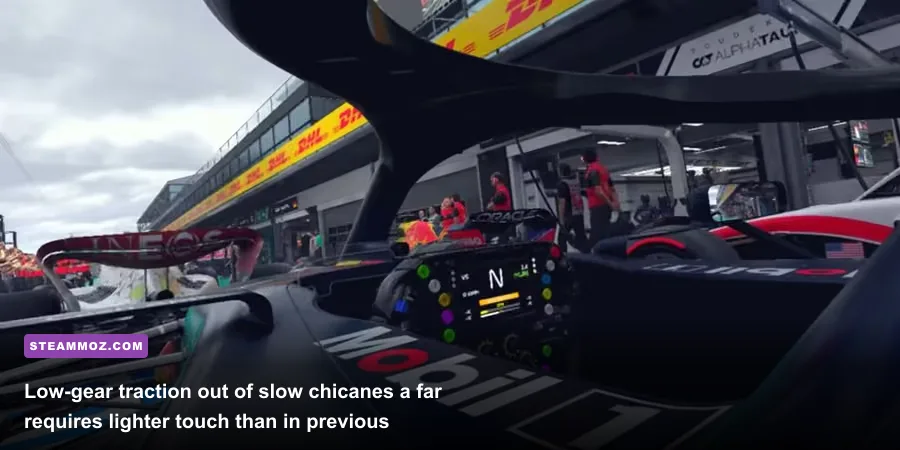
The single biggest shock awaiting any returning player is how violently the rear end steps out under acceleration. In F1 2020 and F1 2021, you could mash the throttle on the apex exit in second or third gear, let the high rake and floor downforce glue the chassis to the tarmac, and rocket away. In F1 22, the transition to official Formula 1 technical regulations focusing on underfloor ground-effect venturis fundamentally flips that dynamic. Ground effect downforce produces colossal suction through medium- and high-speed sweepers like Copse at Silverstone or 130R at Suzuka, but it generates almost zero downforce at speeds below 80 mph.
At low speeds, you are relying purely on mechanical grip and stiffened suspension geometry. Because modern F1 cars must run rock-hard springs to prevent the floor from slamming into the tarmac at high velocity, the chassis refuses to pitch backward to squat weight over the rear drive wheels. When you exit a slow chicane like Turn 1 in Bahrain or the Casio Triangle at Suzuka, shifting down to second gear and slamming your right trigger or accelerator pedal will snap the rear tyres into immediate wheelspin. The rear axle breaks loose with astonishing speed, and counter-steering often results in a secondary pendulum snap that dumps you nose-first into the concrete armco.
To combat this, your driving style must shift toward short-shifting and progressive throttle modulation. You should rarely, if ever, apply full acceleration while in second gear. Get the car rotated using trailing brake inputs, pull the upshift paddle into third or even fourth gear before matting the pedal, and gradually squeeze the throttle from 30% to 100% as the revs stabilize. Short-shifting protects the rear tyre patch, avoids lighting up the rear axle, and yields faster corner exit speeds than spinning your wheels in second gear ever could.
AI Straight-Line Rocket Ships: Calibrating Difficulty Realistically
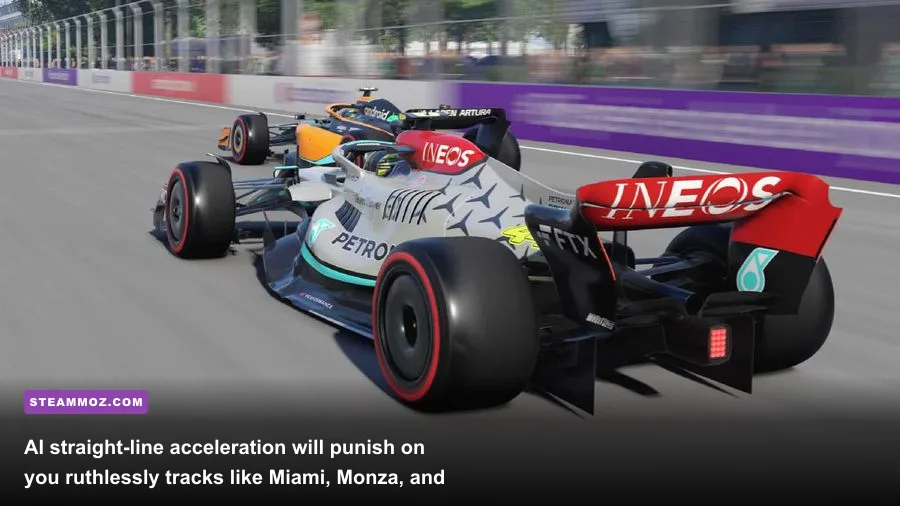
One of the most widely documented quirks in the F1 22 Steam Store page community discussions is the notorious AI straight-line top speed phenomenon. Even when balancing your AI difficulty slider to match your hot-lap delta in qualifying, you will frequently find the computer-controlled cars possessing mythical acceleration on long straights. Tracks like Miami, Baku, Monza, and Circuit Gilles Villeneuve highlight this discrepancy in agonizing fashion. You can nail the final corner exit, open DRS, activate ERS overtake mode, and still see an AI Alpine or Williams casually pull away from your slipstream.
This occurs because the AI physics model manages throttle application without suffering the micro-moments of wheelspin that human drivers battle. Furthermore, the AI calculates rolling drag differently across specific gear ratios. If you try to hold a static difficulty rating across the entire 22-race calendar, your campaign will suffer wild immersion breaks. You might smoke the grid by 1.2 seconds at high-downforce circuits like Monaco, Zandvoort, and the Hungaroring, only to drop five tenths of a second per lap on the back straight of Baku.
You must treat the difficulty slider as a dynamic, track-by-track tool rather than a set-it-and-forget-it trophy. Use Free Practice 1 to run the Track Acclimatisation and Quali Pace programs. If the AI is driving away from your slipstream in clean air on the straights, drop your difficulty slider down by 3 to 6 points specifically for that weekend. Preserving competitive racecraft is far more rewarding than beating your head against an artificial physics imbalance that patch updates never fully neutralized.
Wheel vs Controller: Critical Force Feedback and Linearity Tweaks
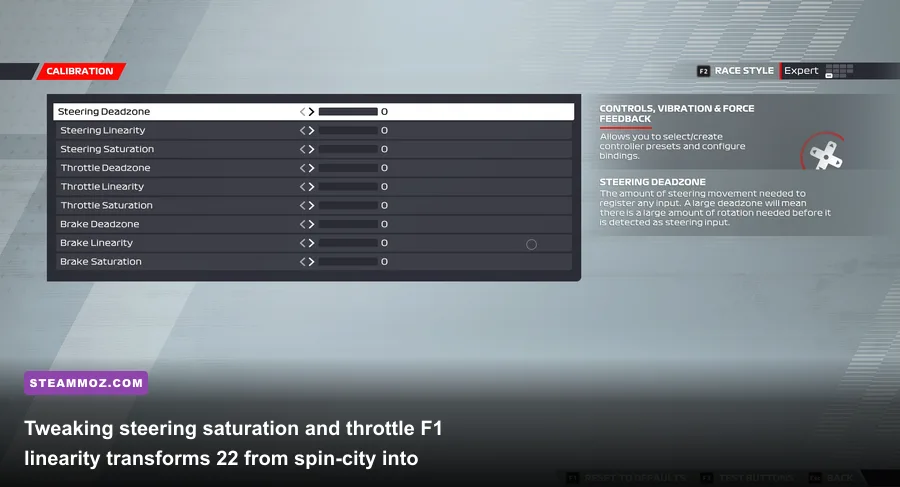
Whether you are competing on a budget gamepad or sitting in a high-end aluminum rig wielding a 15Nm direct-drive wheelbase, default control settings in F1 22 feel shockingly disconnected. Out of the box, controller inputs suffer from extreme twitchiness around the deadzone center, while wheel users report a vague, floaty sensation through the wheel rim that completely masks front-axle understeer until the car is already pushing into the runoff.
If you play on a pad (like an Xbox Series or PlayStation DualSense controller), your first mandatory stop is the Calibration Menu under Controls. Dialing in Throttle Linearity between 35 and 50 softens the input curve at low trigger depressions. Instead of a linear 1:1 ramp-up that dumps full torque to the engine halfway through the trigger pull, a curved linearity profile gives your finger the fine-tuning room needed to hold 20% to 40% throttle through long, winding corners without initiating snap oversteer.
For racing wheel owners, direct mechanical feedback is your only lifeline for feeling the rear break loose. Codemasters includes an "Understeer Enhance" toggle in the FFB settings—leave this OFF. Counter-intuitively, Understeer Enhance artificially lightens the wheel dramatically when the front wheels wash out, creating a disjointed, unnatural feeling that ruins tire scrub recognition. Instead, adjust your on-track effects, wheel damper, and tire friction according to hardware torque tiers.
| Input Device Category | Throttle Linearity | Steering Saturation | Force Feedback Strength | Wheel Damper / Friction |
|---|---|---|---|---|
| Standard Gamepad (Xbox / PS5) | 35 – 50 | 15 – 25 | N/A (Vibration: 65) | N/A |
| Entry Gear-Drive (Logitech G29/G920) | 0 – 10 | 0 | 75 – 85 | 5 – 10 |
| Mid-Tier Belt-Drive (Thrustmaster T300) | 0 | 0 | 65 – 75 | 10 – 15 |
| Direct Drive (Fanatec DD, Moza, Simucube) | 0 | 0 | 45 – 55 (In-Game) | 15 – 25 |
Direct drive users should balance total motor output in their external software (Fanatec Control Panel, Moza Pit House) at 80-100% while pulling back the in-game master strength to prevent clipping. When clipping occurs, the game engine sends maximum force feedback signals continuously, flattening nuanced tire vibrations into a generic, numbing wall of motor resistance.
The New Tyre Blanket Rules and Cold Rubber Scares
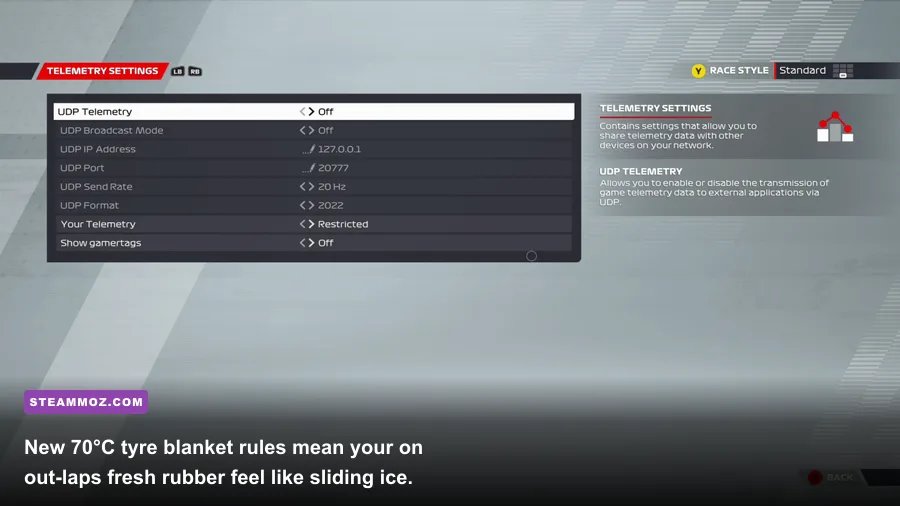
Previous Formula 1 games allowed you to blast out of the pit lane on fresh compounds with your tyres pre-heated to an optimal 100°C (212°F). In F1 22, the championship implemented real-life regulation changes lowering tyre blanket temperatures down to 70°C (158°F). Codemasters integrated this system faithfully, and it presents a lethal hazard during pit exit sequences and safety car restarts.
When you exit the pit box on a fresh set of hard or medium slick tyres, your Multi-Function Display (MFD) shows deep blue tire icons representing dangerously cold rubber. The carcass of the tire is cold, the surface rubber lacks adhesion, and brake discs sit outside their optimal 400°C–800°C window. If you pin the throttle on pit exit blending into traffic, you will loop the car into the wall. You must treat your out-lap like a defensive survival run.
Pay close attention to the distinction between surface temperature and carcass temperature on your telemetry HUD. Aggressive weaving heats the tire surface rapidly, causing the HUD numbers to flicker green. However, if the inner carcass remains cold, that surface heat dissipates the split second you step on the brakes. You must build internal heat through sustained longitudinal force: apply firm, progressive braking inputs in straight lines, drag your brakes lightly under safety car deltas, and refrain from lunging down the inside of an opponent until you complete a full racing lap on that set of rubber.
PC Graphics Optimization: Taming Ray Tracing, VR Stutter, and Frame Latency
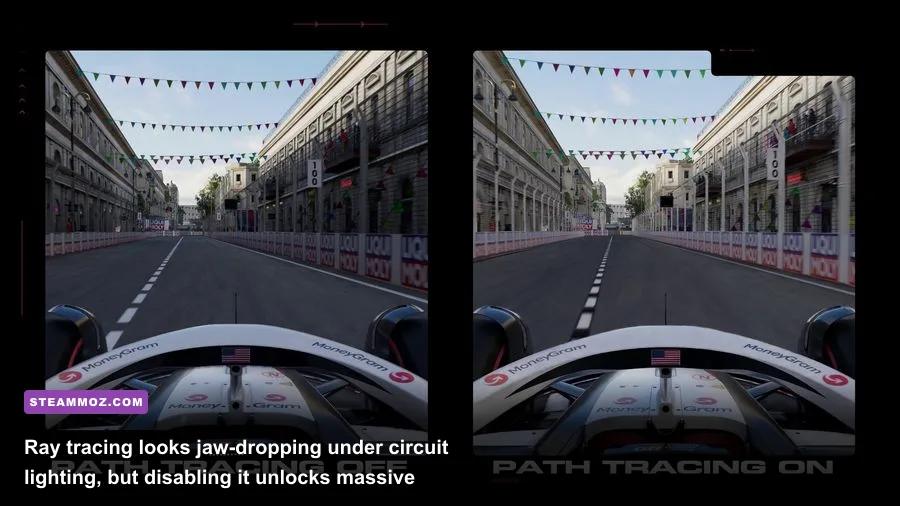
F1 22 represents the franchise's official debut for native Virtual Reality support on PC, alongside an expanded ray tracing suite covering shadows, reflections, and ambient occlusion. While the visual fidelity under rain-soaked neon street circuits looks breathtaking, the technical execution demands hefty graphical concessions if you care about competitive lap times. Sim racing requires rock-solid frame pacing; a single stutter mid-corner turns your muscle-memory apex hit into a lock-up catastrophe.
Ray tracing is the undisputed frame killer here. Running full Ray Traced Ambient Occlusion and Shadows will chop your baseline frame rate in half, even on cards like the RTX 3080 or RX 6800 XT. More critically, ray tracing introduces subtle input latency spikes during crowded race starts where twenty cars kick up spray and cast dynamic shadows simultaneously. For competitive racing, Ray Tracing should be disabled across the board. If you demand visual flair, limit it strictly to Ray Traced Reflections and leave Shadows and Ambient Occlusion on standard rasterized presets.
For VR enthusiasts running headsets through SteamVR or Oculus Link, F1 22 is notorious for erratic frame pacing. Just like resolving performance hurdles in other immersive simulation titles—a struggle familiar to players troubleshooting EscapeVR The Basement low FPS fixes—optimizing render resolution scale is vital. Avoid running the game at ultra settings inside your headset. Set your VR supersampling to 1.0x within SteamVR, engage AMD FSR or Nvidia DLSS set to 'Quality' mode, and lock the internal refresh rate to 90Hz to bypass nauseating micro-stutters.
| Graphic Preset Setting | Competitive Recommendation | Performance Hit (FPS) | Visual Impact & Tactical Advantage |
|---|---|---|---|
| Ray Tracing (All Settings) | Off | High (35% – 50% drop) | Adds car reflections; completely tanking frame pacing and input response. |
| Lighting Quality | Medium / High | Medium (8% – 12%) | Ultra produces heavy haloing around headlights without aiding visual clarity. |
| Shadows | Medium | Medium (10% – 15%) | Smooths out cockpit shadows; high settings drop frames without tactical benefit. |
| Post Processing | Low | Low (4% – 6%) | Eliminates aggressive depth of field and motion blur, keeping apexes crystal clear. |
| Upscaling (DLSS / FSR 1.0) | Quality or Off (Native TAA) | Negative (Gains 20% – 35%) | DLSS Quality boosts frames significantly; avoids ghosting on fast fence railings. |
| Crowds & Mirrors | Low (Crowd) / High (Mirrors) | Low (2% – 5%) | High mirror quality prevents low-resolution pixelation when defending overtakes. |
Fine-tuning these graphic parameters closely mirrors the process of calibrating other demanding PC releases for peak smoothness, such as stripping heavy overhead using Far Cry 6 GOTY settings for max FPS or hunting down elusive frame drops seen when applying ELEX PC fixes that rescue your FPS. If you run into driver timeout crashes during extended Grand Prix sessions, check the official EA Answer HQ F1 22 board for known shader cache conflicts, and clear out older DirectX caches from your AppData directory.
Car Setup Meta: Differential Locks and Wing Balancing
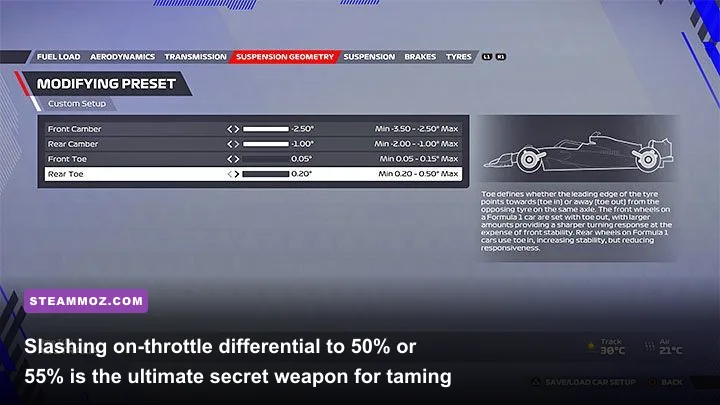
The default setups provided by Codemasters in F1 22 are notoriously unstable. They are dialed in with safe understeer presets that end up roasting front tyre treads, while keeping the differential locked too high for modern ground-effect torque delivery. If you roll onto any circuit using default presets, you are deliberately spotting the AI several tenths of a second per sector.
The golden rule of F1 22 car setups begins with the Transmission (Differential) settings:
- On-Throttle Differential: Drop this slider down to 50% to 55%. A locked on-throttle differential forces both rear wheels to turn at identical speeds under power. By opening the differential to 50%, you permit the inner wheel to rotate slower than the outer wheel through corner exits, radically diminishing the snap-oversteer tendency that ruins your runs out of slow bends.
- Off-Throttle Differential: Set this between 52% and 56%. An open off-throttle differential lets the nose dart toward the apex during trail-braking, eliminating sluggish entry understeer without unsettling the rear chassis balance.
- Aerodynamics: High-downforce tracks require wing angles like 42-48, but due to ground effect suction, you should generally keep the rear wing angle 4 to 8 clicks higher than the front wing. This aerodynamically stabilizes the rear axle at medium-high speeds, giving you the confidence to commit through fourth- and fifth-gear turns.
- Suspension Geometry & Ride Height: Avoid slamming the ride height to the floor (1-1). Because ground-effect floors create violent bottoming-out when hitting curbs, raise your ride height to 3-4 on the front and 4-6 on the rear. This slight rake prevents the chassis plank from scraping over chicane curbs, preventing sudden total losses of aerodynamic suction.
Taking the time to build bespoke setups makes a massive difference, much like optimizing game-engine profiles in puzzle and exploration titles when dialing in Filament Marmalade Edition settings for higher FPS. Spend 20 minutes in Time Trial running clean laps with an open 50% on-throttle differential, and you will immediately realize that the car isn't fundamentally broken—it was simply choked by outdated setup philosophies.
Mastering Manual Pit Stops, Immersive Broadcasts, and Formation Laps
F1 22 expanded weekend immersion by introducing manual pit stop timing, formation lap grid placement, and Interactive Safety Car periods. If you skip these systems in the settings menu, you leave massive tactical advantages on the table. When manual pit stops are engaged, a prompt appears as you cruise down the pit lane toward your pit box. Hitting your turn-in input within the green sweet spot can shave up to half a second off your stationary crew time, preventing devastating pit-stop undercuts from rivals.
Similarly, the interactive formation lap is far more than eye candy. As you weave down the formation lap, monitor your tyre temperature HUD. By gently modulating throttle and brake pressure, your goal is to pull into your designated starting grid box with tire core temperatures resting securely at 85°C–90°C. In the final sector before lining up, pull forward slowly and manually slot your front wing directly into the yellow staging box. Angling your front wheels slightly toward the inside apex of Turn 1 gives you an instant tactical launch angle off the starting line, allowing you to pinch off aggressive AI launches before you even clear second gear.
By treating the new ground-effect handling model with mechanical respect, taming your throttle inputs, locking down your PC frame pacing, and unlocking your car's differential, F1 22 transforms from a frustrating spin simulator into one of the most blistering, high-speed circuit racing experiences available on modern hardware.