If you want the best essential mods to transform your experience in Spider-Man Game PC, start with the SMPC Modding Tool, then add a curated suit pack, an improved movement or traversal tweak, and a sensible visual overhaul. Those four choices deliver the biggest payoff without wrecking save files, breaking story missions, or turning Insomniac's excellent combat into a noisy mess.
This guide focuses on Marvel's Spider-Man Remastered for Windows, not the older Activision titles and not Marvel's Spider-Man 2. Mod support is community-driven, so versions matter: check each download's game version, read the installation notes, and keep an untouched backup before changing anything. The official Steam listing is the safest reference for the PC release and its current update branch.
Install the foundation before the flashy stuff
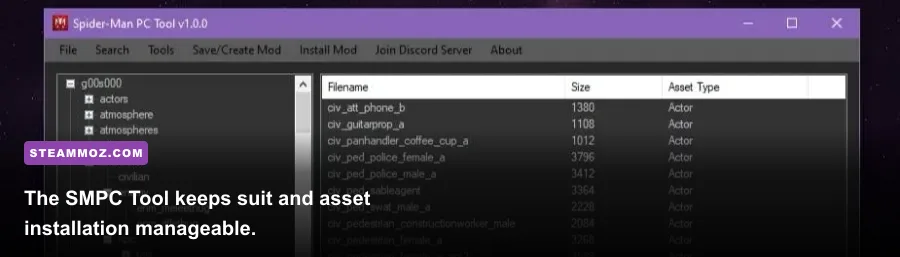
The SMPC Modding Tool is the essential starting point because Spider-Man Remastered stores much of its content inside large archive files rather than a simple plug-in folder. The tool handles archive patching, asset replacement, and mod deployment far more cleanly than manually dragging files into the installation directory. It also makes removing a suit or reverting an experiment dramatically less painful.
Close Steam before applying a mod, locate the game's installation folder, and make a copy of the original archive files. In Steam, that normally means opening Properties, choosing Installed Files, and selecting Browse. Never overwrite your only clean copy. If an update arrives, verify files first, reinstall the current SMPC Tool build, and then add mods one at a time.
Use a test save in the open world rather than launching straight into a mission. Swing from the Financial District to Chinatown, enter a hideout, start a crime, and check a few suit transitions. That quick circuit catches broken materials, invisible heads, missing web textures, and animation conflicts before they contaminate a long New Game Plus run. The community tool's documentation is the right place to confirm supported formats; don't assume a mod made for Miles Morales will work here.
Backups that actually matter
- Copy the game's modified archives before installing a second major overhaul.
- Back up save data separately; modded assets usually do not alter saves, but corrupted installs can still cause crashes.
- Keep a text list of every installed mod and its load order.
- Disable automatic experimentation during a story mission or before a Steam Cloud sync.
If your game already crashes, fix that first with Steam's file verification and a clean launch. Steamoz's PC crash troubleshooting checklist covers the same useful basics: overlays, driver resets, damaged files, and background software.

🎮 FORM
Looking to experience this game? Grab your digital key directly on our store for $14.99.
View on Steammoz Store →The best mod tiers for a first playthrough
Not every popular download deserves a place in a first mod list. Cosmetic suit replacements are low-risk and high-impact, while aggressive combat edits can undermine a carefully balanced difficulty curve. Here is the order I recommend for a new player, a second run, and a photo-mode-heavy save.
| Mod category | Tier | Why it belongs | Best use |
|---|---|---|---|
| SMPC Modding Tool | S-Tier | Required foundation for most archive-based mods | Every installation |
| Suit slot and suit replacement packs | S-Tier | Changes Peter's look without altering combat balance | First playthrough and NG+ |
| Improved web swinging and traversal tweaks | A-Tier | Makes repeat travel faster and more expressive | Free roam and time trials |
| Photo mode and visual presets | A-Tier | Enhances screenshots, lighting, and atmosphere | Photo mode |
| Combat balance and enemy overhaul mods | B-Tier | Interesting, but more likely to cause compatibility problems | Experienced players only |
| Huge texture replacements | B-Tier | Pretty at 4K, expensive in VRAM and often subtle in motion | High-end PCs |
The best first install is deliberately boring: the tool, one suit pack, and one movement tweak. That combination preserves the rhythm built around gadgets, Focus, and finishers. Remember that Peter's four core gadgets—Web Shooters, Impact Web, Electric Web, and Spider-Drones—already create a huge amount of combat variety. A mod should add flavor, not bury those systems under particle effects.
Suit mods are the safest major upgrade
Suit replacements are where Spider-Man PC mods shine. You can swap Peter into designs inspired by films, comics, animation, and unused concept art while retaining the game's actual suit powers. That distinction matters: the Advanced Suit's Battle Focus, the Classic Suit's Web Blossom, and the Velocity Suit's Blitz are tied to the selected suit power, not necessarily the visual model you are wearing.
For a clean story run, keep the visual suit close to the game's original proportions and materials. Extremely high-resolution textures can look brilliant in photo mode but expose seams during cutscenes or create shimmering around the spider emblem. A strong cinematic pack should preserve Peter's face, web-shooter placement, and the suit's rig rather than replacing every mesh it can find.
My favorite approach is to pair a restrained replacement with the original power progression. Unlock the Advanced Suit early, keep Battle Focus equipped while learning combat, then switch to Web Blossom when groups of Underground or Demons surround you. This gives the new costume a mechanical identity without pretending the mod has rewritten the combat system.
What to check before installing a suit
- Confirm whether the download replaces a specific suit slot or adds a selectable slot.
- Check compatibility with the DLC suits from The Heist, Turf Wars, and Silver Lining.
- Look for separate files for the base game and the Remastered PC version.
- Inspect screenshots for broken eyes, missing lenses, flat webbing, or strange shoulder deformation.
For official context on the game's art direction and PC features, consult the PlayStation game page and Nixxes' PC support information. Mods work best when they respect those original asset standards.
Movement mods should improve flow, not erase challenge
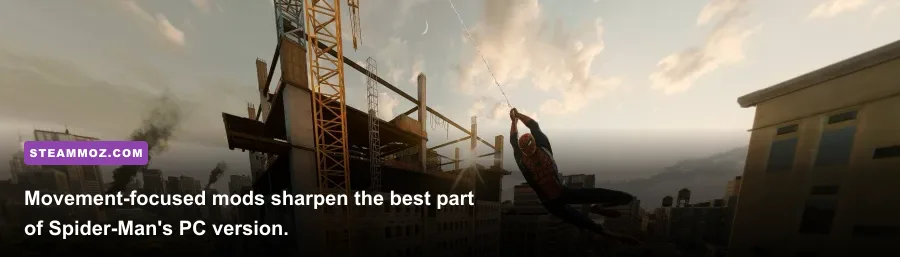
Traversal is the reason many players return to Manhattan, so movement mods can feel more transformative than a new costume. Look for tweaks that adjust swing speed, launch distance, air control, or the camera rather than simply multiplying every velocity value. Spider-Man's movement has a deliberate cadence: jump, web-zip, release, dive, then pull up near the next roof. A good mod makes that cadence smoother; a bad one sends Peter through traffic lights and rooftops.
Test any traversal change beside landmarks. Swing from Avengers Tower toward the Empire State Building, then use a point launch across the Financial District. If the mod causes Peter to miss anchor points, clips him through signs, or makes perch takedowns unreliable, it is not ready for a full campaign. Keep the original files nearby because movement edits can conflict with animation replacements and some challenge missions.
These mods are especially useful after unlocking skills such as Point Launch Boost and Quick Zip. Point Launch Boost rewards accurate timing by giving Peter a sharper burst from a perch or surface, while Quick Zip lets you correct your line midair. A movement mod that preserves those skill advantages feels natural; one that gives maximum acceleration from the first minute makes the progression curve meaningless.
Visual mods and settings that protect performance
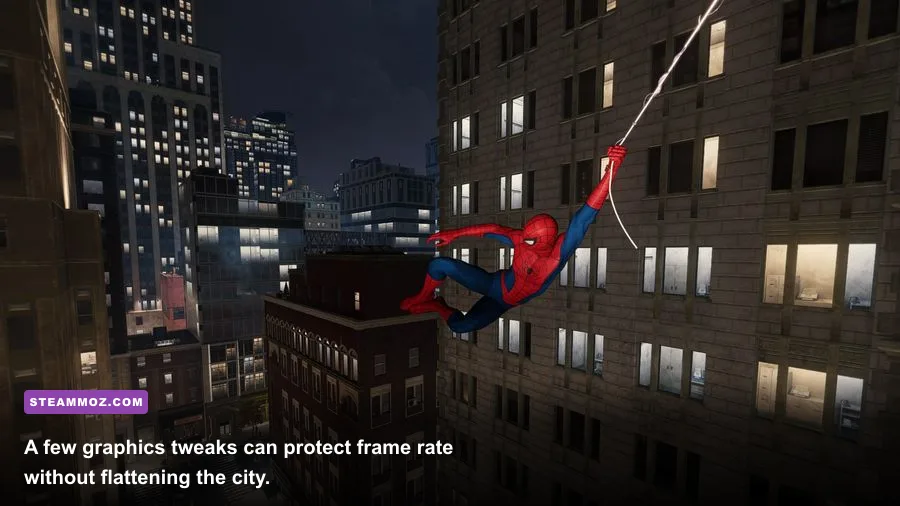
Spider-Man Remastered is demanding because Manhattan streams constantly while reflections, crowds, volumetric effects, and ray tracing compete for GPU memory. Before installing a 4K texture pack, tune the base game. On an RTX 3060-class card, 1080p High with ray-traced reflections disabled is generally a smarter target than unstable 1440p with every RT option enabled. On an RTX 4070 or RX 7800 XT, 1440p High and selective ray tracing is a much more comfortable profile.
| Setting | Recommended value | Typical performance impact | Visual note |
|---|---|---|---|
| Texture quality | High if VRAM allows | Mostly VRAM usage | Important for suits and building detail |
| Shadow quality | High | Medium | High preserves rooftop depth and character shading |
| Traffic and crowd density | Medium-High | Low-Medium CPU impact | Lower this first on older processors |
| Hair quality | Medium or High | Medium in cutscenes | High improves Peter's hair but can cause spikes |
| Ray-traced reflections | Off or Medium | High GPU impact | Beautiful puddles and windows, costly during traversal |
| Dynamic resolution | On with a 60 FPS target | Stabilizes frame time | Usually better than constant stutter |
| Upscaling | DLSS Quality or FSR 2 Quality | Large GPU benefit | Quality modes preserve web and hair detail |
Frame-time consistency matters more than a screenshot benchmark. A locked 60 FPS makes web swinging and perfect dodges feel reliable; a fluctuating 45-80 FPS range can make the same inputs feel mushy. Disable extra overlays while testing, and use the game's benchmark after every visual change. If a texture pack pushes VRAM over the card's limit, stutter will appear while crossing districts even if the average FPS looks fine.
A clean load order for a stable modded run
Install the foundation first, launch once, and create a clean test save. Add a suit replacement next, verify every suit slot, then add a single traversal tweak. Visual presets come after that. Combat edits and large texture packs should be last because they are the hardest to diagnose when something fails.
- Verify the Steam installation and disable unnecessary overlays.
- Back up archives and saves.
- Install the current SMPC Modding Tool and confirm it detects the Remastered directory.
- Add one cosmetic mod and test free roam, a crime, a hideout, and a cutscene.
- Add one movement or camera mod, then repeat the same test route.
- Record FPS, VRAM use, and crash behavior before adding visual upgrades.
- Keep a clean profile for future game updates and DLC.
When troubleshooting, remove the newest mod first instead of deleting everything. Verify files through Steam if the launcher reports missing data, and never mix files from the original PS4-era PC port with the Remastered release. Steamoz's graphics-settings performance guide also explains the useful habit of changing one demanding setting at a time, while our low-FPS troubleshooting guide covers frame-time checks that apply here too.
The winning Spider-Man PC setup is not the one with the largest mod folder. It is the one that keeps Peter's combat readable, Manhattan smooth, and the game's spectacular traversal intact. Start with the SMPC Tool, choose one polished suit, add a measured movement tweak, and only then chase 4K visuals. That restrained approach gives you a fresh New Game Plus run without sacrificing the design that made swinging through New York so hard to put down.