The best way to improve Xbox PC Game Pass with mods is to start with games that officially expose their files: Skyrim Special Edition, Fallout 4, Starfield, and Minecraft Java Edition. Use the Xbox app's Enable Mods option first, install lightweight bug-fix and interface mods before visual overhauls, and avoid assuming that every Nexus Mod or Steam Workshop collection will work on a Game Pass copy.
That last warning matters. PC Game Pass versions use Microsoft's licensing and installation structure, while many mods expect a normal Steam executable, a writable game directory, or a script extender tied to a specific build. Some titles are wonderfully open; others are effectively locked down. The smartest mod list is therefore not the biggest one. It's the list that survives updates, improves frame pacing, and doesn't turn a 90 GB installation into a troubleshooting project.
Which Game Pass games are genuinely mod-friendly?
There are three useful levels of support. First, Bethesda games with built-in Creations support let you browse and install curated content from the title's menu. Second, selected Xbox app games expose an Enable Mods button that grants access to the installation folder. Third, ordinary Windows games may technically have editable files but no reliable mod ecosystem at all.
Skyrim Special Edition and Fallout 4 are the safest choices because their in-game Bethesda.net browsers work without third-party launchers. The downside is a tighter 2 GB mod-storage limit for Skyrim on Xbox-style mod support and a 2 GB limit for Fallout 4, excluding the much larger PC-only Nexus ecosystem. Starfield's Creations system is more capable, but paid and free Creations can conflict with one another and with older Nexus releases.
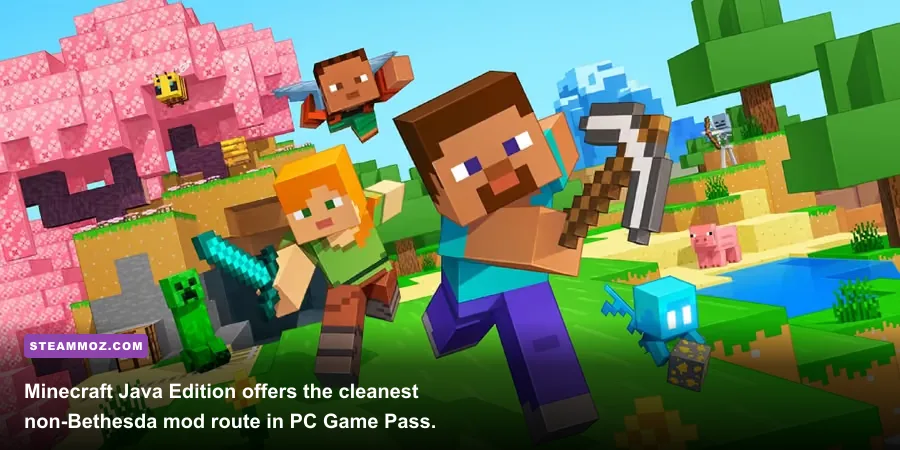
Minecraft Java Edition is different. It uses launchers and mod loaders rather than the Bethesda menu. CurseForge and Modrinth remain the practical hubs, with Fabric and NeoForge offering different compatibility paths. Minecraft Bedrock's add-ons are easier to install but far less flexible than Java mods, and Java and Bedrock packs cannot be mixed.
| Game Pass game | Best mod route | Compatibility | My verdict |
|---|---|---|---|
| Skyrim Special Edition | Creations; Nexus with manual files | High, but Script Extender support is limited | S-Tier |
| Fallout 4 | Creations; Nexus manual installation | High for texture, settlement, and gameplay mods | S-Tier |
| Starfield | Creations and Nexus | Good, but updates can break plugins | A-Tier |
| Minecraft Java Edition | Fabric or NeoForge via CurseForge/Modrinth | Excellent when versions match | S-Tier |
| Most other Game Pass games | Game-specific support only | Inconsistent or unavailable | Check first |
For broader PC troubleshooting, Steamoz's guide to ELEX crash and FPS fixes is a useful reminder: stability work should come before graphical ambition.
🎮 FORM
Looking to experience this game? Grab your digital key directly on our store for $14.99.
View on Steammoz Store →S-Tier: the essential Skyrim mod stack
Start with Unofficial Skyrim Special Edition Patch if your version supports it. It fixes thousands of quest, object, mesh, and dialogue errors, though it is not a performance mod and can alter behavior that vanilla players consider intentional. Pair it with SkyUI only where the Game Pass build and installation method allow its dependencies; SkyUI is transformative on PC, but its normal version requires SKSE64, and SKSE64 support is the major dividing line for the Xbox app edition.
For a safer, low-risk setup, choose texture and mesh improvements that don't need an extender. Static Mesh Improvement Mod cleans up ugly furniture, architecture, and clutter. Enhanced Lights and FX makes interiors moodier, but it can increase shadow and draw-call pressure in cities. Realistic Water Two improves rivers and coastlines while adding a modest VRAM load. These are visible upgrades without changing the game's levelled lists or combat scripts.
My recommended progression is bug fixes first, environment second, combat last. Adding a follower overhaul, perk overhaul, alternate start, and survival system together can produce a save that is technically playable but impossible to diagnose. Keep a clean test save outside Helgen, then add one gameplay category at a time.
| Mod category | Recommended choice | Performance impact | Why it belongs |
|---|---|---|---|
| Bug fixes | Unofficial Skyrim Special Edition Patch | Negligible | Repairs quests, objects, records, and scripts |
| Meshes | Static Mesh Improvement Mod | Low | Removes visibly rough vanilla geometry |
| Lighting | Enhanced Lights and FX | Medium in interiors | Adds stronger contrast and atmosphere |
| Water | Realistic Water Two | Low to medium VRAM use | Improves rivers, waterfalls, and shorelines |
| Interface | SkyUI, where supported | Negligible | Replaces console-style menus with usable PC inventory sorting |
Don't blindly follow old load-order videos. Anniversary Edition updates changed plugin versions, and Game Pass may not match the executable used in a tutorial. The official Bethesda Creations portal and Unofficial Elder Scrolls Pages wiki are better starting points than a five-year-old mod-pack description.
Fallout 4 gets better with restraint
Fallout 4's best Game Pass mods fix the game's rough edges without dismantling its survival loop. Unofficial Fallout 4 Patch is the obvious foundation. Full Dialogue Interface shows complete response text instead of vague paraphrases, making conversations with Piper, Nick Valentine, and Preston Garvey far less frustrating. Everyone's Best Friend lets Dogmeat travel alongside another companion, but companion scripting mods should be tested carefully after major updates.
Settlement players should look at Place Everywhere, although it depends on the Fallout 4 Script Extender and is therefore a poor assumption for the Xbox app version. The in-game alternative is to use Bethesda.net settlement packs and workshop expansions that explicitly list Xbox compatibility. Don't install a PC-only F4SE mod just because the title appears in your Game Pass library; the launcher and executable are not interchangeable.
For graphics, Vivid Fallout texture packs are more sensible than a full 4K overhaul. At 1080p, the difference between 2K and 4K textures is often invisible during combat, while the memory cost is real. On a 6 GB graphics card, keep texture packs moderate, turn God Rays from Ultra to High, and use Weapon Debris Off on Nvidia cards because Fallout 4's old physics implementation can cause crashes.
Steamoz's performance settings guide covers a different game, but the same principle applies here: expensive shadows and volumetric effects usually cost more frames than modest texture reductions.
Starfield and Minecraft offer different kinds of freedom
Starfield's strongest early mods are quality-of-life tools. StarUI makes inventory management dramatically faster, but it requires Starfield Script Extender and may not be compatible with every Game Pass installation. Achievement Enabler tools can also conflict with updates and should be treated as optional, not foundational. For a stable setup, prioritize ship-building interface improvements, improved photo-mode tools, and texture packs that explicitly support the current game version.
Starfield's frame rate is heavily CPU-bound in New Atlantis and Akila City. A texture mod won't fix that. At 1080p, lowering Shadow Quality from Ultra to High, Volumetric Lighting from Ultra to High, and GTAO from High to Medium usually helps more than reducing texture quality. Keep FSR 2 enabled if you need consistent performance, but avoid stacking multiple sharpening filters; the image quickly becomes grainy around cockpit glass and foliage.
Minecraft Java Edition is the true modding playground in PC Game Pass. Install the exact Minecraft version required by a pack, then choose one loader. Fabric is lightweight and excellent for performance mods such as Sodium, Lithium, and FerriteCore. NeoForge is the better route for large content packs built around machines, dimensions, and new progression systems. Never drop Fabric mods into a NeoForge profile just because both files end in .jar.
Sodium can transform a weak laptop, but shaders remain GPU-heavy. A profile using Sodium, Lithium, FerriteCore, and Entity Culling is a safer baseline than immediately installing Complementary Shaders at Ultra. The official Minecraft alternative download page helps verify the Java launcher before you begin.
| Minecraft profile | Loader | Target hardware | Expected result |
|---|---|---|---|
| Vanilla plus performance | Fabric | Integrated graphics, 8 GB RAM | Higher FPS and faster chunk handling |
| Visual survival | Fabric | GTX 1660 / RX 5600 XT, 16 GB RAM | Shaders at sensible medium settings |
| Large technical pack | NeoForge | RTX 3060-class GPU, 16 GB RAM | Machines, dimensions, and automation |
| Heavy exploration pack | NeoForge | 8-core CPU, 16-32 GB RAM | New biomes, mobs, structures, and quests |
Installation rules that prevent broken saves
Before installing anything, launch the unmodded game once. Confirm the version number, create a manual save, and close the game completely. In the Xbox app, open the game's three-dot menu and look for Enable Mods. If that option is missing, don't force a Nexus installation into protected folders; the title probably doesn't support external modding in its Game Pass edition.
For Bethesda Creations, disable every nonessential item before changing load order. Place unofficial patches near the top, keep settlement or environmental additions after their required masters, and put broad visual replacers below general fixes. When the game crashes during startup, remove the most recently added plugin first rather than deleting the entire list.
For Nexus files, read the version requirements line by line. A mod requiring SKSE, F4SE, SFSE, DLL plugins, or an external launcher is not automatically compatible with Xbox PC Game Pass. Manual copying also means updates can overwrite files or leave orphaned plugins behind. A separate Steam installation is often the cleaner choice for script-heavy modding, even if you keep the Game Pass copy for unmodified play.
| Step | What to do | Failure it prevents |
|---|---|---|
| 1 | Launch vanilla and check the version | Installing a mod for the wrong build |
| 2 | Back up saves and note the load order | Permanent progress loss |
| 3 | Enable mods through the Xbox app where available | Writing files into a protected directory |
| 4 | Add bug fixes before visuals or gameplay | Confusing a script conflict with a texture issue |
| 5 | Test for 15 minutes in a busy area | Discovering crashes hours into a new campaign |
Finally, keep expectations realistic. Mods cannot make every Game Pass title behave like a Steam Workshop game, and a modded save may stop loading after a publisher update. Bethesda's official support center is the right place for account and Creations problems, while Steamoz's crash and low-FPS troubleshooting guide covers the broader PC habits that keep modded games playable.
The best starting loadout for most players
If you want one answer, install Skyrim's unofficial patch and a restrained mesh or texture upgrade through the supported Creations route. For Fallout 4, choose the unofficial patch, Full Dialogue Interface, and a moderate texture pack. For Minecraft Java, use Fabric with Sodium, Lithium, FerriteCore, and Entity Culling. Those combinations improve menus, bugs, readability, and frame pacing without demanding a full rebuild.
That is the real advantage of modding through Xbox PC Game Pass: you can sample a huge library, then deepen the games that earn your time. Start with reversible improvements, check every dependency, and treat script extenders as a separate compatibility decision. The result is less flashy than a 200-mod showcase, but you'll spend far more time playing—and far less time hunting for the one plugin that broke your save.