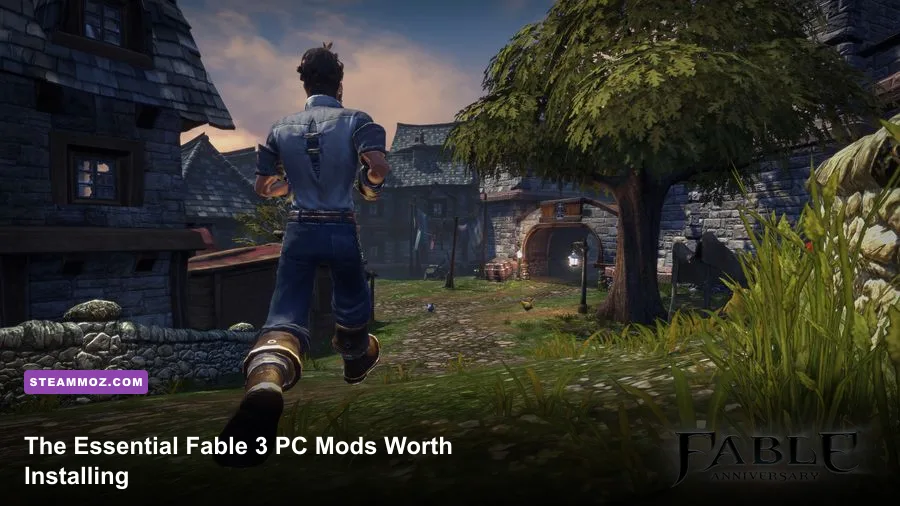
If you want the best Fable 3 PC experience, start with stability and compatibility mods rather than a giant graphics overhaul: install a trusted Fable 3 Hook-based fix, correct the old Games for Windows Live problems, back up your saves, and then add carefully tested texture or gameplay tweaks one at a time. Fable 3's mod scene is smaller than Skyrim's, but the right tools can make Albion smoother, sharper, and far less frustrating without wrecking its quirky balance.
That distinction matters. Fable 3 launched on Windows with a controller-first interface, an ageing middleware stack, and a PC version tied to Microsoft's now-retired Games for Windows Live service. Many downloads labelled as a 'mod' are actually loaders, community patches, configuration fixes, or replacement files. Treat them with the same care you'd give a total conversion: check the game version, read installation notes, and never overwrite a save folder without a backup.
What to install first for a safer Fable 3 PC setup

The strongest starting point is the community tooling built around Fable 3 Hook and the surviving Fable modding community. Hook-style loaders allow script and asset modifications to run without manually replacing every original archive. They are especially useful for small quality-of-life changes, weapon edits, and testing experimental packages. They aren't a universal patch, though, so check whether a download specifically supports your executable and distribution.
Before touching the files, launch the unmodified game once, finish the initial setup, and confirm where your saves are being written. Fable 3 can use a profile folder associated with the old Microsoft service, while some modern installations redirect data through Documents or compatibility layers. Copy the entire save directory to a separate location. Keep a clean copy of the game's original files as well; Steam's file verification is useful, but it won't protect custom saves or every external configuration file.
For official reference, keep the Fable III Steam page bookmarked for installation and ownership details. The Xbox support information for Fable 3 is also useful context when a guide references legacy account or service behaviour. Community documentation on Nexus Mods can help you compare file versions, but always inspect the specific Fable 3 page and its comments instead of grabbing a random archive.
| Priority | Tool or change | Why it matters | Risk level |
|---|---|---|---|
| 1 | Save backup | Protects progress from incompatible scripts | None |
| 2 | Clean launch test | Separates base-game problems from mod problems | None |
| 3 | Fable 3 Hook or current community loader | Provides a controlled way to load supported tweaks | Low to medium |
| 4 | Controller and display configuration | Fixes the most common PC friction points | Low |
| 5 | Texture or balance packages | Adds visual polish or changes progression | Medium to high |
Install in a test profile, not your crown-worthy save
Create a new campaign and play through the first sections before committing to a long-term mod list. The early game gives you several useful checks: the road to the Camp of the Dweller tests outdoor streaming, the first trips through Bowerstone expose lighting and NPC issues, and the Road to Rule lets you confirm whether progression edits are actually working. If a package changes quest scripting, don't test it during a decision-heavy mission such as The Masquerade or The Battle for Albion.
🎮 FORM
Looking to experience this game? Grab your digital key directly on our store for $14.99.
View on Steammoz Store →The best mod categories, ranked by practical value

Not every flashy download improves Fable 3. The most worthwhile changes fall into three groups: technical fixes, interface improvements, and controlled visual upgrades. Gameplay overhauls sit below them because Fable 3's combat and economy are tightly connected to story choices. A mod that doubles experience or gold can flatten the Road to Rule, remove the pressure from the Treasury, and make the final moral decision feel consequence-free.
S-Tier: stability and compatibility fixes
These are the essential mods in the literal sense. Use a loader or patch only when it is documented for your build, and prefer fixes that address crashes, input, resolution, or service dependencies without changing quest logic. If your copy crashes outside the game, compare your troubleshooting steps with Steamoz's guide to PC crash fixes; the games differ, but the disciplined process of testing overlays, verifying files, and isolating background software applies here too.
A-Tier: interface, camera, and visual improvements
Fable 3 can look surprisingly good at a modern resolution, but its interface was designed around a television and controller. Wider-resolution fixes, cleaner HUD adjustments, and sensible camera changes have a bigger day-to-day impact than a dramatic reshade. Use a restrained colour profile: Albion's warm golds, Bowerstone's grime, and Aurora's harsher desert palette are part of the game's storytelling. An over-sharpened filter makes character faces and foliage look brittle.
B-Tier: weapons, economy, and progression edits
These can be fun on a second run, especially if you want a challenge campaign, but they should not be your first installation. Fable 3's weapons evolve through use and personality-linked conditions. The Fable 3 Weapon Morphing system tracks requirements such as kills, expressions, wealth, or alignment, so a package that alters weapon damage may unintentionally make morph objectives trivial. Keep a vanilla run available if you want to see weapons such as Channeler, Scythe, Dragonstomper .48, or Dirty Harriet develop naturally.
| Tier | Mod category | Best benefit | Who should use it |
|---|---|---|---|
| S-Tier | Loader and compatibility fixes | Fewer launch, input, and file conflicts | Every PC player |
| S-Tier | Resolution and controller fixes | Cleaner modern display experience | Players using 1080p or ultrawide monitors |
| A-Tier | Texture and restrained visual packs | Sharper environments without changing mechanics | Second playthroughs and screenshot fans |
| A-Tier | HUD and camera adjustments | Better readability and control | Mouse-and-keyboard players |
| B-Tier | Weapon and economy edits | Fresh challenge or faster experimentation | Experienced players with backups |
| B-Tier | Large quest or script projects | Potentially new content | Mod testers willing to troubleshoot |
Graphics settings that make mods look better, not worse

Fable 3 is not a modern GPU stress test, but its performance can become inconsistent when compatibility layers, overlays, high-resolution rendering, and texture replacements stack up. A locked 60 frames per second feels excellent during sword fights, yet the game can still hitch when moving from a crowded Bowerstone street into an interior. That is usually streaming or CPU-side behaviour, not a lack of raw graphics power.
Start at the game's native resolution and disable overlays from Steam, Discord, recording software, and GPU utilities while testing. Use an external frame limiter if the built-in option behaves badly, and don't assume a reshade is harmless: ambient-occlusion effects and depth-of-field shaders can add latency or cause crashes when the old renderer changes scenes. Test Brightwall Academy, Bowerstone Market, the Dweller Camp, and Aurora rather than judging performance inside the Sanctuary alone.
| Setting or tweak | Recommended value | Performance impact | Visual note |
|---|---|---|---|
| Resolution | Native 1080p or 1440p | Medium at 1440p | Improves UI and distant geometry clarity |
| Anti-aliasing | Highest stable in-game option | Low to medium | Reduces foliage and railing shimmer |
| Texture replacement | One verified pack at a time | Medium VRAM use | Sharper stone, cloth, and road surfaces |
| Ambient occlusion reshade | Off while diagnosing | Medium to high | Can deepen shadows but cause scene problems |
| Motion blur | Off if available | Small | Cleaner dodge rolls and spell effects |
| Frame limit | Stable 60 FPS target | None after limiting | More consistent camera and combat feel |
| Overlays | Disabled for testing | Can remove stutter | No image-quality change |
Don't chase 120 FPS just because your monitor supports it. Fable 3's older timing and camera behaviour can feel less consistent at an uncapped rate, while a stable 60 FPS gives combat, menus, and traversal a predictable rhythm. If a texture mod raises memory use, lower the external render resolution before deleting the entire pack. On a modern mid-range PC, the bottleneck is often the game's old engine behaviour rather than your graphics card.
Gameplay mods that actually improve a second run
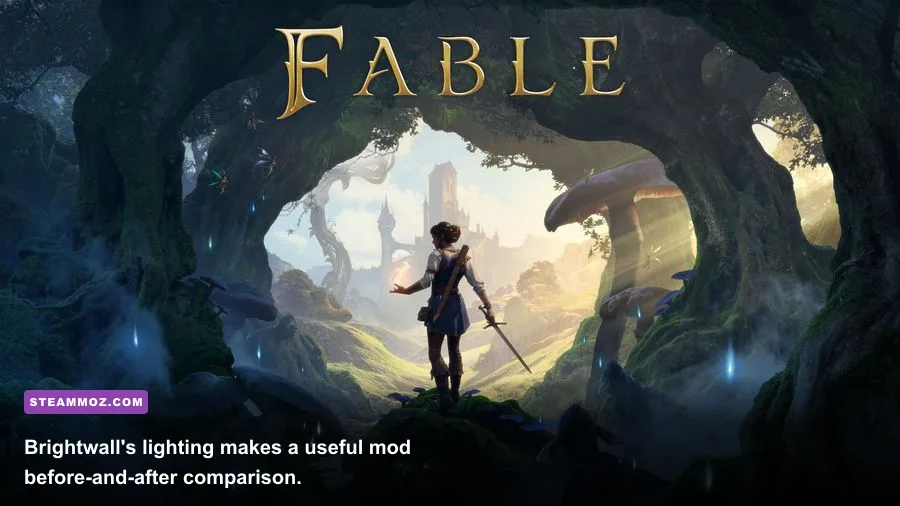
Once the technical side is stable, gameplay mods can make a repeat campaign more interesting. The best ones adjust friction without erasing identity. A modest economy rebalance can make property ownership matter again; a tougher enemy package can force you to use blocking, rolls, and charged spells instead of spamming a weapon combo; a weapon progression tweak can give neglected gear a reason to leave the Sanctuary display case.
Keep the combat fundamentals in mind. Fable 3 gives you melee attacks, ranged weapons, and Will powers, with the Road to Rule opening upgrades as you progress. A strong vanilla rotation is simple: hold block until a Hollow or Balverine commits, roll through the attack, land a melee chain, then create distance for a charged Will spell. Against groups, a fully charged area spell buys room; against a single armoured target, repeated ranged headshots or a close-range weapon chain is usually more reliable than burning Will power immediately.
A difficulty mod should amplify those decisions, not turn every encounter into a damage sponge. Watch for telegraphs: Balverines crouch and spring, Hollow formations pressure you with projectiles and melee bodies, and larger enemies create obvious wind-ups before area attacks. If a package only multiplies enemy health, it slows fights without making them smarter. If it increases damage, test it in the Dweller Camp before entering a quest where companion survival matters.
Economy edits need similar restraint. The game gives you money through quests, jobs, chests, and property rent, and owning businesses can support the Treasury before the final act. A gold multiplier can bypass the tension surrounding the Castle Fairfax purchase, family support, and the funds needed before the Battle for Albion. If you want a challenge, reduce income or raise purchase costs rather than handing yourself unlimited gold.
| Build direction | Useful vanilla gear | Mod recommendation | Combat approach |
|---|---|---|---|
| Melee | Scythe or a fully morphed sword | Small damage rebalance only | Block, roll, chain attacks, execute openings |
| Ranged | Dragonstomper .48 or another pistol | Keep reload and damage close to vanilla | Use distance and target exposed enemies |
| Will caster | Any weapon supporting your alignment goals | Adjust recharge, not unlimited Will | Charge area spells, then reposition |
| Economy challenge | Property income and jobs | Reduce passive rent or raise costs | Plan purchases before story deadlines |
| Hard-mode run | Mixed weapon loadout | Increase enemy damage modestly | Learn telegraphs instead of trading hits |
How to prevent mod conflicts and broken saves
Fable 3 is much easier to enjoy when you treat your mod list like a controlled experiment. Install one package, launch the game, load the test profile, and visit the same locations. Record the result in a small text file: game version, mod filename, installation date, and whether you changed a save. That sounds excessive until a broken script appears six hours later and you need to identify the culprit.
Use a clean-to-dirty testing order
Test in this order: vanilla launch, loader only, technical fix, visual package, then gameplay changes. Never install a texture pack and an economy overhaul together on the first test. If the game crashes, remove the last change and verify files. If it reaches the menu but fails during a quest, restore the clean executable and test a new save; continuing with a damaged scripted state can make the problem impossible to diagnose.
Keep separate folders for Vanilla, Test, and Long-term saves. Copy before installing anything that changes quests, inventory, weapons, expressions, or the Road to Rule. Don't overwrite the only copy after a successful session. Cloud synchronization can also preserve a bad save, so temporarily managing local backups is safer while you experiment.
Mouse-and-keyboard users should also check every remap after a loader change. Fable 3's menus and radial-style interactions were built around a controller, and some input fixes alter focus behaviour rather than simply adding keybinds. A controller remains the smoother option for melee, blocking, and spell charging. If you stick with keyboard and mouse, bind dodge and block where your hand can reach them without leaving movement; missed timing is more dangerous than a slightly awkward menu.
For broader PC troubleshooting habits, Steamoz's guides to crash and low-FPS diagnosis and performance settings are useful companions. The same rule wins every time: establish a clean baseline, change one variable, and test the exact scene that failed.
The ideal Fable 3 PC mod list for a first replay
For most players, the sweet spot is deliberately modest. Use a trusted compatibility loader or community fix that matches your installation, apply resolution and input improvements, keep overlays under control, and add one restrained visual pack. Stop there for the first campaign. You'll get a smoother Albion without risking the story flags, weapon morph conditions, and economy that make Fable 3 feel like Fable 3.
On a second run, add a carefully documented weapon or difficulty tweak, but preserve the original save and avoid stacking packages that edit the same files. Test the Kingdom of Albion map, Bowerstone, Brightwall, Aurora, and at least one large combat sequence after every major change. If the mod author doesn't explain its supported version, conflicts, uninstall method, or save impact, treat that missing information as a warning rather than a challenge.
Fable 3 won't suddenly become a modern open-world RPG through mods, and that's fine. Its strengths remain the expressive morality system, the Road to Rule progression, weapon morphing, memorable characters such as Walter Beck and Jasper, and the way Albion changes after your choices. The best PC mods clear away technical annoyances while leaving those odd, charming systems intact. Build your loadout around that goal and you'll get the definitive version of this wonderfully messy adventure.